Real-time content rewriting for security and policy
Uninspected or unmodified content increases risk and compliance gaps
Web pages and responses can contain unwanted scripts, tracking, or sensitive data. Without in-transit modification, organizations cannot enforce branding, remove risky content (e.g. ActiveX, inline scripts), or normalize headers for downstream systems. Risk includes malware delivery, policy violations, and inconsistent handling of MIME types. SafeSquid Content Modifier applies regex-based rewrites to body, client headers, server headers, and POST data so policies apply in real time.
Key benefits of Content Modifier
Content Modifier enables security and operational control: strip or replace ActiveX, JavaScript, and cookies by profile; rewrite titles or inject inspection notices for audit; normalize Accept headers (e.g. request PNG/JPG instead of AVIF/WEBP). Supports compliance use cases where content must be altered before delivery (e.g. data masking, branding). Limitation: Regex errors or broad MIME matching can affect page layout or break applications; test rules in a non-production profile first.
Prerequisites
Client-side: No change required; modification is transparent to the client.
SafeSquid-side: SafeSquid deployed and operational; admin access to the configuration interface. SSL Inspection enabled if modifying HTTPS response body. Access Restriction and profiles configured so modifier policies can target the right connections.
Enable and configure Content Modifier in SafeSquid
Access the SafeSquid interface via the Configuration Portal.
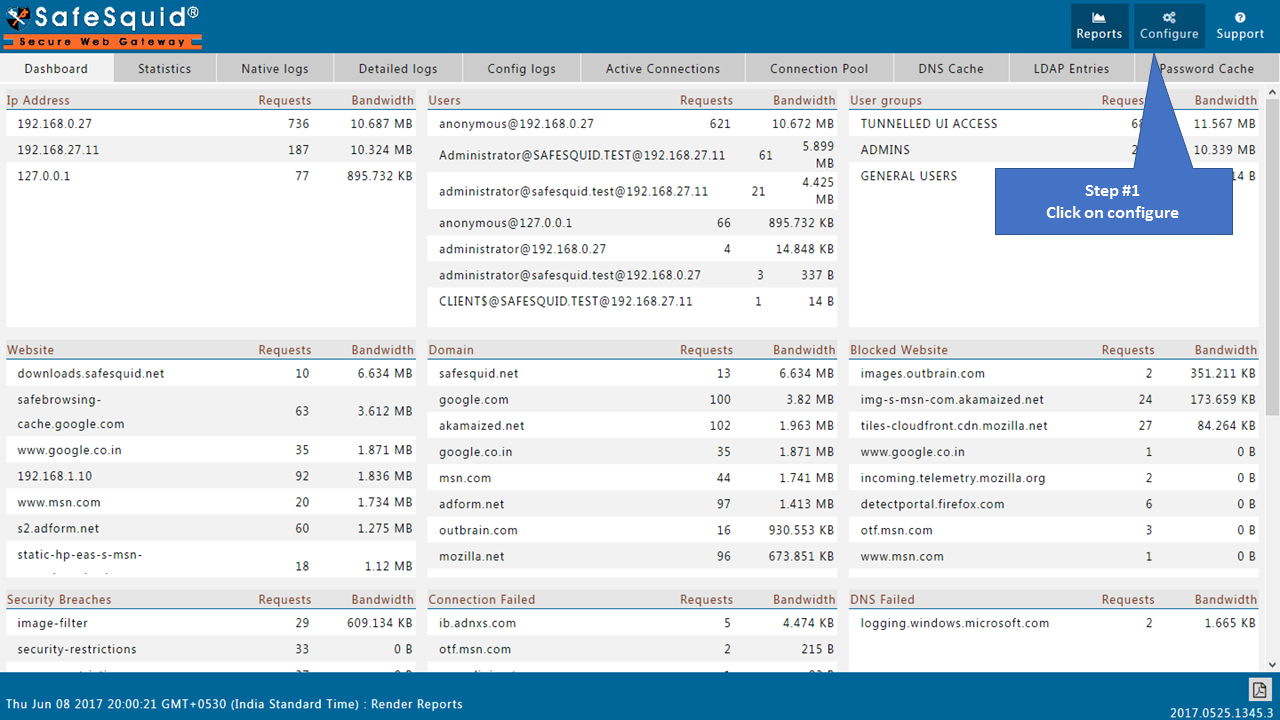
Open the Configure page
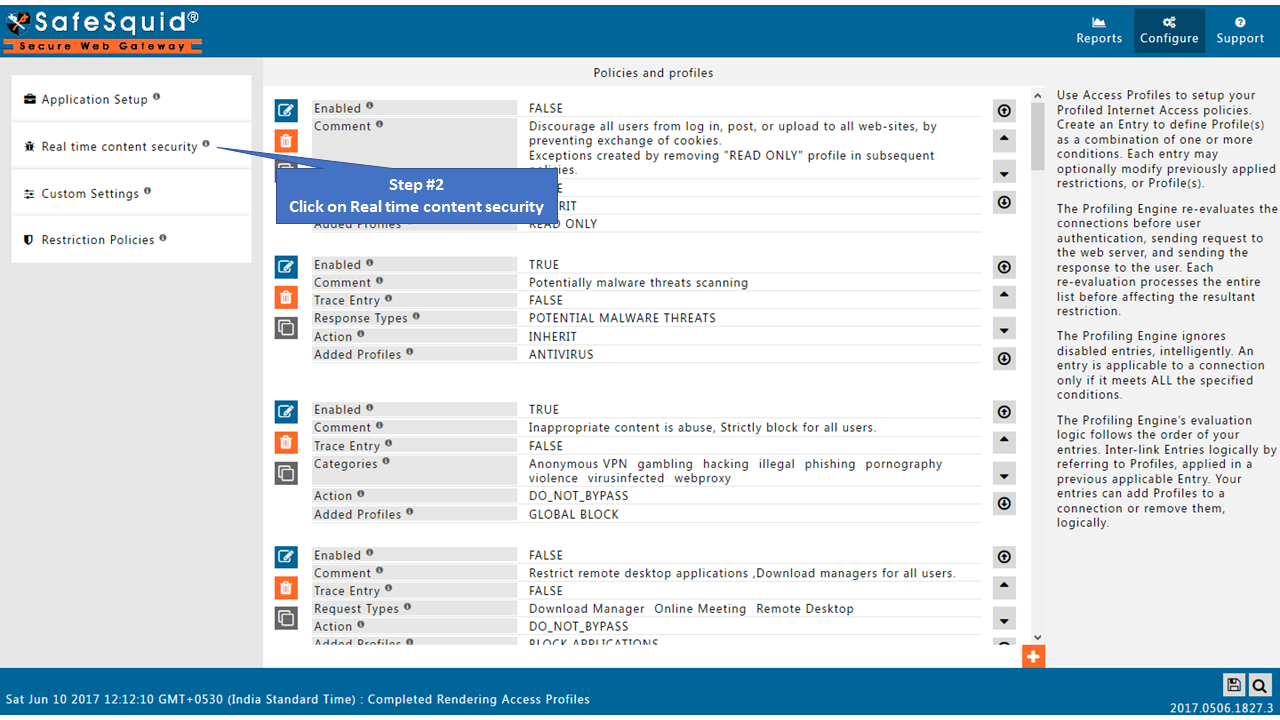
Open Real-time content security
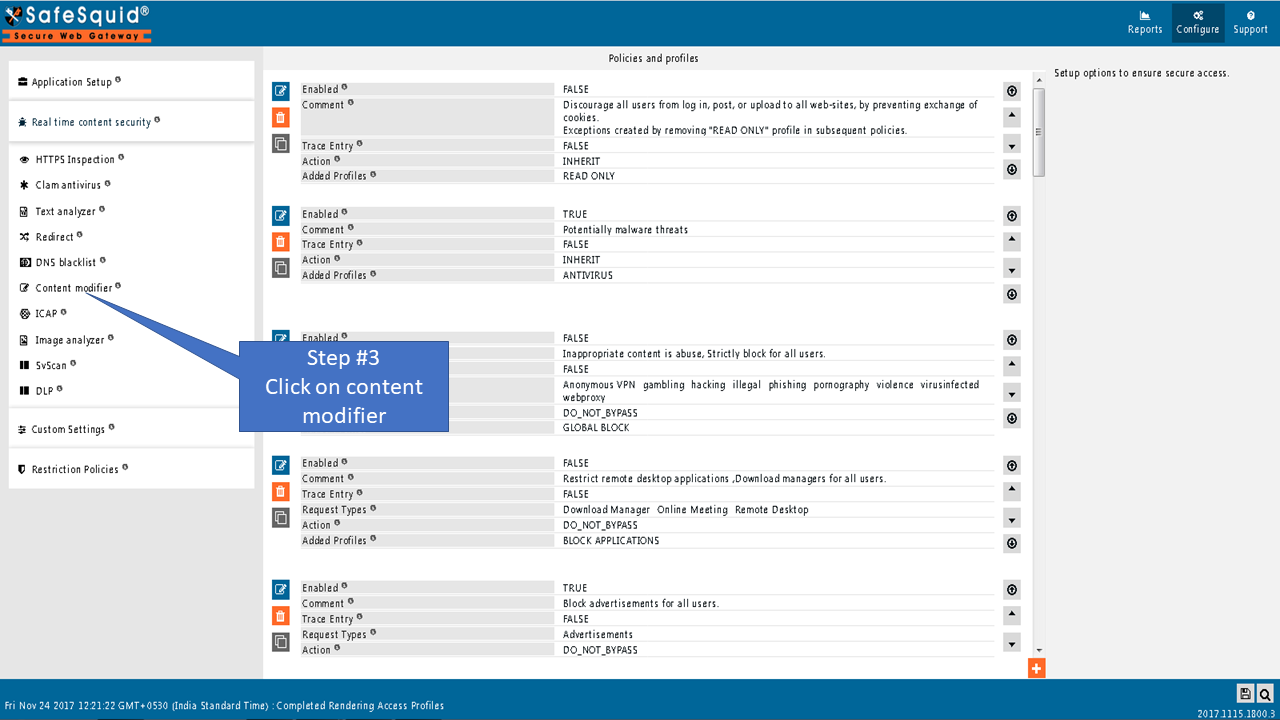
Open the Content modifier section
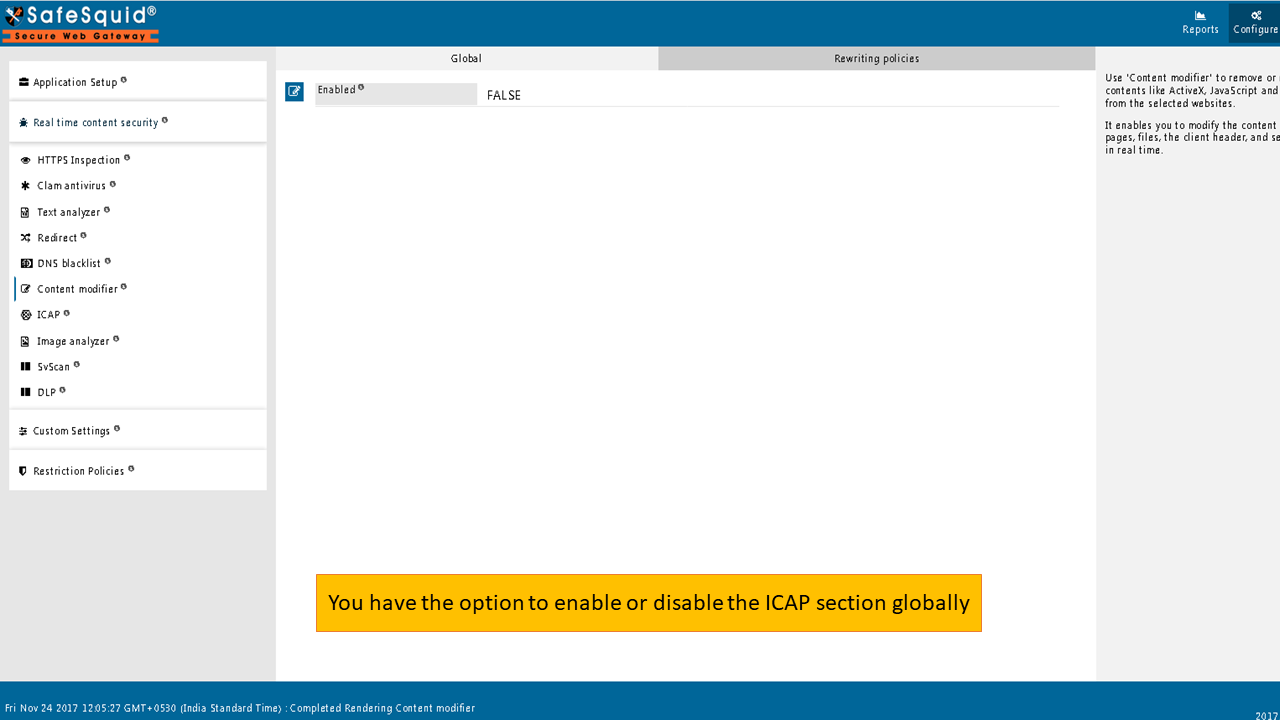
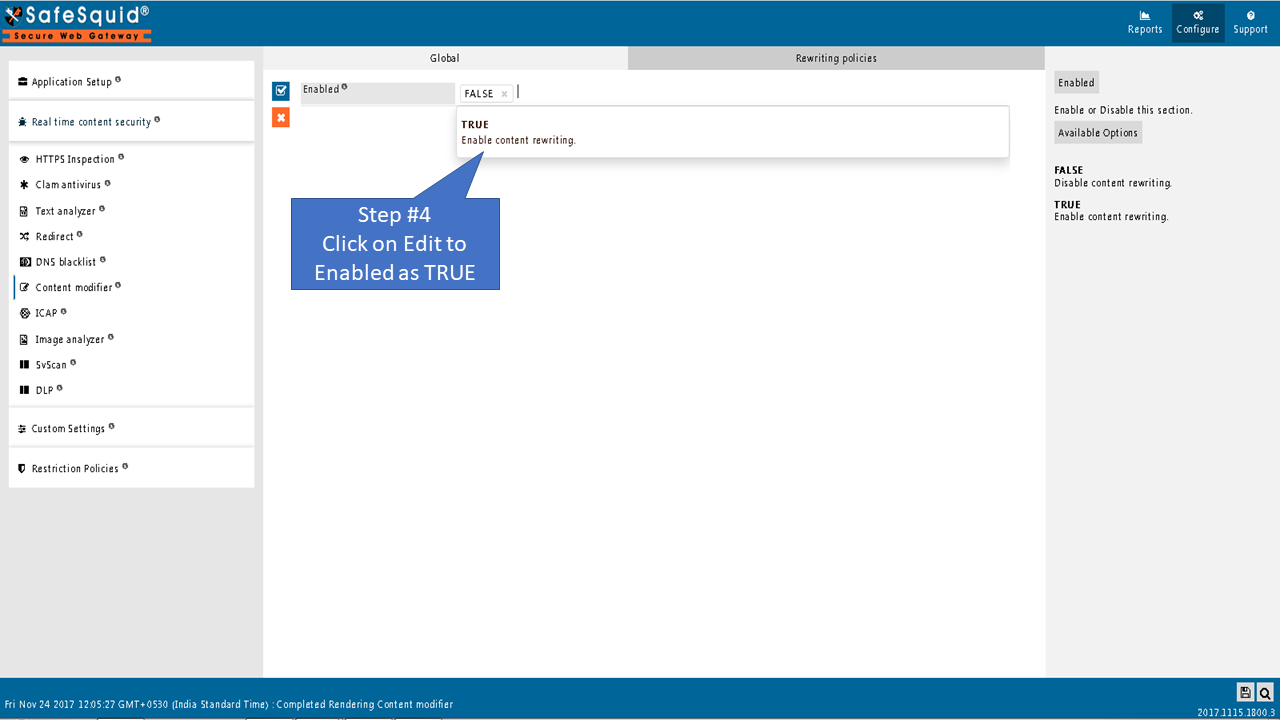
Global
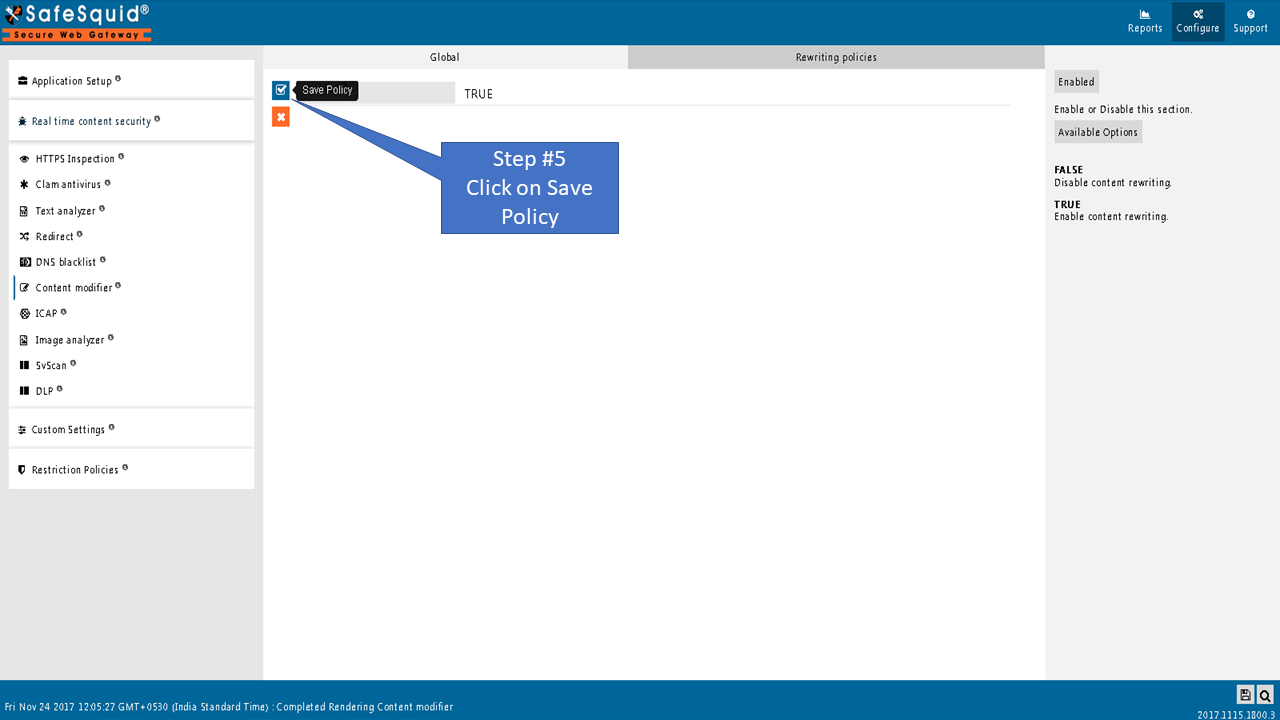
Enabled
Enable or Disable this section.
- TRUE: Enable content rewriting
- FALSE: Disable content rewriting
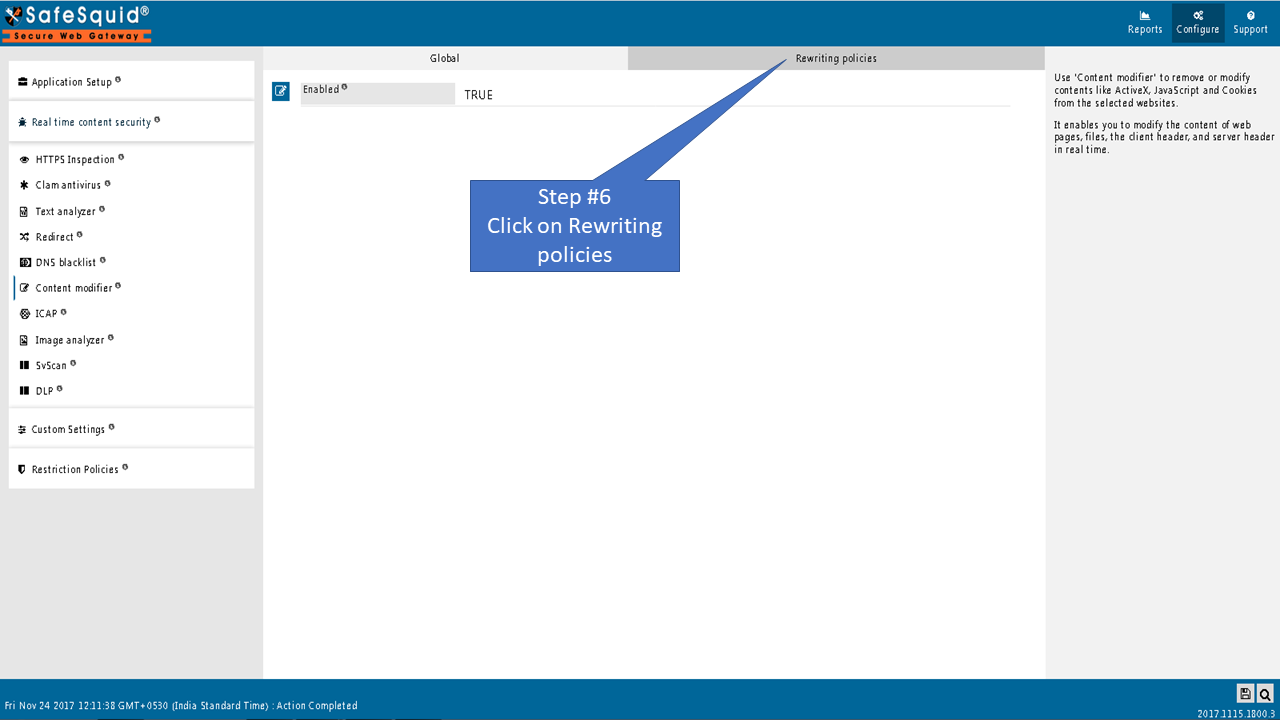
Rewriting Policies
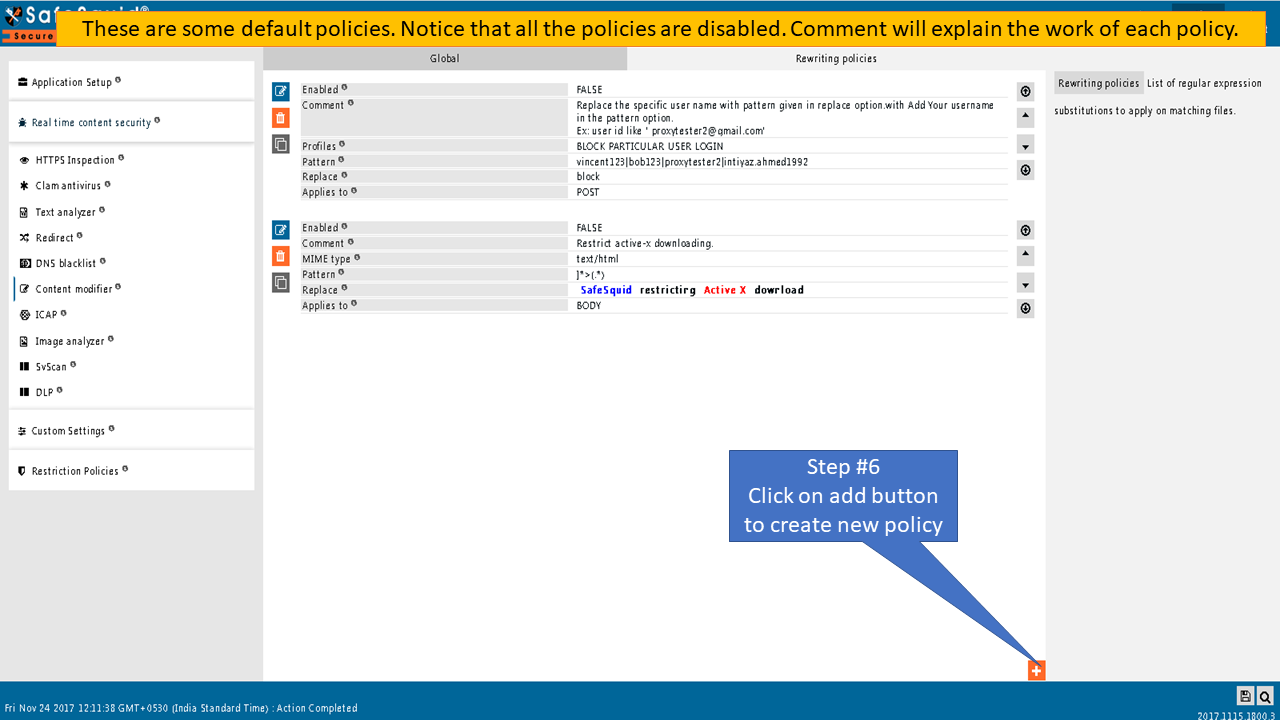
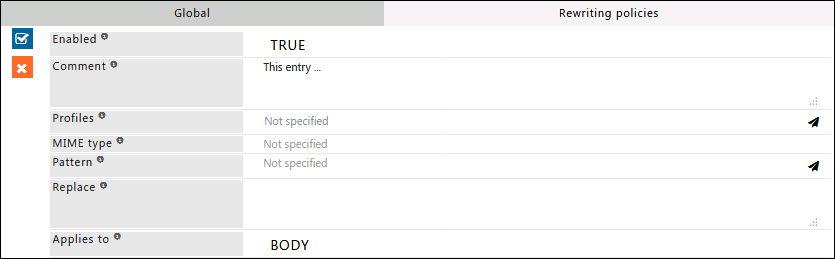
List of regular expression substitutions to apply to matching files.
Enabled
Enable or Disable this Entry.
- TRUE: Enable this Entry
- FALSE: Disable this Entry
Comment
For documentation and future references, explain the relevance of this entry with your policies.
That is, by reading the policies, a future user can understand the purpose of that entry.
Profiles
Specify the Profiles applicable for this entry.
This entry will be applicable only if the connection has any one of the specified profiles.
Leave it Blank, to apply for all connections irrespective of any applied profile.
To avoid application to a connection that has a profile, use a negated profile (!profile).
Mime type
Specify regular expressions matching the MIME types for which this entry is applicable.
According to their nature and format, MIME-type is a way of identifying files on the Internet.
It is highly advisable that you set this to some mime type; otherwise, all files will be checked.
Example: text/html, ^image/, ^application/, application/x-shockwave-flash.
Pattern
A regular expression pattern matching the area of text inside the file, 'to modify'.
This may be trailed with a '/' followed by flag characters like in Perl to modify options used to compile the regular expression and must be if a '/' is used anywhere else in the regular expression.
Replace
Speify the replacement text to use in place of the area of text matching the pattern mentioned in the above field.
It may contain back-references to strings captured using parenthesis in the pattern.
Applies to
This option is to select what the rewrite entry applies to.
- BODY: Rewrite the body of the webpage or file
- CLIENT: Rewrite the client header, this happens before Middleman parses it so be careful not to remove any headers needed to handle the request properly
- SERVER: Rewrite the header from the remote web server, the same conditions from the client header apply
- POST: Rewrite POST/PUT data sent when submitting a form or uploading a file
Example
Rule#1
I want to modify the title tag of webpages which will indicate that it has been the webpage is inspected by SafeSquid. This rule is to be applied to every connection. To ensure the title tag is modified the chunked response needs to be buffered. Using regex (Regular Expression) we can use pattern matching to select the title tag of webpages. Replace with the title tag Inspected by SafeSquid.

Rule#2
We want to request PNG & JPG images instead of AVIF & WEBP from a remote server.
AVIF images and ignore by SafeSquid's image analyzer.
Using regex (Regular Expression) we can use pattern matching to select the header request sent from the client to SafeSquid.
Modify the header response and request for PNG & JPG images instead of AVIF & WEBP.


Verification and Evidence
- Interface: Configure → Real-time content security → Content Modifier shows Enabled and the list of rewriting policies. Confirm each entry has the intended Profiles, Mime type, Pattern, and Replace values.
- Traffic: Load a page or trigger a request that matches a rule; confirm the response body or headers reflect the replacement (e.g. title contains "Inspected by SafeSquid", or Accept header requests image types as configured).
- Logs: SafeSquid access and content logs can indicate requests that matched modifier profiles; use for audit when demonstrating that content was altered per policy.
Troubleshooting
| Symptom | Likely cause | Resolution | Verification |
|---|---|---|---|
| Page broken or blank | Regex too broad or replace removed required markup | Narrow Mime type and Pattern; avoid replacing structural HTML | Reload page; confirm layout and functionality |
| Rule not applied | Profile or MIME mismatch; rule disabled | Ensure connection has a matching profile; set Enabled TRUE; check Applies to (BODY/CLIENT/SERVER/POST) | Trigger request that matches profile and MIME; inspect response |
| Header removal breaks site | CLIENT or SERVER rewrite removed required header | Avoid removing Host, Content-Length, or other required headers | Retest request; check browser or client for errors |
Detailed reference and next steps
Rewriting Policies Reference
Field-by-field reference for every policy parameter (Enabled, Profiles, Mime type, Pattern, Replace, Applies to) with practical examples — title tag injection, image format enforcement, and header rewriting.
Related sections
- Header Re-Write for filtering or modifying specific headers.
- Cookie Inspection for cookie filtering and policy.
- Data Leakage Prevention for DLP and compliance templates.
Next steps
Use with Access Restriction profiles; enable SSL Inspection when modifying HTTPS response body.