Register and Get Your Key
Goal: Obtain an activation key so you can license SafeSquid after installation. Registration is free and takes about two minutes.
Sign in to the Self-Service Portal to download your existing key.
- A browser with internet access
- A valid email address (for account activation and key delivery)
- Network access to
https://key.safesquid.com(no proxy required for registration)
Using a corporate email domain (not Gmail, Yahoo, Outlook personal) unlocks enterprise account benefits:
- Priority support during POC
- Team member invitations
- Extended trial options
Registration Process
-
Sign up at https://key.safesquid.com. Enter your email, name, and captcha, then click Register.
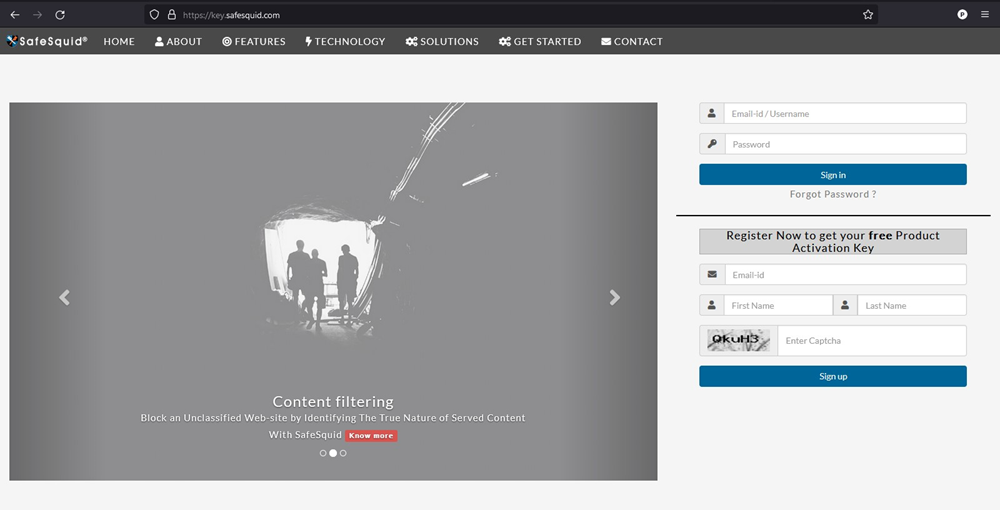 Registration form — enter your business email, name, and complete captcha
 -
Check your inbox for the activation email and click Click here to activate your account.
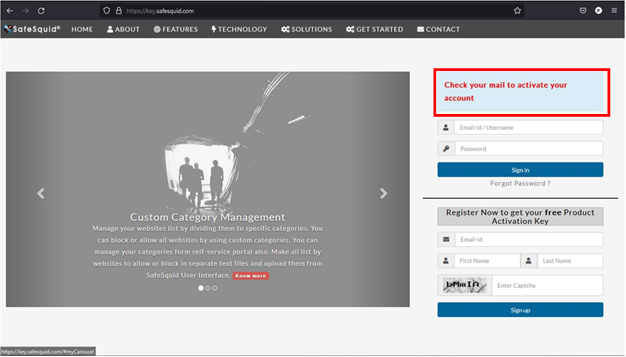 Activation email — click the "Click here to activate your account" link
 -
Set a password and click Activate.
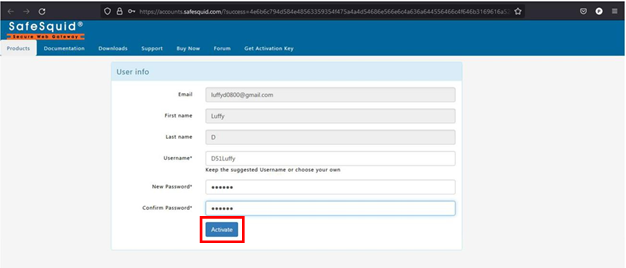 Password setup — choose a strong password and click Activate
 -
Sign in, complete your profile, then click Download Key.
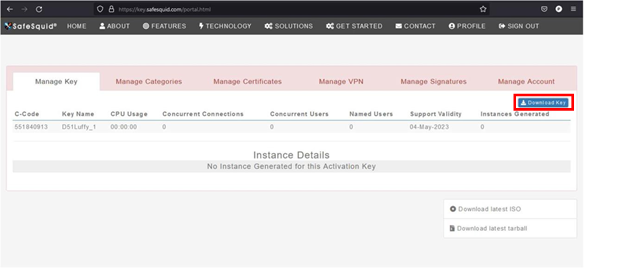 Portal dashboard — click Download Key to save the activation_key file
The downloaded file is named activation_key (no extension), typically 1-5 KB in size.
About Your Activation Key
- Validity: The key does not expire. You can use it to activate SafeSquid instances at any time.
- Reusability: One key can activate multiple SafeSquid nodes in your deployment (use the same key for HA clusters).
- Re-download: Sign in to the Self-Service Portal anytime to download your key again if lost.
- File integrity: Do not rename or modify the
activation_keyfile — SafeSquid will reject tampered keys.
Troubleshooting
Most registration issues resolve by checking spam filters or trying a different browser. If problems persist, contact support with your registered email address.
Common issues:
- Activation email not received? — Check spam/junk folder. Wait 5 minutes, then try registering again with the same email (duplicate attempts are safe). Still missing? Contact SafeSquid support.
- Key download fails? — Ensure you are signed in to the Self-Service Portal. Try a different browser or clear your cache. If the issue persists, contact us.
- Forgot your password? — Use the password reset link on the Self-Service Portal login page.
- Account locked or other issues? — Contact SafeSquid support with your registered email address.
Next steps
- Install SafeSquid on your server or VM.
- After installation, Activate Your License by uploading this key in the SafeSquid interface.