Response Profiles
Response profiles manage rules by server response
Use Response profiles to manage profiling based on responses from the web server. Profiling can use these parameters from the response:
- Mime
- File
- Content-Length
- Response header pattern, etc.,
Access SafeSquid interface
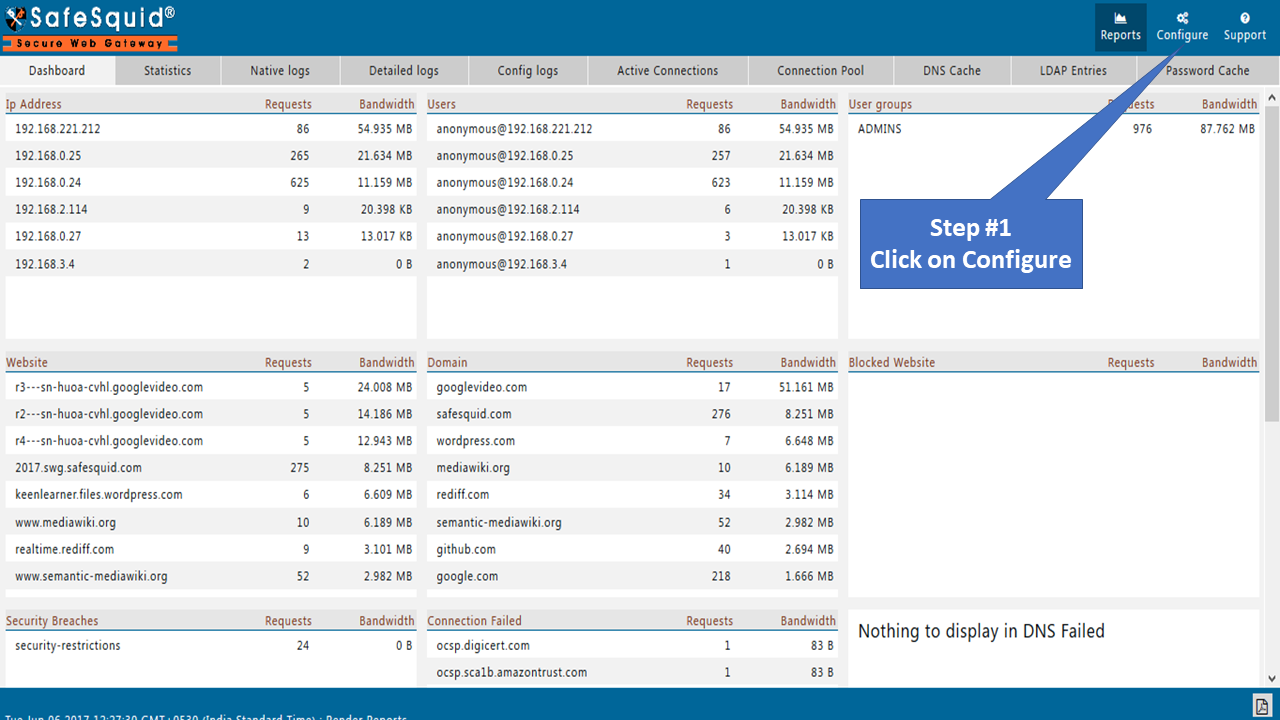
Go to configure page
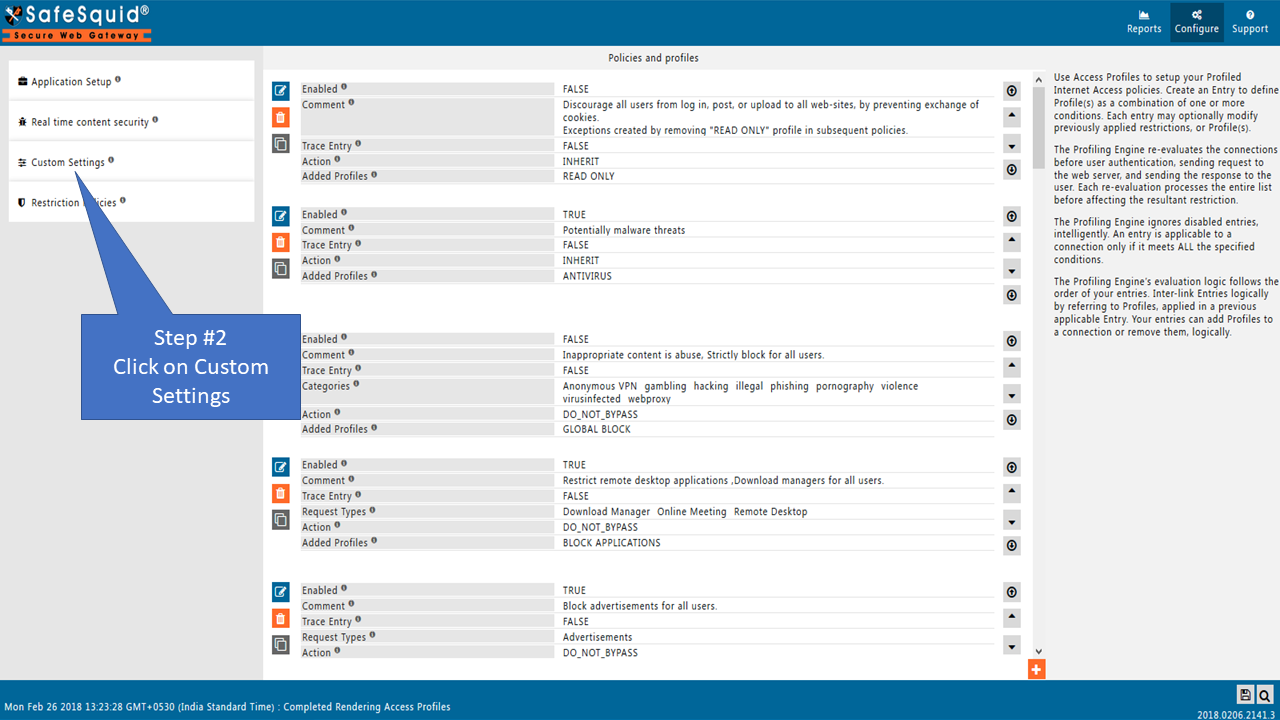
Go to custom settings.
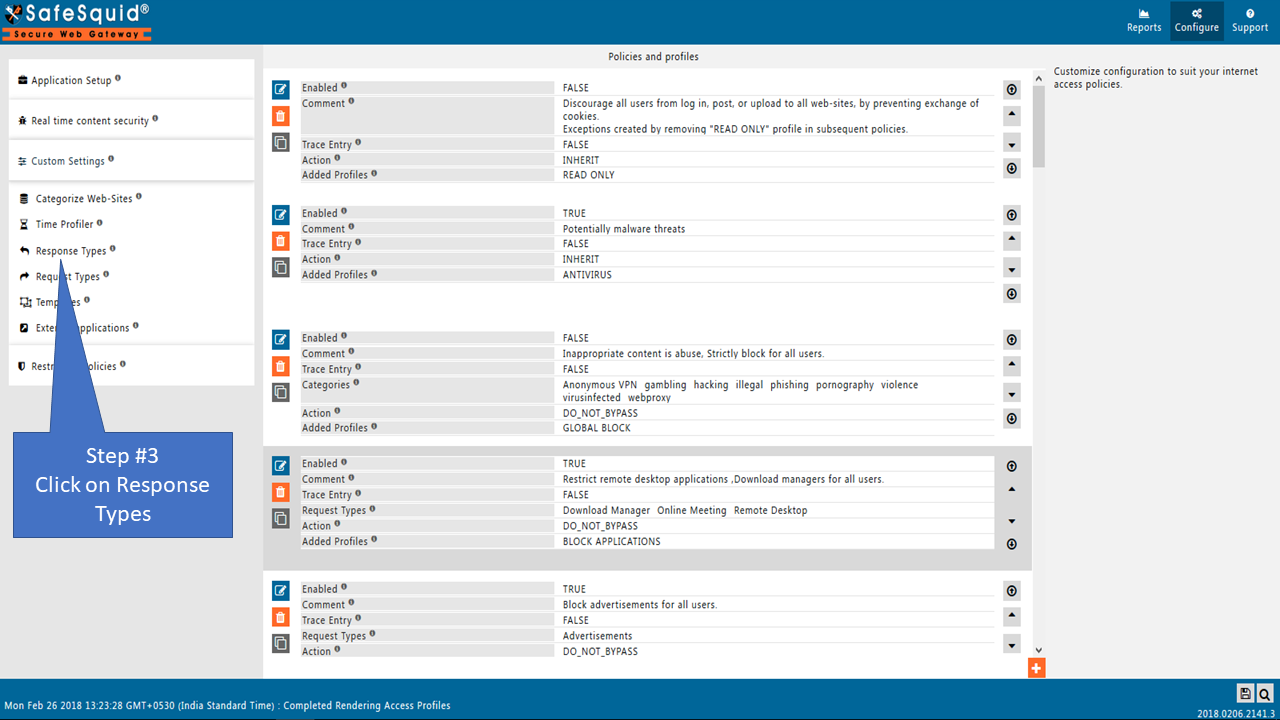
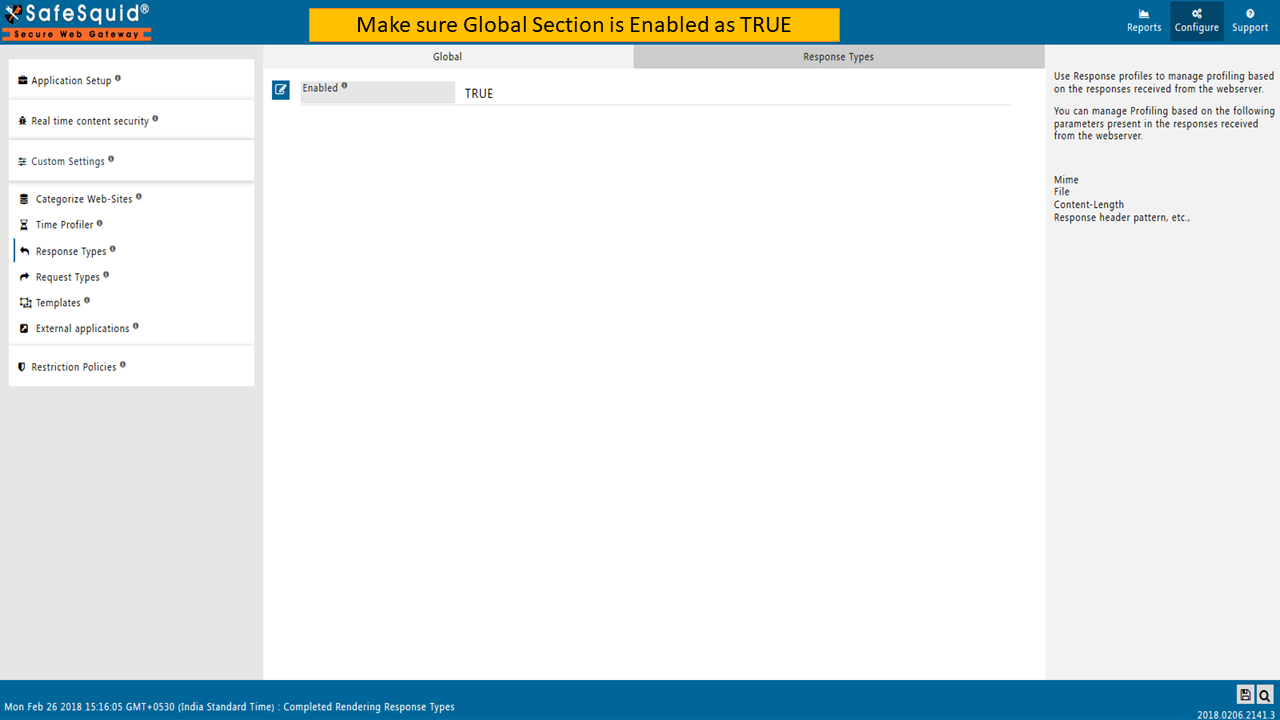
Global
Enabled
Enable or Disable the response types section.
TRUE: Enable response types section.
FALSE: Disable response types of section.
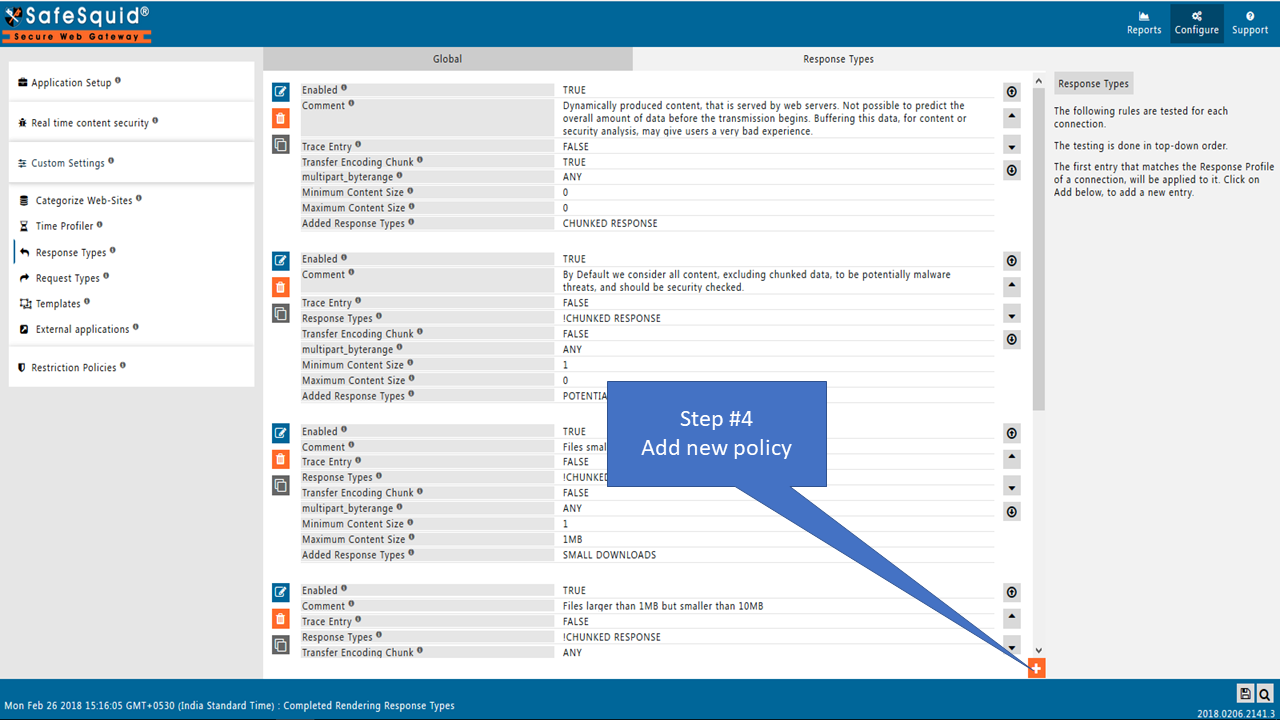
Response Types
The following rules are tested for each connection.
The testing is done in top-down order.
The first entry that matches the Response Profile of a connection, will be applied to it.
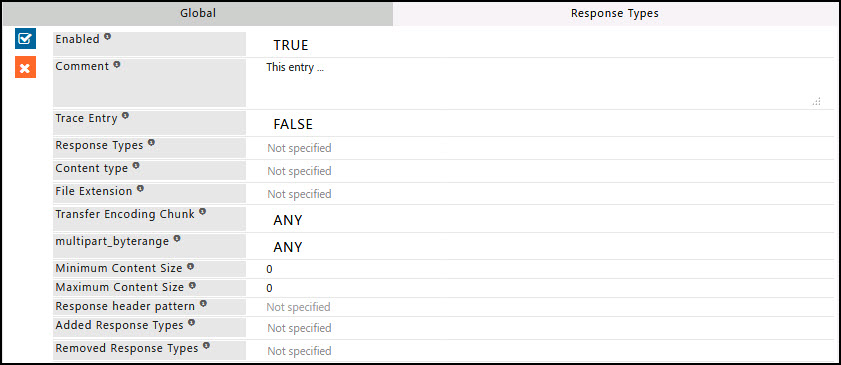
Enabled
Enable or Disable this entry.
- TRUE: Enable this entry.
- FALSE: Disable this entry.
Comment
For documentation and future references, explain the relevance of this entry to the deployment policies.
Trace Entry
Enable or Disable Tracing of this entry
Select "Yes" to debug the application of entry using SafeSquid logs.
Enable entry tracing to validate that the entry is applied.
TRUE: Select this option to enable profile tracing.
FALSE: Select this option to disable profile tracing.
Response Types
Specify the list of Response Profile(s)for which this entry should be applicable.
Leave it Blank, to ignore this applicability test.
If one or more Response Profiles are specified, this entry will be applicable only after, a response has been received from the web server.
To avoid application to a connection for specific Response Profile(s), use negation (! Response Profile).
Content type
Specify the MIME type for which this entry should be applicable.
MIME-type is a way of identifying files on the Internet according to their nature and format.
Here, MIME-type indicates the response body received from the server.
This entry applies to the regular expression matching the MIME type.
Example: text/html, ^image/, ^application/, application/x-shockwave-flash.
If this entry should be applied to all responses, irrespective of MIME type, leave it blank.
File Extension
Specify the file extensions for which this entry should be applicable.
This entry applies to the regular expression matching the extension of the file(s) obtained in the response body.
Leave it blank to apply all the requests, irrespective of file extension.
Transfer Encoding Chunk
This option is to control how the transfer encoding chunk header should be handled.
Example: Transfer-Encoding: chunked
- ANY: Select this if the transfer encoding chunked does not matter in the response header.
- NO: Select this to skip applying the profile when transfer-encoding chunked is present in the response header.
- YES: Select this if you want to apply a profile if the transfer encoding chunked is present in the response header.
multipart_byterange
This option is to control how the multi-part/ byte ranges header should be handled.
Example: Content-type: multipart/x-byteranges; boundary=THIS_STRING_SEPARATES --THIS_STRING_SEPARATES
Content-type: application/x-pdf Content-range: bytes 500-999/8000 ...the first range... --THIS_STRING_SEPARATES
Content-type: application/x-pdf Content-range: bytes 7000-7999/8000 ...the second range... --THIS_STRING_SEPARATES--
- ANY: Select this if multipart/ byterange does not matter in the response header.
- NO: Select this to skip applying the profile when multipart/byteranges are present in the response header.
- YES: Select this to apply the profile when multipart/byteranges are present in the response header.
Minimum Content Size
Specify the minimum content size of the response body for which this entry is applicable.
Maximum Content Size
Specify the maximum content size of the response body for which this entry is applicable.
Response Header Pattern
Specify the regular expression matching the response header pattern for which this entry is applicable.
If left blank, applies to all response patterns.
Added Response Types
Specify the list of Response Profiles, to append to the connection's existing Response Profiles, if all the applicability test rules match.
Subsequent applicable Entries may further modify the connection's Response Profiles.
Define a new Response Profile(s), or select previously defined Response Profile(s)from the drop-down menu to apply to the connection, if it matches this entry.
When defining a new Response Profile, use terms that uniquely represent your needs.
Removed Response Types
Specify the list of Response Profile(s), to remove the connection's existing Profiles, if all the applicability test rules match.
Subsequent applicable Entries may further modify the connection's Response Profiles.
Select previously defined Response Profile(s)from the drop-down menu to apply to the connection, if it matches this entry.
Example
Rule#1
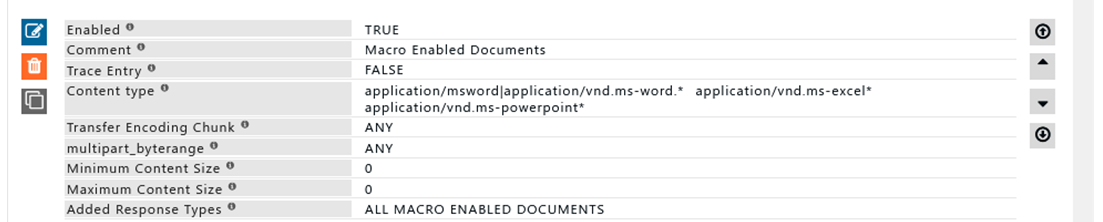
All files with content type macro enabled office documents to be added to a profile "ALL MACRO ENABLED DOCUMENT".
This response type blocks downloads of macro-enabled documents.
Response type is used to profile connections based on the response received from the web server.
Rule#2
To block all e-book files: match file extensions .azw and .epub, add the matching response type "EBOOK's", then create Access policies that block files with those extensions.

Rule#3
For connections with response header Upgrade: websocket, add the response type as WebSocket All websocket connections will now be profiled as "Websocket".
