Get complete connection log with find_client_id.sh
Native logs are written in real time by response; entries for one connection can be scattered. To analyze a single connection from start to finish (profiles, categories, headers, errors), use the client id to pull all log lines for that connection. find_client_id.sh extracts complete connection details for a given client id. Below: how to obtain the client id and run the script.
To use find_client_id.sh you are first required to get your connection's client id.
Client id can be extracted from the response headers section in browsers network tab.
(Note: we are assuming that you know how to open developer tools in a browser)
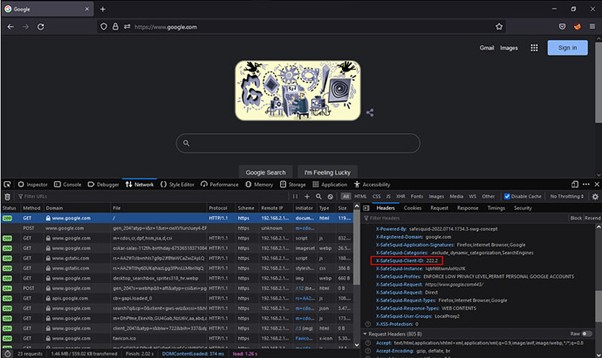
Also, client id can be extracted from SafeSquid's native logs