

Fix Installation Issues
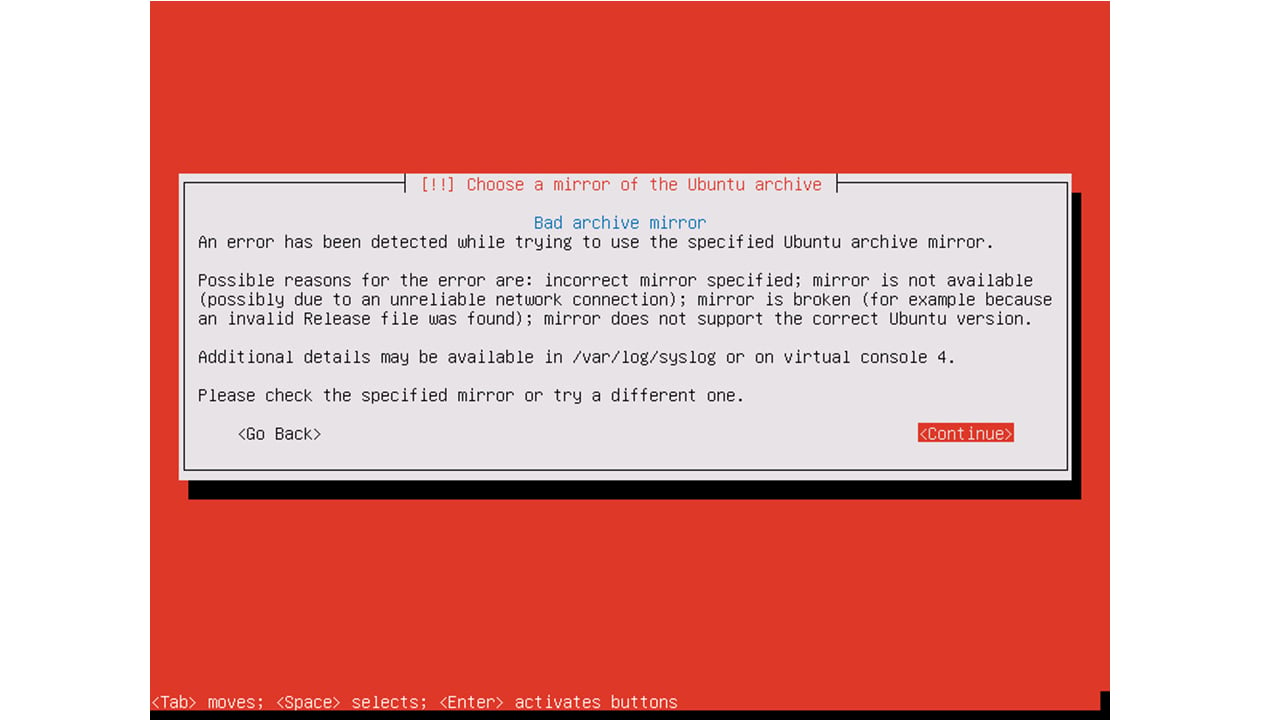
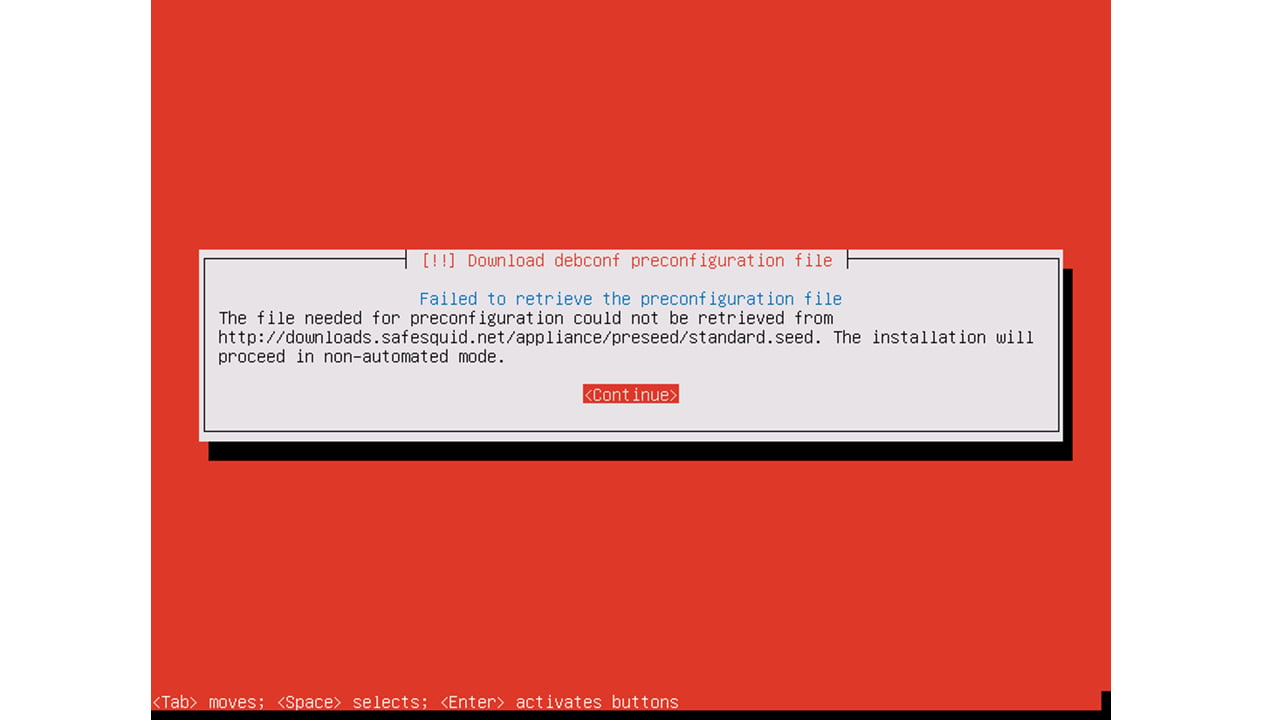
Troubleshooting Installation Issues can interrupt web access, policy enforcement, or evidence collection. Use this runbook to restore service, preserve logs, and prove the corrective action during security review. If you see Bad archive mirror, Failed to retrieve pre-configuration, or other installation failures, use the sections below. They help you diagnose and fix the failure. Symptoms are grouped by stage: before install, during install, and network-related.Before Installation
Common issues in this stage include system compatibility and creating a bootable USB or attaching the appropriate .iso file. Another is correctly setting up the BIOS/UEFI settings. Solutions involve checking system requirements, verifying the integrity of the installation media, and ensuring correct boot order.During Installation
Issues during installation can range from partitioning errors, and network configuration problems, to software selection difficulties. Resolutions can include checking disk space, reviewing network settings, and ensuring proper selection of software packages. For the network-related issues below, use the installer console to identify the root cause and act on it.Network Checks for Issue Identification
Network issues can significantly impact the installation and functionality of SafeSquid. If you see “Bad archive mirror” or “Failed to retrieve the pre-configuration file” during installation, use the checks below. They fix DNS and gateway settings. Administrators can perform various checks to identify and resolve network-related problems:-
Network Configuration: Review and modify network settings using the
ipcommands.ip addr show # Display all interface IP addresses ip route show # Display routing tableWhat to check:- IP address is assigned to the correct interface (e.g.,
eth0: inet 192.168.1.100/24) - Default gateway is present in routing table (e.g.,
default via 192.168.1.1 dev eth0) Common issues: - No IP address shown -> interface not configured or DHCP failed
- No default route -> gateway not set during network configuration step
- IP address is assigned to the correct interface (e.g.,
-
DNS Resolution and Ping check: busybox is a minimal Linux environment. Use
pingto verify both DNS resolution and connectivity.ping -c 3 google.comExpected success output:PING google.com (142.250.x.x): 56 data bytes 64 bytes from 142.250.x.x: icmp_seq=0 ttl=xx time=x.x msFailure symptoms:ping: bad address 'google.com'-> DNS resolution failed (check/etc/resolv.conffor nameserver entries)Network is unreachable-> No default gateway configuredRequest timeoutor 100% packet loss -> Firewall blocking ICMP, or no internet connectivity
- Firewall Rules: check your network firewall rules for possible port blocking.
Conclusion
For additional assistance, consult the SafeSquid forums and community resources.ISO Installation Failure
Symptoms
“Failed to retrieve the pre-configuration file” appears during installation. The installer cannot download the automated configuration script from SafeSquid servers. This typically indicates DNS or gateway misconfiguration. “Bad archive mirror” Appears when the installer cannot reach Debian package repositories. This indicates:- Firewall blocking outbound HTTP/HTTPS on the assigned proxy IP
- No default gateway configured
-
DNS resolution failure for
deb.debian.orgordownloads.safesquid.net
Root Causes
- DNS misconfiguration: Wrong DNS server IP, or DNS server is unreachable
- Gateway misconfiguration: No default route, or gateway IP is incorrect
- NIC configuration: Wrong interface selected, or interface is down
- Firewall rules: Network firewall blocking installation traffic from the SafeSquid server’s IP
Capture useful evidence
Collect evidence before restarting services or changing policy. Keep screenshots, command output, and relevant SafeSquid logs with the incident ticket.[thread or request id] and a module name such as network:.
Record the affected user, source IP address, requested URL, timestamp, browser error, SafeSquid policy section changed, and verification result.
Next steps
- Use Find a complete connection log to trace a specific client transaction.
- Use Troubleshooting for the broader diagnostic checklist.
- Use Linux Server Install to follow the Linux server installation steps.