

Fix SSL Certificate Errors
SSL Certification Errors can interrupt web access, policy enforcement, or evidence collection. Use this runbook to restore service, preserve logs, and prove the corrective action during security review.SSL certificate and inspection issues
Details (numbered items):
- This applies when the SSL certificate is imported into the Chrome browser. The browser still shows Your connection is not private (or similar) for HTTPS sites.
- While the successful configuration of HTTPS Inspection, accessing youtube.com shows an error while all other HTTPS sites work fine.
- While the SafeSquid certificate is installed inside the browser however HTTPS sites show the error Secured connection fail.
- SSL certificate downloaded with size 0 bytes.
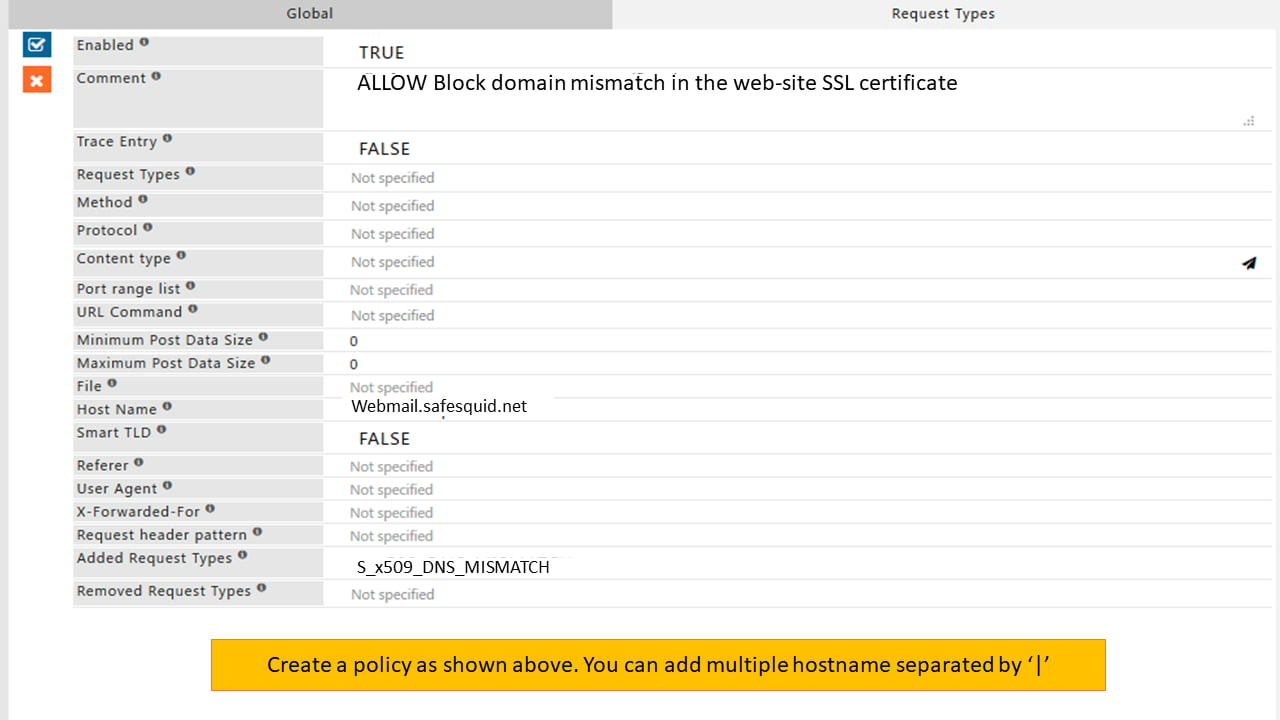
- Displaying ERROR “SSL Connection to webmail.safesquid.net:2096 denied S_X509_DNS_MISMATCH: SSL Certificate has DNS errors.”
- Or some of the HTTPS websites are working without error but some of the HTTPS websites are not working.
Verify SSL certificate import in browser
Follow Configure HTTPS Inspection and Import certificate into Firefox or Chrome/IE.Case 2: Check SSL certs/cache for these symptoms
SafeSquid certificate is imported in the browser but a secured connection still fails when accessing HTTPS websites. Some HTTPS sites work while others do not. After removing the old activation key, installing a new key, and configuring the new SSL certificate, clear the SSL cache. Do this if issues persist. Native Logs 2018 03 17 10:15:38.084 [119] network: IP:192.168.0.10 fd:20 normal client disconnected after making 1 requests 2018 03 17 10:15:38.084 [119] warn: advice: [IP:192.168.0.10] process: transfer failed 2018 03 17 10:15:38.084 [119] error: ssl: ClientEncrypt: failed encryption :anonymous @192.168.0.10 for www.irctc.co.in:443 2018 03 17 10:15:38.083 [119] error: ssl: EncryptC:987 ssl_ctx :NULL 2018 03 17 10:15:38.083 [119] error: ssl: failed : reading key from /var/db/safesquid/ssl/certs/irctc.co.in/www.irctc.co.in When facing the above issues, remove all HTTPS website data from /var/db/safesquid/ssl Run the below command and check for the fileS_X509_DNS_MISMATCH: SSL certificate has DNS errors
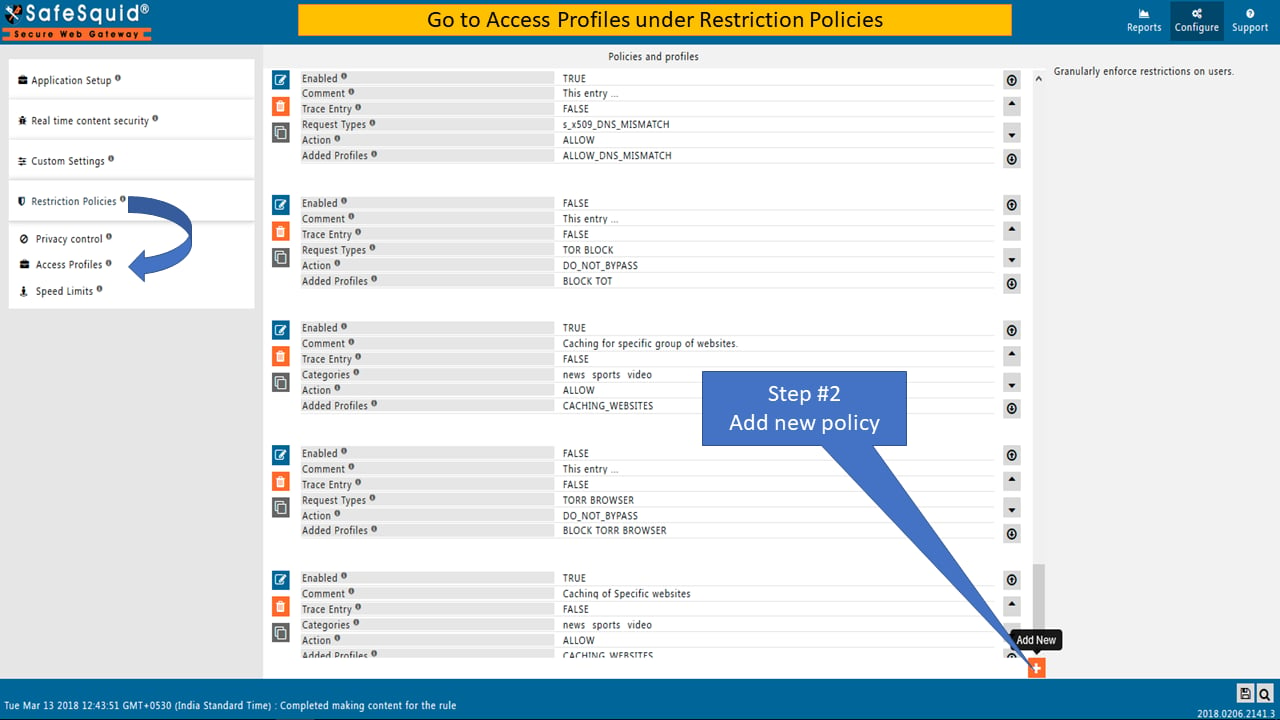
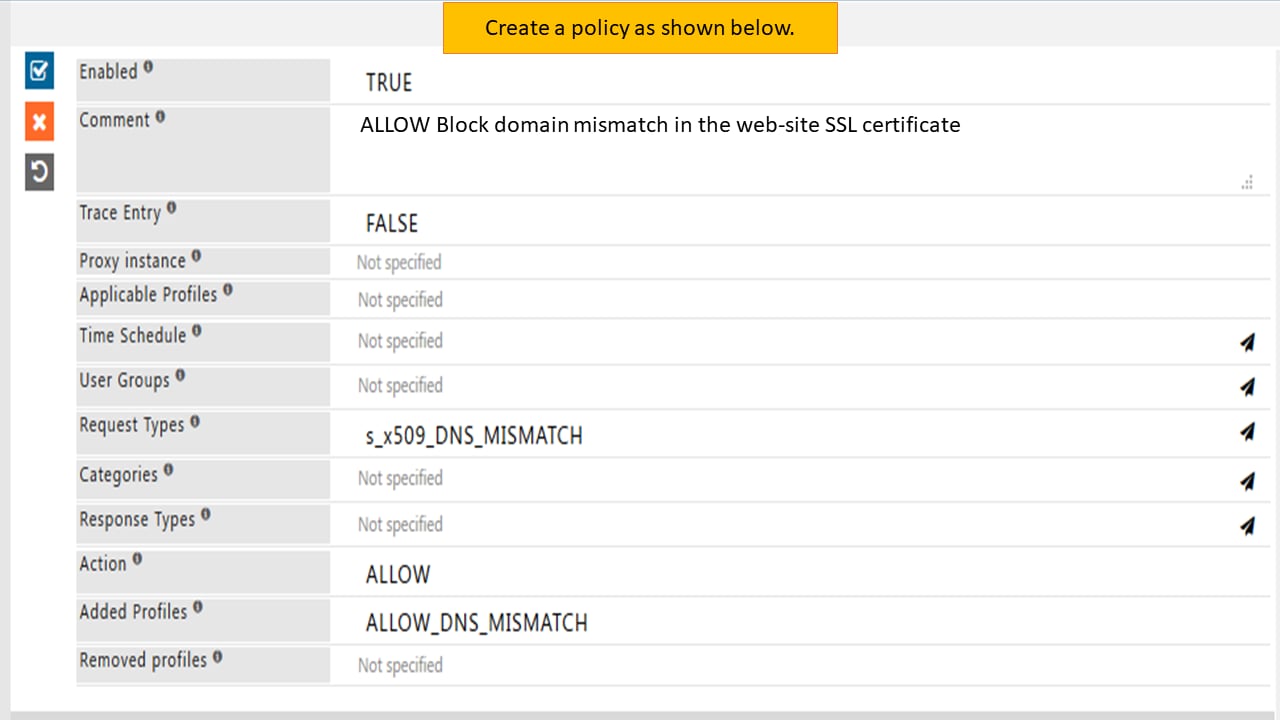
The origin website’s certificate is broken when the browser shows “S_X509_DNS_MISMATCH: SSL Certificate has DNS errors” via proxy. This holds despite a correct certificate in the browser. SafeSquid stores such sites under /var/db/safesquid/ssl/badcerts/. Locate the domain in that path. Go to that domain name folder by command: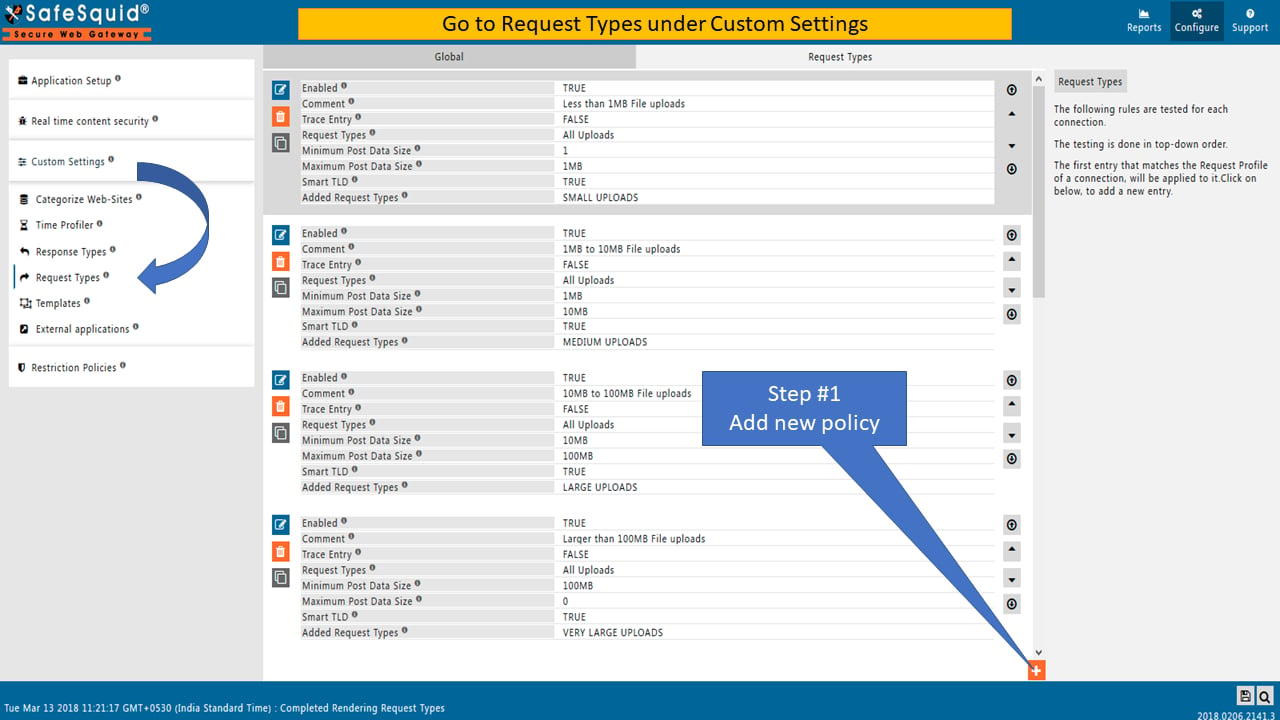
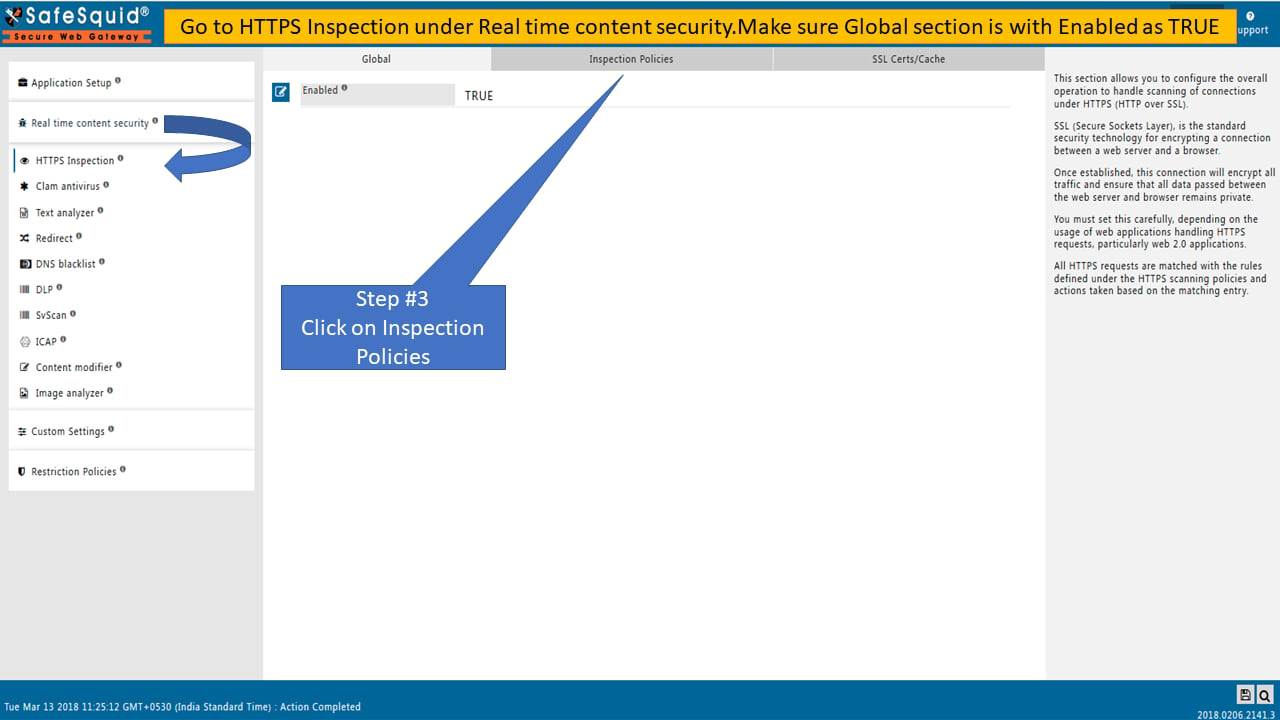
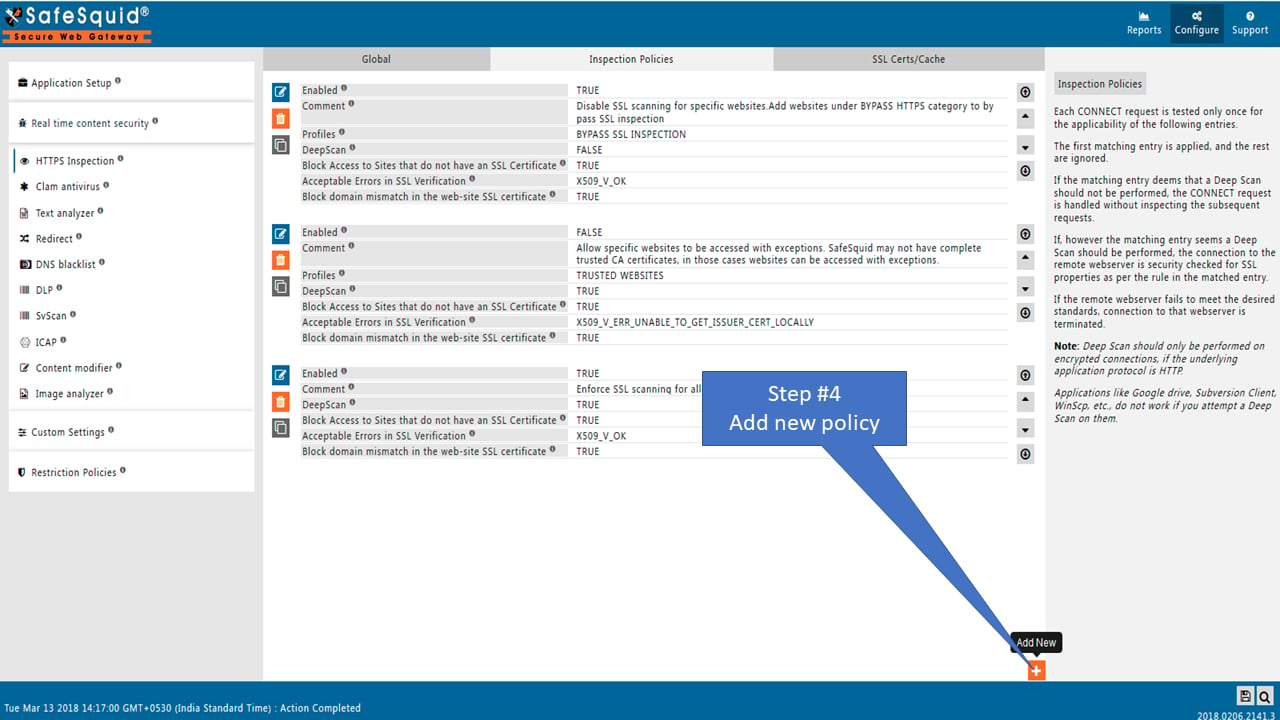
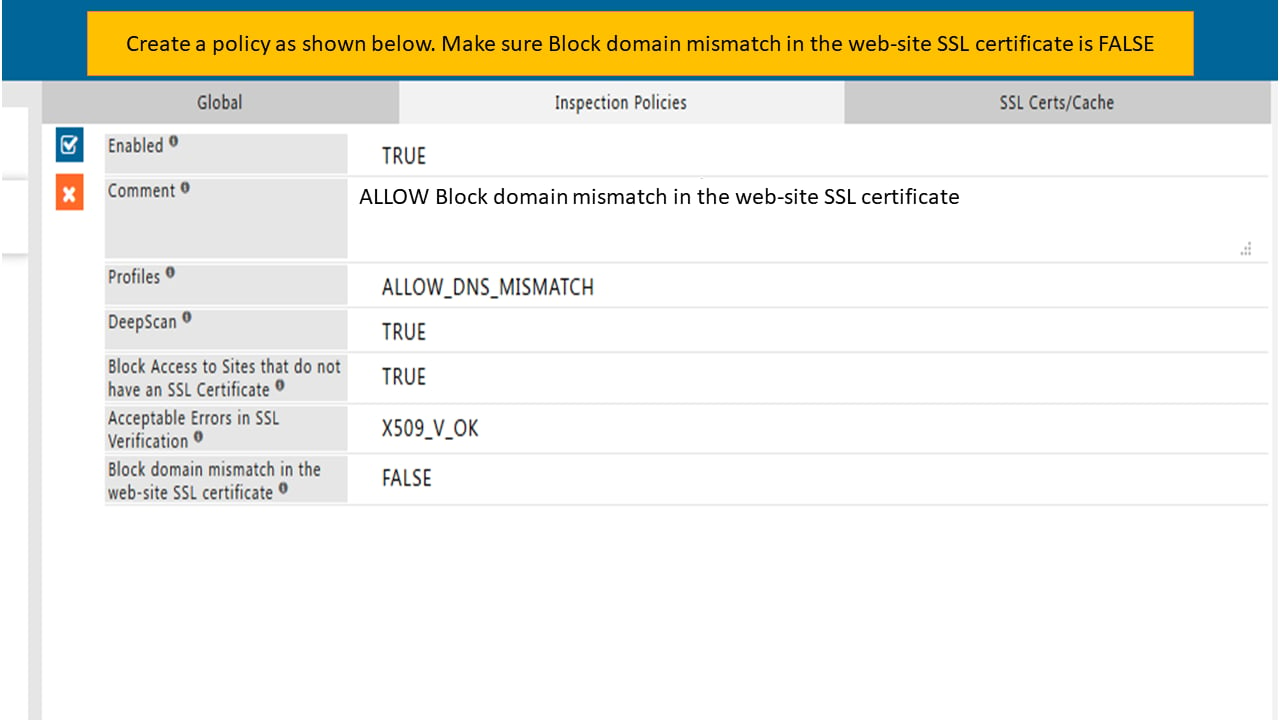
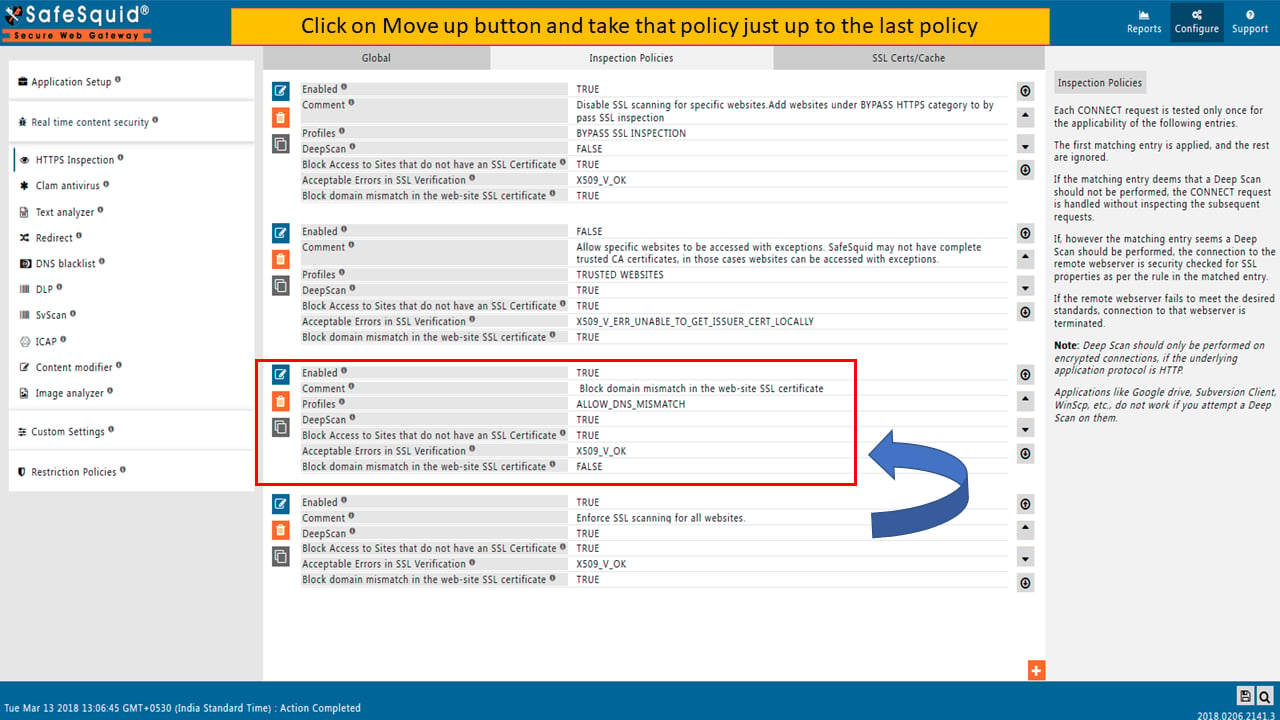
Verification and Evidence
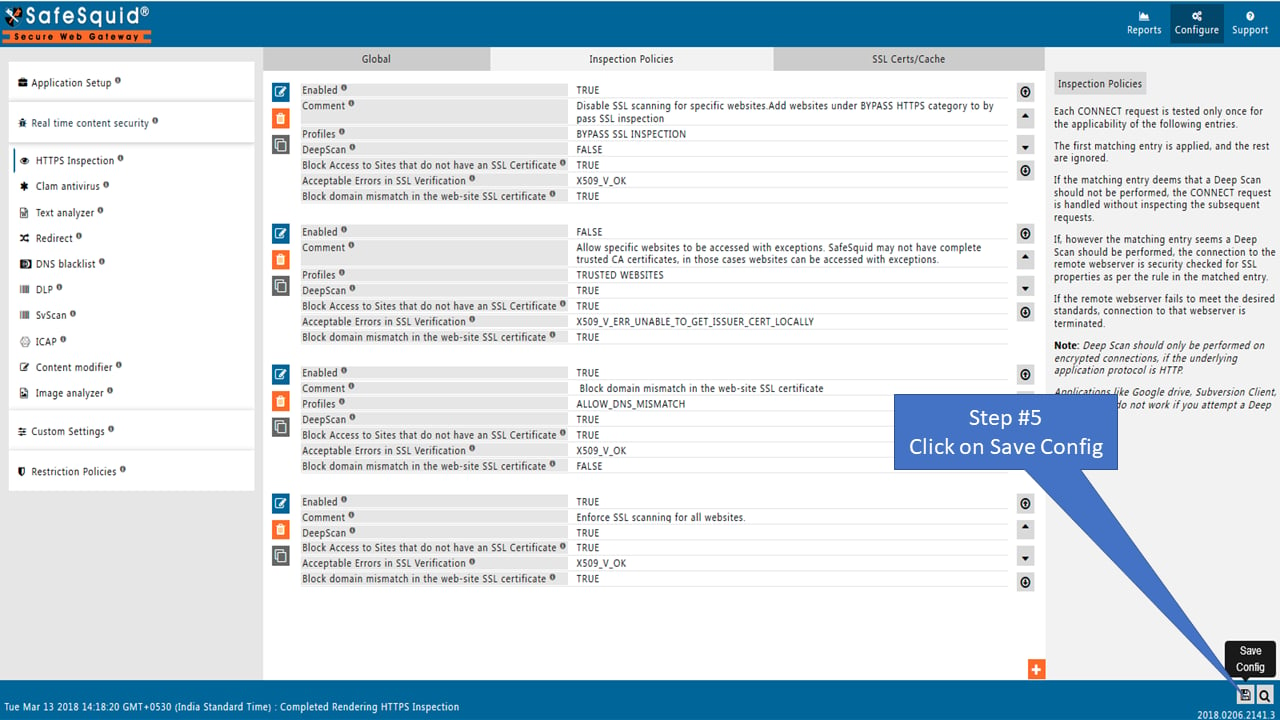
- Interface Checks: Confirm the SafeSquid Root CA is installed in the browser trust store (Import Certificate into Chrome or IE). In Configuration Portal, HTTPS Inspection policies match the intended bypass/enforce rules; SSL Certs/Cache cleared if DNS mismatch was the issue.
-
Log Analysis: Native logs show successful client encryption for previously failing domains. No
S_X509_DNS_MISMATCHor transfer failed errors for the fixed cases. - Performance Validation: Previously failing HTTPS sites load without “connection not secured” or “secured connection fail”. YouTube and other sites work per policy.
Next steps
- Configure HTTPS Inspection for setup and bypass rules.
- Import Certificate into Chrome or IE for client certificate import.
- Troubleshooting for other diagnostic guides.
Capture useful evidence
Collect evidence before restarting services or changing policy. Keep screenshots, command output, and relevant SafeSquid logs with the incident ticket.[thread or request id] and a module name such as network:.
Record the affected user, source IP address, requested URL, timestamp, browser error, SafeSquid policy section changed, and verification result.