

Handle Expiry Before It Degrades Enforcement
Expiry degrades the deployment; it does not stop it. Core proxy and filtering keep running, so nothing obvious breaks — and that is the risk. Threat feeds quietly drop to a weekly schedule while the deployment reports itself healthy. The gap only becomes visible when something current gets through. Knowing which half still works prevents an unnecessary emergency. Knowing which half does not prevents a false sense of coverage.Know what expiry changes
Continues working- Core proxy and filtering, uninterrupted.
Becomes unavailable
- Real-time threat intelligence, disaster-recovery backup, and email support.
Choose the recovery option
Option 1 — renew. Sign in to key.safesquid.com and go to Manage Account. Missing: whether a “Renew Subscription” action is available there is unconfirmed — it wasn’t visible for a Trial-plan account when last checked (2026-09-02); a Commercial plan may show it. If you don’t see it, contact SafeSquid support rather than assuming renewal isn’t possible. After renewing, download the updated activation key and upload it under Subscription using the same steps as the initial activation. Option 2 — conserve the subscription. From Manage Account, use Conserve Subscription (this button was previously labeled “Extend Conservation Period” — confirm which label your portal shows, since this has changed at least once). It extends the support window and clears the expiry banner for that period. It can be applied more than once, but it is a bridge to renewal, not a substitute for it — treat repeated use as a signal that subscription ownership needs attention. Restart SafeSquid from the interface after either action — see Support — so the new state takes effect.1
Confirm subscription ownership
Identify who owns the subscription account before taking either action.Confirm the account owner approves the renewal or conservation-period path.If subscription ownership is unclear, pause and resolve it. An extension applied without an owner defers the problem without assigning it.
2
Apply the renewal or extension
Use the Self-Service Portal workflow for the approved option.Confirm the action completes and the updated key is downloaded, where renewing.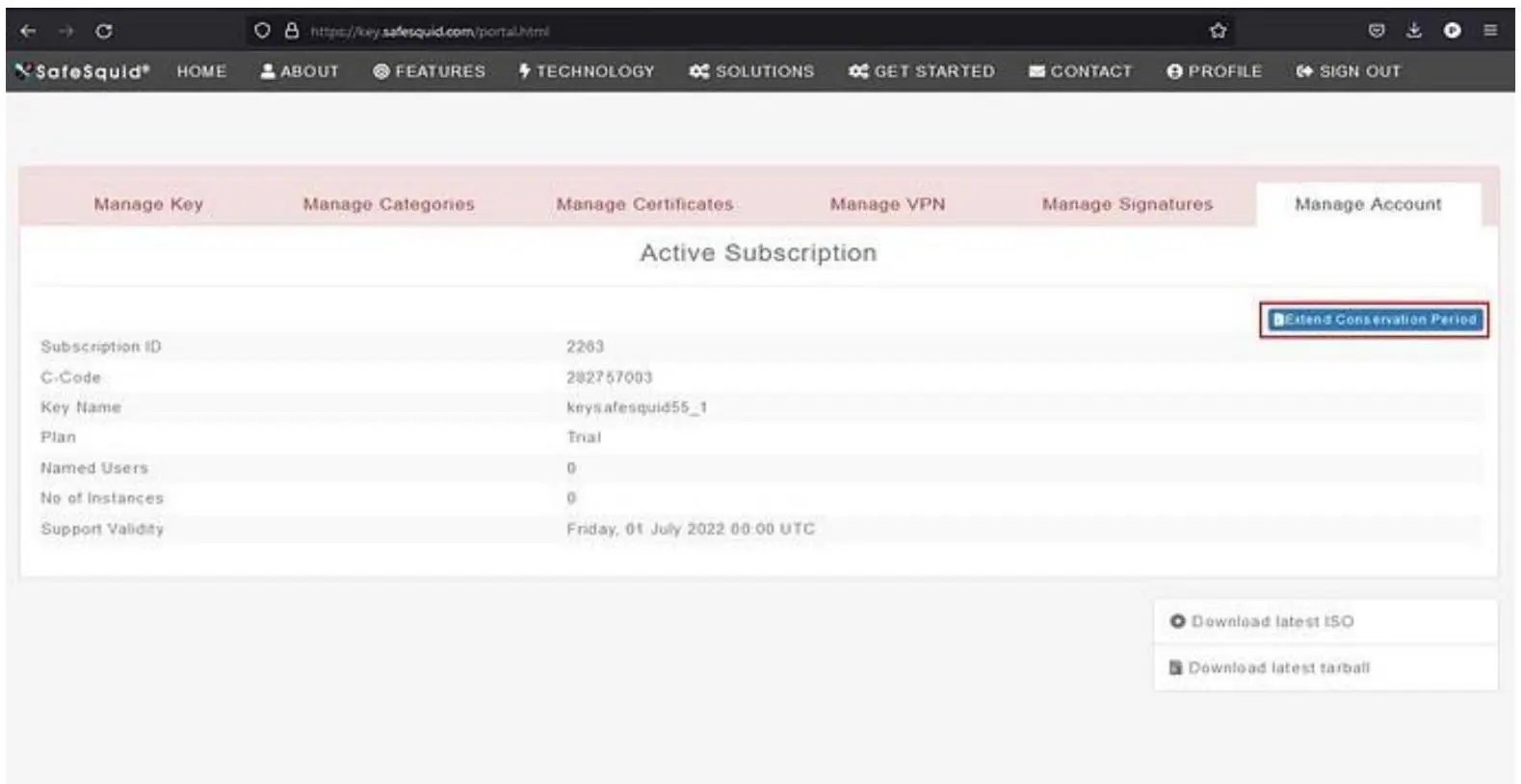
3
Restart and verify
Restart SafeSquid from the interface, then confirm subscription state in the Configuration Portal.Confirm the expiry banner is cleared and feed schedules have returned to the commercial cadence.If the state has not changed, re-check that the updated key was uploaded, not just downloaded.
Capture subscription evidence
Store these artifacts with the deployment record:- Which option was used, renewal or conservation period, and who approved it.
- The date of the action and the new expiry date.
- A record of subscription state from the Configuration Portal after the restart.
- The named owner of the subscription and the renewal review date.
Troubleshoot subscription state
Next steps
- Licensing Requirements - confirm what the tier includes.
- Activate Your License - re-apply an updated activation key.
- Ports and Firewall Rules - confirm the update paths are reachable.