

Control download speed and size per user with Limits
Use SafeSquid Limits to set download speed and maximum download or upload size per user. Configure limits in Configure → Restriction Policies → Speed Limits and attach to profiles.Prerequisites
When downloading files from HTTPS websites, ensure that HTTPS Inspection in SafeSquid is enabledSetup Download Rate
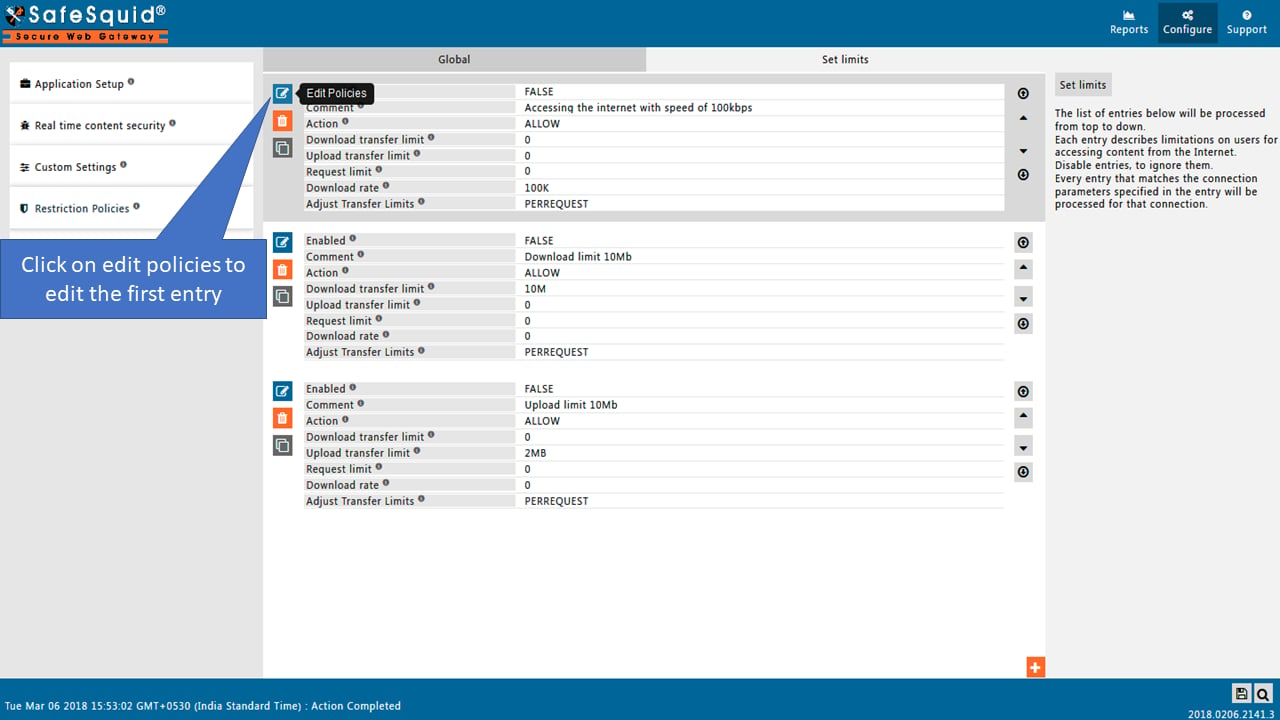
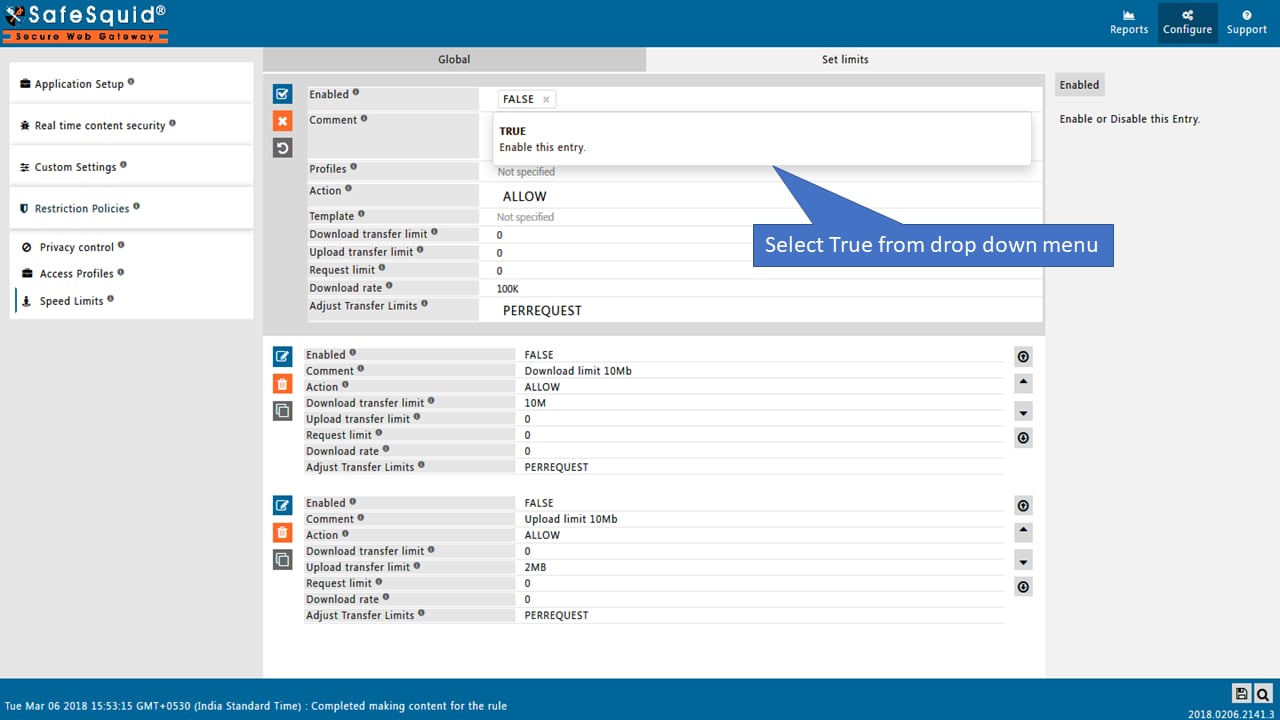
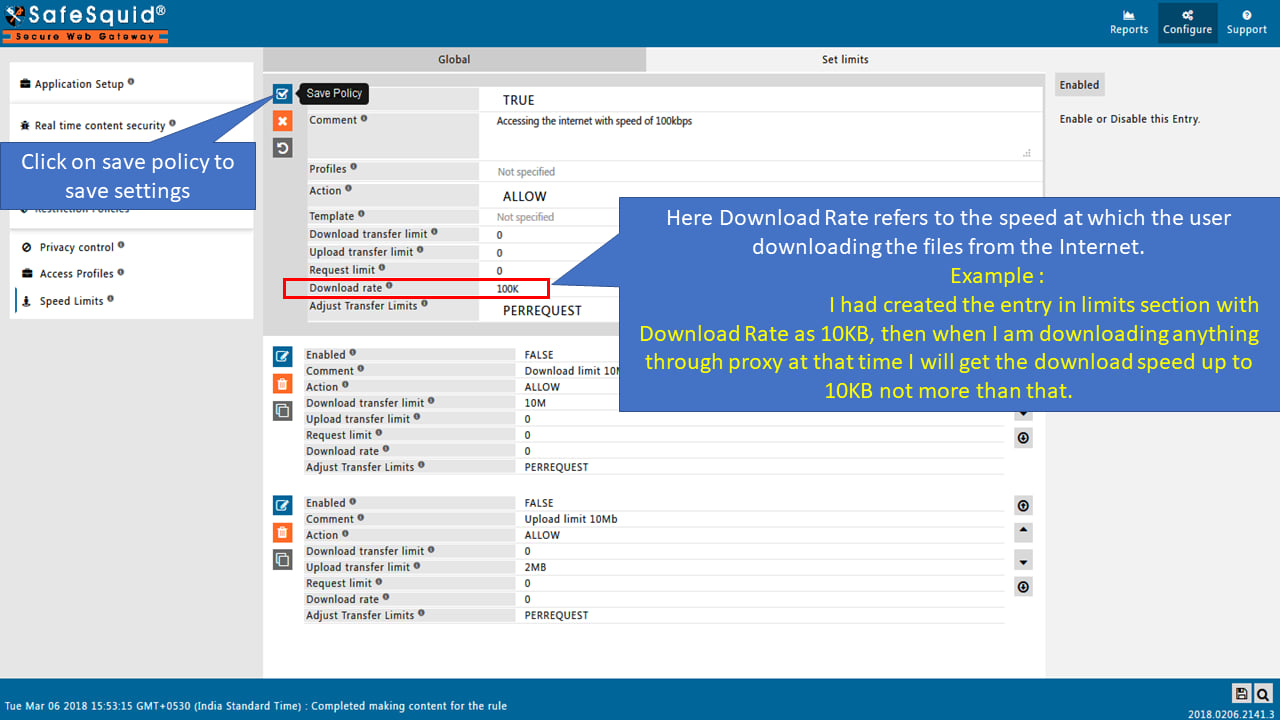
Testing Download Rate
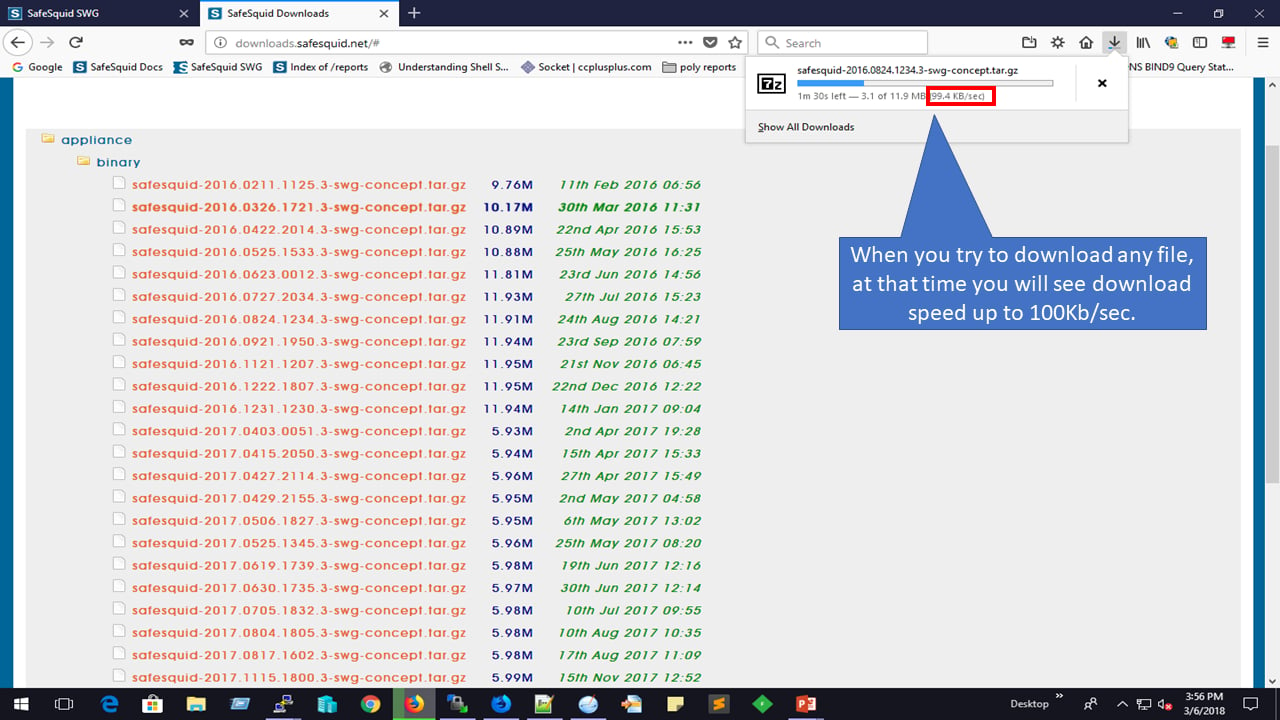
Setup Maximum limit on the Download size
This can be achieved using SafeSquid limits feature, the interface provides an option to set up the limit on the Download size for users.Prerequisites
When downloading files from HTTPS websites, ensure that HTTPS Inspection in SafeSquid is enabledSetup Maximum Download Size
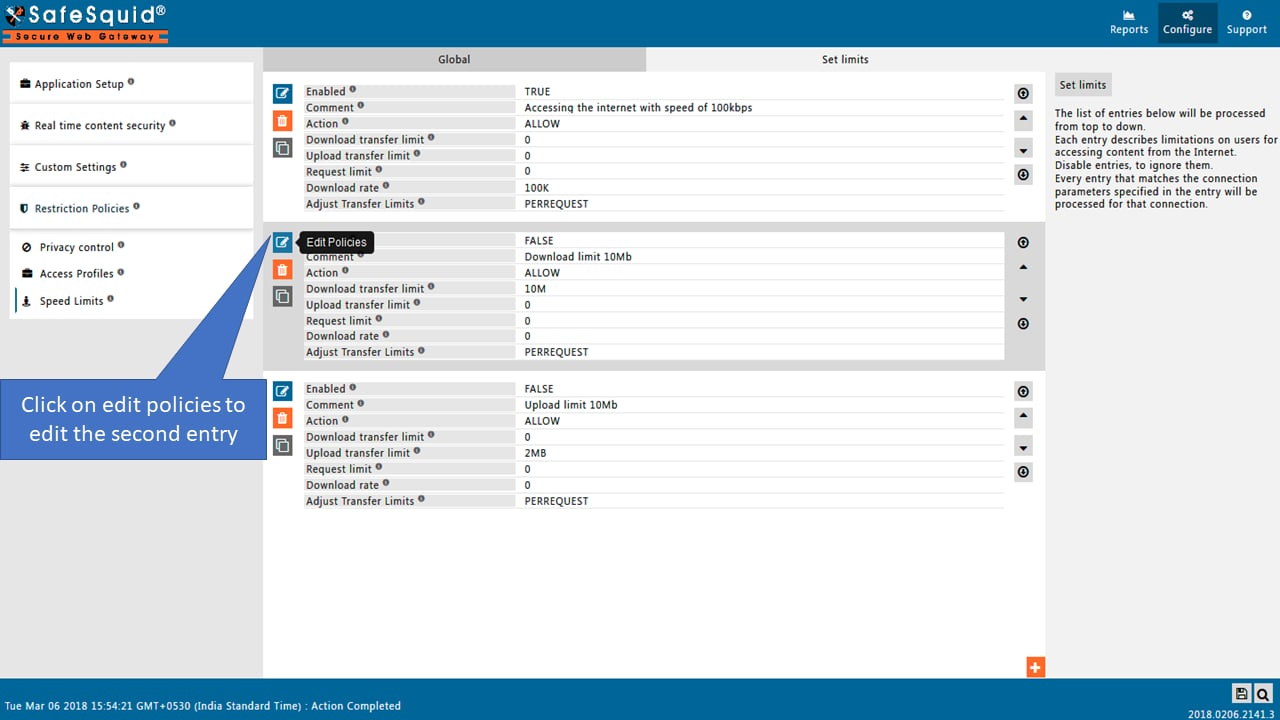
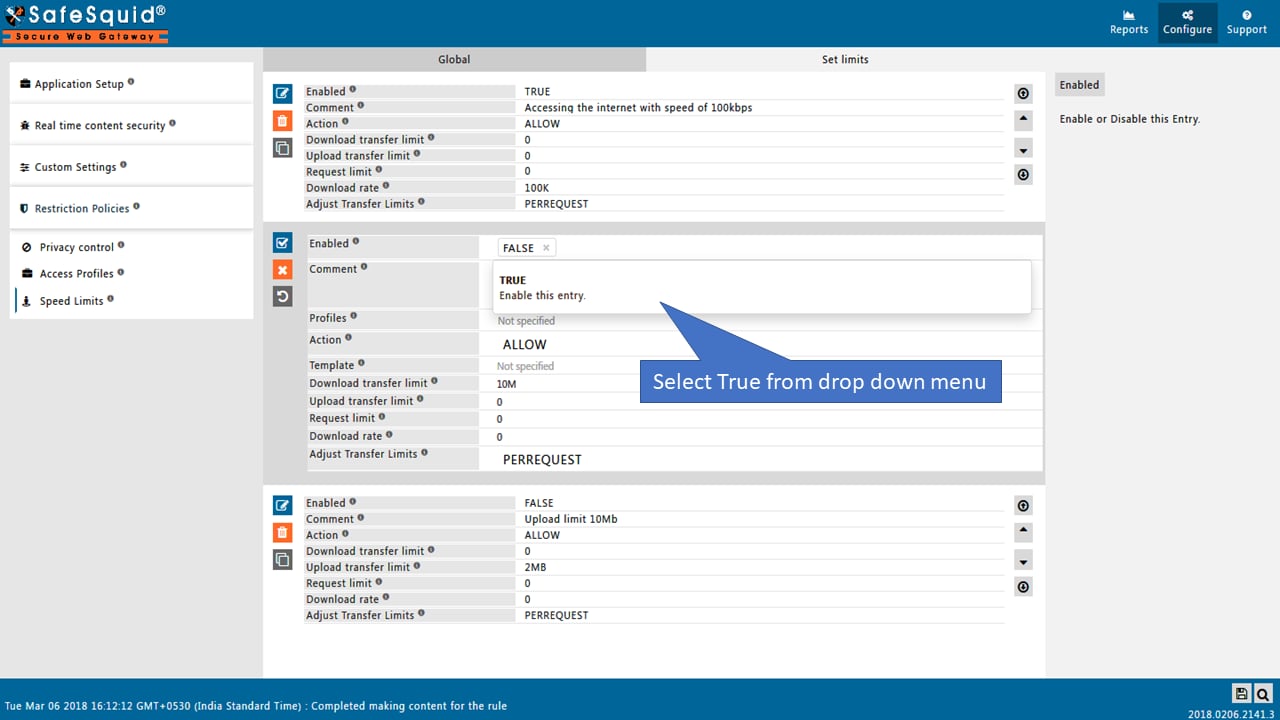
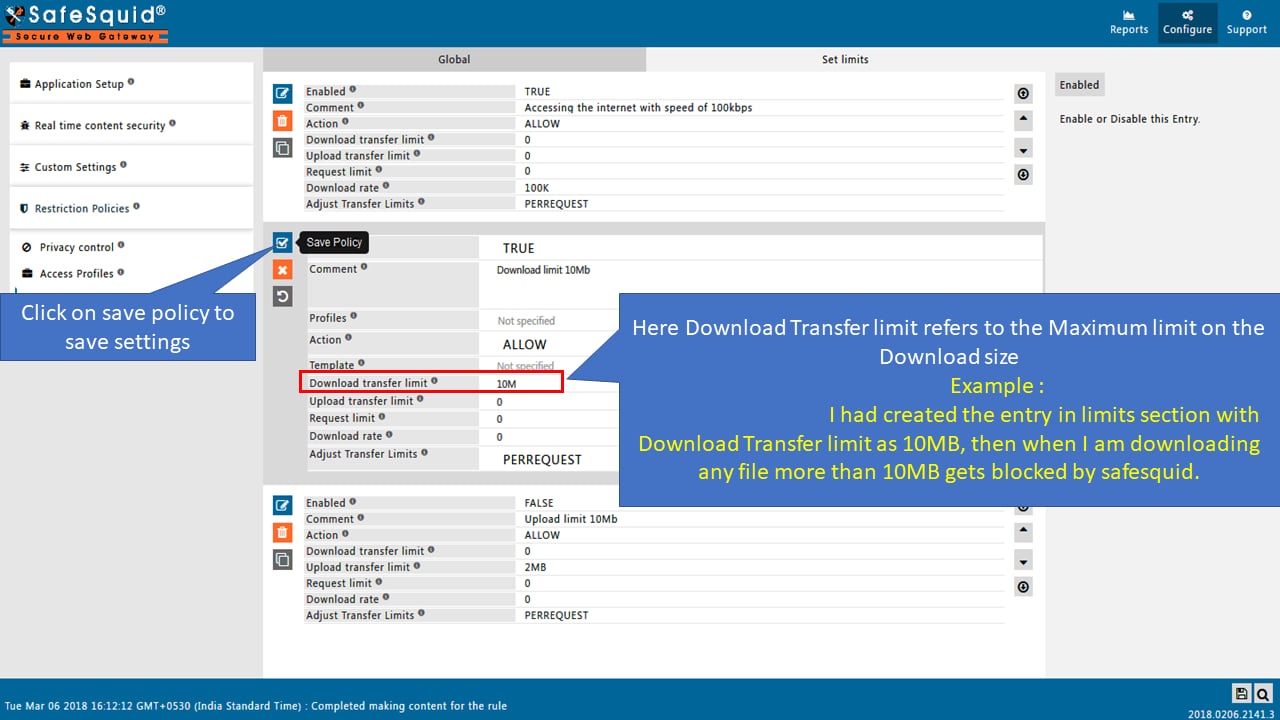
Testing Maximum Download Limit
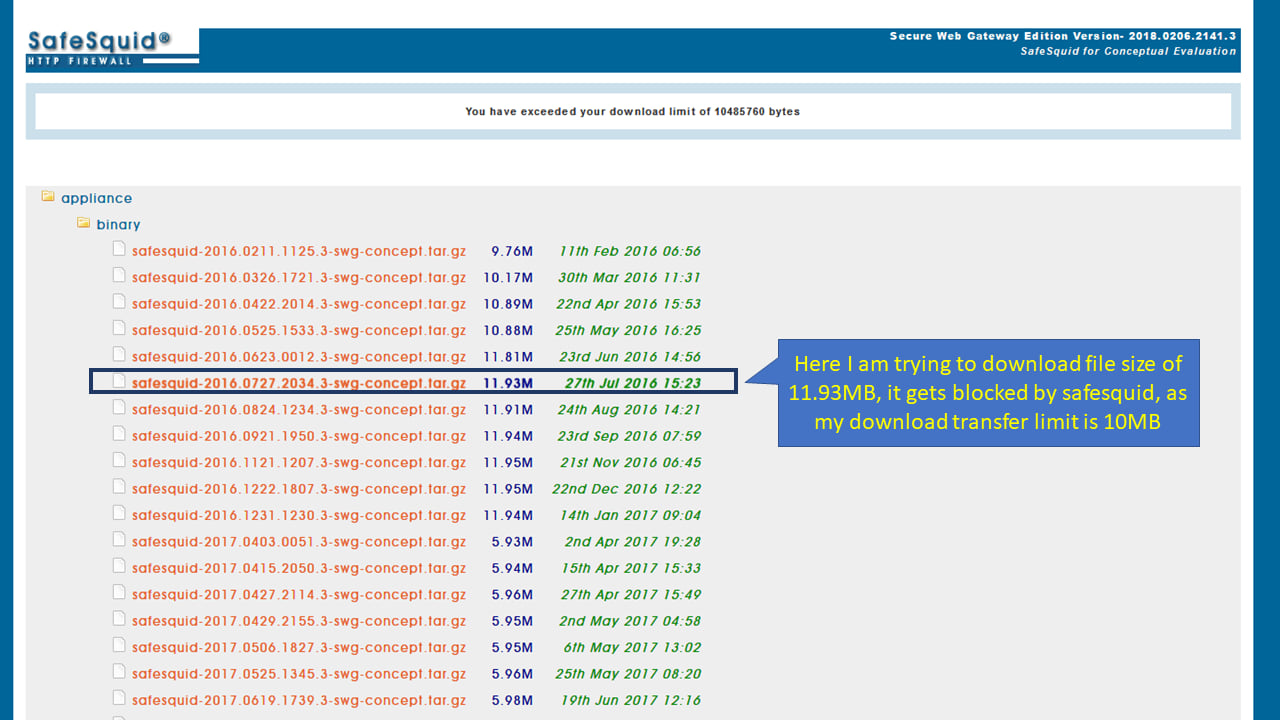
Setup Maximum limit on the Upload size
This can be achieved using SafeSquid limits feature, the interface provides an option to set up the limit on the Download size for users.Prerequisites
When downloading files from HTTPS websites, ensure that HTTPS Inspection in SafeSquid is enabledSetup Maximum Upload Size
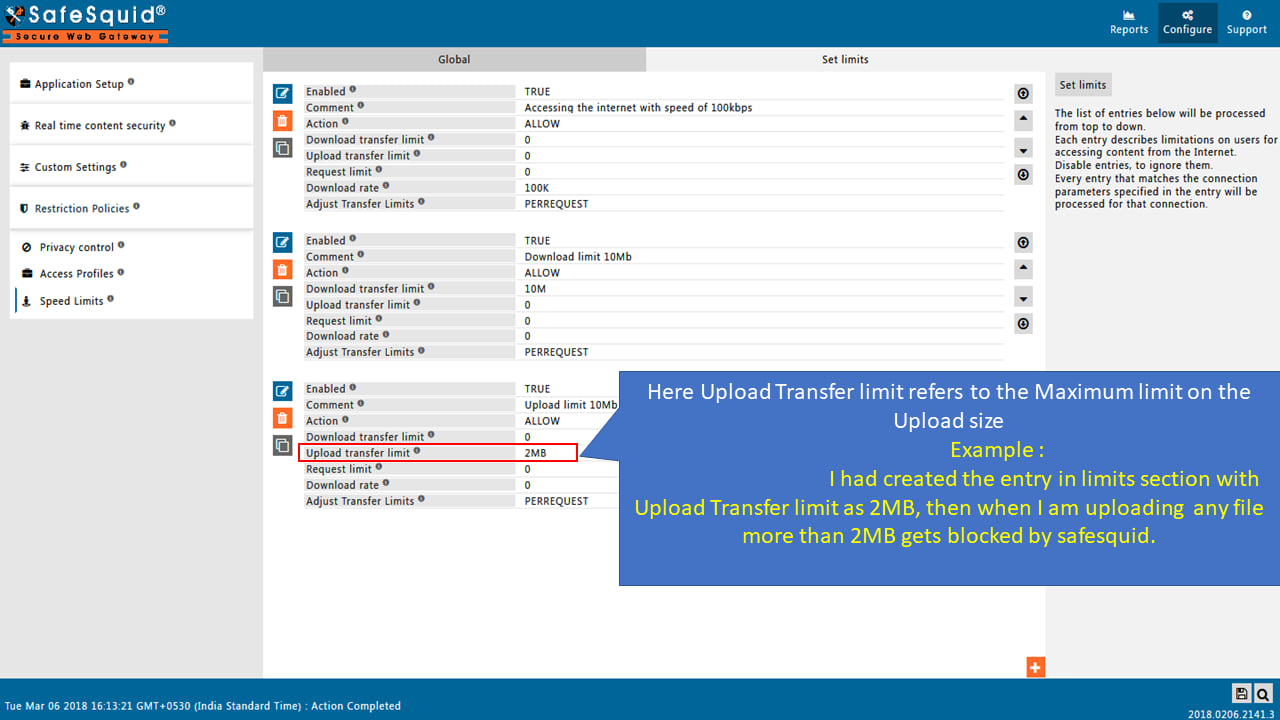
Testing Upload Limit
Here I am selecting the file to Upload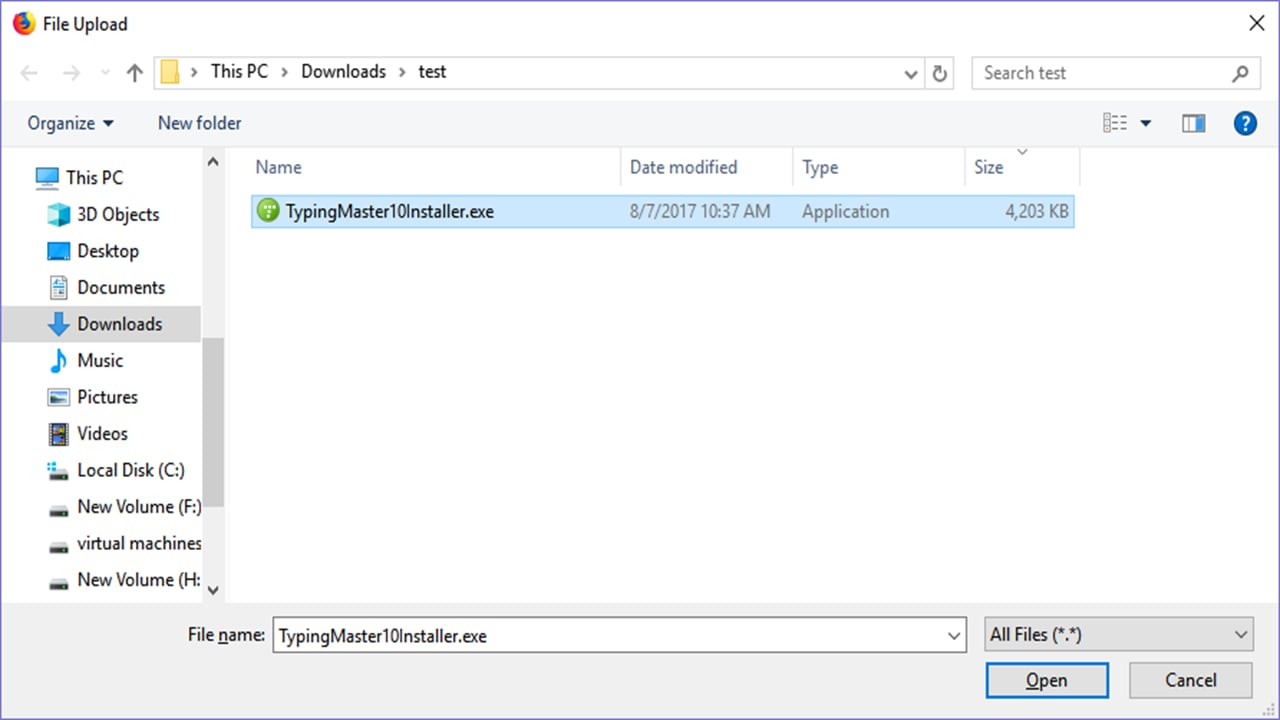

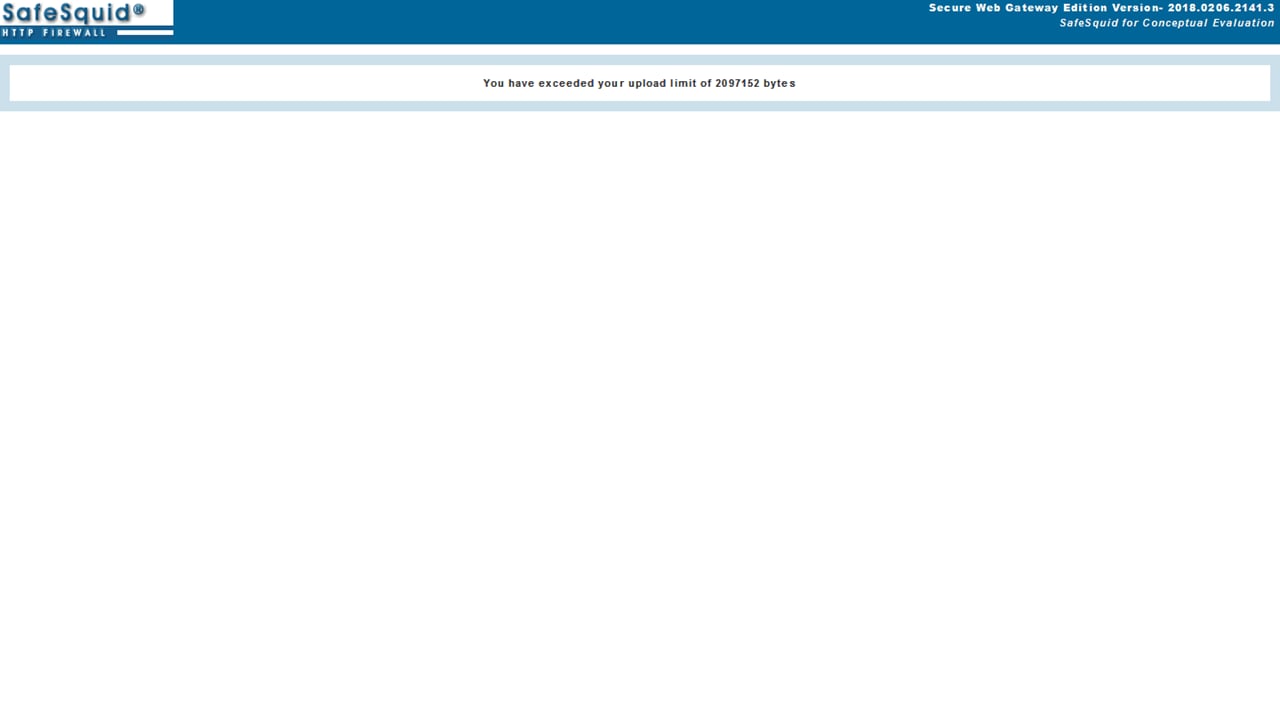
Next steps
- SSL Inspection - configure HTTPS inspection in SafeSquid to decrypt and analyze encrypted traffic for web security, malware detection, and policy enforcement.