

Upgrade SafeSquid application via Web GUI
Choose the upgrade path
There are two upgrade paths, and they answer different problems. Run the OS upgrade first where both are due — a SafeSquid version that needs newer kernel or library versions will not install cleanly on an end-of-life base.Version upgrade scope and procedure
SafeSquid SWG upgrade is a newer version of the SafeSquid that offers a significant change or major improvement over your current version. Upgrade your SafeSquid to the latest version which may consists of bugfixes and enhancements. When you upload latest tarball of SafeSquid SWG from WebGUI monit service will automatically restart the SafeSquid service.Prerequisites
Monit service should be running and started on your SafeSquid server, you can check it by using below command from your SafeSquid serverSteps
Access the SafeSquid User Interface
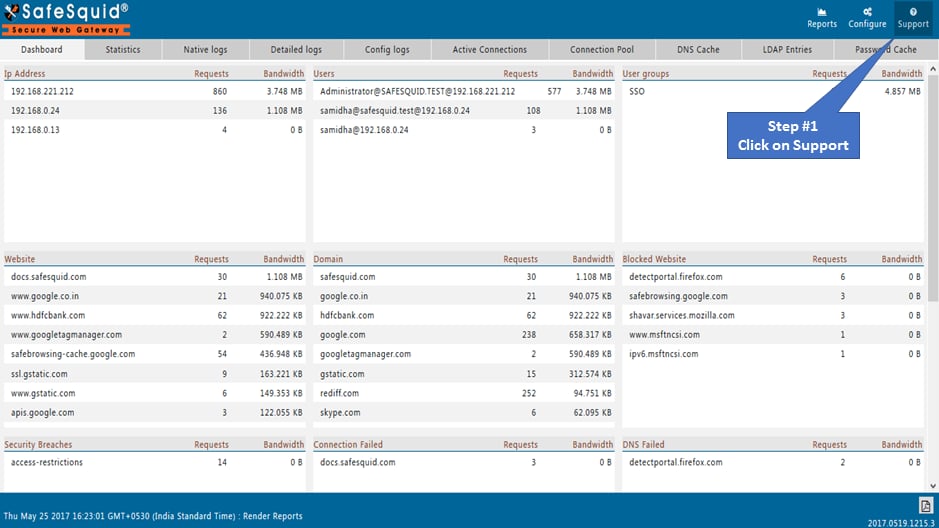
Go to Support Page
Go to upgradation
:::note Download the latest SafeSquid SWG tarball from here and save into your machine. :::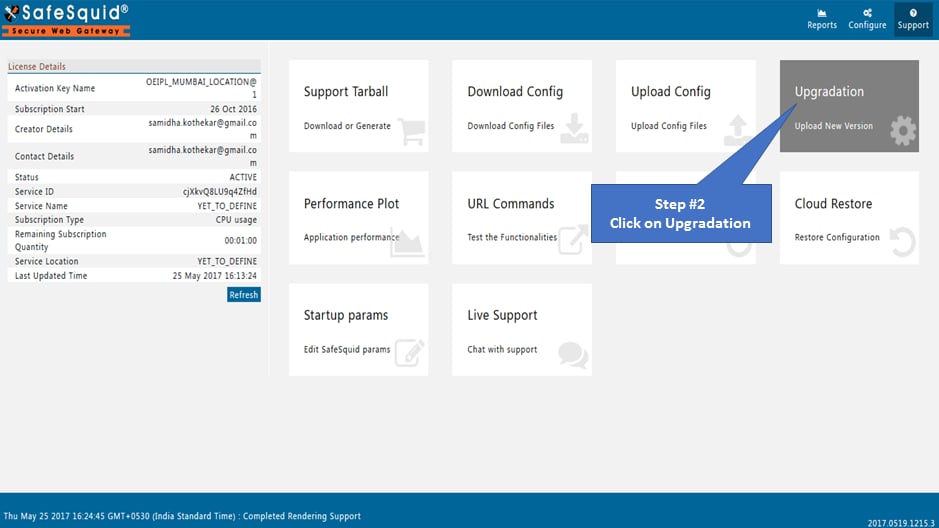
Select new tarball
Select the latest SafeSquid tarball downloaded and saved in your machine before.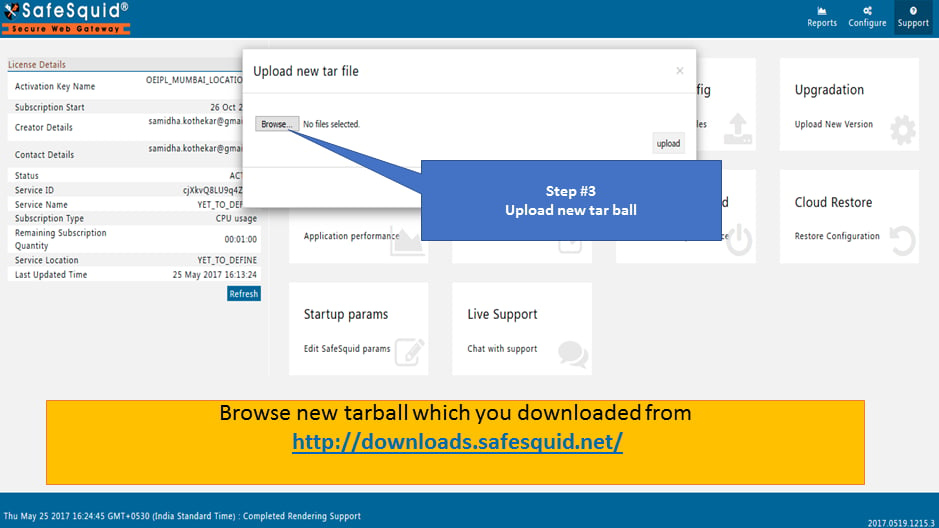
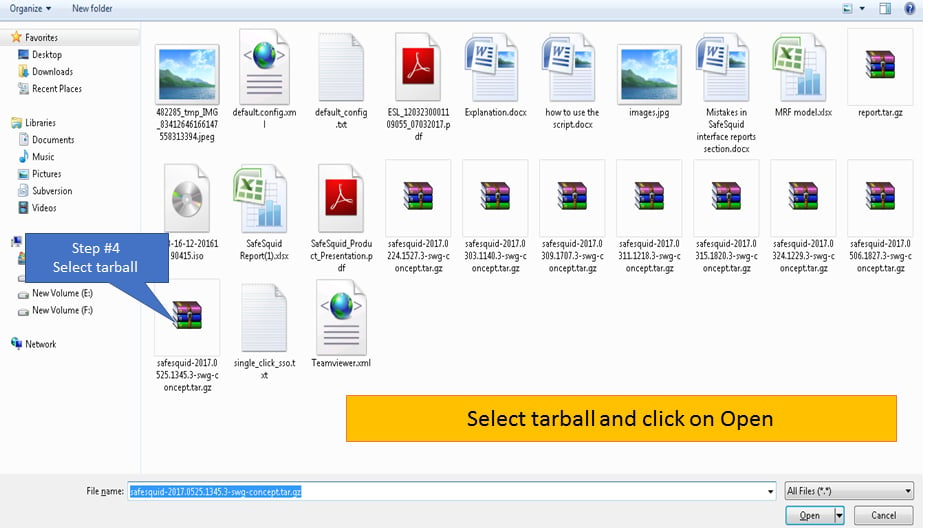
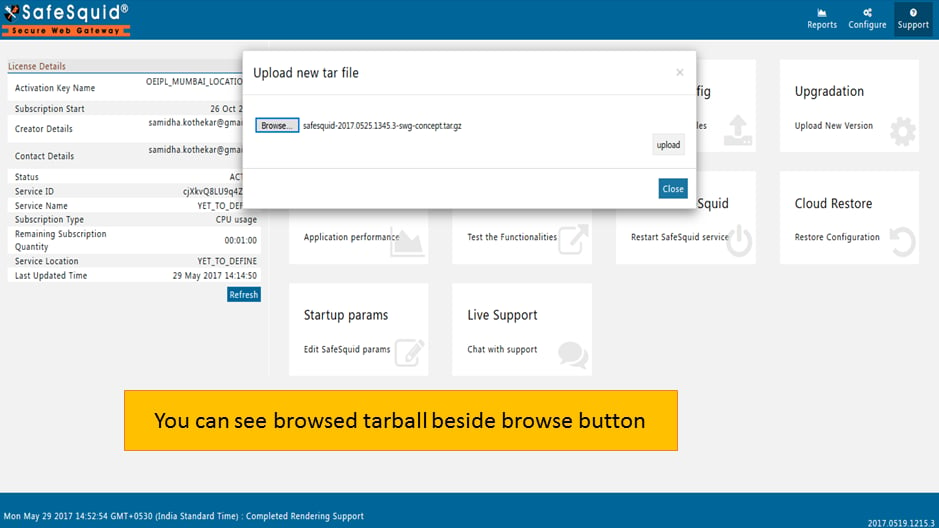
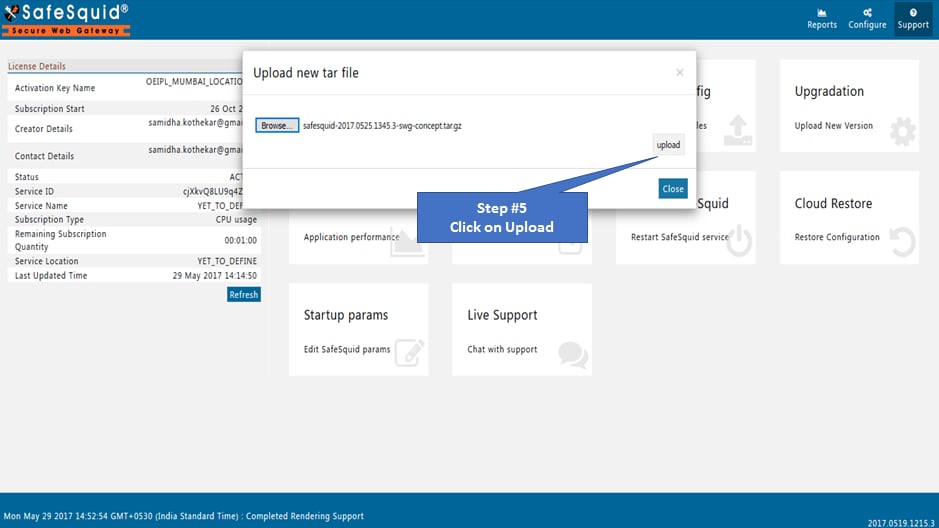
Testing Upgradation
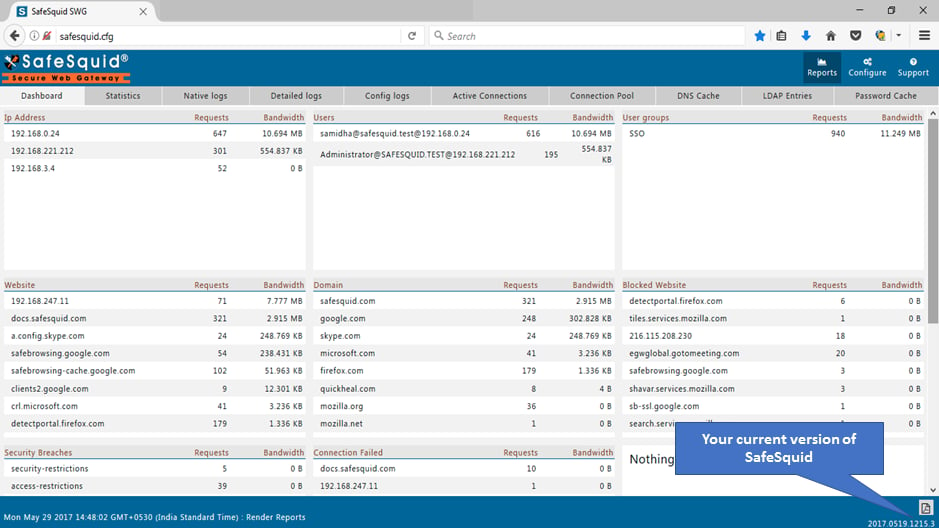
You can see upgraded version number of SafeSquid SWG at the bottom right corner of interface.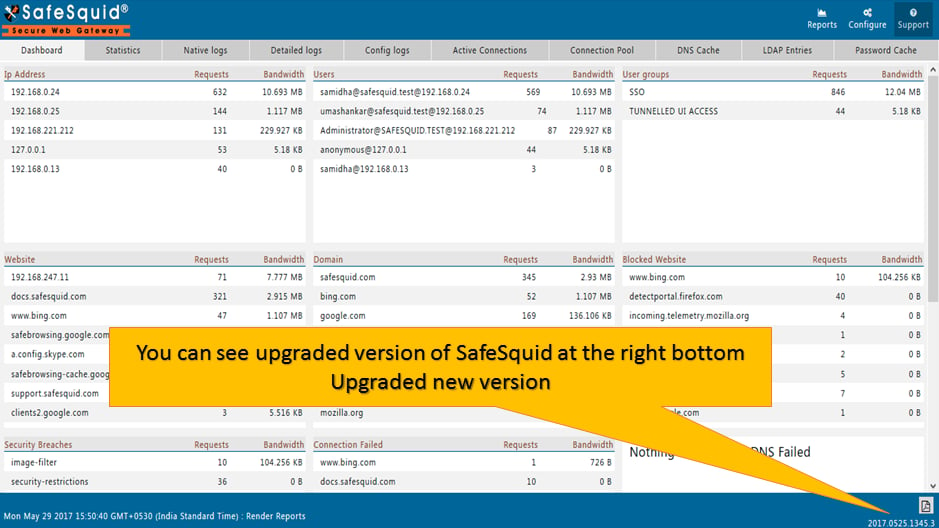
Where should I get the latest version of SafeSquid to upgrade?
You can download SafeSquid SWG for Windows package from - http://downloads.safesquid.net/SWG/windows/setup_safesquid_swg_latest.exe You can download SafeSquid SWG for Linux package from - http://downloads.safesquid.net/appliance/binary/safesquid_latest.tar.gzNext steps
- Upgrade Ubuntu - non-interactive upgrade of SafeSquid SWG from Ubuntu 20.04 LTS to 24.04 LTS: prerequisites, OS upgrade, DNS, Netplan, and verification.
- Policy Management Console - administrative interface for defining, simulating, and enforcing SafeSquid access control, URL filtering, SSL inspection, and DLP policies.