

Activate Before Policy Rollout
SafeSquid must be activated before the deployment can be treated as ready for enforcement. Activation ties the instance to the Self-Service Portal, unlocks licensed capability. It gives operators a checkpoint before SSL inspection, authentication, URL controls, malware scanning, and DLP are enabled.Know what activation unlocks
SafeSquid offers two licensing tiers, and an unactivated instance runs with limited capability regardless of which tier you hold. See Licensing Requirements for the tier comparison and what each one excludes.Validate prerequisites
Before activation, confirm:- The
activation_keyfile was downloaded from the Self-Service Portal. - SafeSquid service is running.
- A pilot browser can reach
http://safesquid.cfg/through the proxy path. - The administrator is on an approved management network.
- Outbound DNS and HTTPS access are available for license and subscription validation.
- The change record includes rollback steps for client routing and firewall changes.
Allow subscription paths
Activation requires outbound reachability tokey.safesquid.com and api.safesquid.net
on 443. Updates and categorization need a wider set, which activation success does not
prove is reachable. Confirm both groups in
Ports and Firewall Rules before the cutover window.
Which endpoints block activation, and which do not
Which endpoints block activation, and which do not
Only one endpoint has to be reachable for activation itself to succeed. The rest affect ongoing updates. So a blocked path there produces a licensed gateway with stale intelligence rather than a failed activation. It is a quieter failure, and an easier one to miss.Required for activation
Required for ongoing updates
URL categorization engines, commercial licence onlyEach of these is reached on port
8080 at the path /URLCategorizerService/URLCategorize:If categorization is blocked while everything else is reachable, policies that depend on category matching fail open. They do not error. Verify this group explicitly rather than inferring it from a working activation.
Upload the activation key
1
Open the proxied interface
Configure the pilot browser to use SafeSquid as proxy, open 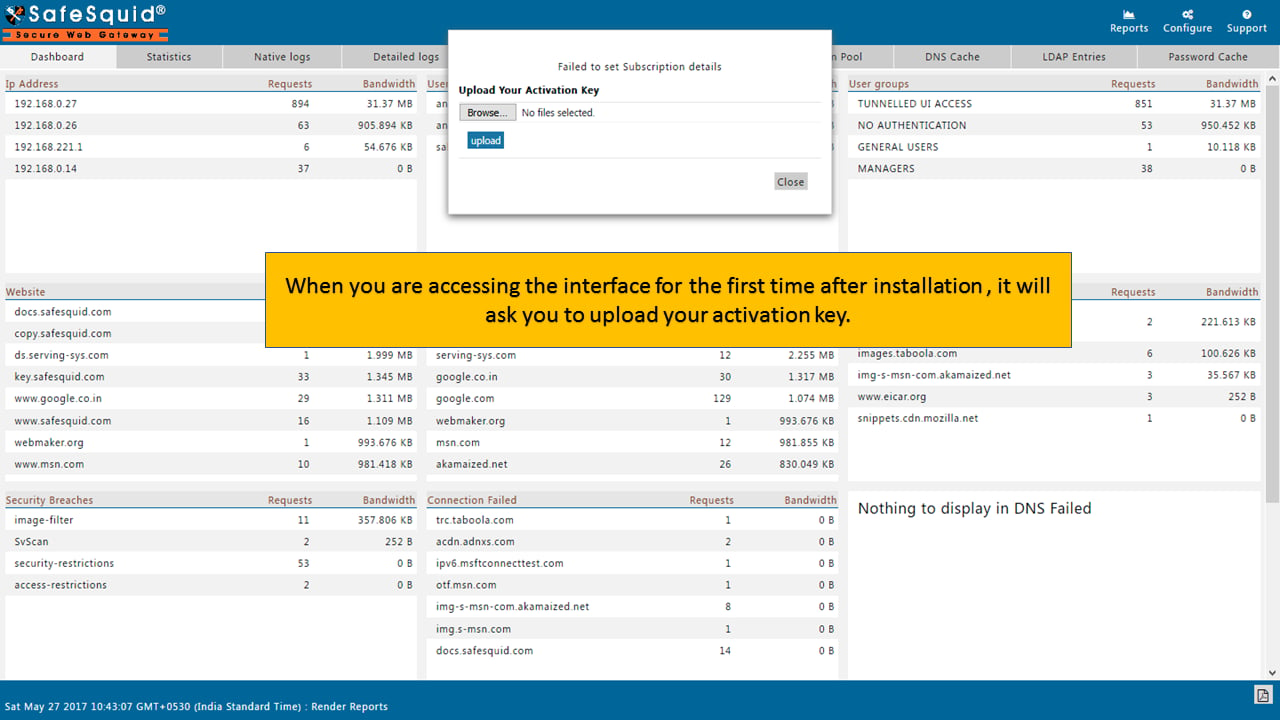
http://safesquid.cfg/, and sign in with the approved administrator account.Confirm the Configuration Portal loads through the SafeSquid proxy path.If safesquid.cfg does not load, recheck pilot browser proxy settings and SafeSquid listener reachability.2
Select the activation key
When the first-run activation prompt appears, click Choose File or the file-selector control. Then select the 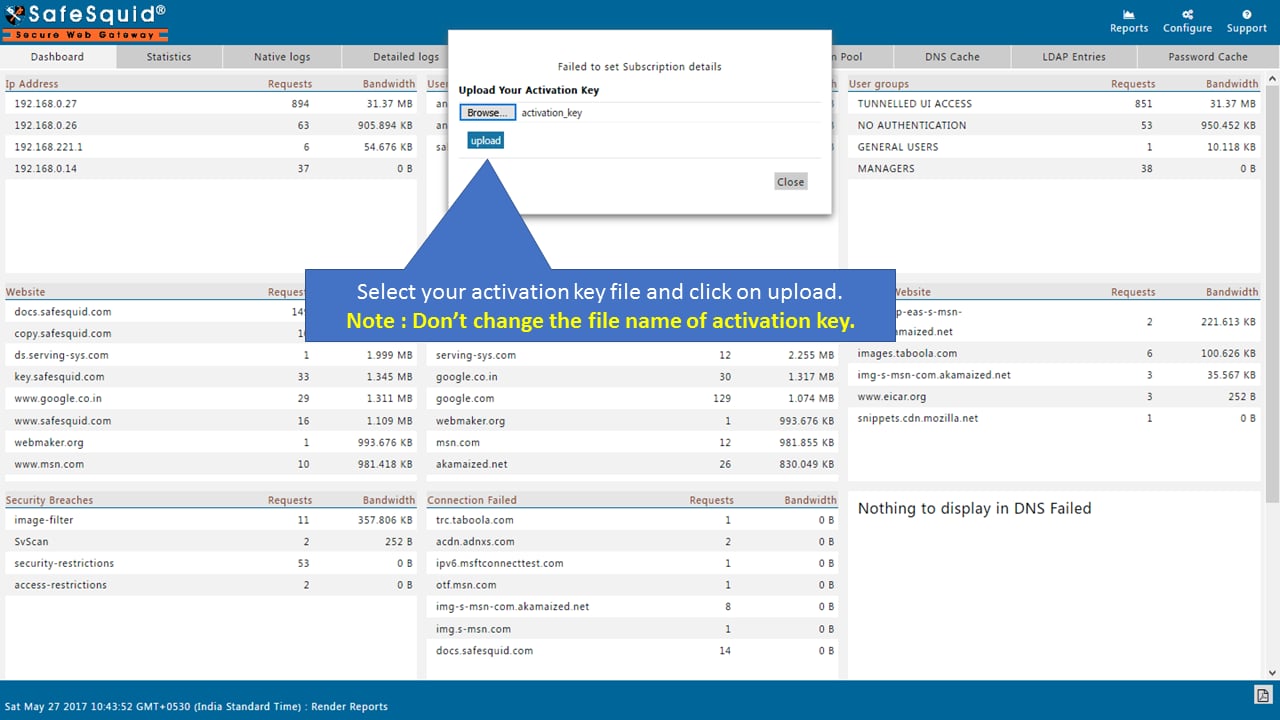
activation_key file from the approved secure location.Confirm the selected file is named exactly activation_key.If the key is missing or renamed, retrieve the original file from approved secure storage. You can also re-download it from the Self-Service Portal.3
Upload and restart
Click Upload, then click Restart when the interface prompts you to apply the license.Confirm the interface accepts the upload and presents the restart action.If upload fails, verify file name, file contents, and outbound subscription reachability before retrying.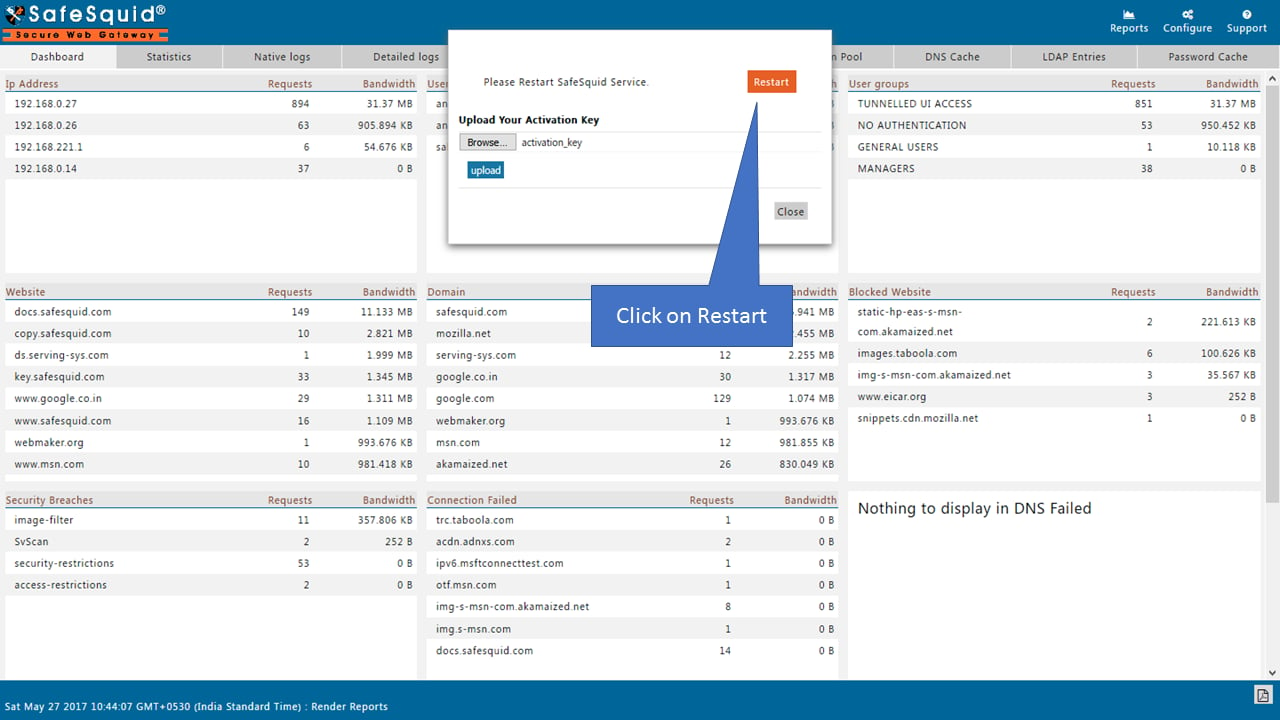
4
Wait for reload
Wait for SafeSquid to restart and reload the Configuration Portal before running evidence checks.Confirm the portal reloads after restart and accepts administrator sign-in.If the proxy refuses connections, check service state from the server console before routing users.
License evidence: The activation key is not the audit artifact. Store the key securely, and capture license-state evidence from the Configuration Portal plus service, listener, and access-log checks.
Verify activation evidence
Run these checks immediately after activation.1
Confirm the service is running
Run the service-state check and confirm there are no recent startup errors.Expected result: the first lines read
safesquid.service - SafeSquid Secure Web Gateway Proxy Server, Loaded: loaded and Active: active (running).Confirm the service is active and no startup error appears in the recent log.If the service is inactive, inspect the service journal and restart SafeSquid from the server console after correcting the cause.2
Confirm the key exists on disk
Verify that Confirm a file named exactly
/usr/local/safesquid/security/activation_key exists and has not been renamed.activation_key exists.If it is missing or renamed, re-upload the downloaded key file.3
Confirm listener state
Confirm SafeSquid listens on the approved proxy port.Expected result: a
LISTEN line for *:8080 (the proxy listener). No line means nothing is listening on 8080, so check the service state first.Confirm SafeSquid listens on the approved proxy port.If no listener appears, verify service state, startup logs, and the configured proxy port.4
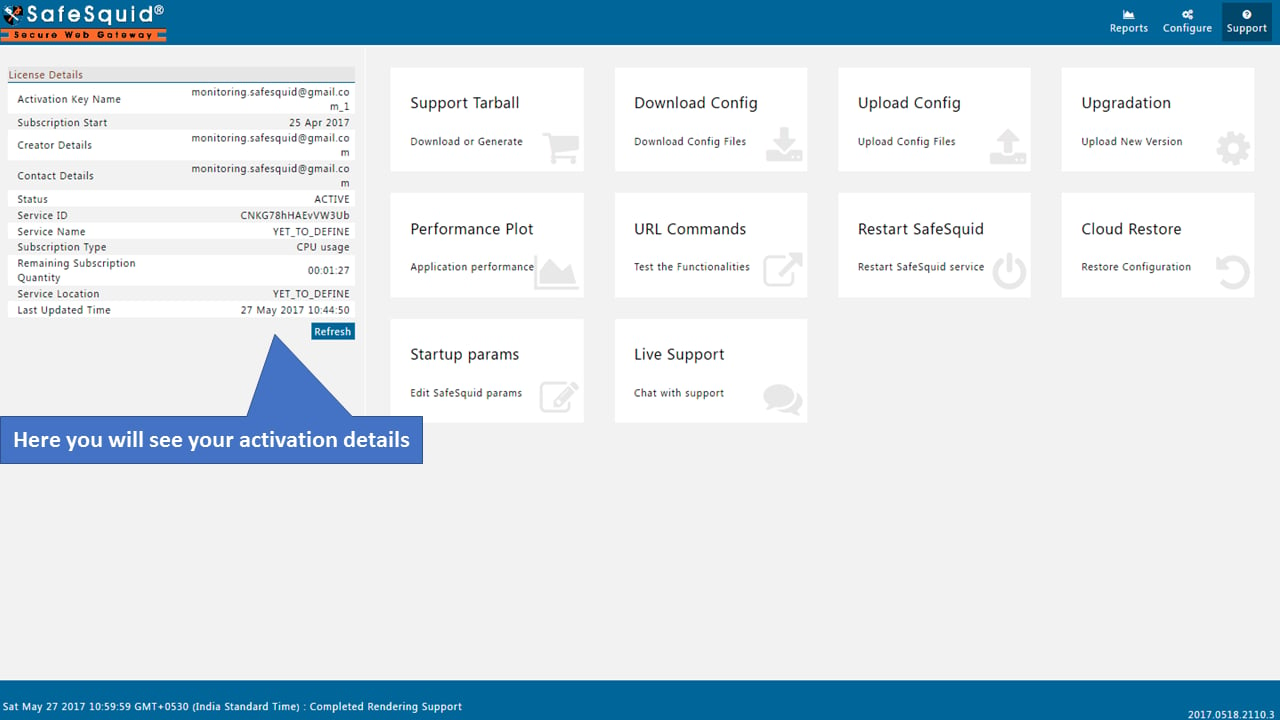
Confirm interface license details
Open Support and inspect License Details for product and subscription state.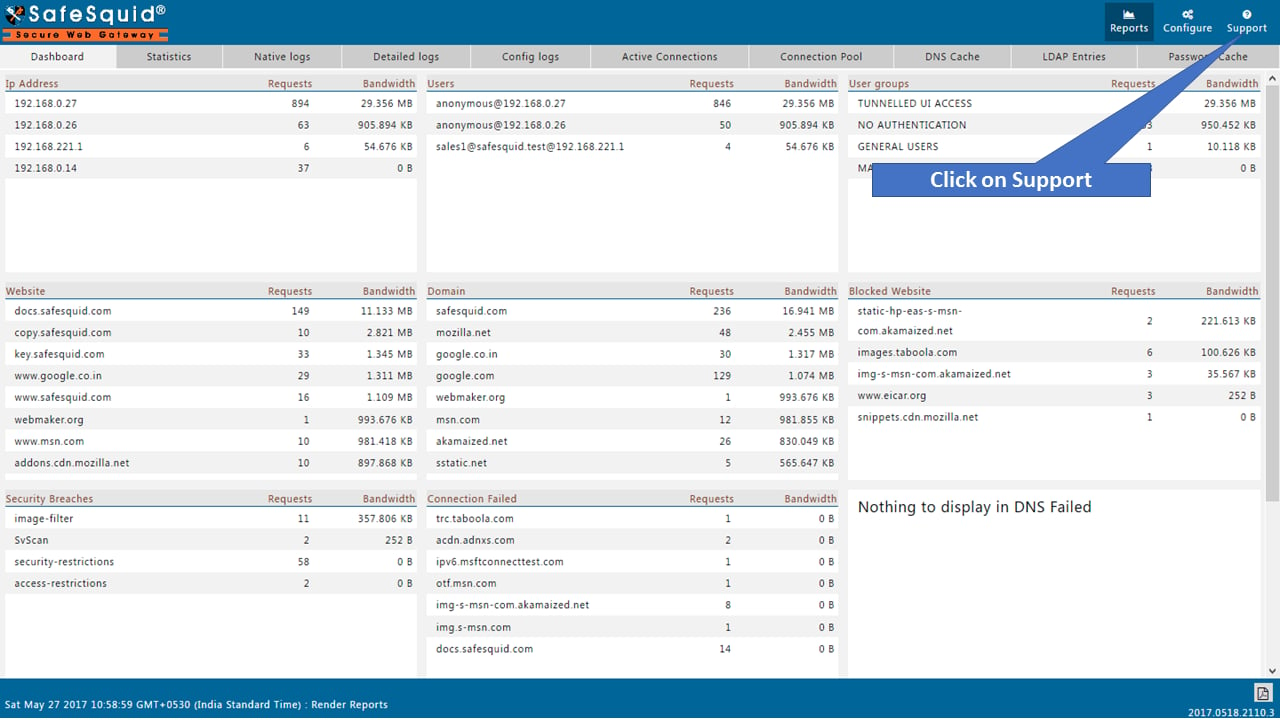
5
Confirm HTTP traffic is logged
Send one pilot HTTP request through SafeSquid and confirm a new record appears in Confirm the access log records source, destination, timestamp, and action.If no log appears, confirm the client is using SafeSquid and inspect
/var/log/safesquid/extended/extended.log./var/log/safesquid/extended/extended.log.Capture activation evidence
Store these artifacts with the deployment record:- Activation key ownership record from the Self-Service Portal.
- Screenshot or change record showing active license state.
- SafeSquid service status output.
- Listener check for the approved proxy port.
- Access-log entry for a pilot HTTP request.
- Subscription path reachability result.
- Root CA rollout plan before HTTPS inspection.
Troubleshoot activation
A commercial subscription that expires degrades the deployment rather than stopping it,
and the degradation is silent. See
Manage Subscription State for what changes and how
to renew or extend.
Move toward production
Activation unlocks the controls; it does not configure them. Enable them in a deliberate order so certificate, routing, and scanning failures do not overlap during troubleshooting: SSL inspection, then authentication, then DNS and access controls, then content security, then reporting. Policy Enforcement carries that sequence with a verification step for each control.Next steps
- Policy Enforcement - apply the baseline control sequence.
- Connect Your Client - expand from pilot routing to managed rollout.
- Troubleshooting - diagnose activation, routing, certificate, and policy failures.