

Configure FTP Browsing Defaults
The FTP section configures global FTP-over-HTTP gateway behaviour. There is no policy list — only global fields.Core mechanics
Anonymous credentials
When the client sends no username, SafeSquid substitutes Username and Password from this section before USER/PASS. This is login to the remote FTP server, not proxy authentication — Access restrictions decide whether the client may use the proxy for FTP at all, before this section applies. See Architecture and request pipeline. When the request’s User-Agent header contains “Firefox”, SafeSquid re-encodes any+ character in the username or password to %2B before decoding it — without this, a + would be misread as a space.
Passive mode
When on, PASV data connections; when off, PORT/active with local bind on the same interface as the control connection.Sort defaults
Directory HTML listings use Sort field and Sort order when the client does not pass CGI sort parameters.Caching anonymous FTP transfers
Global fields
- Passive mode (
passive) — PASV vs PORT data transfer. - Timeout (
timeout) — Control read timeout; 0 uses OS TCP keepalive interval. - Username / Password (
anonlogin/anonpass) — Anonymous defaults when client omits credentials. The password is conventionally an email-address-shaped string, the long-standing convention for anonymous FTP. - Sort order / Sort field (
sortorder/sortfield) — Default directory listing order (name, size, date).
Examples
Open Configure → Application Setup → FTP browsing. A single Global screen holds Passive mode, Timeout, Username/Password for anonymous login, and Sort order/field — no row list.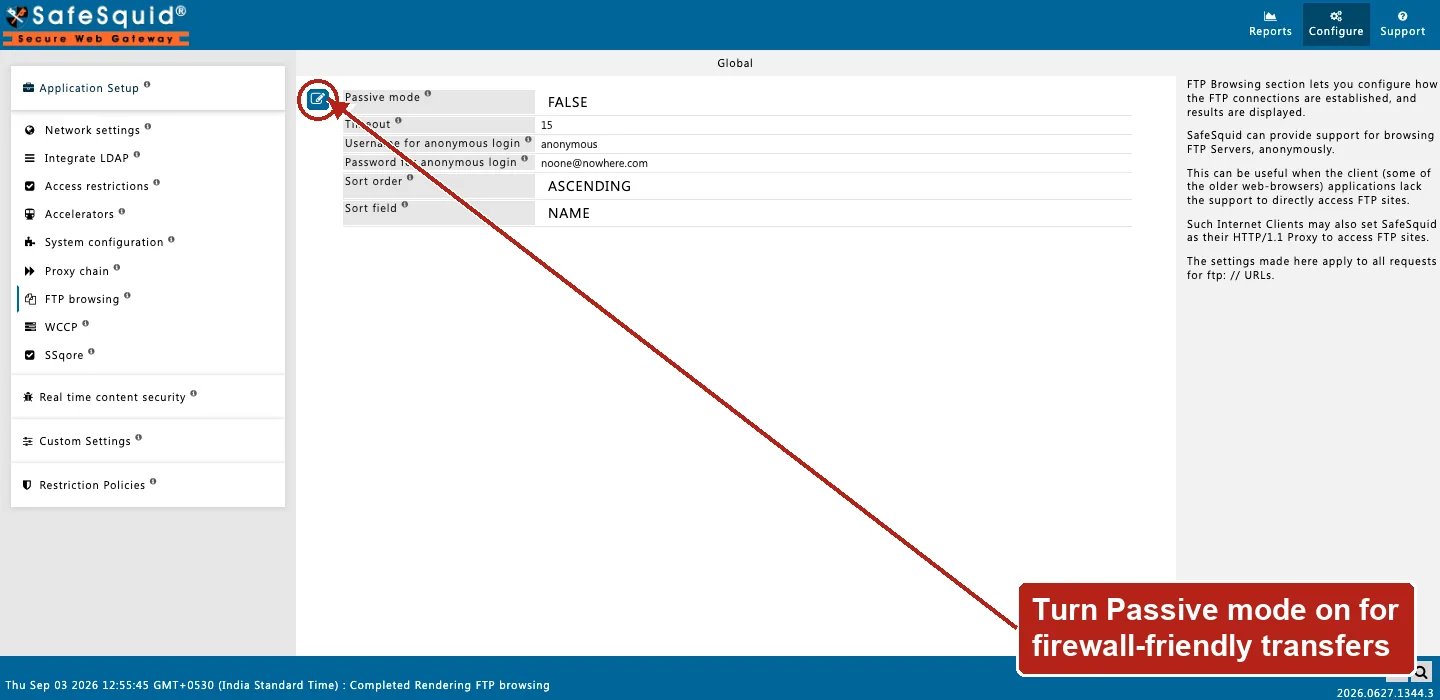
FTP browsing — Global fields
How to verify
- Open
ftp://URL through proxy in browser. - Toggle passive if LIST works but RETR fails.
- Check Detailed logs and REQUEST native logs.
- To confirm anonymous caching is active, fetch the same anonymous FTP file twice and check whether the second is served from cache — and confirm Username for anonymous login is still
anonymousif it unexpectedly is not.
Next steps
- Architecture and request pipeline - follow a request through SafeSquid from admission and identity, through protocol fork and enforcement, to fetch and response delivery.