

Set Global System Configuration
The General section sets global hostname, connection pool, debug headers, and per-connection compression/buffering policy rows.Core mechanics
First matching policy row
Each getter walks Compression and buffering policies top-down. The first enabled row whoseprofiles match wins. Empty profiles match all. No match → built-in defaults.
That one matching entry supplies every timing, buffering, and compression value for the connection — values are never mixed across entries. No entry below it is consulted. It is strictly first-match, not cumulative.
CONNECT ports (cportrange)
The CONNECT port check applies only when a row matched. Port must be in the row list or CONNECT is blocked. When no row matched, all CONNECT ports are allowed (unless blocked elsewhere).Compression and chunked buffering
compressin zero → identity-only upstream Accept-Encoding; non-zero → full encodings (TRUE and AUTO behave the same today). bufferchunked: 0 never, 2 always, 1 encoded-only when Content-Encoding is identity.
Buffer and compression caveats
maxdbuffer only applies when Content-Length is known and the body is not chunked. A chunked or Content-Length-less response streams through without full buffering regardless of the configured size. bufferwait is the interval between re-sends of the “downloading” holding page while a large response is still buffering. Compress outgoing is effectively always on for SafeSquid’s own Web interface, regardless of what the matched entry says. Only traffic to external origins honours the matched entry’s Compress outgoing setting.
Section fields
The console splits this section into two tabs. Connection pool size and timeout are Global fields, not a tab of their own — the pool view is a read-only panel reached from Global.- Global
- Compression and buffering policies
Global fields
Open Configure → Application Setup → System configuration → Global.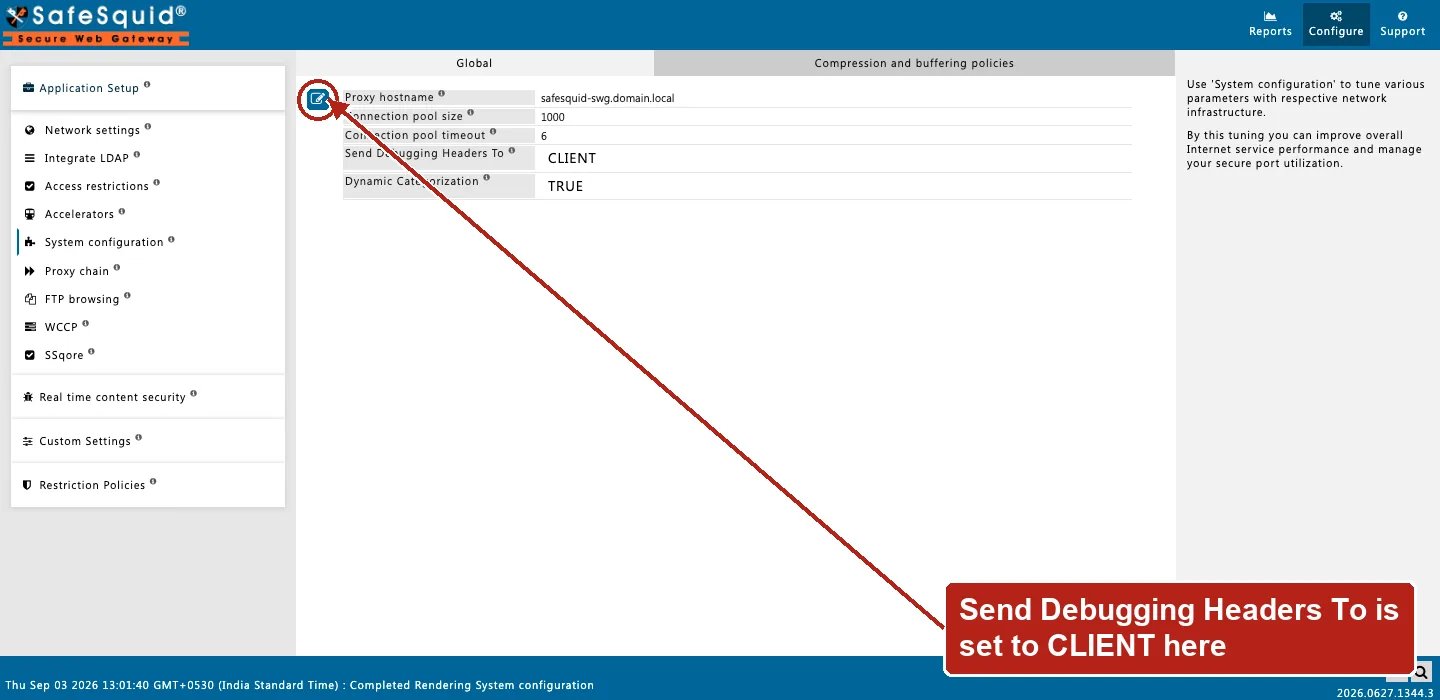
System configuration — Global fields
- Proxy hostname (
hostname) — Identity in Via and Kerberos scripts; blank uses system hostname. Setting it to your organization’s single LDAP domain name lets users log in without typing the domain themselves. - Connection pool size / timeout (
poolsize/pooltimeout) — Resizes upstreamserverpoolimmediately on config update. When the pool is full the oldest pooled connection is dropped to make room. The idle clock resets each time a pooled connection is reused. - Send Debugging Headers To (
dheaders) — CLIENT, SERVER, BOTH, or NONE — see Debug headers. - Dynamic Categorization (
catreferer) — Referer categories applied to dependency requests. So a permitted page’s sub-resources render instead of showing broken pieces.
Connection pool panel
A read-only Web UI panel showing the connections currently held open in the pool, or awaiting reuse. Useful for confirming Connection pool size and Connection pool timeout are sized correctly under real load.Examples
Open Configure → Application Setup → System configuration → Compression and buffering policies. Row fields include Connection/Header/Keepalive timeout, Maximum download/upload buffer size, Buffer wait time, CONNECT ports, and the compression fields.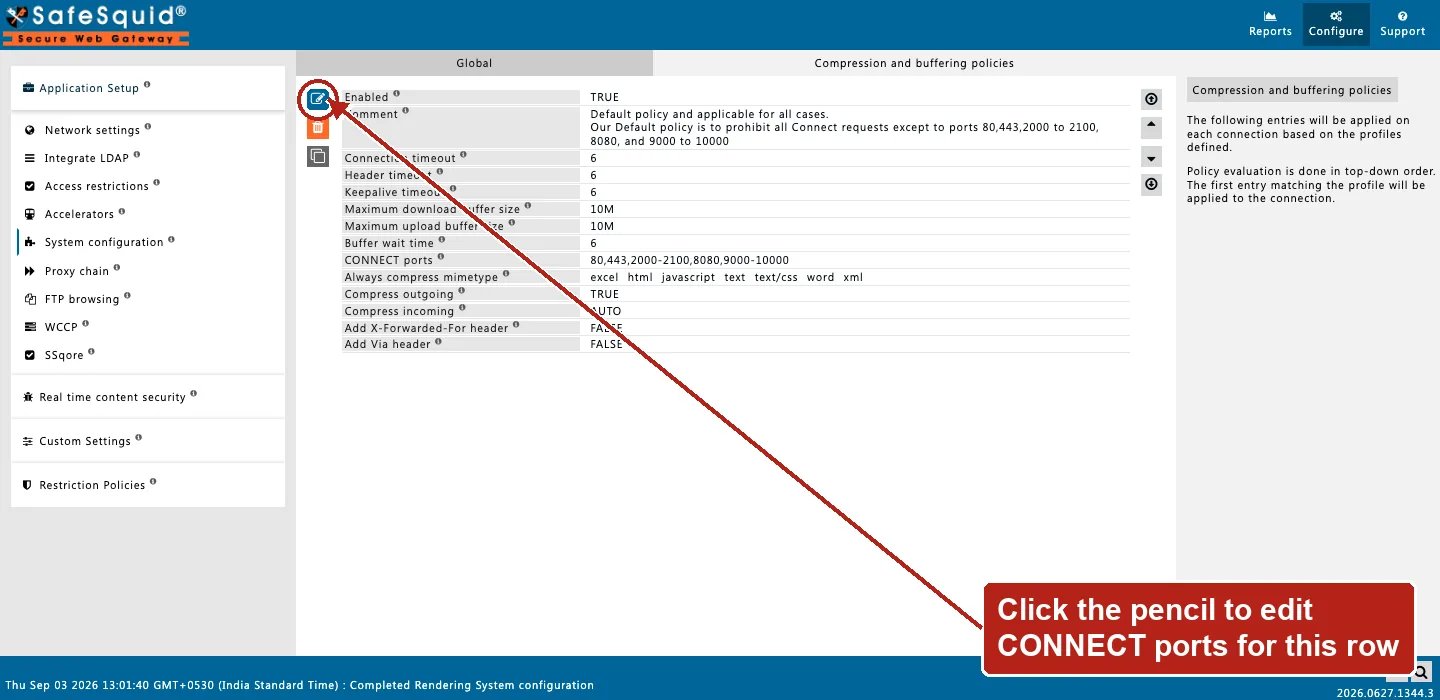
System configuration — Compression and buffering policies row
How to verify
- Test CONNECT to allowed and blocked ports.
- Enable Trace Entry on a policy row; check native logs.
- Debug headers CLIENT in browser devtools when enabled.
Next steps
- Debug response headers - turn on X-SafeSquid debug headers to see which profiles, categories, and filters applied to a request.
- Architecture and request pipeline - follow a request through SafeSquid from admission and identity, through protocol fork and enforcement, to fetch and response delivery.