

Turn On SSqore Categorization
SSqore categorizes websites by the likely nature of their content. It queries SafeSquid’s Content Categorisation Service (CCS) and adds category names to the connection so Access Profiles and filters can match on them.SSqore has globals only — no policy list. See Cloud / categorisation feeds for CCS connectivity and offline behaviour.
Global settings
Open Configure → Application Setup → SSqore. The entire configurable surface is two toggles — Enabled and Heuristic.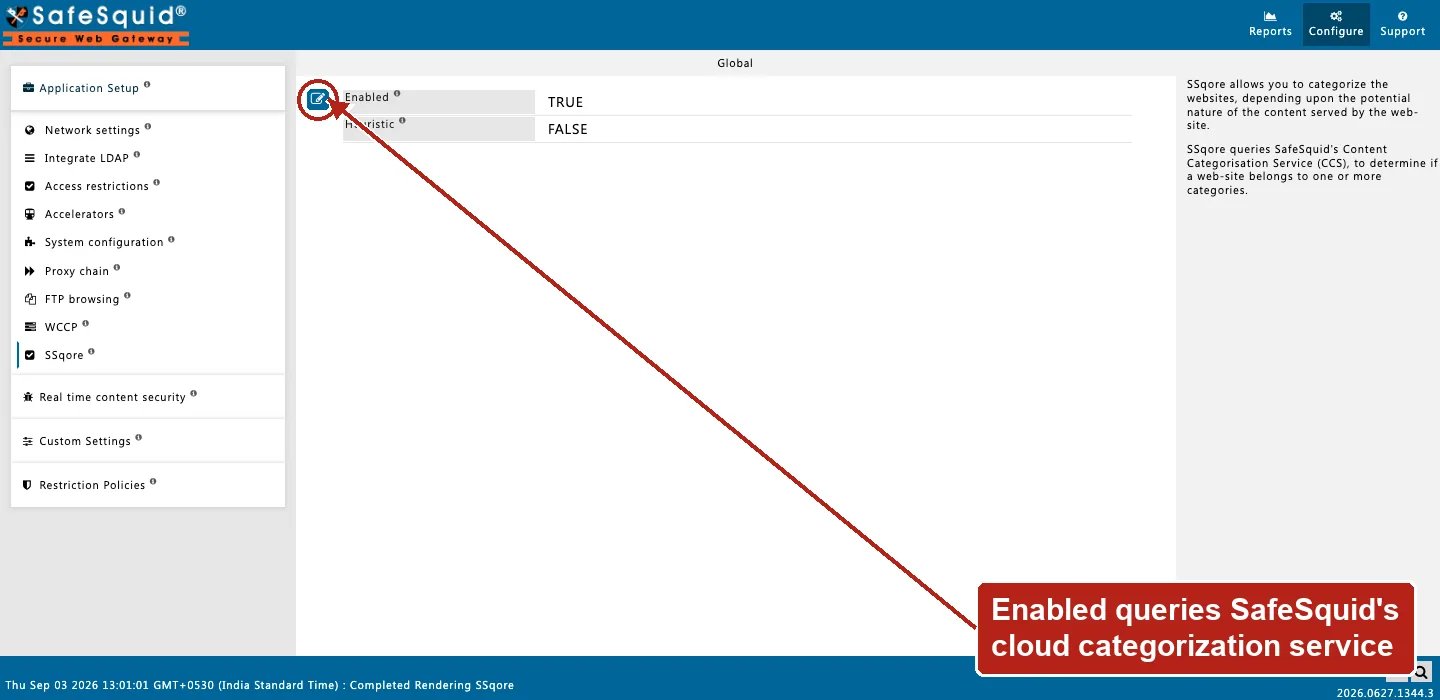
SSqore — Global settings
- Enabled — When off, URL categorization is skipped and no CCS categories are added to connections. When on, host names are looked up and categories are merged into the connection profile list for policy matching.
- Heuristic — Stored in configuration but not read by the current build. Toggling Heuristic does not change URL lookup behaviour today.
How categorization works
SSqore is the last-resort cloud tier: it runs only if the site is still uncategorized after local Categorize Web-Sites entries and DNS category feeds have already been checked.- During request profiling, SSqore first checks a fast in-memory cache of recently-categorized destinations, then a second, larger on-disk cache of previously-seen results. Only on a double miss does it perform a live lookup against CCS for the request host (and referer host where applicable), caching the result for next time.
- Returned category names are added to
website_categories/ connection profiles used by Access Profiles and other sections. The result is always a Category label — SSqore never returns a numeric score, a risk rating, or a confidence percentage. Whatever filtering decision follows is entirely up to how an Access Profiles entry is written to match on that label. - Results are cached under
/var/lib/safesquid/ssqore/cacheto reduce repeat lookups. - URLs that cannot be categorized may be queued as uncategorized for later retry.
- When SSqore is disabled, categorization hooks exit without adding categories.
- If the appliance’s subscription has expired, SSqore categorization is skipped for that connection, the same way other subscription-dependent labeling features are gated.
Using categories in policies
Access Profiles Secondary Policies typically match SSqore category tags (for example block Social Networking). Categories appear as profile strings on the connection after lookup — design profiles to reference the exact category names CCS returns. Custom or local categories may also come from the Categorize Web-Sites tool and DNS category zone settings in startup.ini. SSqore is the cloud lookup path.Examples
Recommended practice
- Keep SSqore enabled when Access Profiles depend on cloud categories.
- Do not rely on Heuristic until wired in code — treat it as a stored placeholder.
- Monitor subscription and feed status under Support / feeds documentation.
How to verify
- Enable CATEGORY log level; look for
SSqoreSection::and category assignment lines. - Open Detailed logs for a browsed URL; confirm category tags on the connection.
- Test an Access Profile that matches a known SSqore category (allow or deny).