

Speed Up Pages With Prefetching
Open Configure → Application Setup → Accelerators → Prefetching. This section sits under the Accelerators menu group alongside Caching and Prefetching. They interact, since a prefetched object is only useful if Caching later serves it. The Prefetch section configures SafeSquid to proactively download linked content — stylesheets, scripts, images, and similar resources — into cache while the main HTML page is still being delivered to the client. So the browser’s own later request for those resources can already be served from cache, improving page load time.Core mechanics
Async queue, cache pre-check, HTML parser first-match.- Asynchronous Queue: Prefetching is driven by an asynchronous, background worker thread (
prefetch_thread) that monitors aPREFETCH_QUEUE. It does not block the primary client connection. - Cache Pre-Validation: Before initiating a prefetch download, the thread checks if the object exists in the cache. If the object is already cached, the prefetch is aborted to save bandwidth.
- Request Spoofing: The background thread creates a synthetic, unattached HTTP connection, forces it through the routing pipeline, and uses a hardcoded User-Agent to request the file from the origin.
Global fields
- Enabled (enabled): When off, setup_callbacks does not register HTML parsers — no automatic prefetch.
- Threads (threads): Configured worker count for prefetch queue processing. This value is not applied in the current build.
- Queue size (queuesize): Maximum URLs waiting in the prefetch queue; full queue rejects new URLs. Already-cached URLs are not queued. Rejected matches are not retried automatically. A later scan of that page, or another page linking the same resource, can queue it if there’s room by then.
- Host limit (hostlimit): Maximum queued prefetches per host name (0 disables per-host cap). Duplicate URLs are never queued twice.
Prefetch rule fields
- Profiles — Limit the rule to connections with matching Access Profile tags. A
!-prefixed value applies the entry when that profile is absent instead of present. Blank matches all. - Tag name — HTML element to scan (case-insensitive), for example
a,img,link. Blank skips the row. - Tag attribute — Attribute holding the URL (for example
hreforsrc). - Attribute pattern — POSIX regex on the attribute value after tag/attribute match. Blank accepts any non-empty value. On match, the URL is resolved and queued unless cached or queue full.
- Maximum file size — Skip prefetch when response Content-Length exceeds this size.
0= no cap. - Recursion level — How many levels prefetched HTML is analyzed for further links. Note: setting
0follows links indefinitely per field help. The opposite of what the number suggests, since it removes the limit rather than capping at zero levels. Use0deliberately, and only if you intend genuinely open-ended recursive prefetching.
Processing order
- Enable Prefetching and Caching.
- During HTML responses, enabled Prefetch rows are checked top to bottom.
- The first row whose profiles match and whose tag/attribute/pattern succeeds wins for that element. Rows below it are not tested against that same element, though they remain available for other elements later in the same page.
- Matched URLs enter the queue subject to queue size, host limit, and cache state.
- Caching Prefetch window limits duplicate prefetch writes for the same URL within N seconds.
Some prefetch hooks and the Prefetch now CGI handler require
ENABLE_PREFETCH at build time. If manual prefetch fails, confirm your build includes prefetch support.Examples
The Prefetch rule-row list ships empty by default — no live example available for a rule row. Prefetch now is populated and matches Example 3 below. Open Configure → Application Setup → Accelerators → Prefetch → Prefetch now.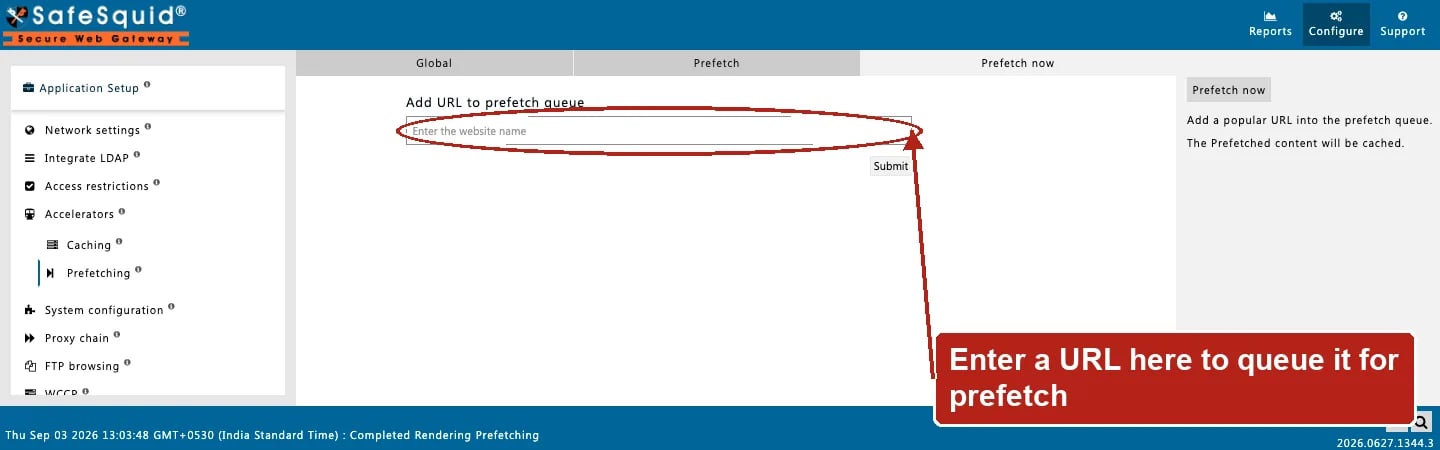
Prefetch — Prefetch now
How to verify
- Enable CACHE in
LOG_LEVEL; look for cache writes with prefetch-related flags. - Load an HTML page twice — second load should show cache hits for prefetched assets when Caching and rules allow.
- Use the Caching tab above to search for prefetched URLs among Manage cached objects.
- Watch queue rejection if Queue size or Host limit is exceeded (reduce rules or raise limits).
- Confirm Caching is enabled and not excluding the relevant profiles — Prefetching only queues the fetch, Caching decides whether the result is kept.
Next steps
- Caching - control in-memory HTTP caching in SafeSquid: set refresh rules, freshness limits, and object size limits for cached content.