

Control Which Cookies Pass With the Cookie Filter
Open Configure → Restriction Policies → Privacy control → Cookie filter. This section sits under the Privacy control menu group alongside Cookie filter, Header filter and Elevated Privacy — configure them together, since a Cookie filter allow row and an Elevated Privacy STANDARD row can otherwise fight over the same header. TheCookies-filtering section (safesquid-cookies-filtering(5)) provides granular control over HTTP cookies passing between clients and servers.
Core mechanics
Dual-list Allow/Deny walk, last match in pass wins — unlike most other sections’ first-match rule.- Dual-List Policy Engine: Cookie filtering operates on a Global Policy (Allow or Deny) combined with Allow/Deny override lists. If the global policy is set to
Allow, SafeSquid first scans the Deny List (to block matching cookies) and then scans the Allow List (to explicitly permit exceptions). - Time-Based Evaluation: Unlike other modules, the time profiles here (
limitmonths,limitdays, etc.) are checked against the cookie’s literalExpiresattribute (COOKIE_HAS_EXPIRES), not the proxy’s current system time. - Action: Matches result in the cookie being silently stripped from the HTTP stream (
HEADER_FILTERED).
- Clear-Site-Data: whenever any cookie is dropped from a connection, SafeSquid adds a
Clear-Site-Data: "*"header, asking the browser to clear stored site data. A stronger cleanup than simply not forwarding the one cookie field.
How SafeSquid processes the lists
- If Policy is Deny, SafeSquid walks Allow first, then Deny.
- If Policy is Allow, SafeSquid walks Deny first, then Allow.
- Within each list, every enabled matching row is evaluated. The last match in that list pass sets the outcome (not first-match like Access restrictions).
- Each
Cookieheader field is processed separately; denied fields are erased from the header list. - Domain, path, and expiry filters on a row apply only when Direction is IN (Set-Cookie). The live request/response header hooks call filtering with outbound (
Cookie) direction only. Set-Cookie rows are configured for server→browser cookies but are not applied by the activefilter_cookiespath in this tree.
Section fields
The console splits Cookie filter into three tabs. Allow and Deny use an identical row form — only their position in the walk and the meaning of a match differ — so the row fields are documented once, under Allow.- Global
- Allow
- Deny
Global fields
- Enabled (
enabled) — off meansCookieandSet-Cookieheaders pass through unmodified. - Policy (
policy) — the walk-order selector described above, and also the default action when no configured row matches a cookie: Allow forwards it, Deny strips it.
Examples
Open Configure → Restriction Policies → Privacy control → Cookie filter. The Global sub-tab holds the Enabled switch and the Policy (Allow/Deny); Allow and Deny are separate sub-tabs holding the override row lists.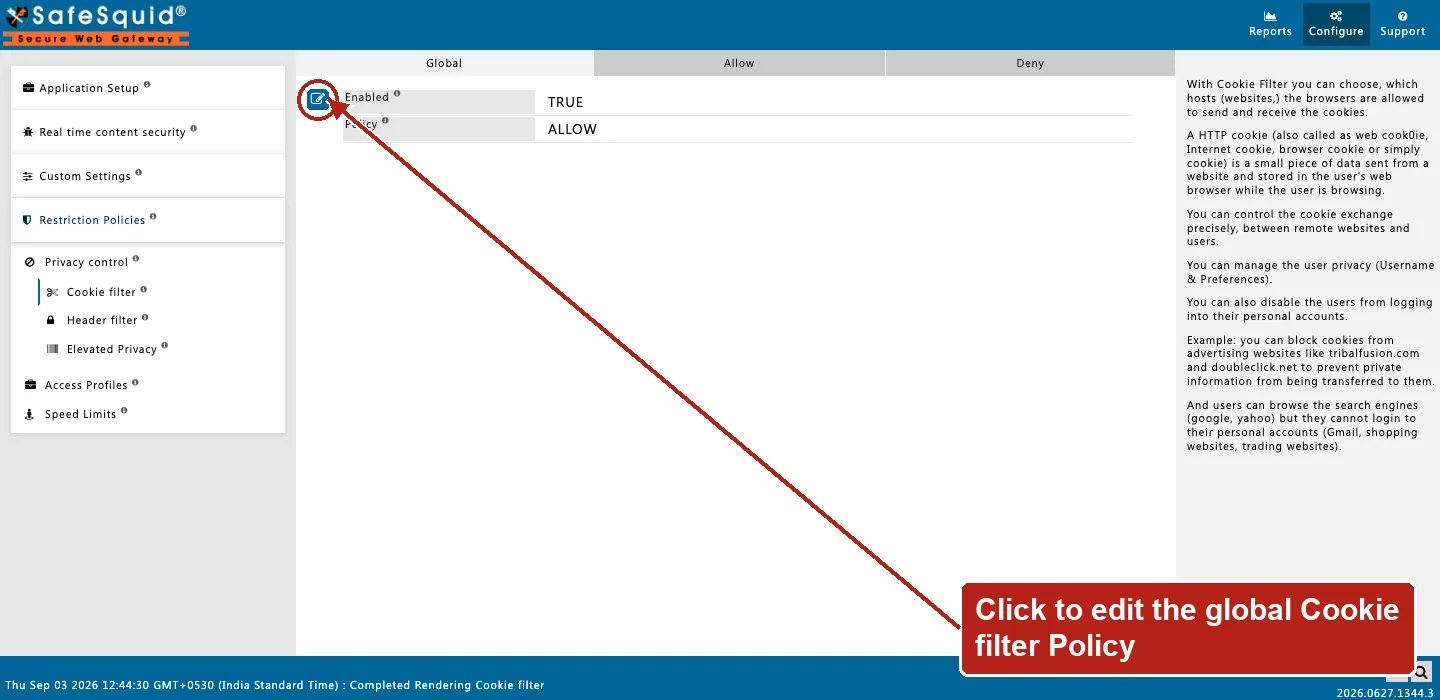
Privacy control — Cookie filter Global tab
How to verify
- From a test client, browse a site that sets cookies and watch the browser devtools Network tab for request
Cookieheaders upstream of SafeSquid. - Open Reports → Detailed logs. Look for
filter_namerelated to cookies and nativecookie:lines when COOKIE is enabled inLOG_LEVEL. - Check debug response header
X-Cookie-Filteron the connection (Dropped-Cookie-Outwhen cookies were stripped). - Enable Trace Entry on one row to confirm profile and domain matching in Native logs.
- Confirm the appliance and the browser agree on direction — OUT is what the browser sends, IN is what the website sets. A Domain or Path filter that never seems to match is most often pointed at the wrong Direction.
Next steps
- Header filter - strip or inject HTTP headers on client requests and server responses using global, allow, deny, and insert rules.
- Elevated Privacy - reduce cross-site tracking by stripping third-party cookies and selected tracking headers.
- Suggested Profiles - legacy reference: the autocomplete catalog of ready-made profile names in the Web UI. This section is not in the current Configure console.