

Allow Social Media During Lunch Hours
Problem
Security teams need predictable control over app and web usage to reduce policy bypass and data-risk exposure.Benefits
You can enforce policy decisions consistently with SafeSquid while preserving legitimate business workflows.Advantages
You keep actionable policy control close to operations, with verifiable outcomes in logs and policy behavior.Call to action
Use the steps in this guide to implement the control, then validate behavior with a real user-flow test.Problem: Social networking access must be bounded by time
Unrestricted social networking during work hours can reduce productivity and create policy risk. Many organizations block social networking on network computers. Some organizations allow access during lunch or defined windows to balance productivity and morale. SafeSquid time profiles allow social networking sites only during configured hours (e.g. lunch); outside that window access is blocked.Key benefits
Social networking is allowed only during the configured time window. Outside that window users receive a block template. Administrators set the LUNCH (or custom) time profile once; policy applies consistently. Productivity controls remain while offering limited access.Prerequisites
- HTTPS Inspection enabled in SafeSquid.
- SScore section enabled as TRUE (Application setup → Score).
- Access to SafeSquid Configuration Portal.
Call to action
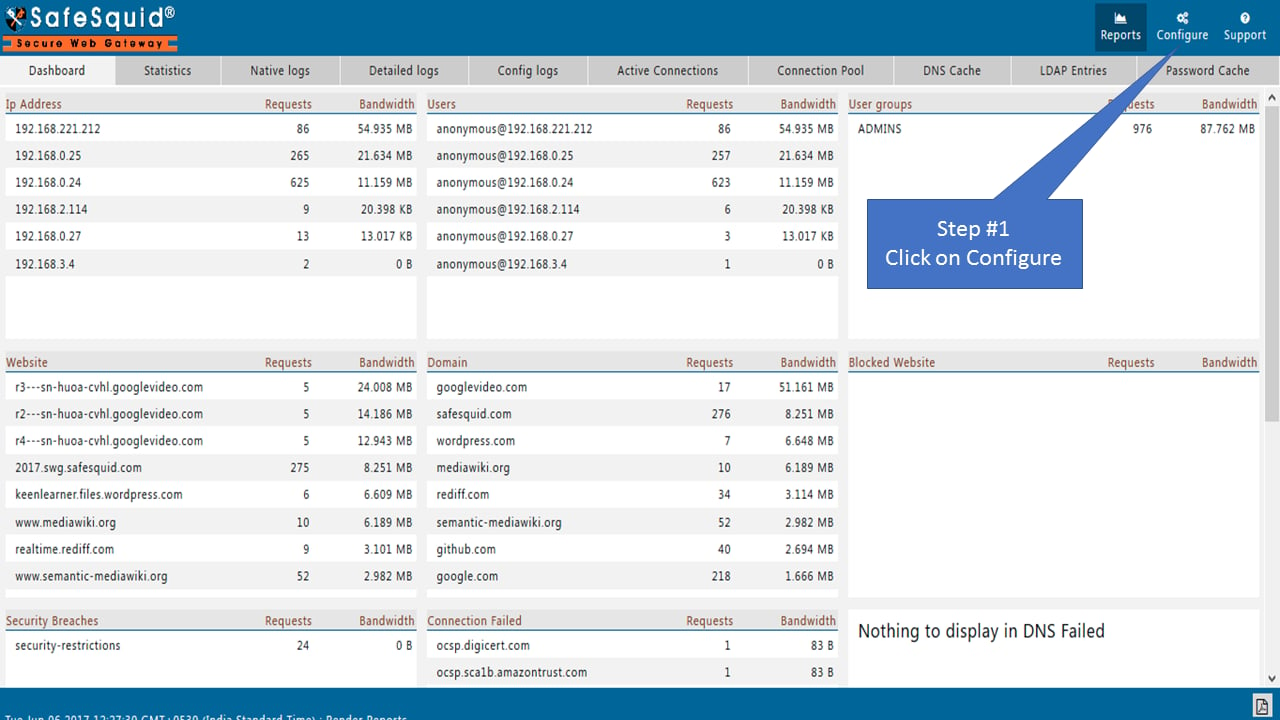
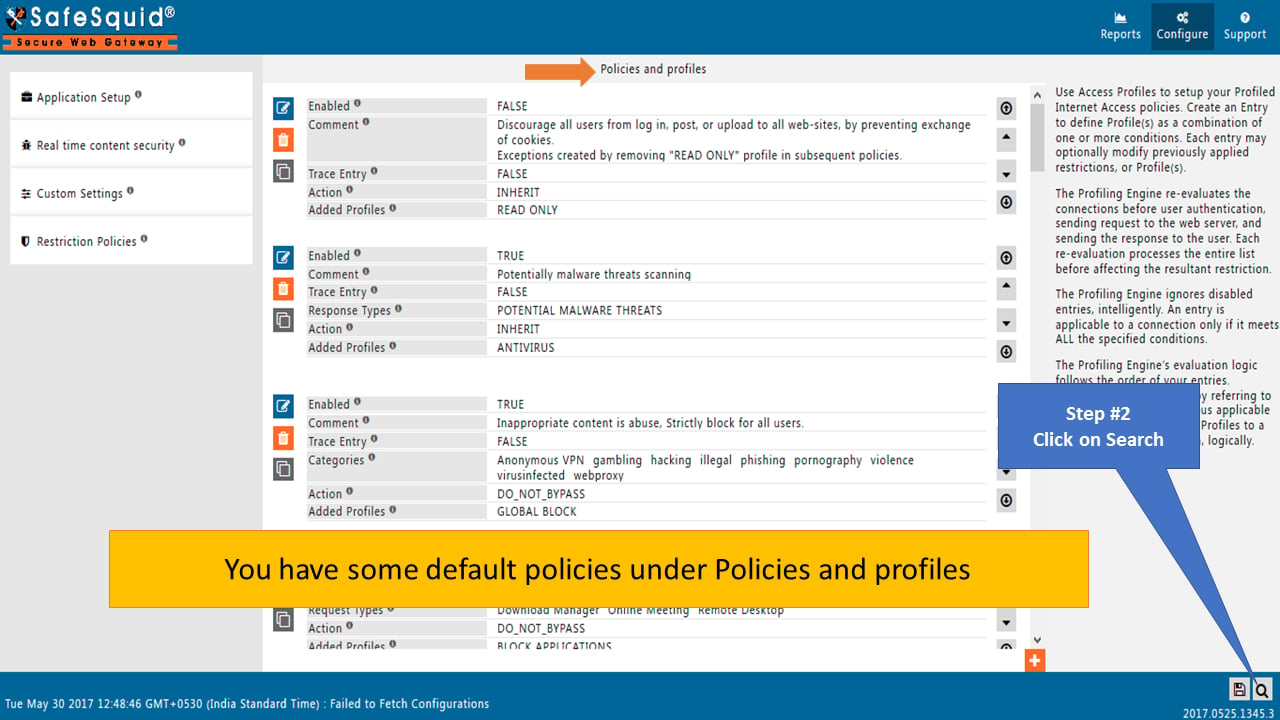
Search default policy: LUNCH.
Enter LUNCH in the value field of the search dialog and click Search.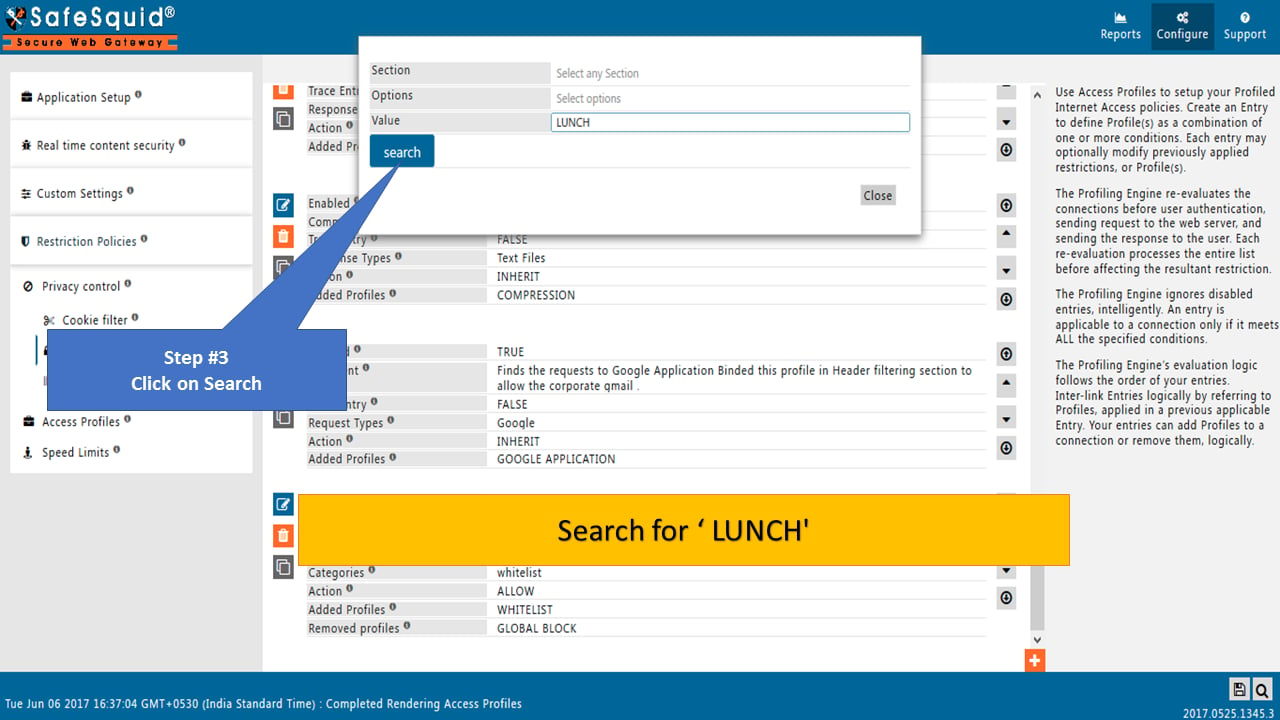
Go to Time Profiler
Open the default policy from the Time Profiler section having a LUNCH profile.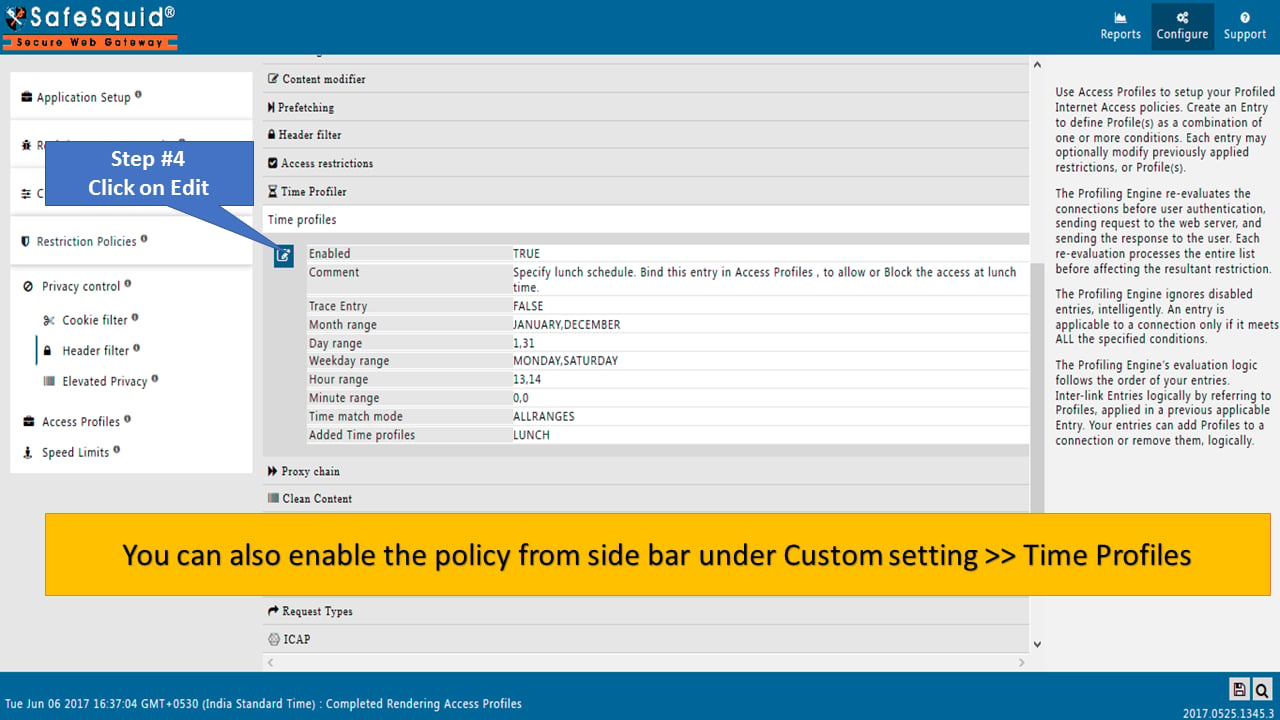
Edit LUNCH policy
Set the lunch time (Hour Range and Minute Range) and save the policy.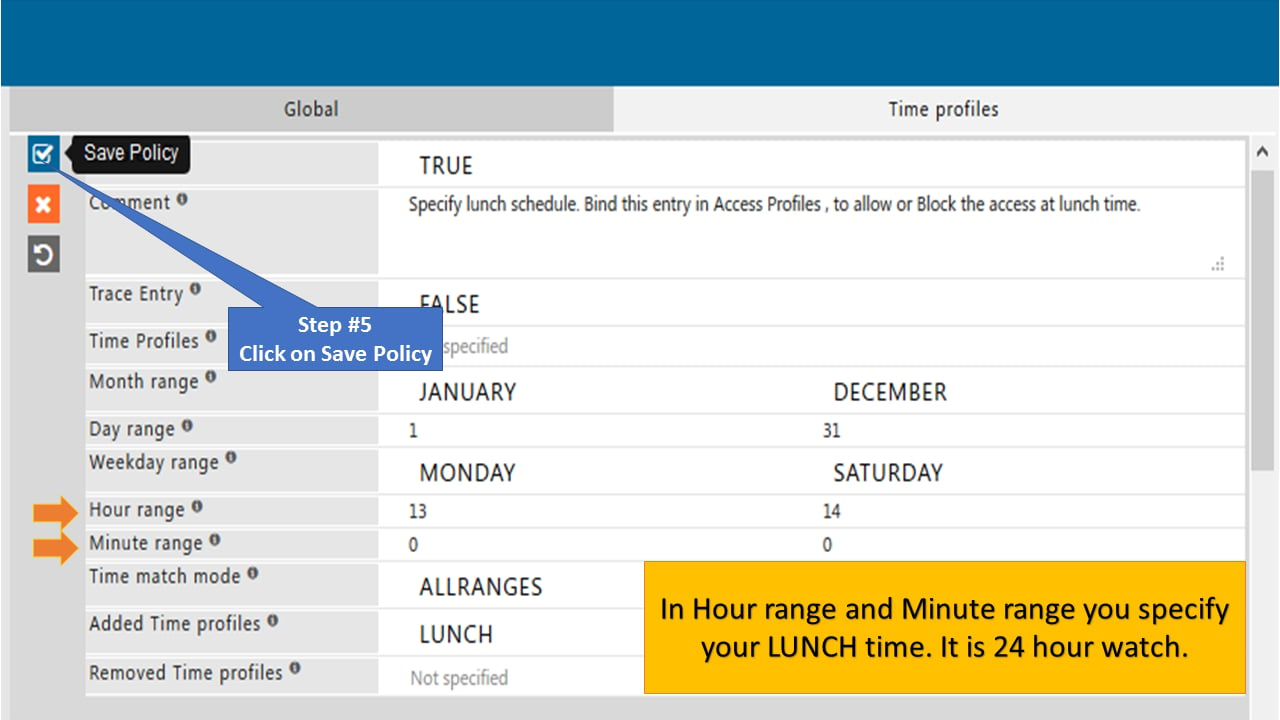
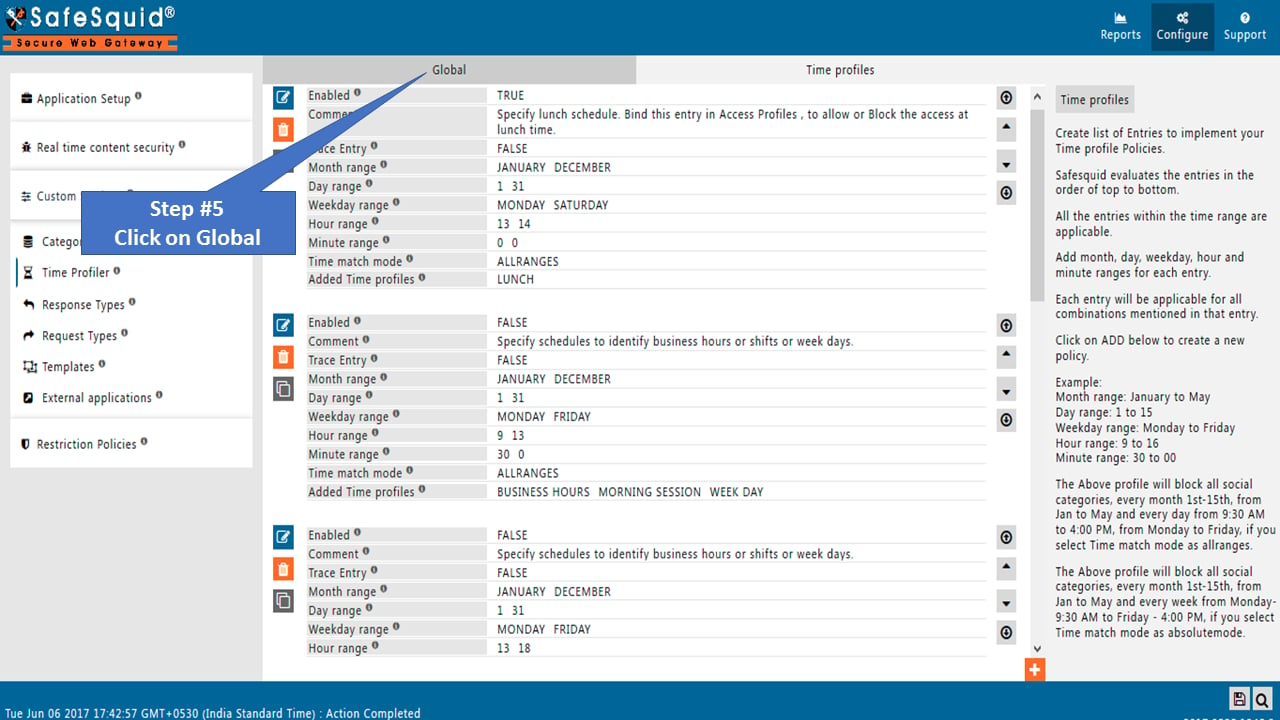
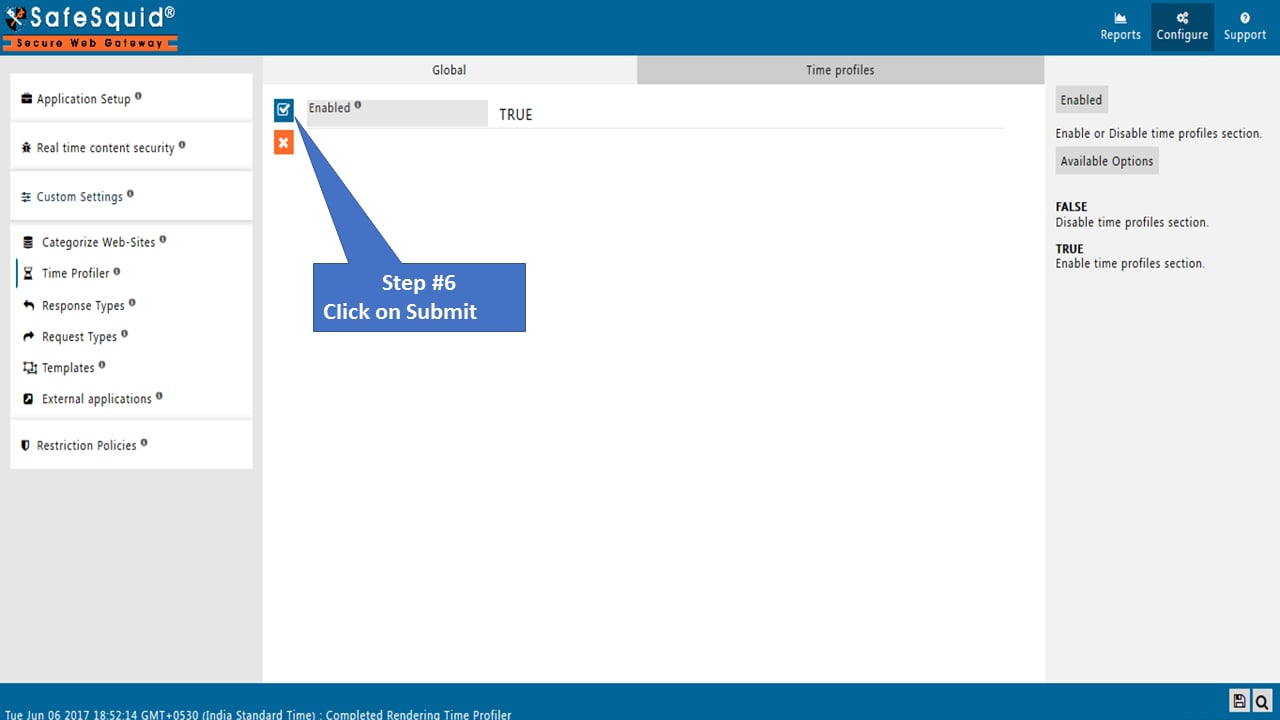
Go to Access Profiles
Open Access Profiles from the Restriction Policies side menu.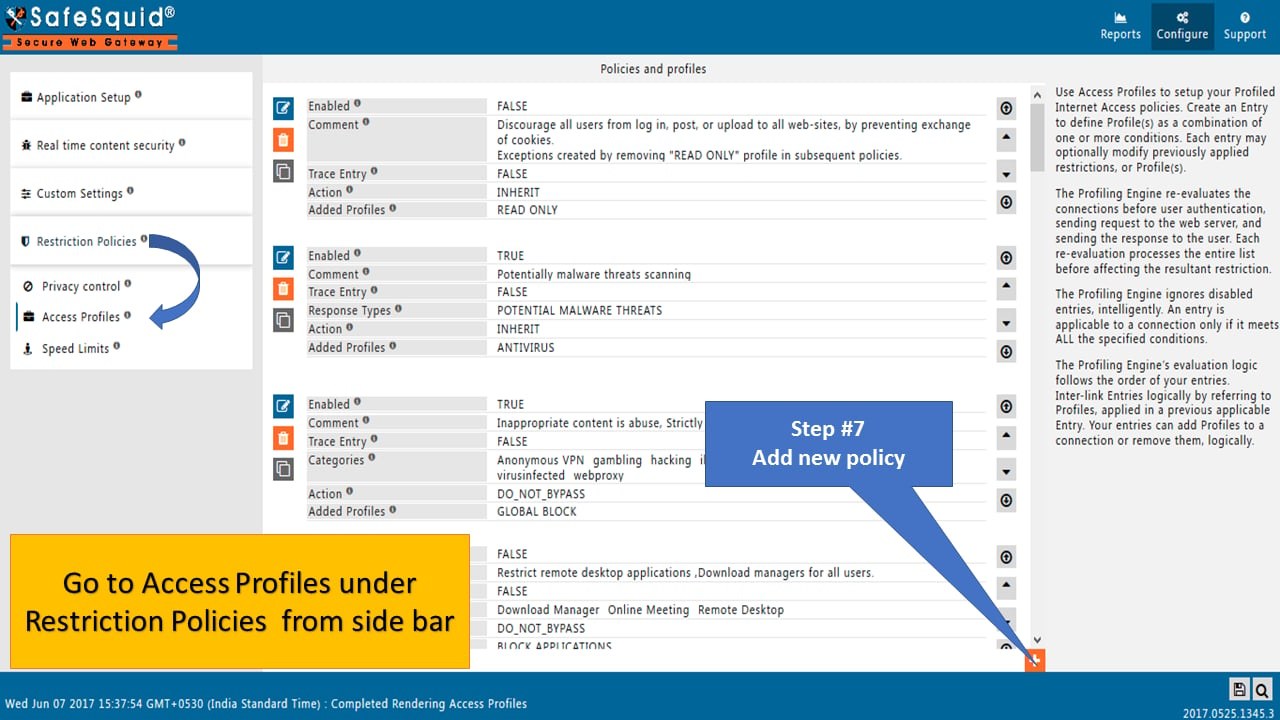
Create new policy
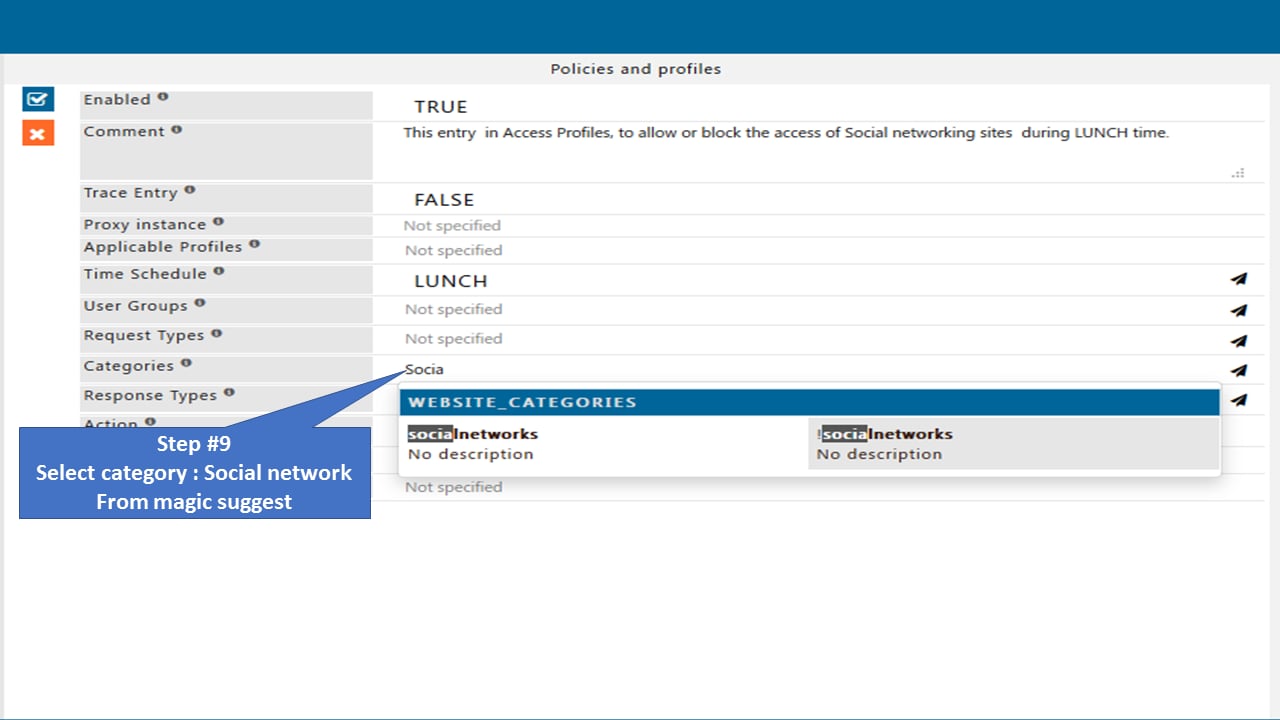
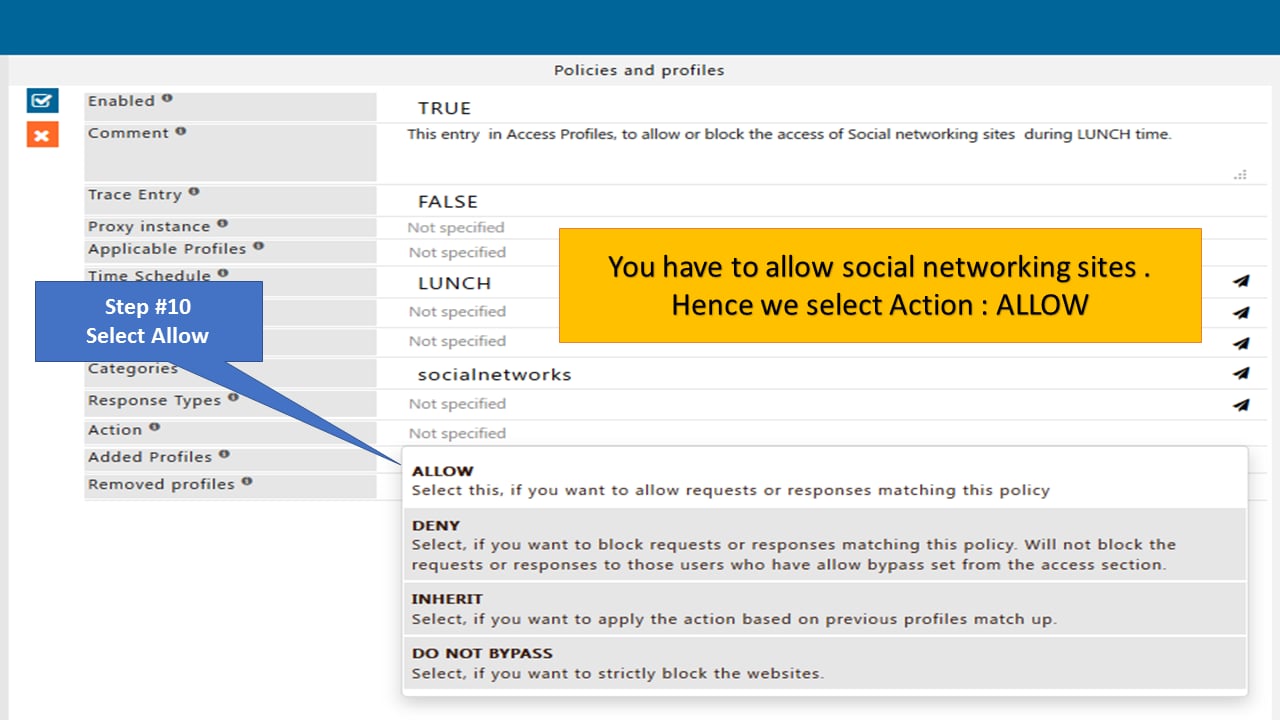
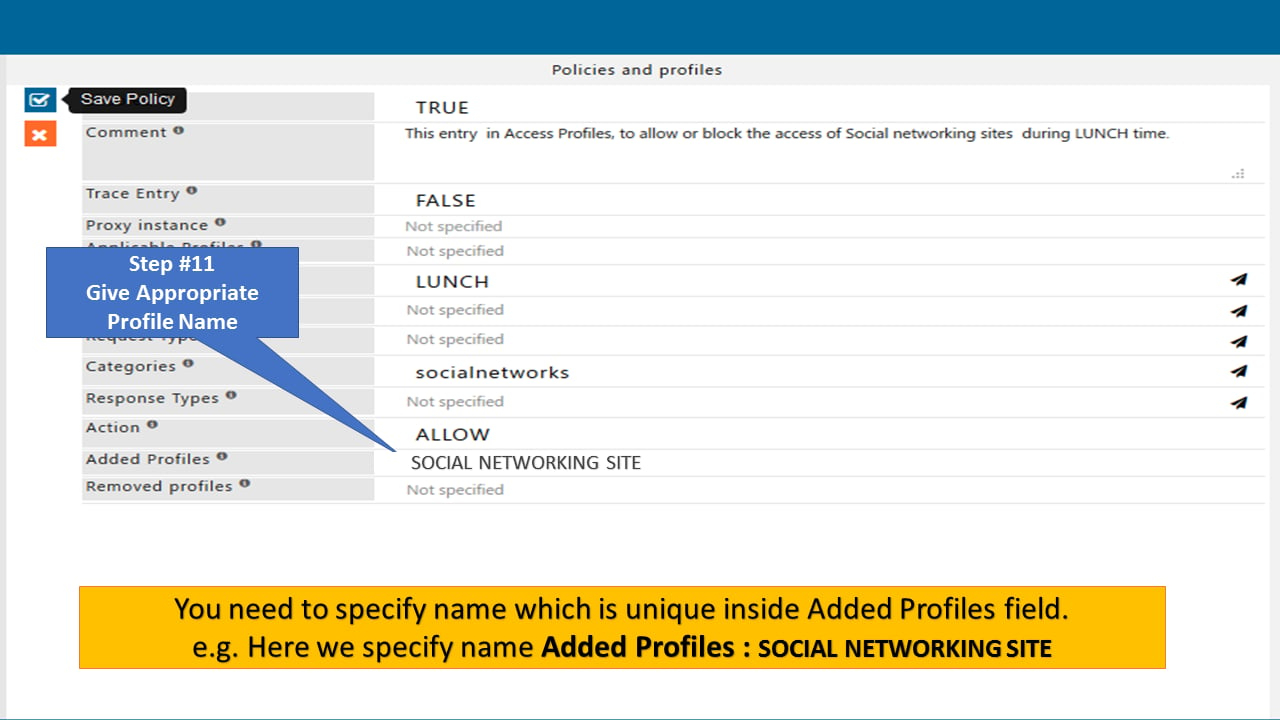
Create a new policy under the Access Profiles section for incorporation of the default LUNCH profile from the Time Profiler section.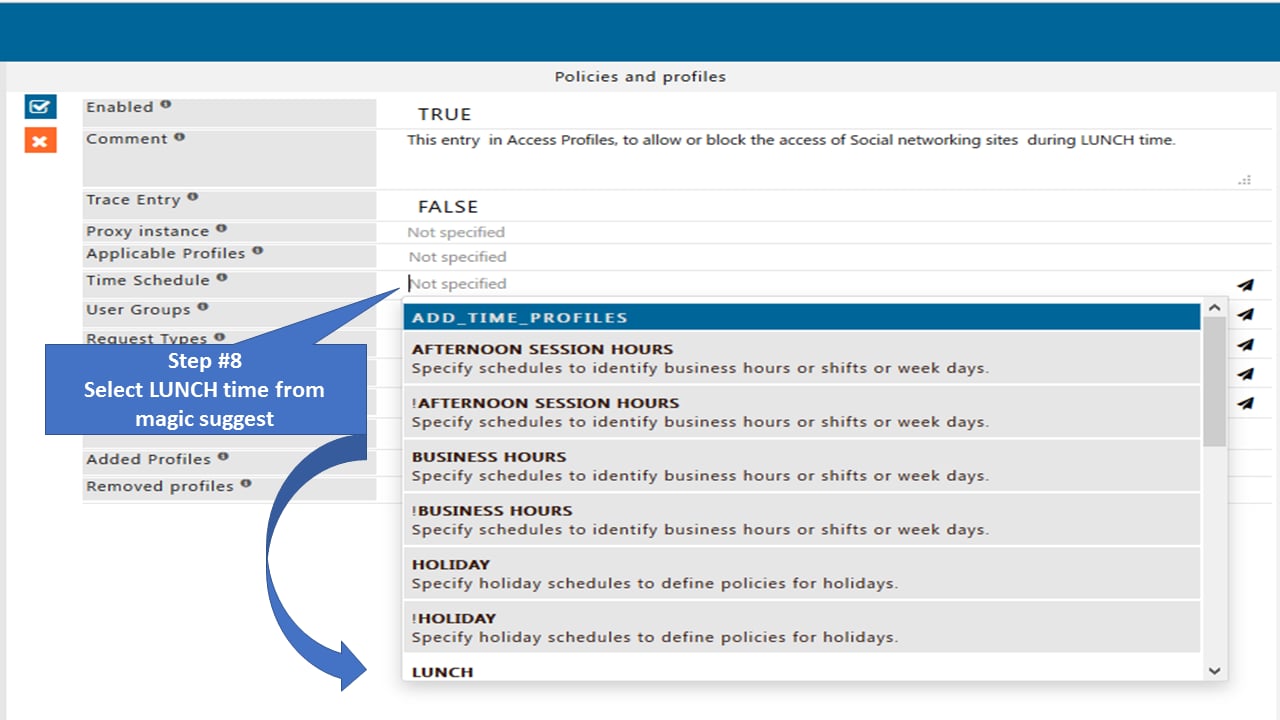
Verification and Evidence
- During the configured lunch window: access a social networking site; access is allowed.
- Outside the lunch window: access a social networking site; the BLOCK template appears.
- Interface: Time Profiler shows LUNCH with the correct hour/minute range. Access Profiles shows the policy with Category Socialnetworks, Action ALLOW, and the added profile. Global for Time Profiler is TRUE.
Troubleshooting
Next steps
- Configure HTTPS Inspection - prerequisites, certificate generation, enabling SSL inspection, client certificate import, bypass rules, and verification for SafeSquid HTTPS inspection.
- Policy Management Console - administrative interface for defining, simulating, and enforcing SafeSquid access control, URL filtering, SSL inspection, and DLP policies.