

Bypass authentication only where attribution is impossible
Problem statement
Some applications and destinations cannot respond to proxy authentication challenges. If you force interactive authentication on those flows, updates fail, background sync breaks, and service traffic stops. If you bypass too broadly, you lose identity attribution and create blind spots in enforcement and audit review.Client scenario
Use Authentication Bypass when you need to:- allow operating system or application update traffic that cannot prompt for credentials
- keep non-interactive sync clients working
- exempt narrowly defined destinations or request types from authentication
Key benefits
A narrow bypass policy lets SafeSquid preserve authentication for general web use while allowing specific machine-driven or application-driven traffic to function. The goal is operational continuity with the smallest possible loss of attribution.Prerequisites
Client-side preparations
- Identify the exact application, destination, or traffic pattern that fails under authentication.
- Capture the hostnames or request characteristics before building the bypass.
SafeSquid-side setup
- Confirm your main authentication path is already working for normal traffic.
- Decide whether the bypass should be built from an existing default policy or from a new request-type and access-profile combination.
When to use bypass
:::caution
Bypassed traffic is not attributed to a specific authenticated user. Keep the bypass as narrow as possible and prefer specific destinations or request characteristics over broad domain patterns.
:::
Setup instructions
Open the configuration workflow
Open the Configuration Portal and move into the relevant policy areas.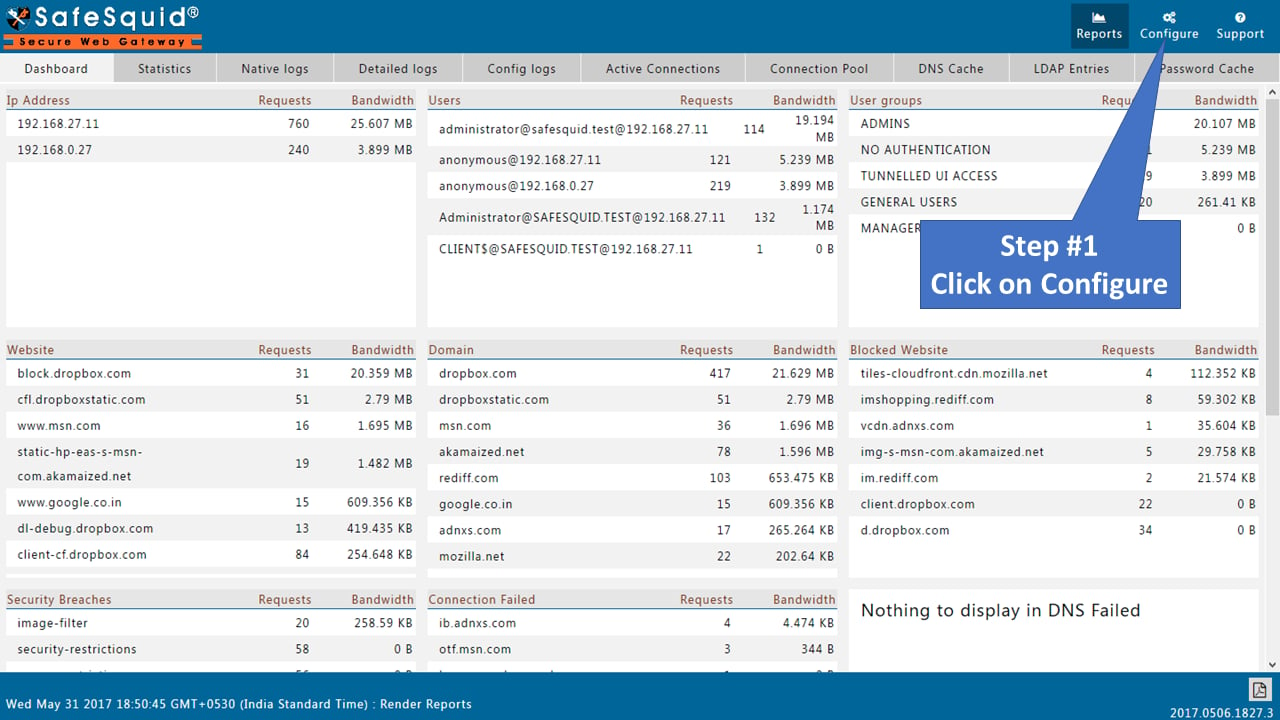
Enable the global bypass section
Search for the bypass-authentication policy area and set the global Enabled state toTRUE.
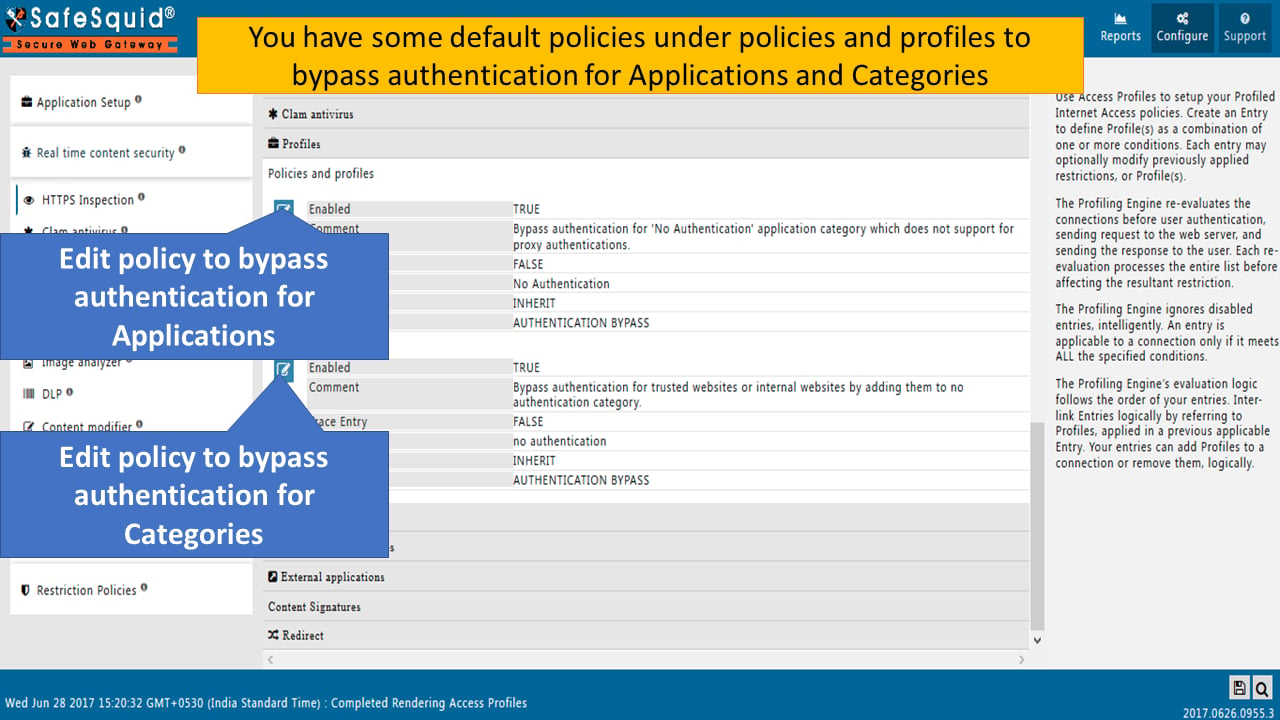
Review the default bypass entries first
SafeSquid includes default policies for bypassing authentication for selected applications and categories. Review those before creating new logic so you do not duplicate or conflict with the existing baseline.Create a request-type for the exact traffic
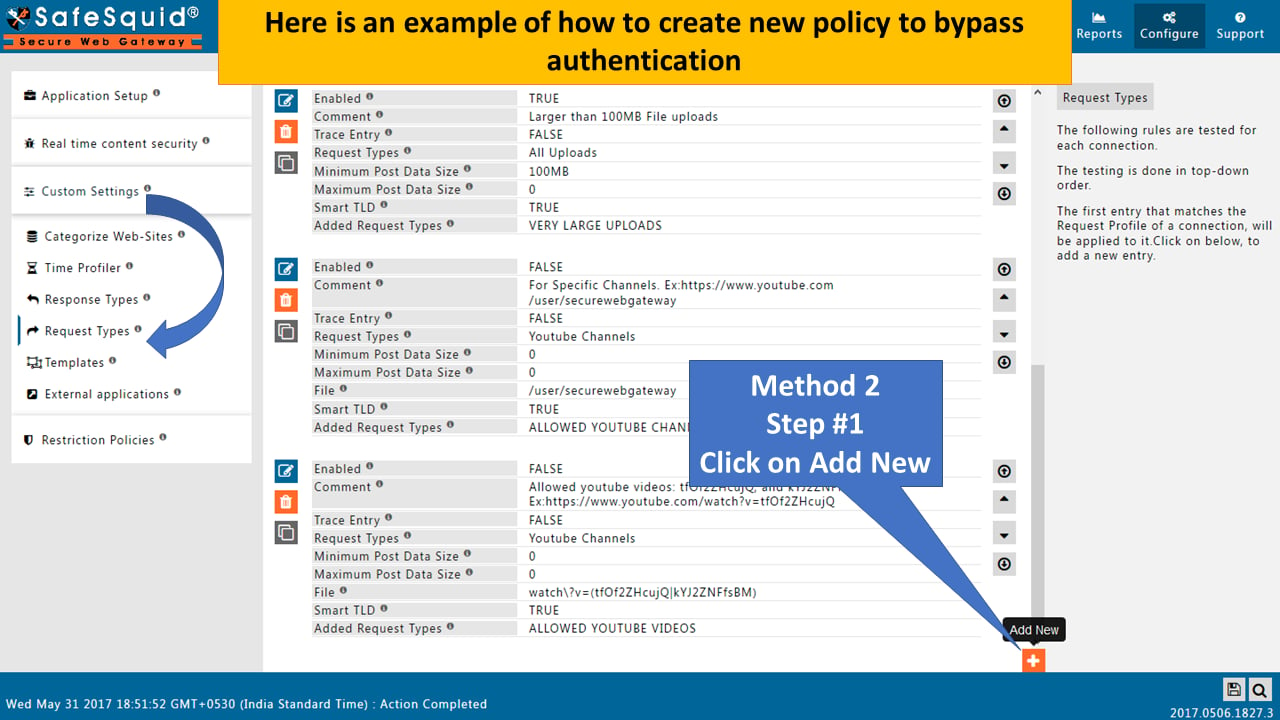
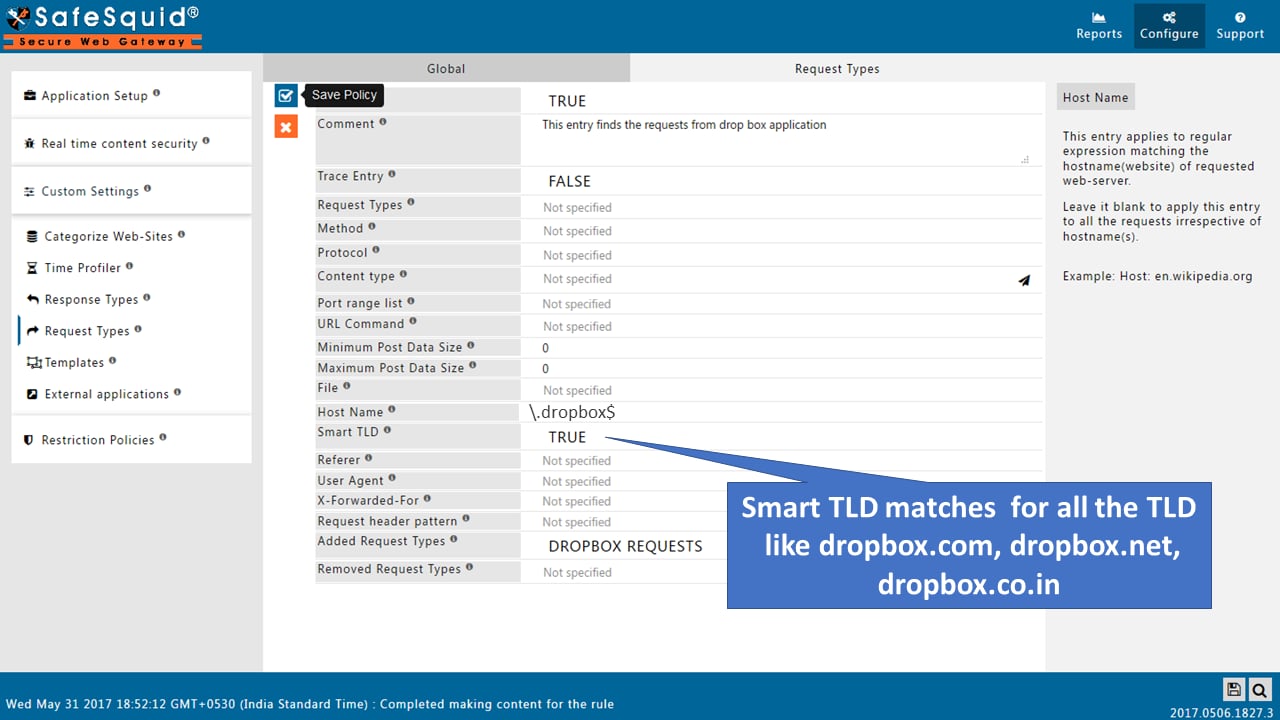
Go to the request-type area and create a rule that identifies the target application or destination precisely. The existing Dropbox-style example remains useful:- use Host Name to match the destination
- enable Smart TLD if the application uses multiple country or service domains
- add a dedicated request type such as
DROPBOX REQUESTS
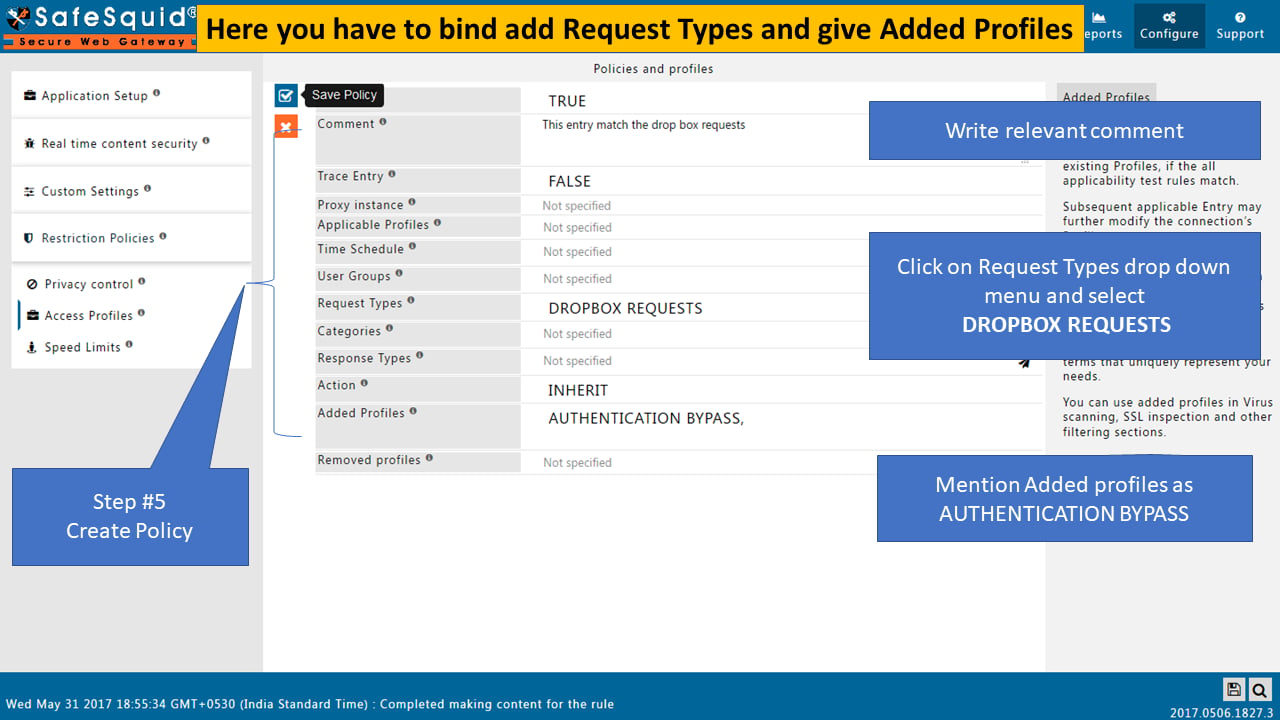
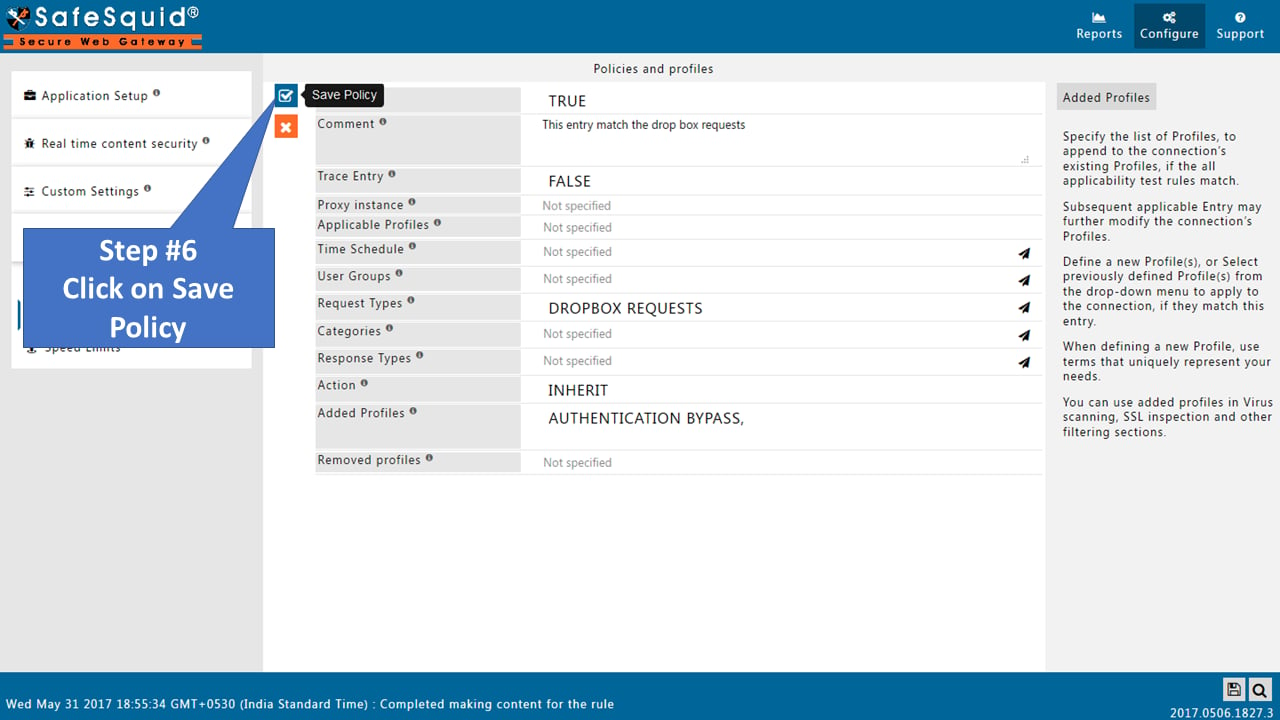
Bind the request-type to an access profile
Create or edit an access-profile policy that consumes the request type and adds a profile such asAUTHENTICATION BYPASS.
This is the step that turns request classification into actual bypass behavior.
Keep the pattern narrow
Do not use a broad wildcard when a specific FQDN or application pattern is enough. A bypass is safest when it matches only the non-interactive flow you intended to exempt.Verification and validation
Positive tests
Test the exact bypassed workflow, such as the target application or update destination. Expected result:- the request succeeds without an authentication prompt
- the application works normally
- logs show the traffic followed the bypass path
Negative tests
Test ordinary browsing to a site that should still require authentication. Expected result:- SafeSquid still prompts or enforces authentication normally
- the bypass profile does not leak into unrelated traffic
Troubleshooting guide
Users or apps still receive an authentication prompt
Likely causes:- the bypass profile is not linked into the active policy path
- the request-type does not actually match the application traffic
- the application uses additional domains that were not included
- inspect the active request-type and access-profile logic
- verify the live destination list in logs
- compare the app request against the configured host pattern
- fix the link between request type and bypass profile
- add the missing related domains
- narrow or correct the host pattern, then retest
Too much traffic bypasses authentication
Likely causes:- the hostname or Smart TLD pattern is too broad
- a shared domain is being matched for unrelated traffic
- review all destinations that now inherit the bypass
- compare them against the intended application flow
- narrow the pattern
- use more specific request characteristics
- retest both the app flow and normal browsing
Related controls / next steps
- Use Access Restriction and Request Profiles to keep bypass logic narrow and auditable.
- Use Directory Services and Authentication for the normal attributed access path.