

AD Simple Authentication
Simple authentication validates domain users via LDAP bind. When users browse the web, they are prompted by their browser to enter their Active Directory credentials.Problem statement
Not every device can participate in Kerberos SSO. Guest devices, non-domain systems, and troubleshooting cases still need directory-backed identity without falling back to anonymous IP-only control.When to use Simple Authentication
:::note
Prerequisites
- Setup Active Directory Integration must be completed.
- SafeSquid must be able to fetch LDAP entities (verify in LDAP Entities tab).
- DNS and NTP must be healthy, even for prompt-based AD-backed authentication, because directory reachability and environment consistency still matter. :::
Configure Simple Authentication
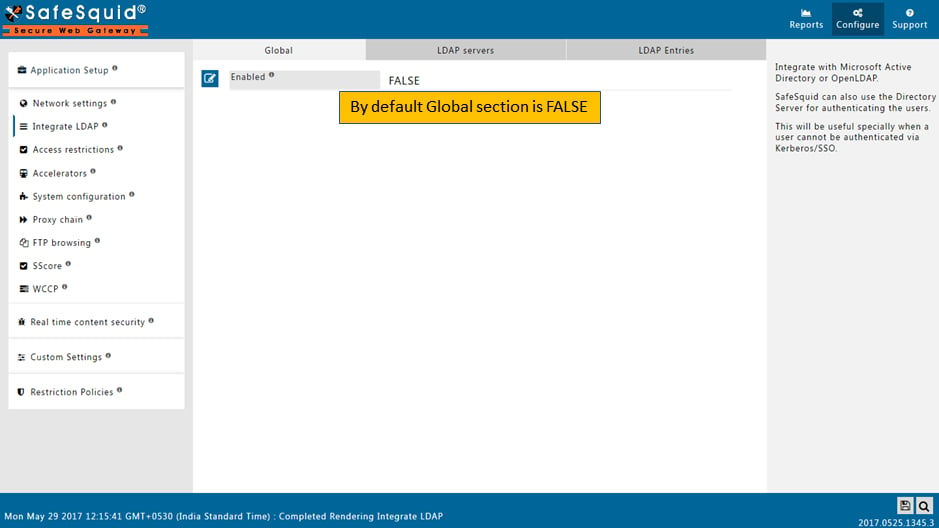
- Access SafeSquid Interface: Go to Application Setup → Integrate LDAP.
- Enable Section: Ensure the Integrate LDAP global section is set to TRUE.
- Configure LDAP Server:
- Go to LDAP Servers tab.
- Edit your AD server entry.
- Ensure LDAP Bind Method is set to SIMPLE (for browser-prompt authentication).
- Save Configuration: Click the checkmark to save.
Enable Authentication in Access Rules
- Go to Access Restrictions: Application Setup → Access Restrictions → Allow List.
- Edit Rule: Find the rule matching your client IPs or create a new one.
- Configure Auth:
- PAM Authentication: Set to TRUE.
- LDAP Profiles: (Optional) Select specific AD groups if this rule only applies to them. Leave blank for all AD users.
- Save Policy: Click the checkmark to save.
Operational notes
- Use simple authentication when transparent SSO is not viable for the target device class.
- Keep the prompt-based user experience explicit in rollout planning so support teams know this is expected behavior, not a failure.
- Narrow bypasses carefully, because overbroad bypass weakens user attribution in logs and reports.
Verification
Troubleshooting
Troubleshooting
Source register
Next steps
- Configure SSO Authentication for a transparent user experience.
- Access Restriction to define policies by AD group.
- SSL Inspection to attribute HTTPS traffic to AD users.