

Why Homograph Detection Matters
The threat: Attackers register domains that look identical to legitimate sites by using Unicode characters from different alphabets. For example:apple.com(legitimate) vsаpple.com(Cyrillic ‘а’)paypal.com(legitimate) vspаypаl.com(Cyrillic characters)
- Credential theft (users enter passwords on fake login pages)
- Financial fraud (fake banking/payment sites)
- Brand impersonation (trust exploitation)
- Phishing campaigns bypass traditional URL filters
When to Use Homograph Detection
:::tip
Combine with Other Defenses
Homograph detection works best alongside DNSBL (block known-bad domains), SSL Inspection (detect fake certificates), and user security awareness training.
:::
Prerequisites
- SafeSquid installed and operational (see Getting Started)
- Admin access to Configuration Portal
- DNS resolution handled by SafeSquid (see Supporting Services: BIND)
Configuration Steps
-
Access Configuration Portal
Navigate to Real Time Content Security → DNS Blacklist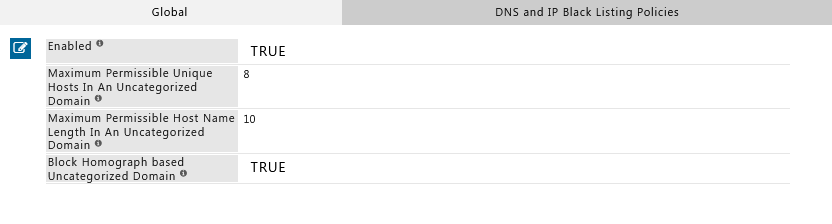
-
Enable Homograph Detection
- Enabled: Set to TRUE
- Save the configuration
-
Apply Changes
Click Apply to activate the new policy.
Verification
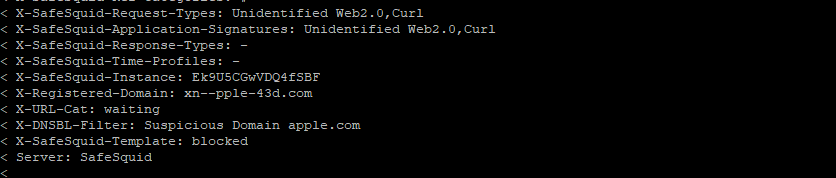
Test that Homograph Detection is blocking IDN attack attempts:Method 1: Command-Line Test (cURL)
http://аpple.com uses a Cyrillic ‘а’ (U+0430) instead of the Latin ‘a’ (U+0061).
Method 2: Browser Test
- Configure your browser to use SafeSquid as proxy (see Connect Your Client)
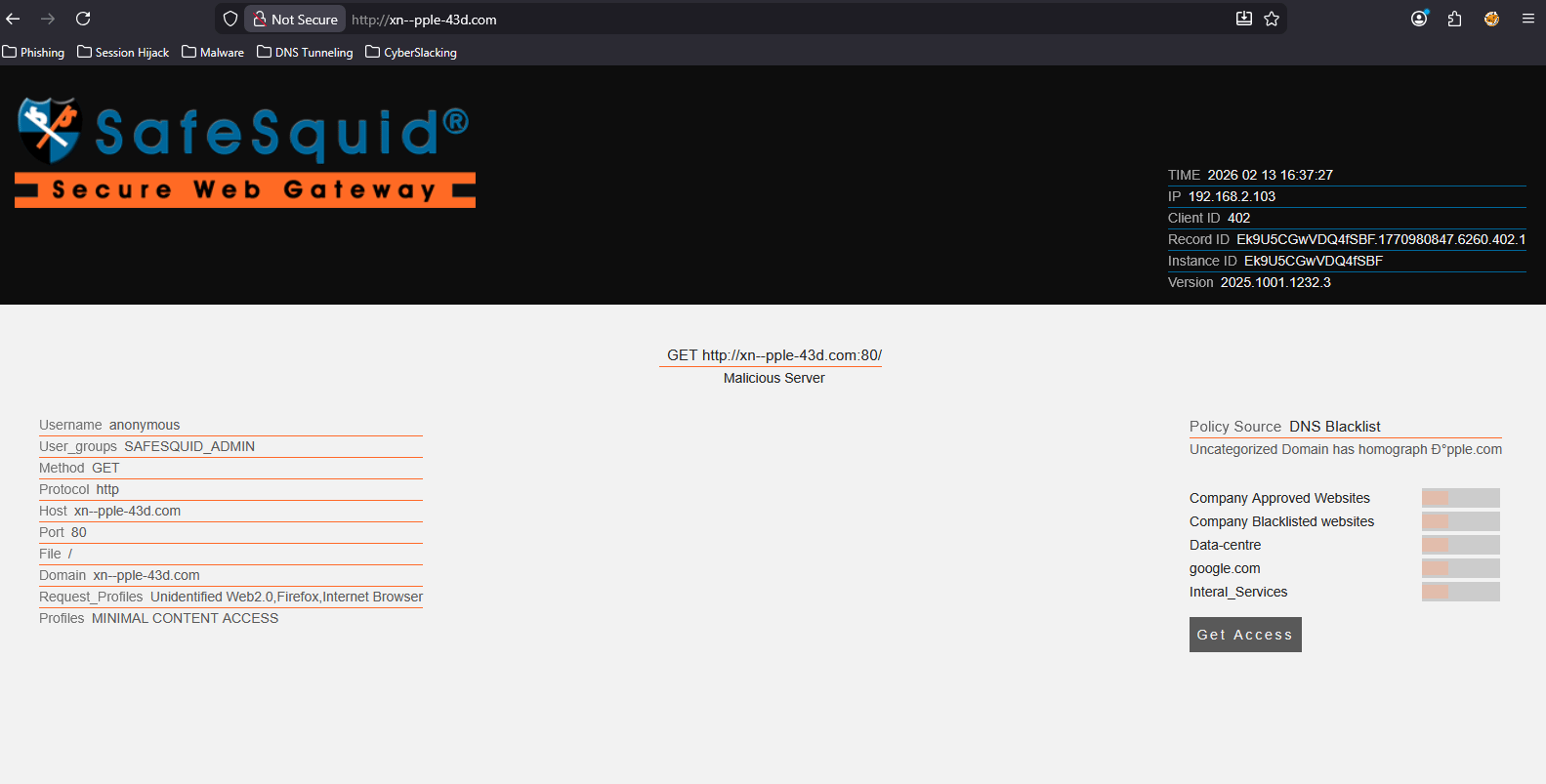
- Navigate to
http://аpple.com - Expected result: SafeSquid displays a block page
Method 3: Log Verification
Check SafeSquid logs for blocked homograph attempts:reason=homograph or similar indicators.
Troubleshooting
Still having issues? Contact SafeSquid support with:
- Screenshot of Homograph Detection configuration
- Sample blocked domain attempts
- Contents of
/var/log/safesquid/native/safesquid.logand/var/log/safesquid/security.log
How Homograph Detection Works
SafeSquid analyzes domain names during DNS resolution and checks for:- Mixed scripts: Domains using characters from multiple alphabets (e.g., Latin + Cyrillic)
- Lookalike patterns: Visual similarity to known legitimate domains
- Suspicious Unicode: Non-ASCII characters in domain names
Source register
Next Steps
- Layer defenses: Combine with DNSBL to block known-malicious domains
- Inspect certificates: Enable SSL Inspection to detect fake TLS certificates on lookalike domains
- Monitor attempts: Use Security Logs and Reporting to track homograph attack patterns
- User training: Educate users about IDN attacks and visual domain verification