

Problem
Security teams need predictable control over app and web usage to reduce policy bypass and data-risk exposure.Benefits
You can enforce policy decisions consistently with SafeSquid while preserving legitimate business workflows.Advantages
You keep actionable policy control close to operations, with verifiable outcomes in logs and policy behavior.Call to action
Use the steps in this guide to implement the control, then validate behavior with a real user-flow test.Allow Facebook viewing but block posting and engagement
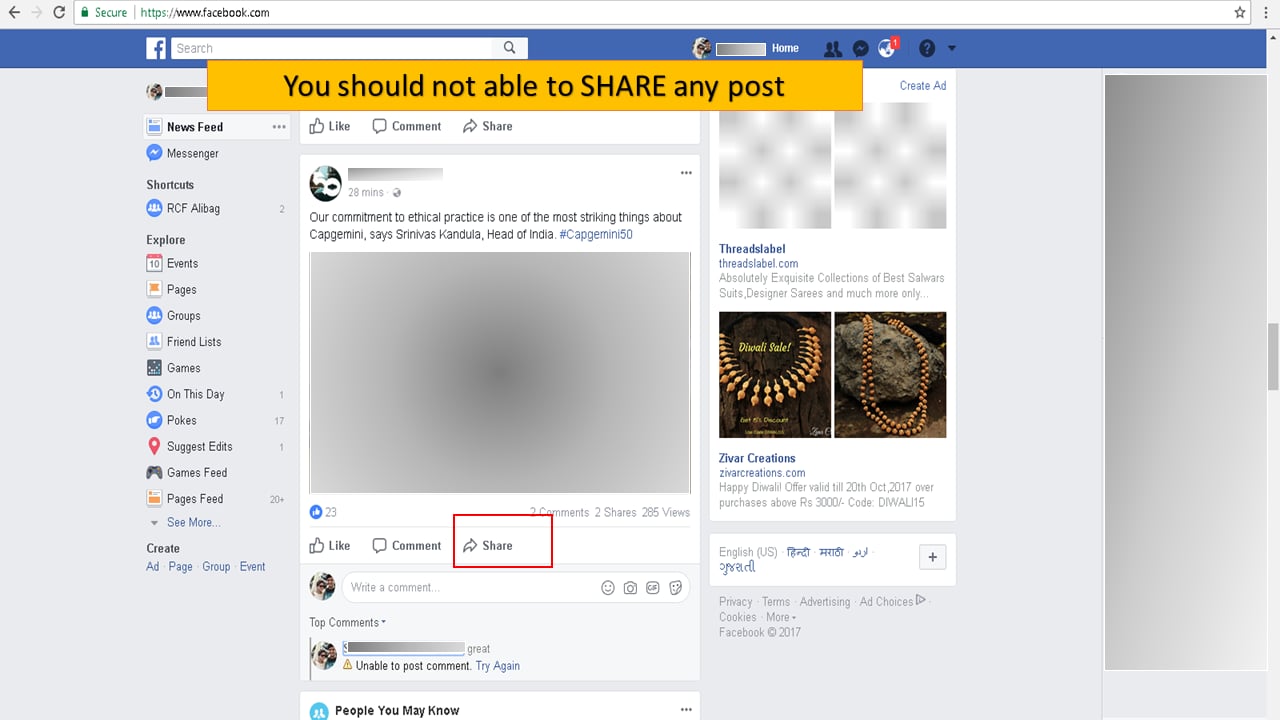
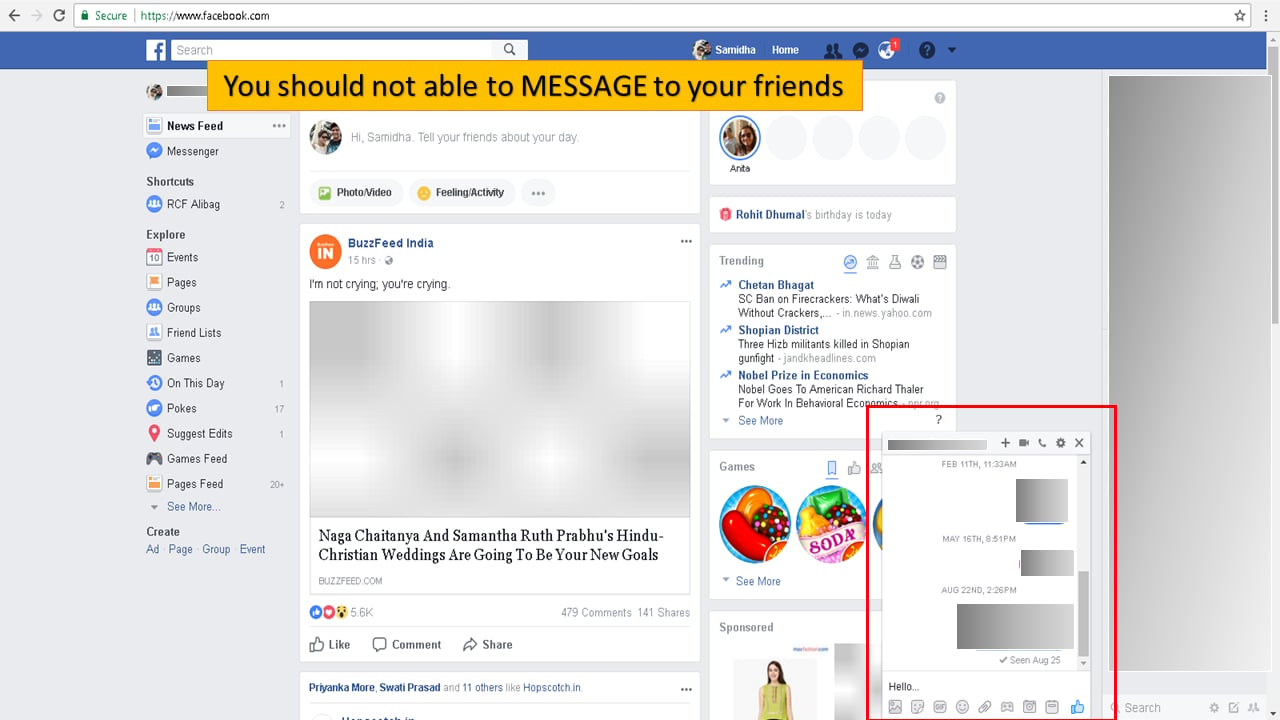
Organizations often want to allow Facebook for morale or recruitment but limit risk (cyberbullying, inappropriate posts). SafeSquid can put Facebook into read-only mode: users can view content but not comment, like, or share. Access can be full for social media groups, read-only for others, and time-based (e.g. relaxed at lunch).Facebook read-only mode
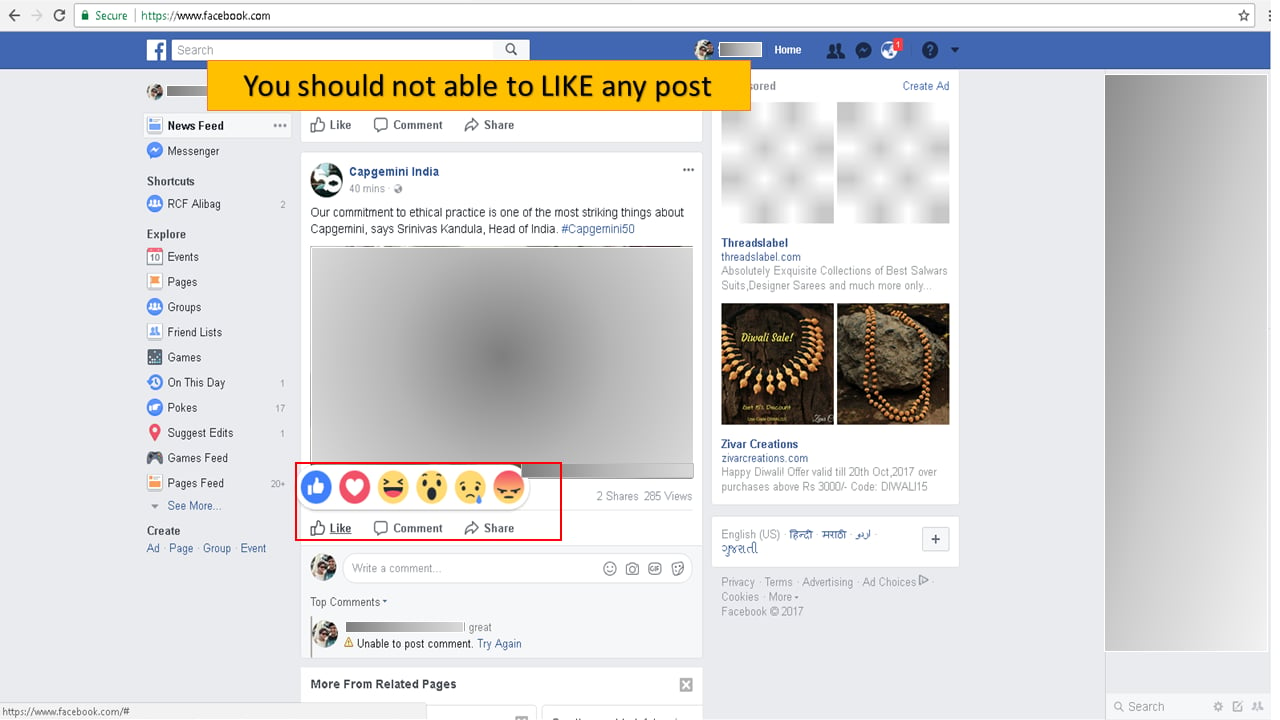
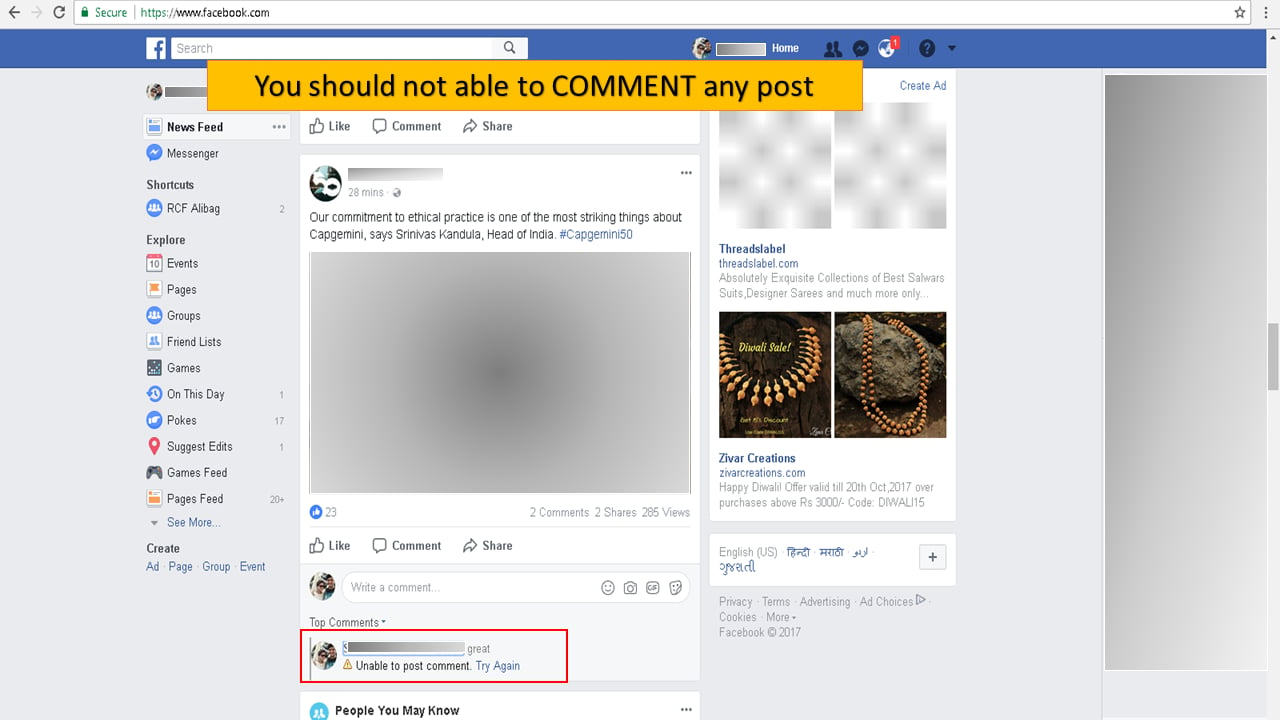
Understand the possibilities- Restricted Like, comment and share.
- Blocking selective Facebook apps.
- Allow Facebook login only to specific user or group of users.
- Block Facebook chat.
Prerequisites
HTTPS Inspection should be enabled in SafeSquid. If not enabled, refer to the document - How to enable HTTPS Inspection.Access the SafeSquid User Interface
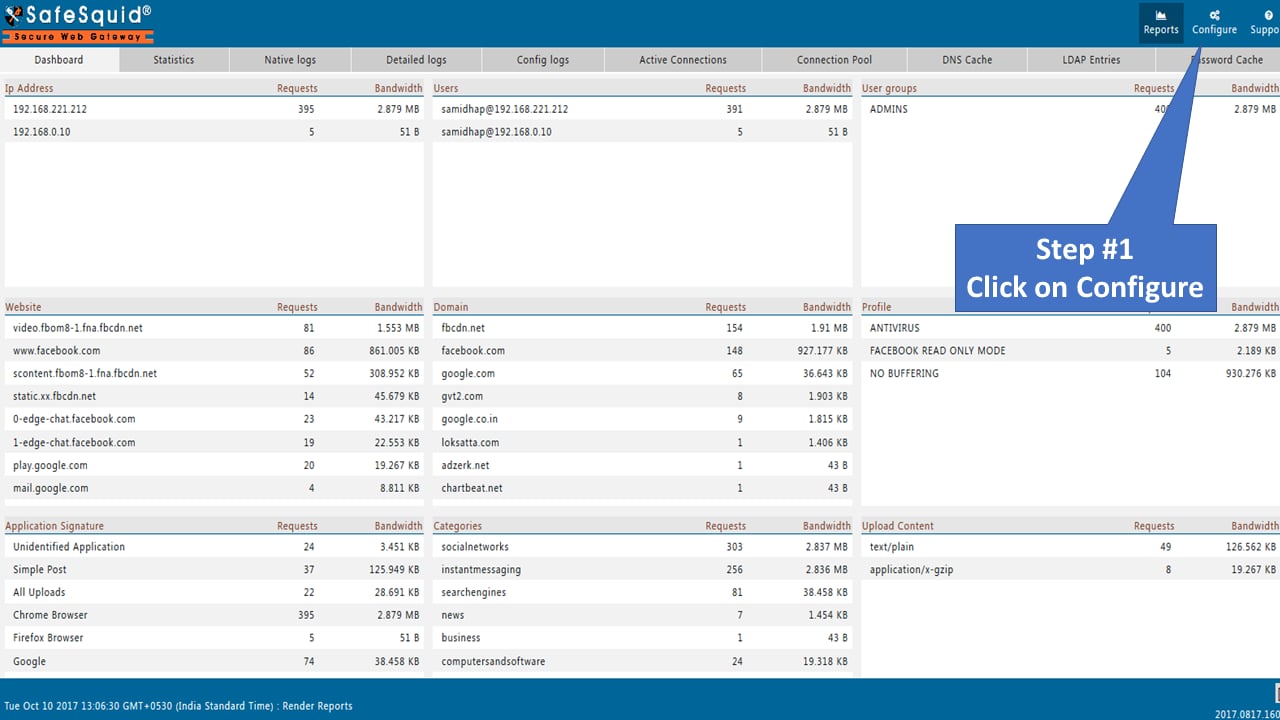
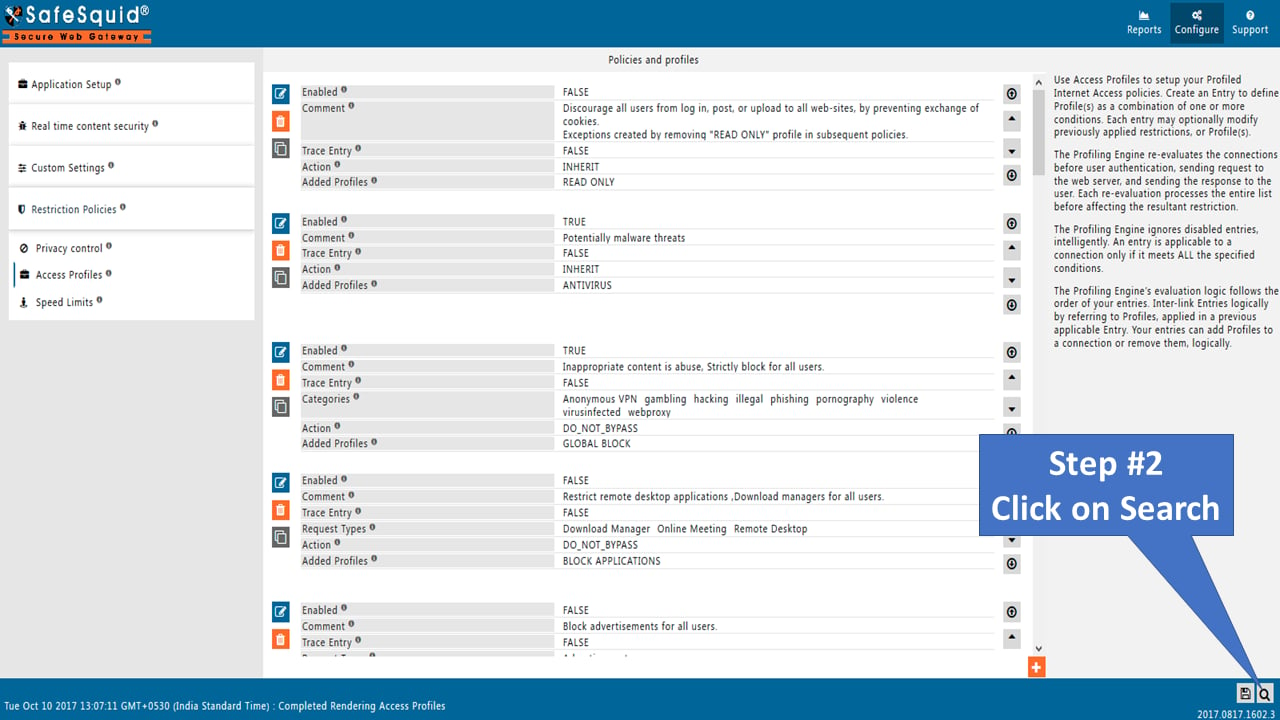
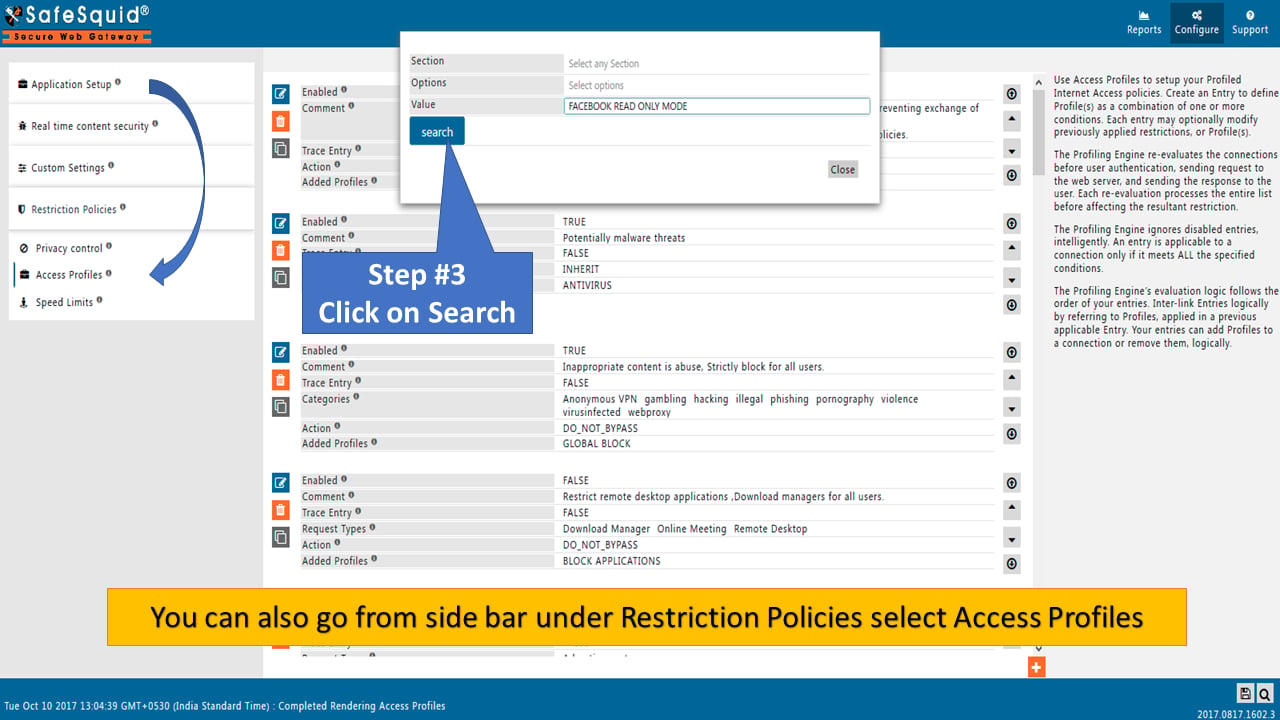
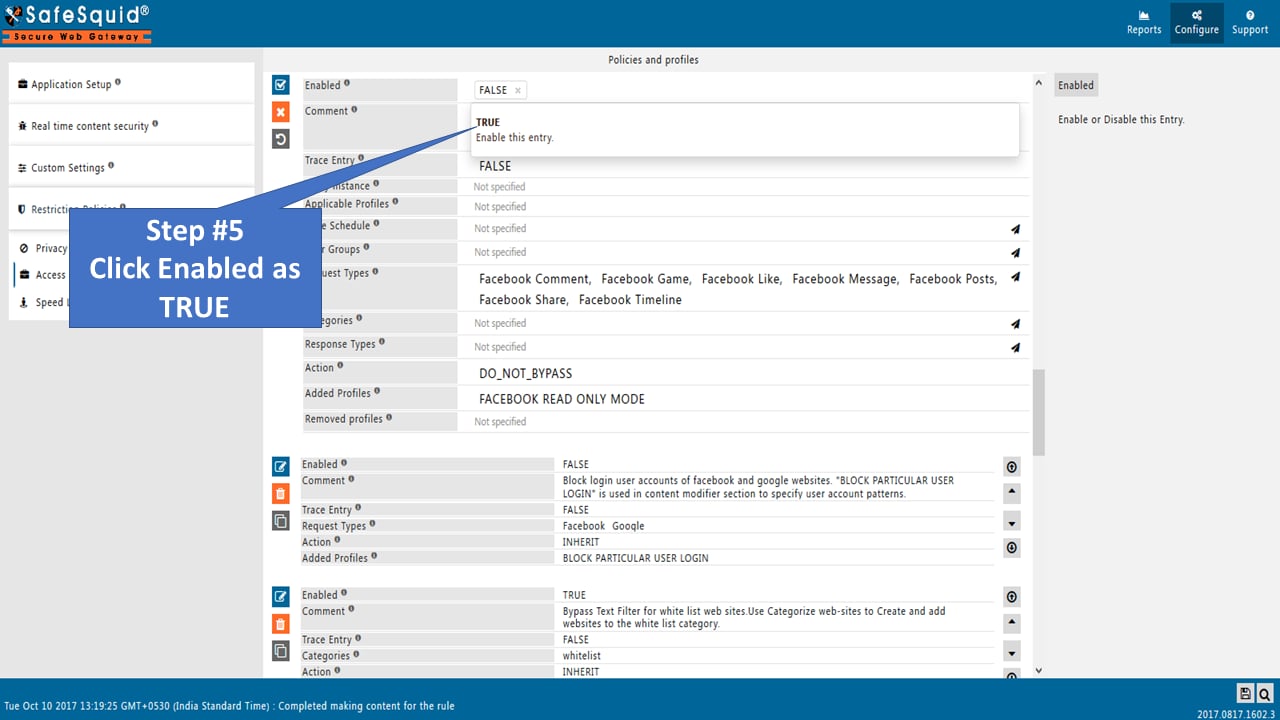
Search policy: “FACEBOOK READ ONLY MODE” to Search
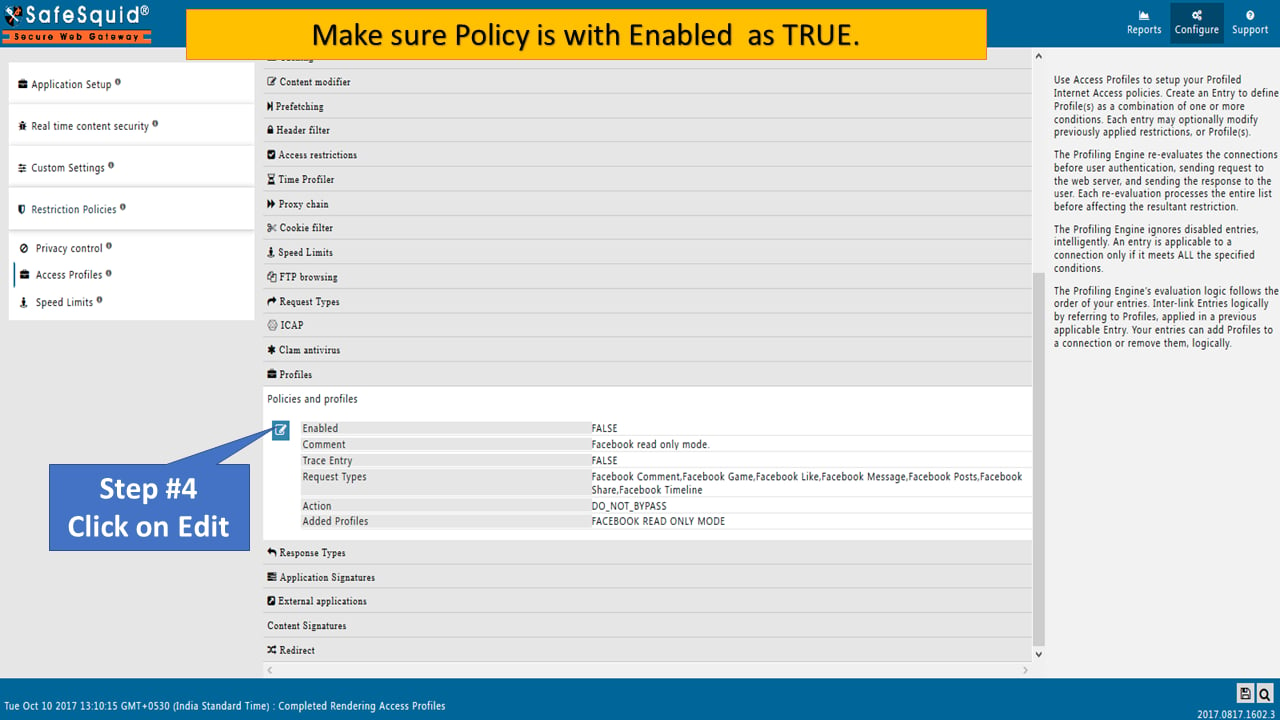
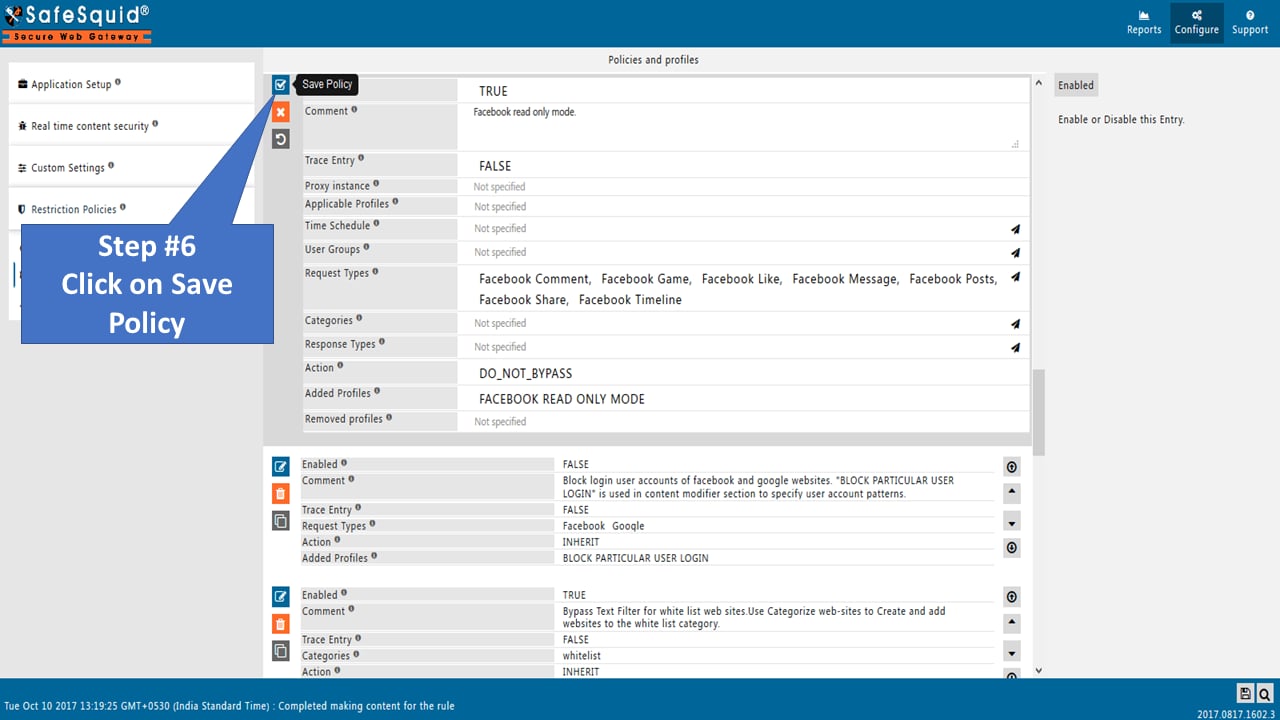
Edit policies and profiles to Enable as TRUE
Access FACEBOOK to verify

Next steps
- SSL Inspection - configure HTTPS inspection in SafeSquid to decrypt and analyze encrypted traffic for web security, malware detection, and policy enforcement.
- Policy Management Console - administrative interface for defining, simulating, and enforcing SafeSquid access control, URL filtering, SSL inspection, and DLP policies.