

Problem
Security teams need predictable control over app and web usage to reduce policy bypass and data-risk exposure.Benefits
You can enforce policy decisions consistently with SafeSquid while preserving legitimate business workflows.Advantages
You keep actionable policy control close to operations, with verifiable outcomes in logs and policy behavior.Call to action
Use the steps in this guide to implement the control, then validate behavior with a real user-flow test.Block specific users from logging into Facebook or Gmail
Restrict which users can log into Facebook or Gmail; only selected users can log in; all others are blocked.Prerequisites
HTTPS Inspection should be enabled in SafeSquid. If not enabled, see the document - How to enable HTTPS Inspection.Access the SafeSquid User Interface
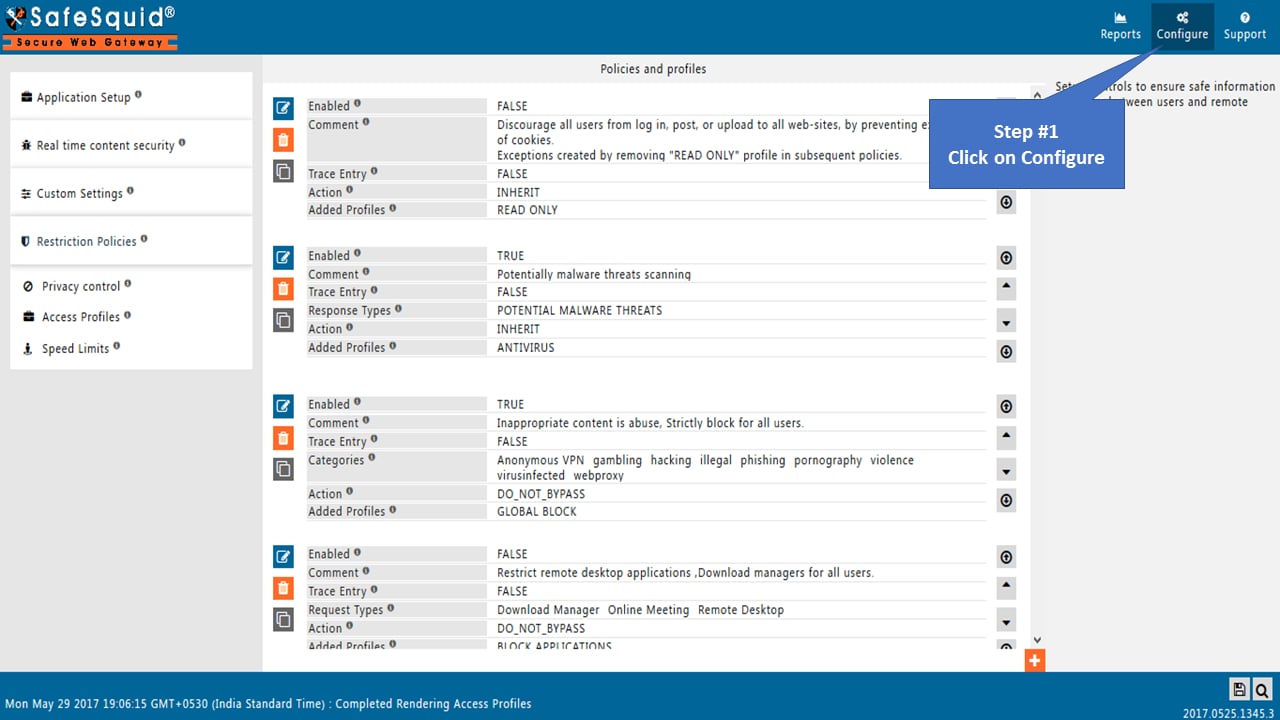
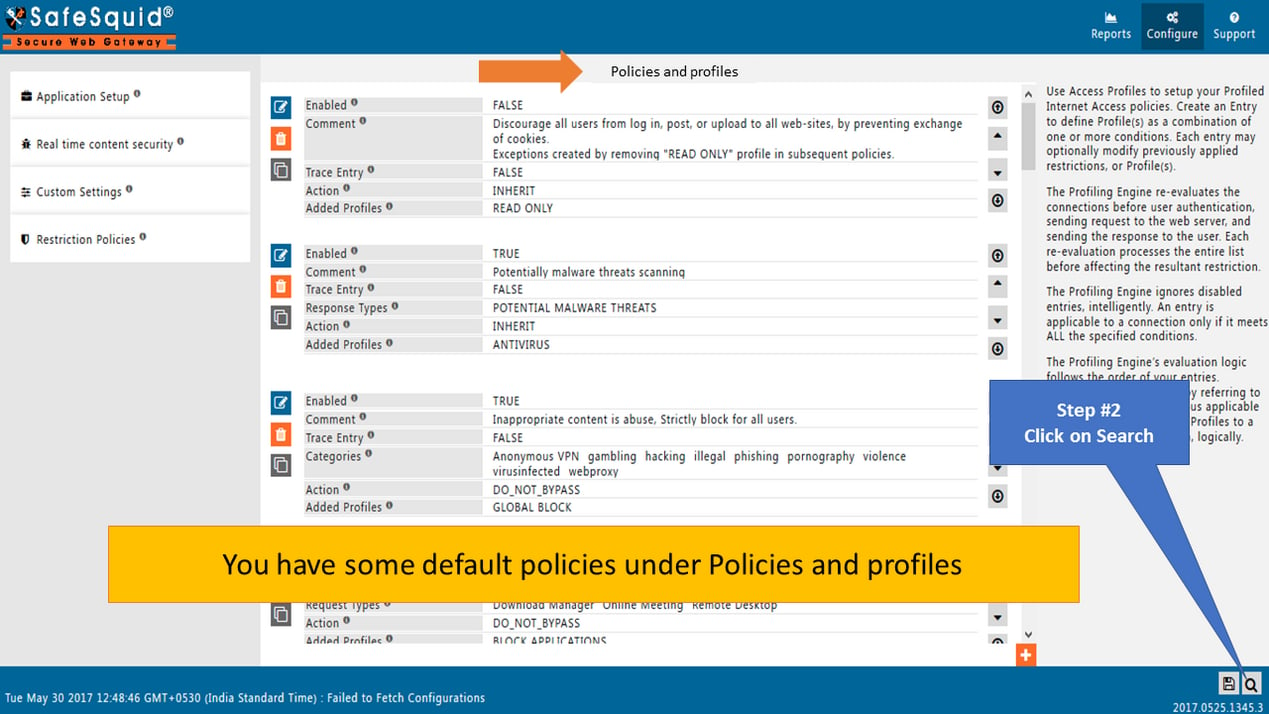
Go to Search
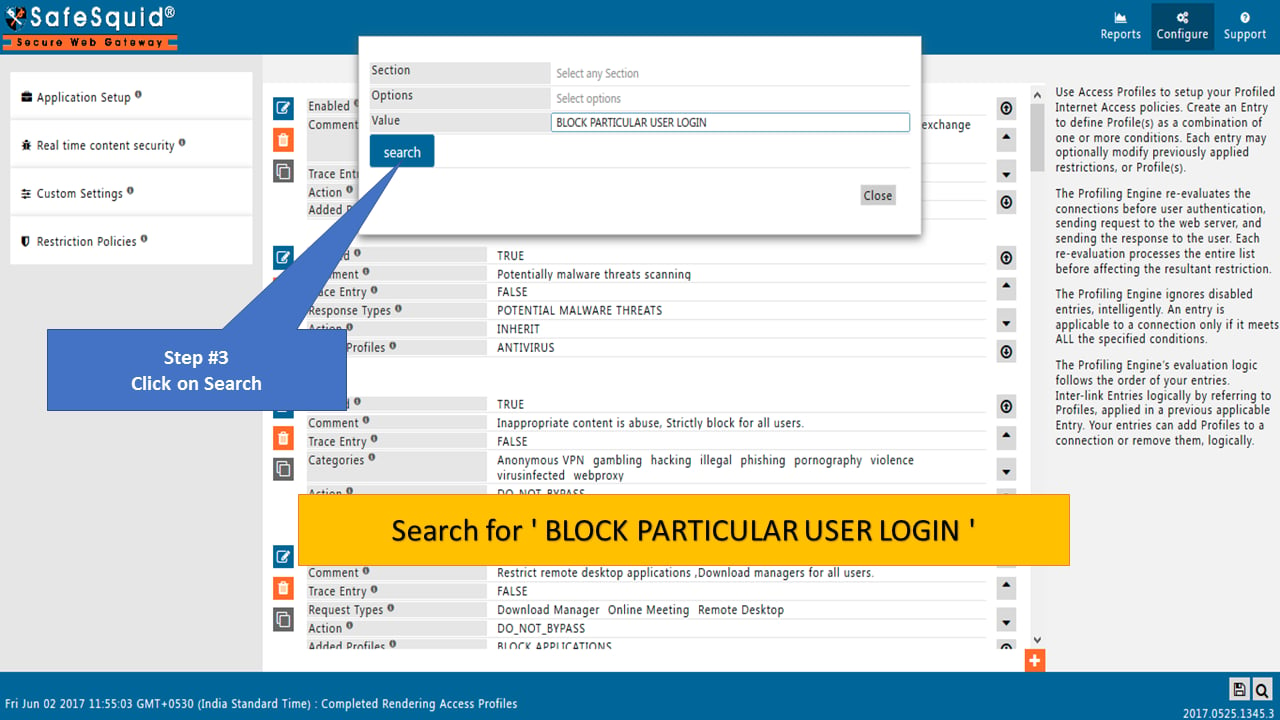
Search policy: “BLOCK PARTICULAR USER LOGIN”
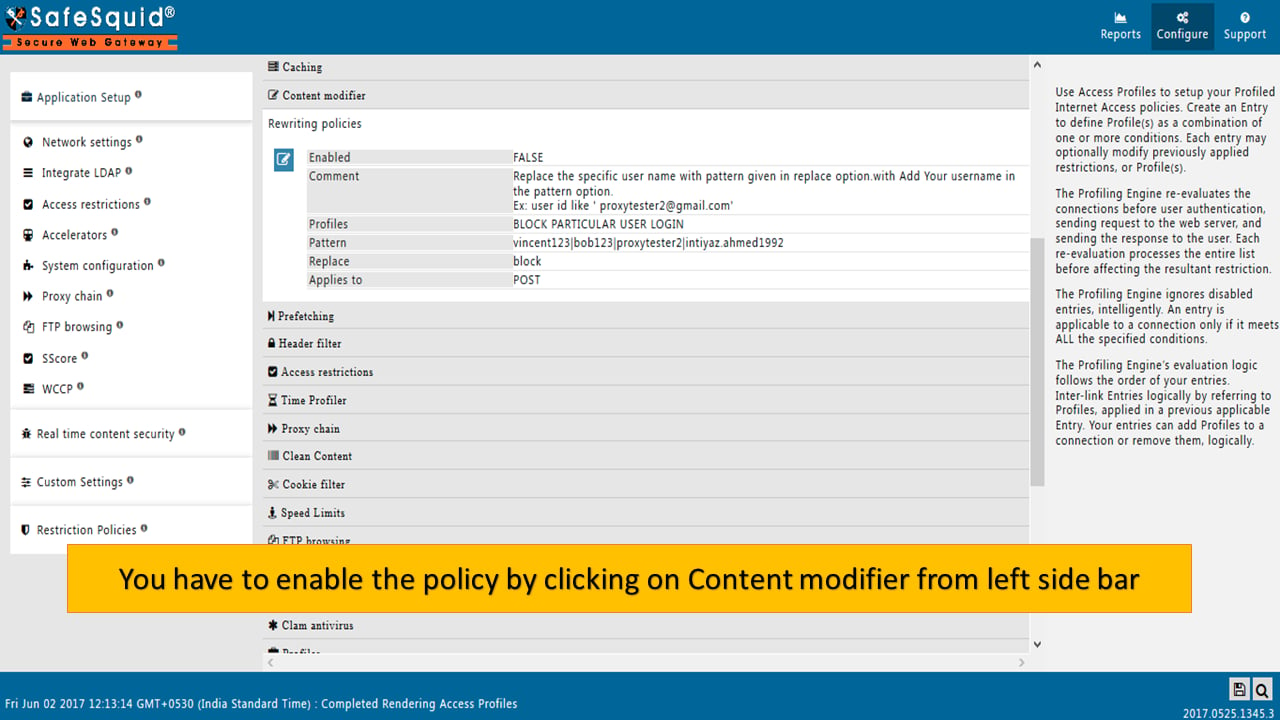
Go to Content Modifier: Rewrite Policies
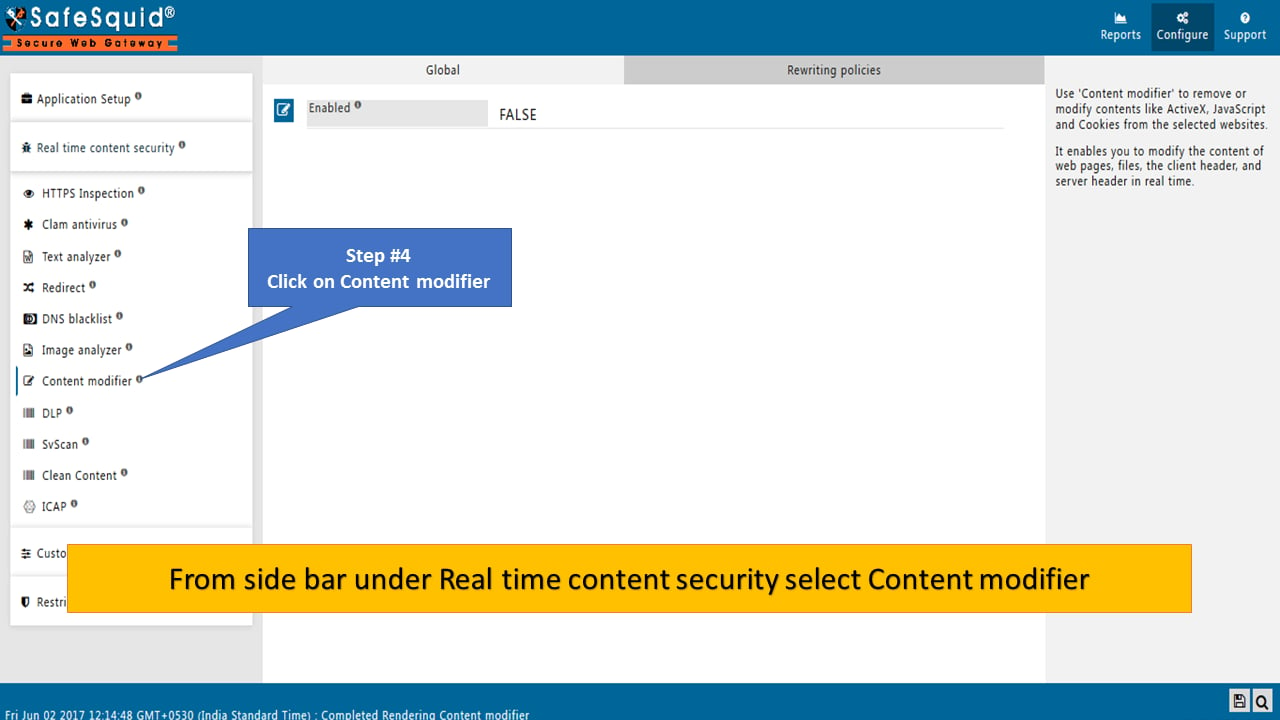
Ensure Global Section with Enabled TRUE
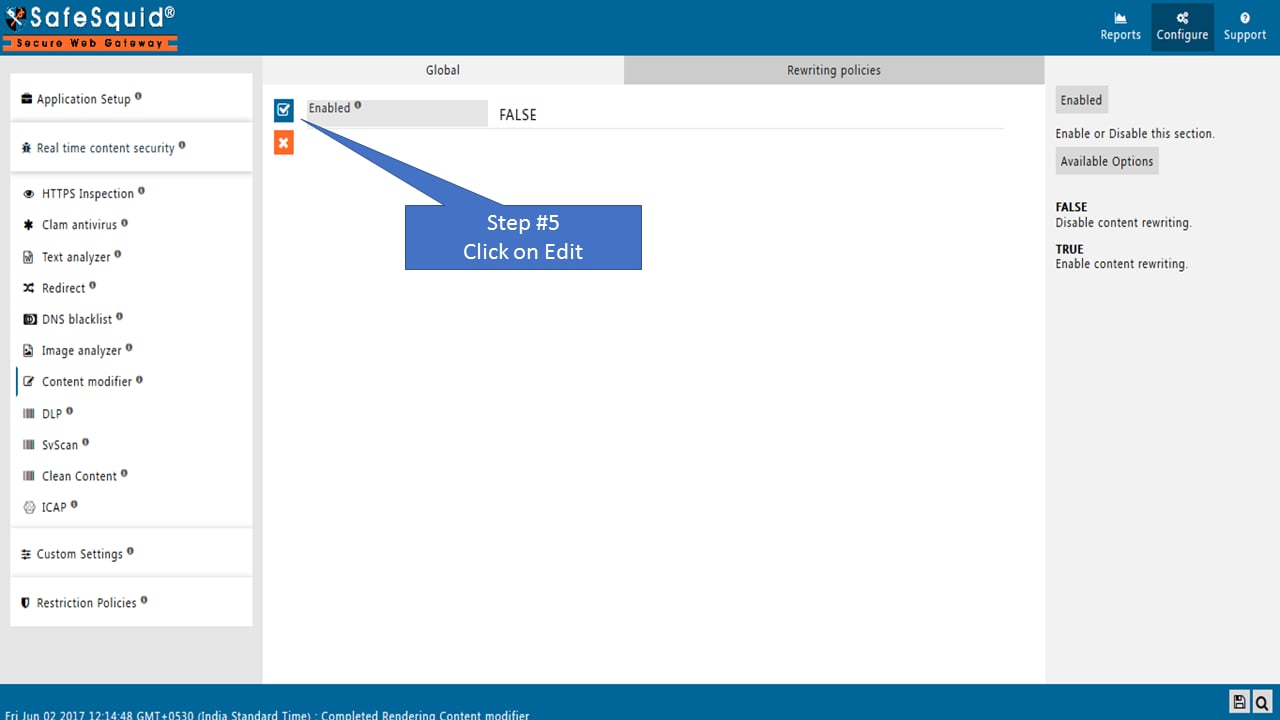
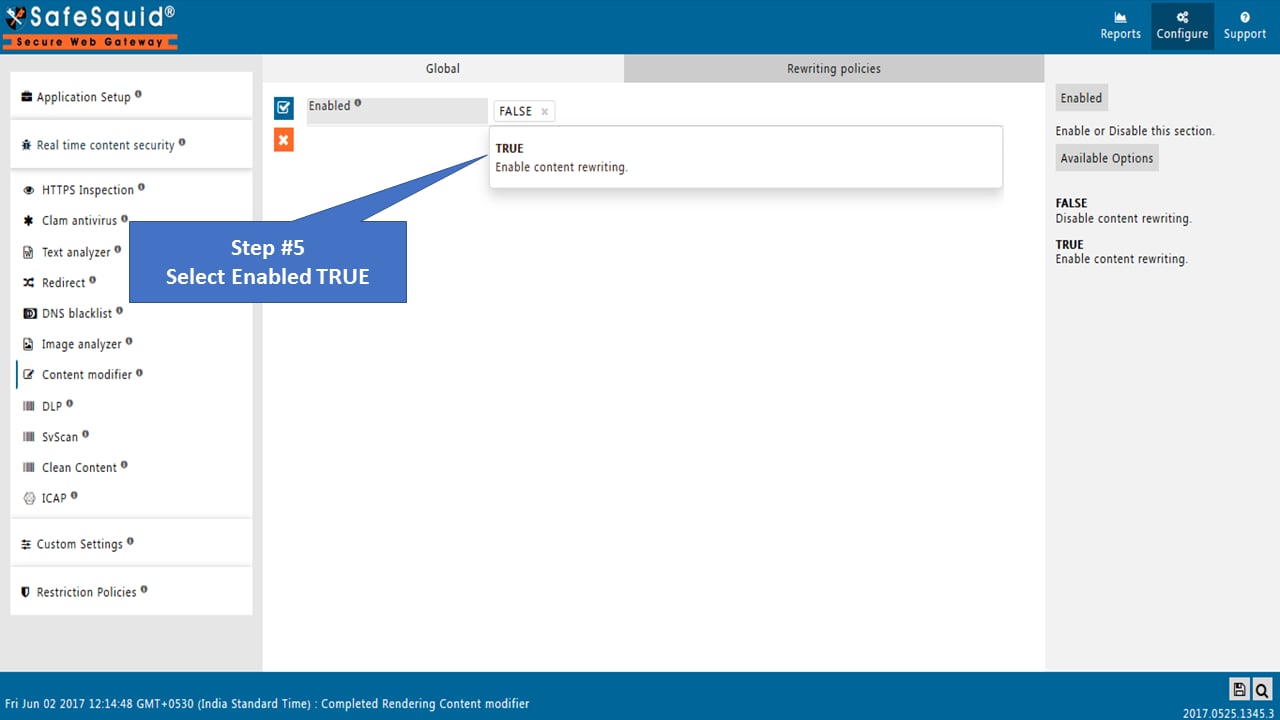
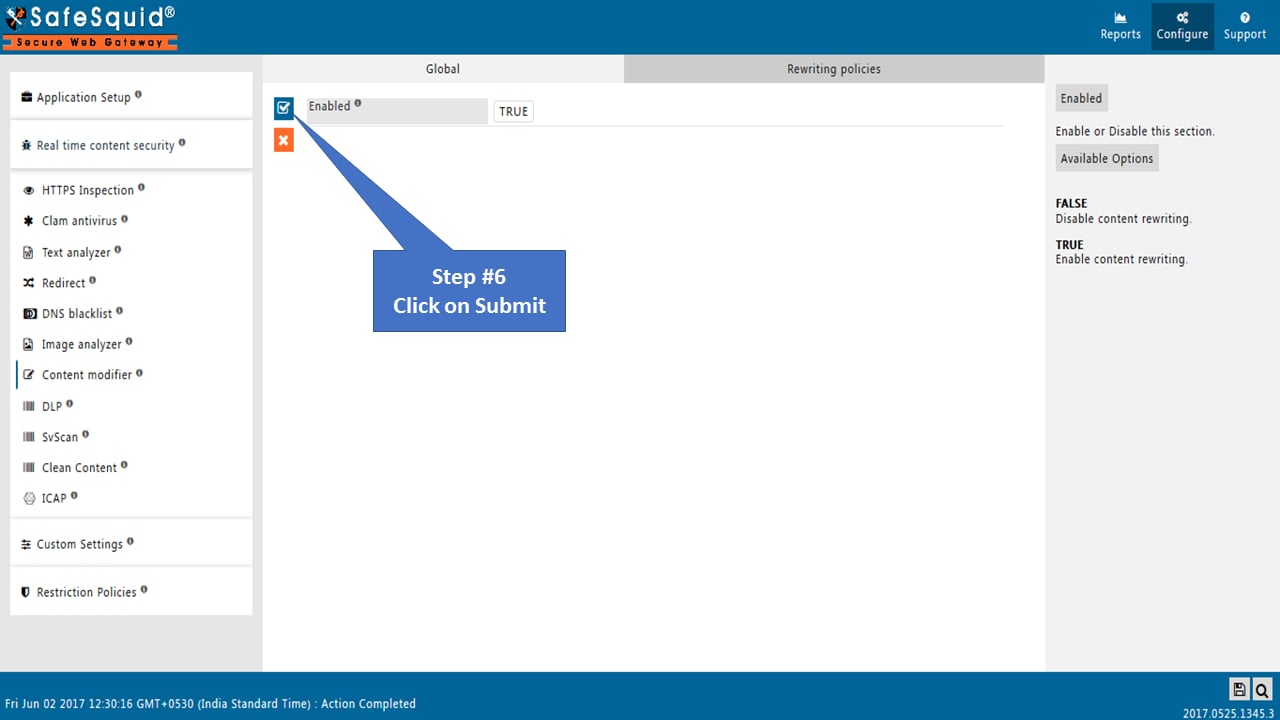
Go to Rewrite Policies and make it Enable
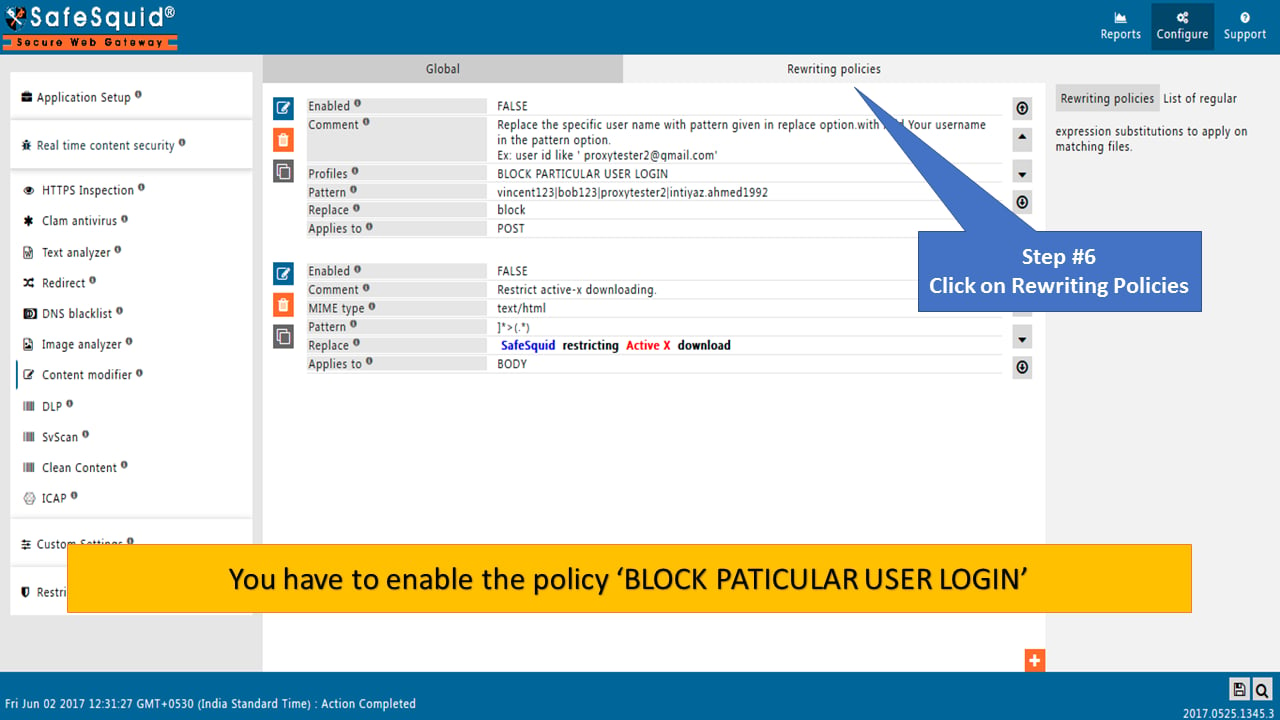
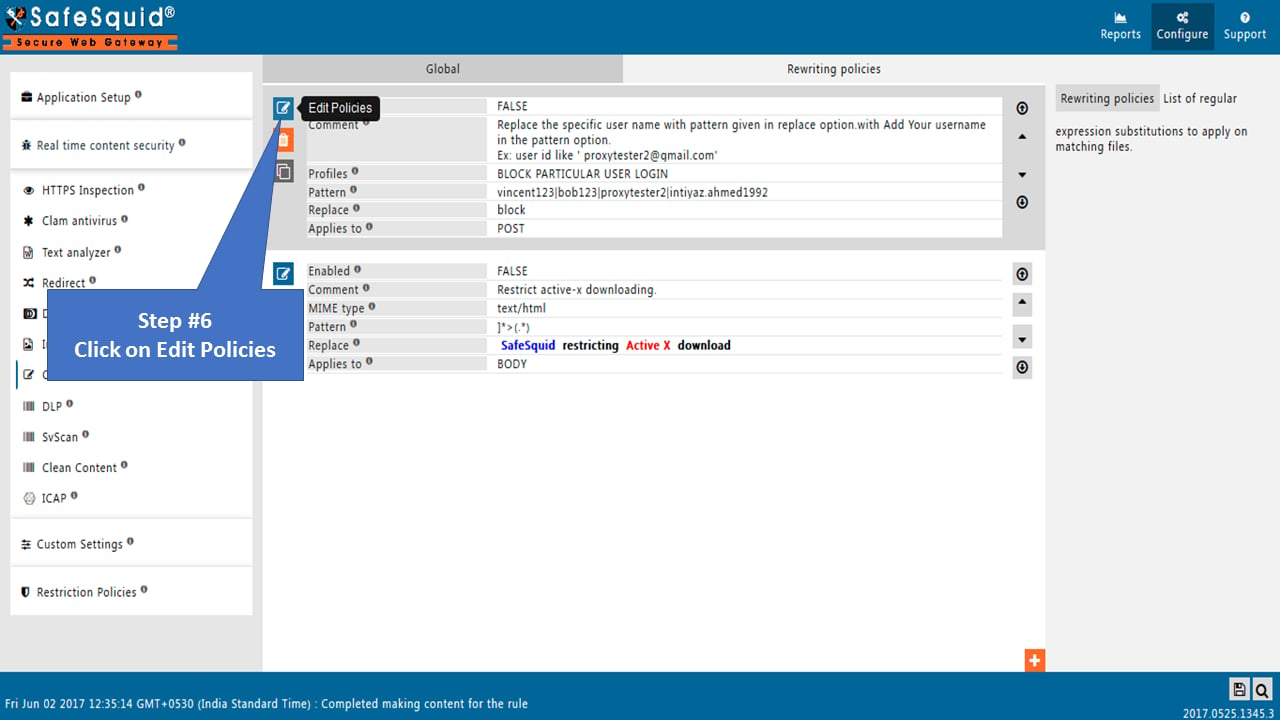
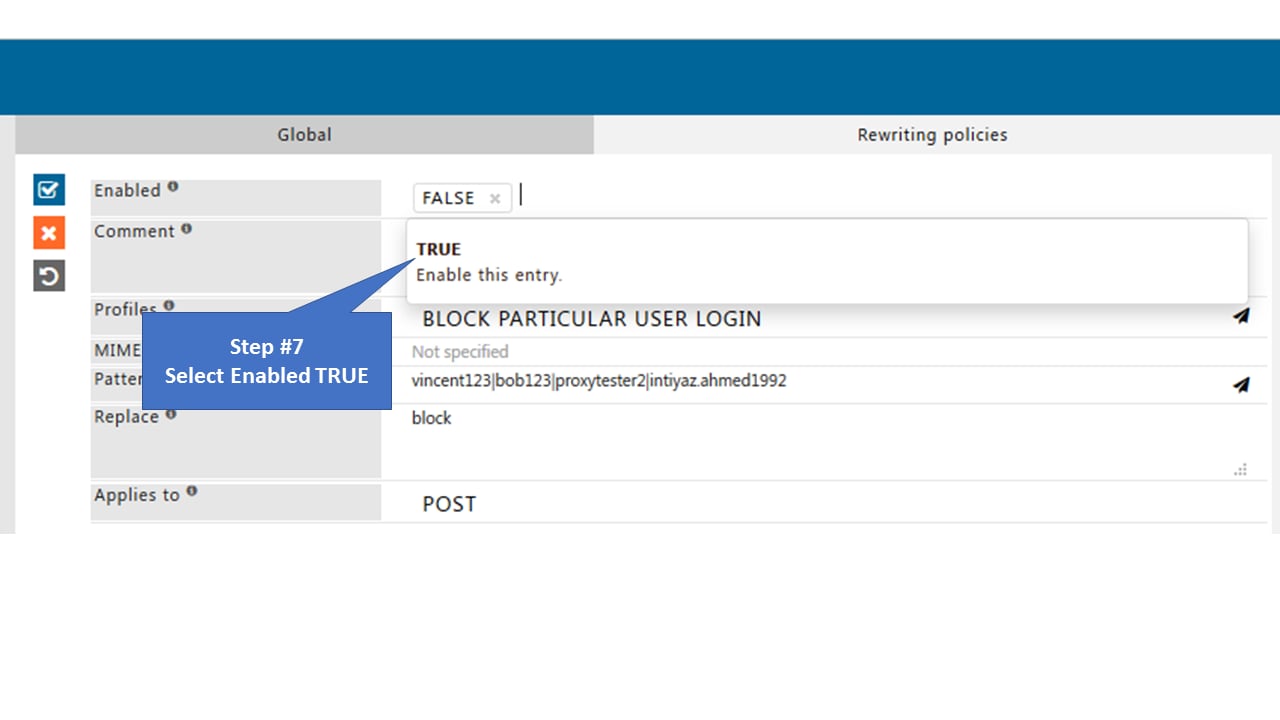
Enter Username inside Pattern
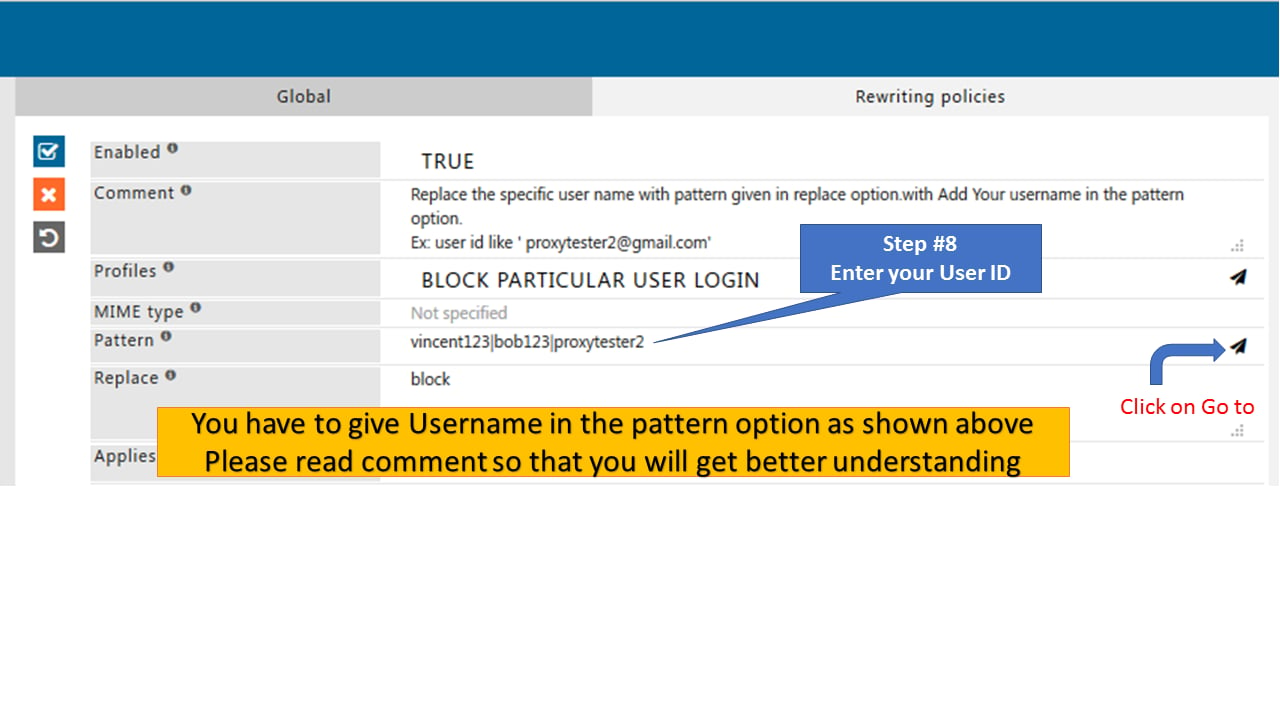
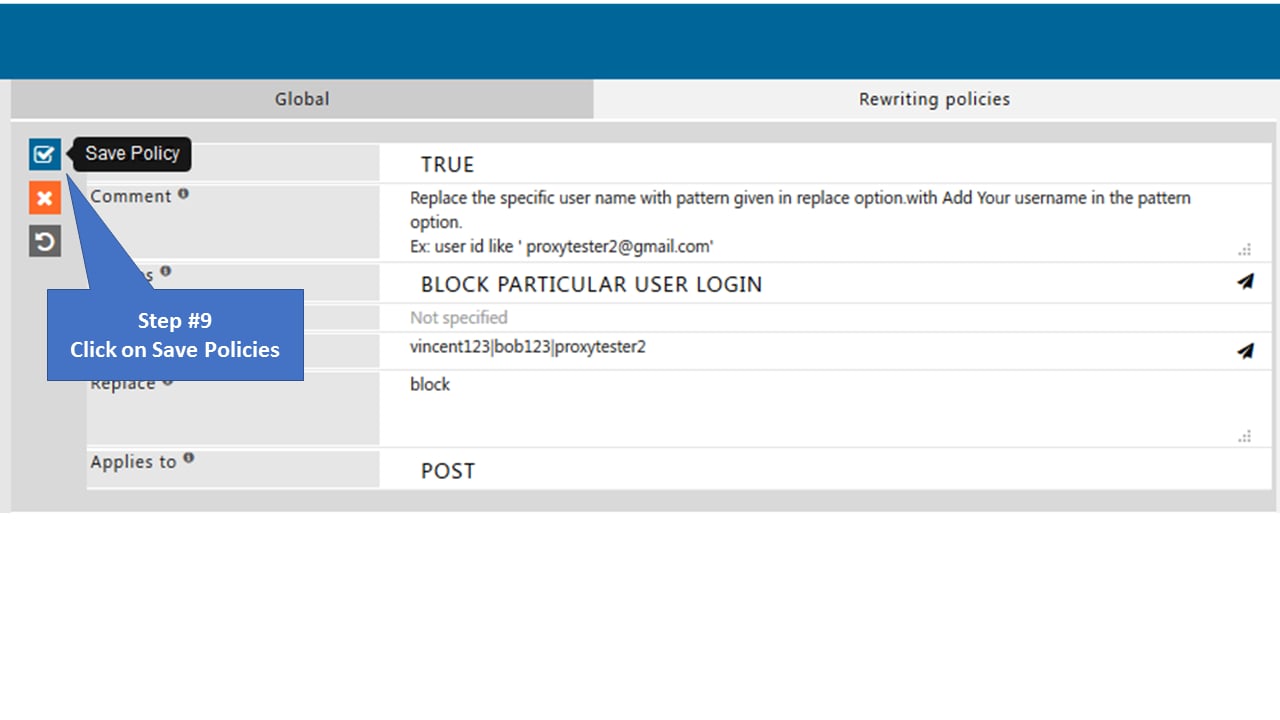
Search policy: “BLOCK PARTICULAR USER LOGIN”
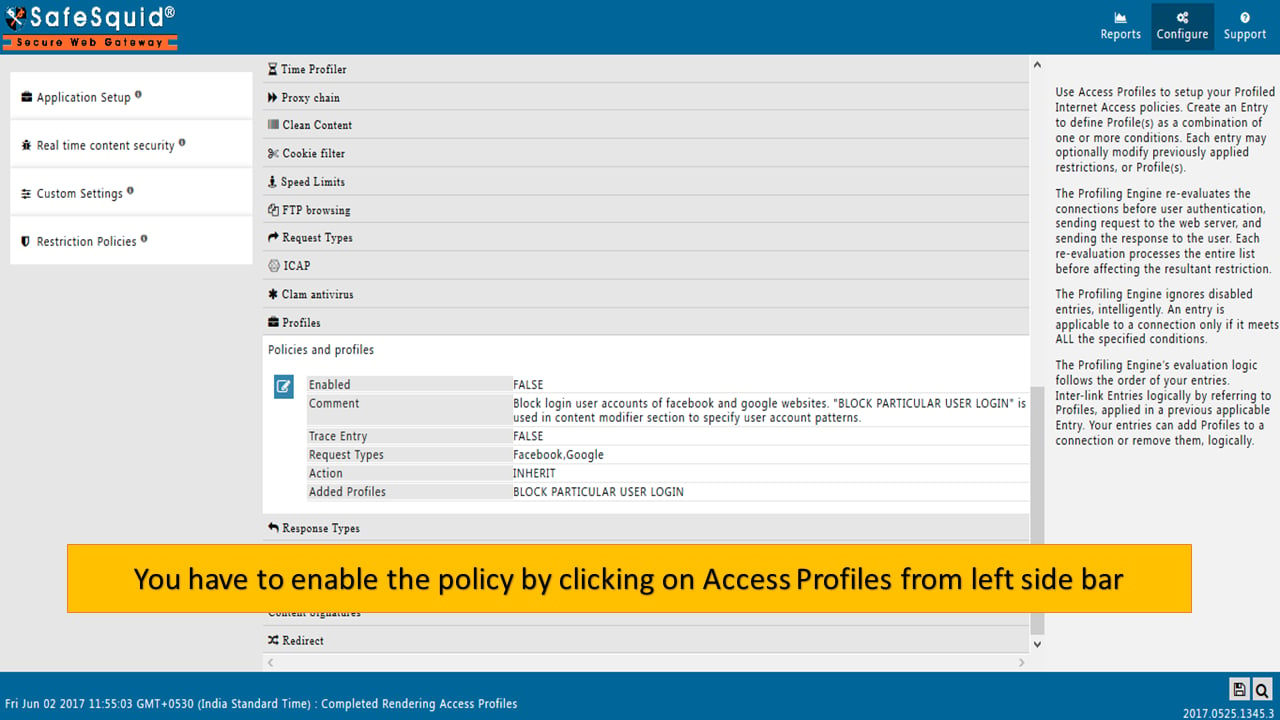
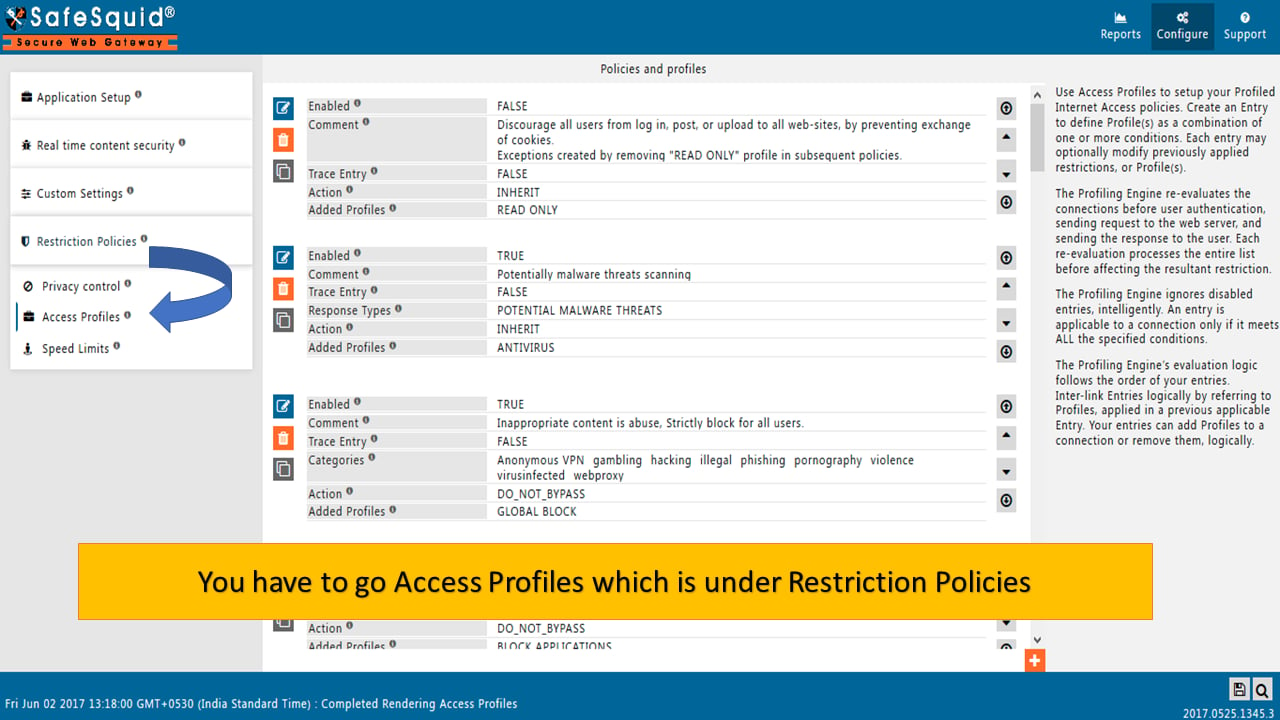
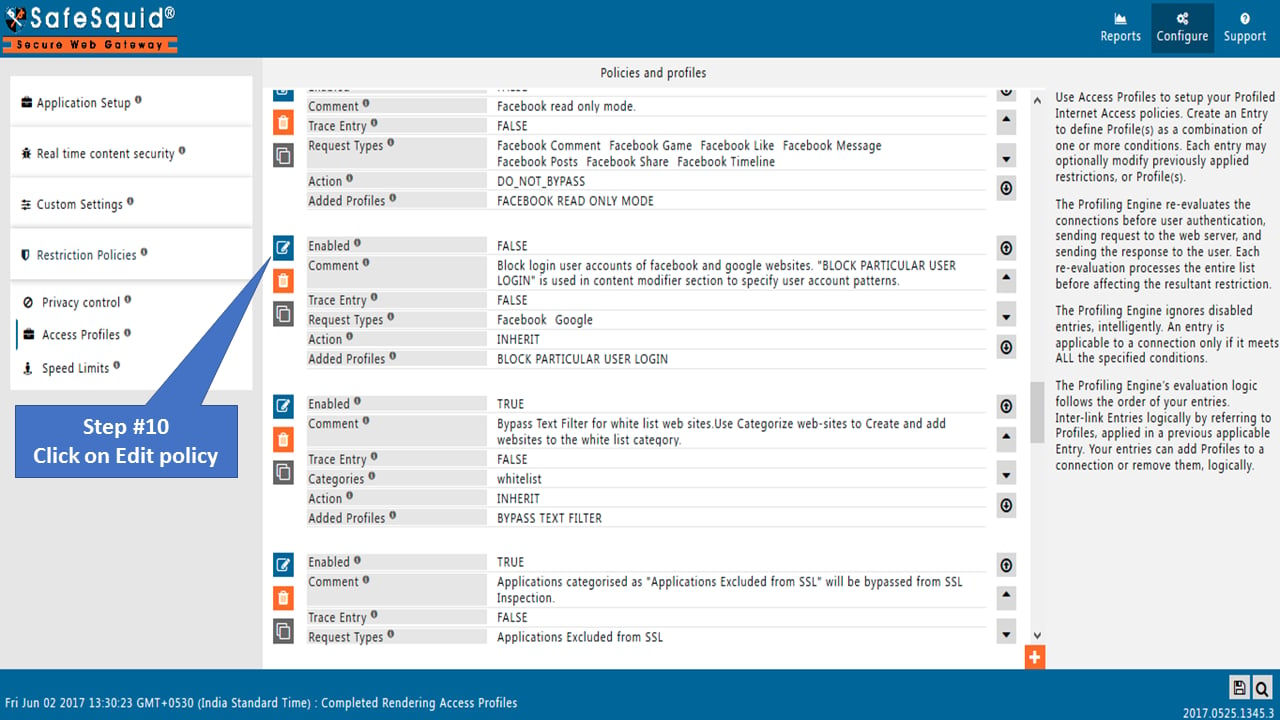
Go to Access Profiles to Enable
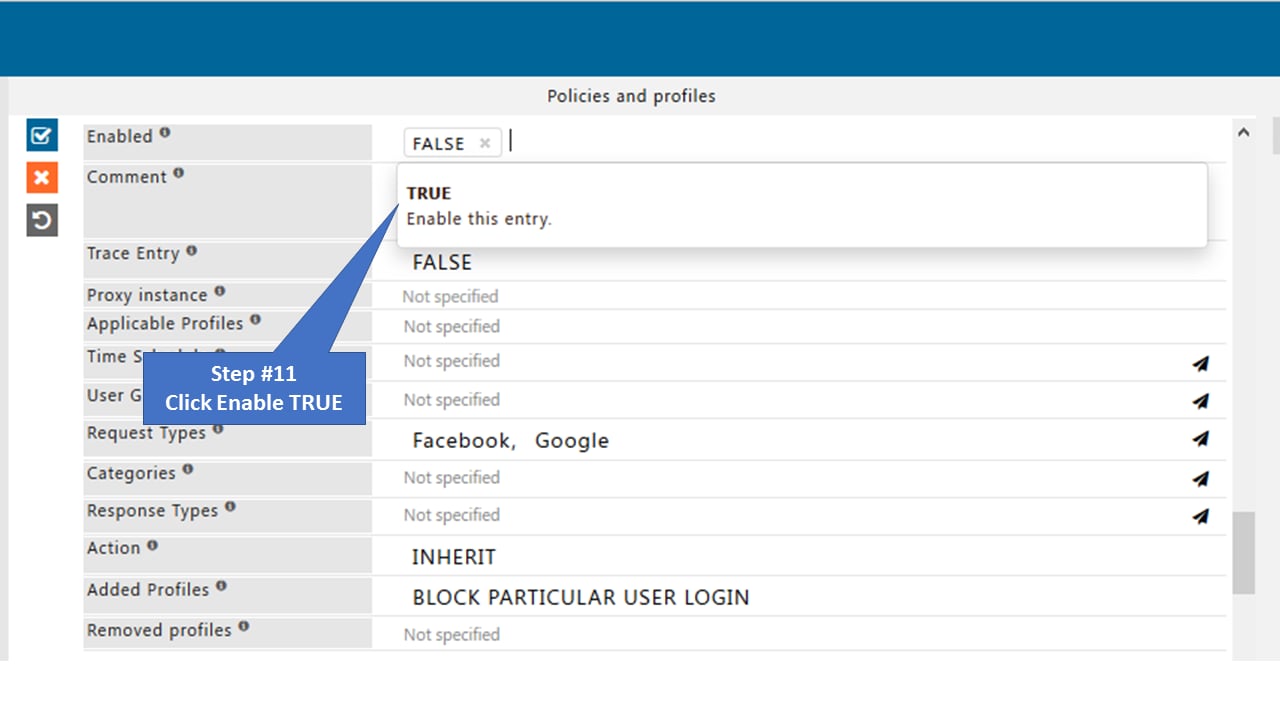
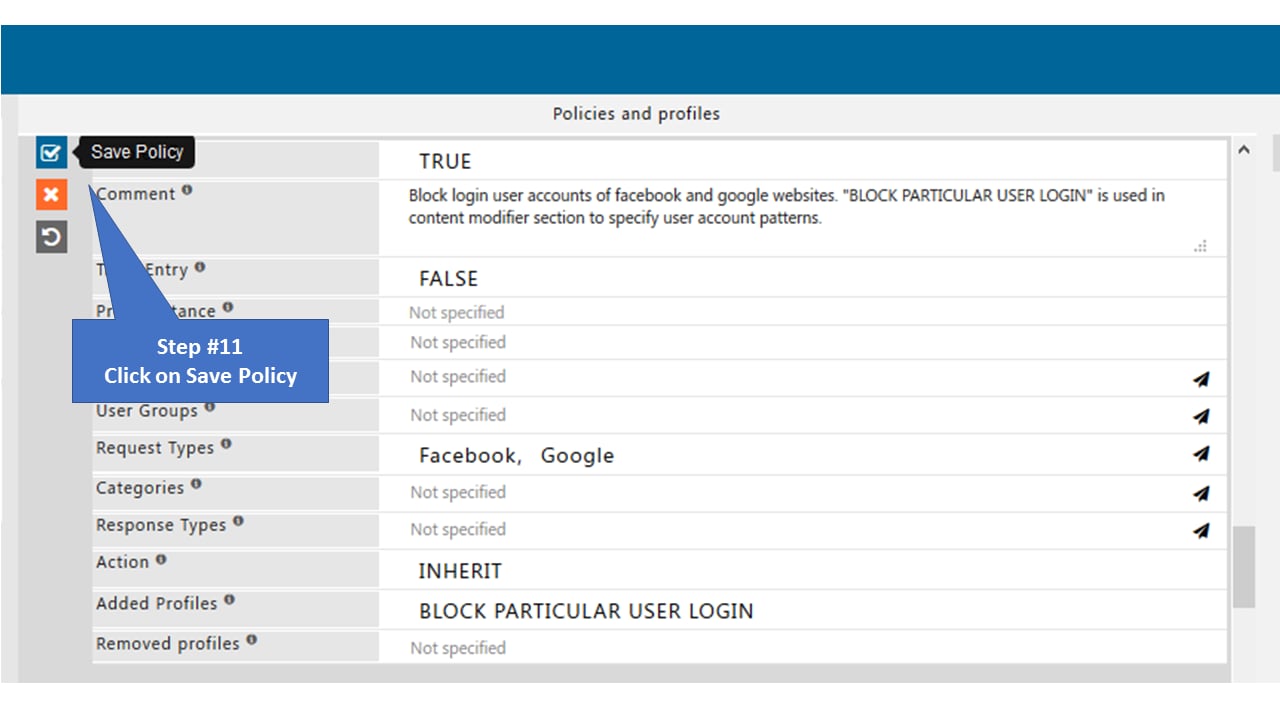
To test
Go to Facebook and Login Try login to your Facebook account it will show you the below page: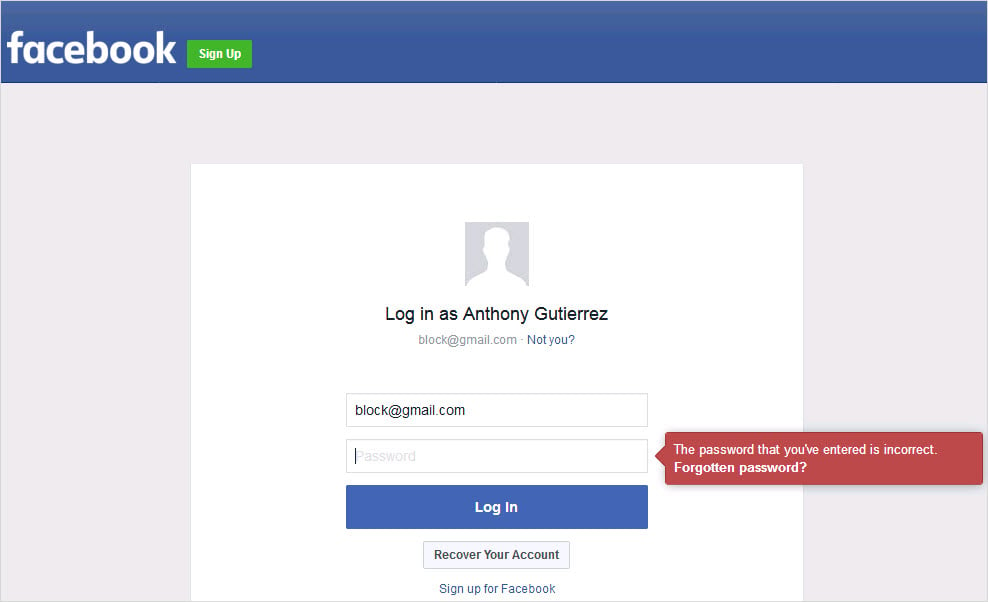
Go to Gmail and login
Try login to your Gmail account it will show you the below page: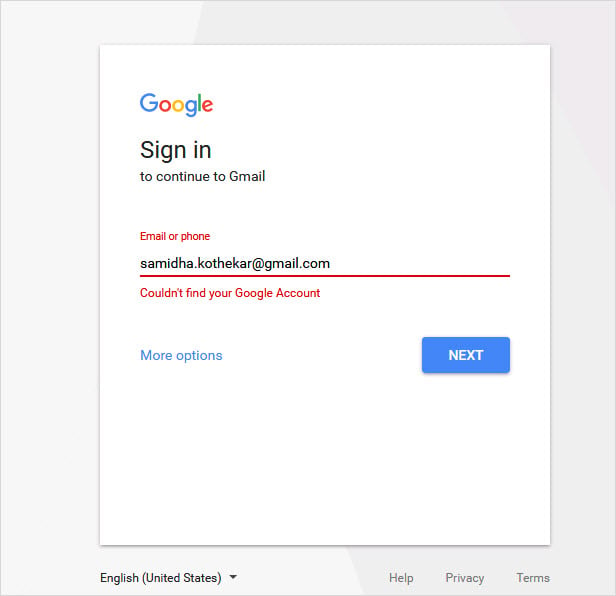
Next steps
- SSL Inspection - configure HTTPS inspection in SafeSquid to decrypt and analyze encrypted traffic for web security, malware detection, and policy enforcement.
- Policy Management Console - administrative interface for defining, simulating, and enforcing SafeSquid access control, URL filtering, SSL inspection, and DLP policies.