Problem

Security teams need predictable control over app and web usage to reduce policy bypass and data-risk exposure.

Benefits

You can enforce policy decisions consistently with SafeSquid while preserving legitimate business workflows.

Advantages

You keep actionable policy control close to operations, with verifiable outcomes in logs and policy behavior.

Call to action

Use the steps in this guide to implement the control, then validate behavior with a real user-flow test.

Allow one Facebook page and block the rest

Many organizations block Facebook but need to allow a specific page (e.g. company page). SafeSquid SWG can allow a particular page for selected groups (e.g. social media team), partial or read-only for others, and by time of day. In the example below, only the SafeSquid page is allowed; other pages show a block template.

Prerequisites

HTTPS Inspection should be enabled in SafeSquid. If not enabled, refer to the document - How to enable HTTPS Inspection.

Steps

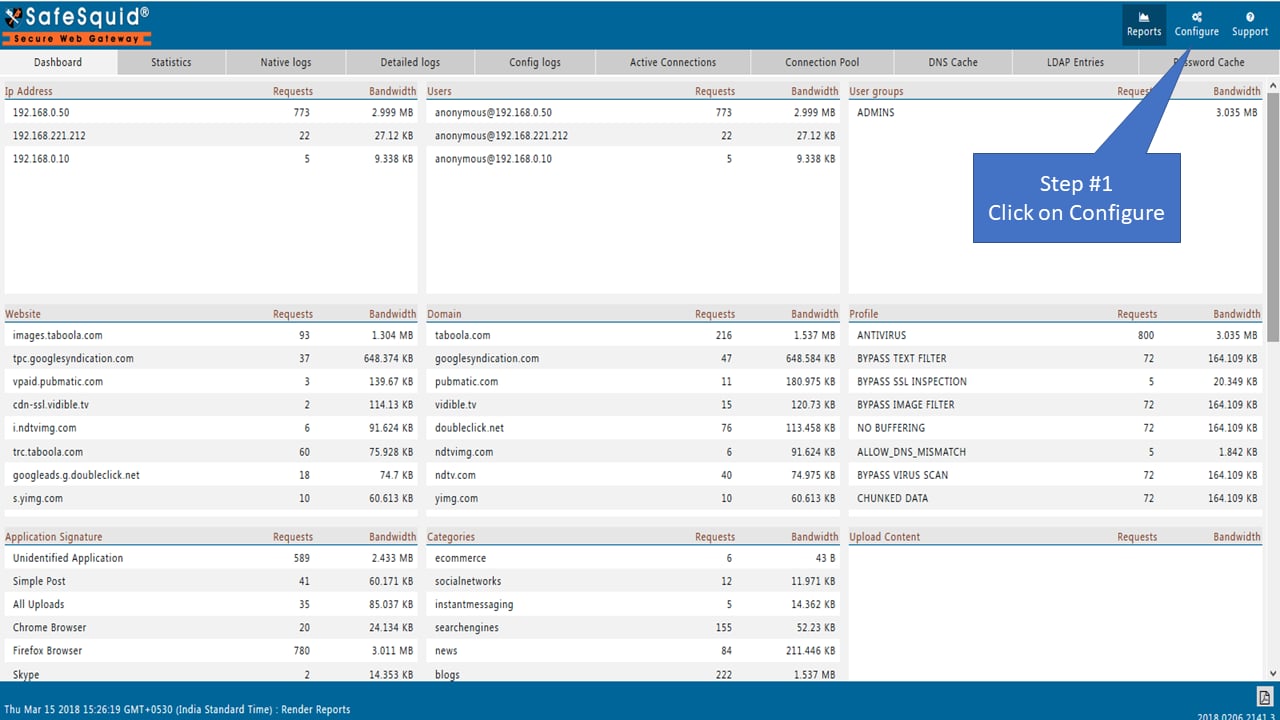
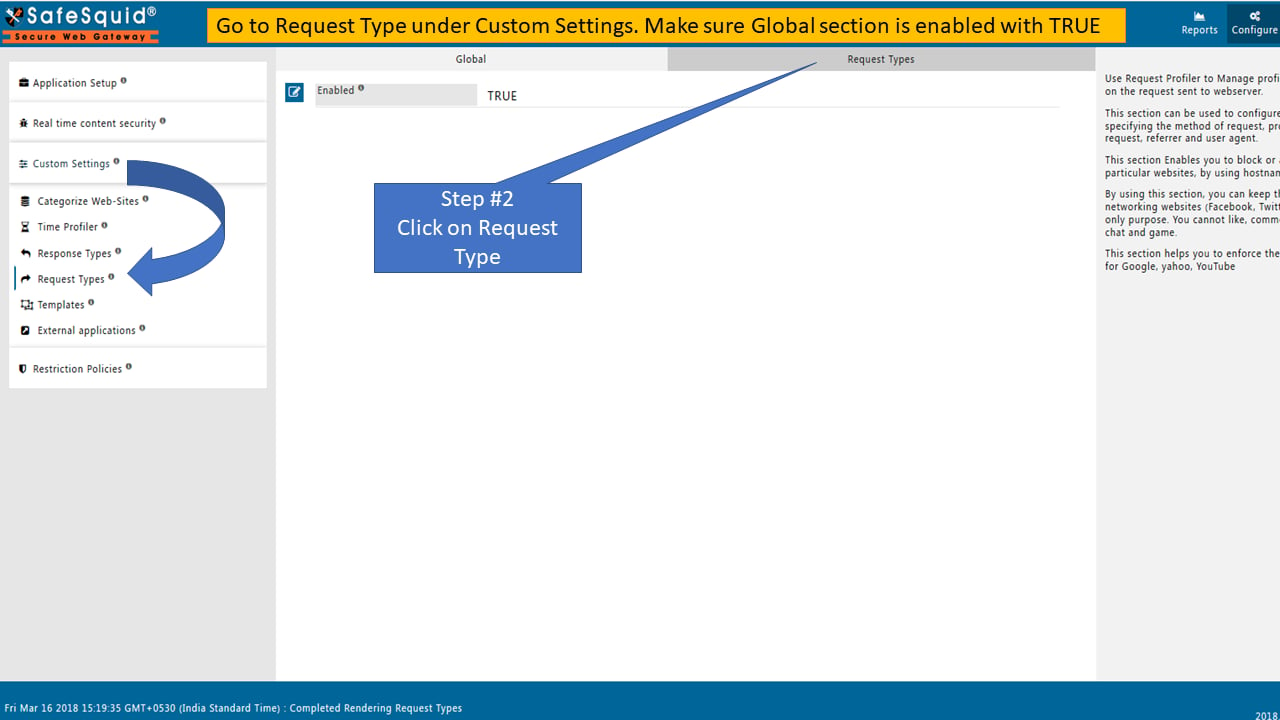
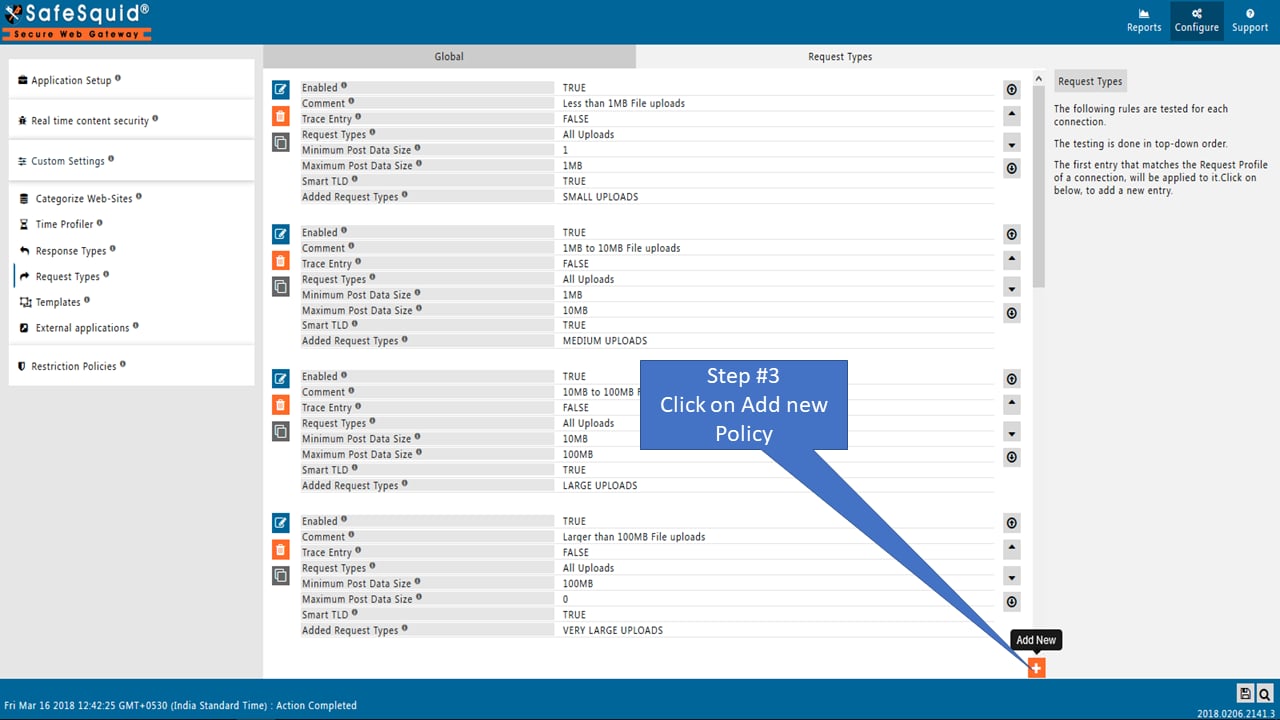
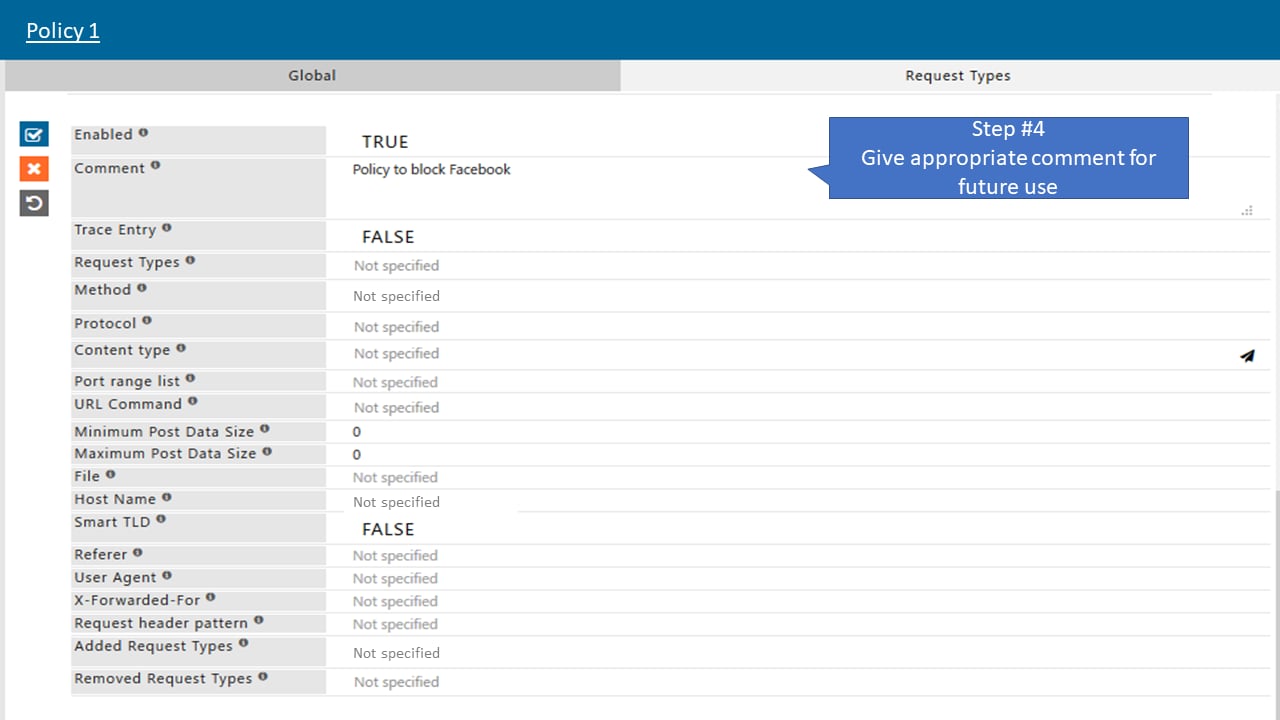
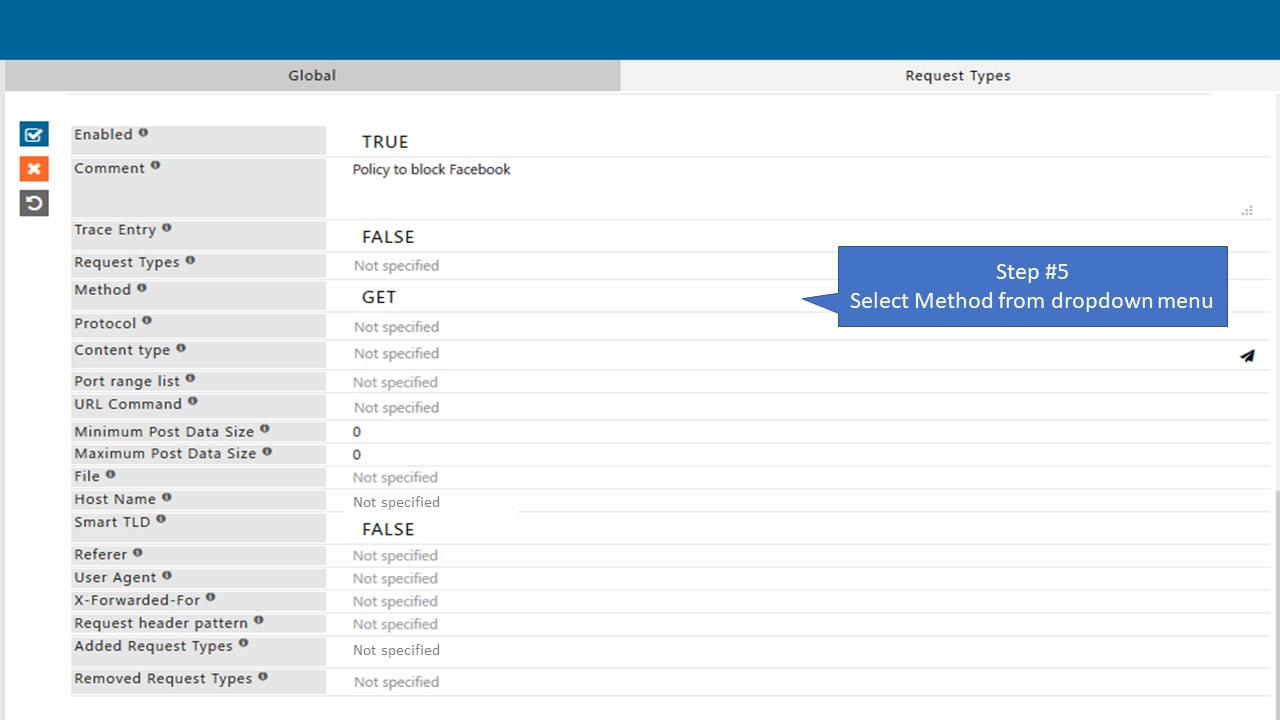
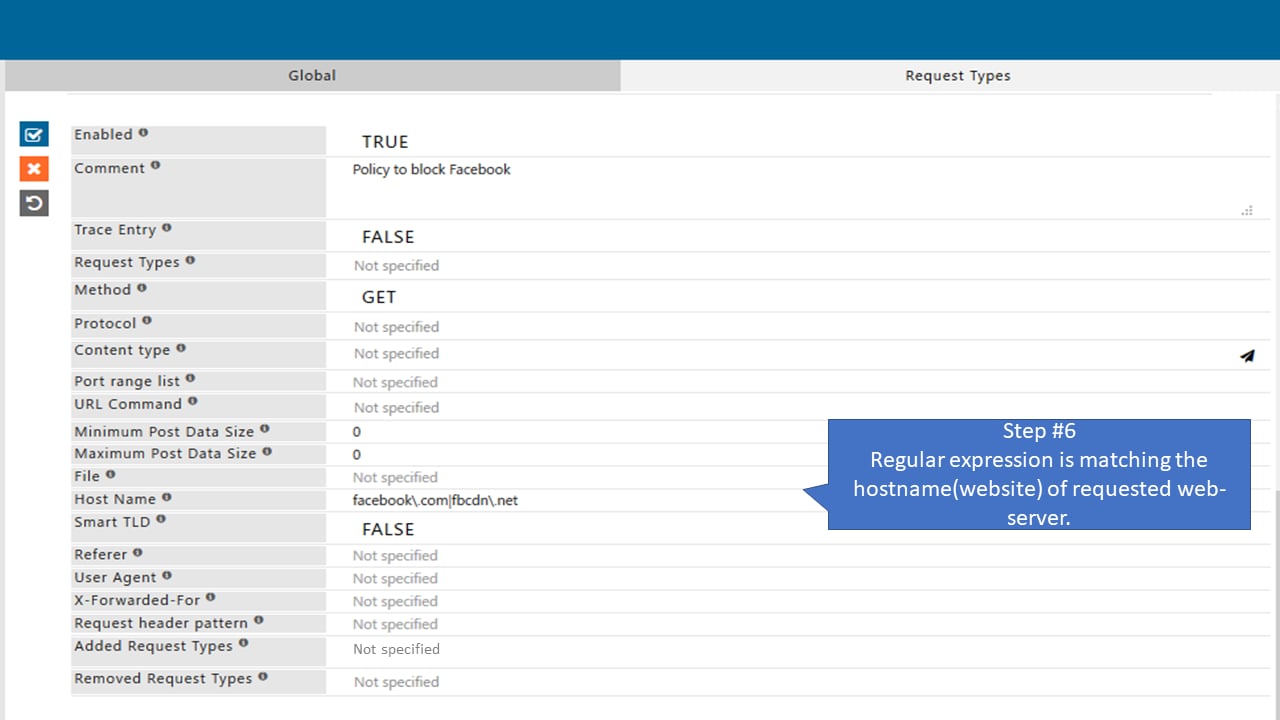
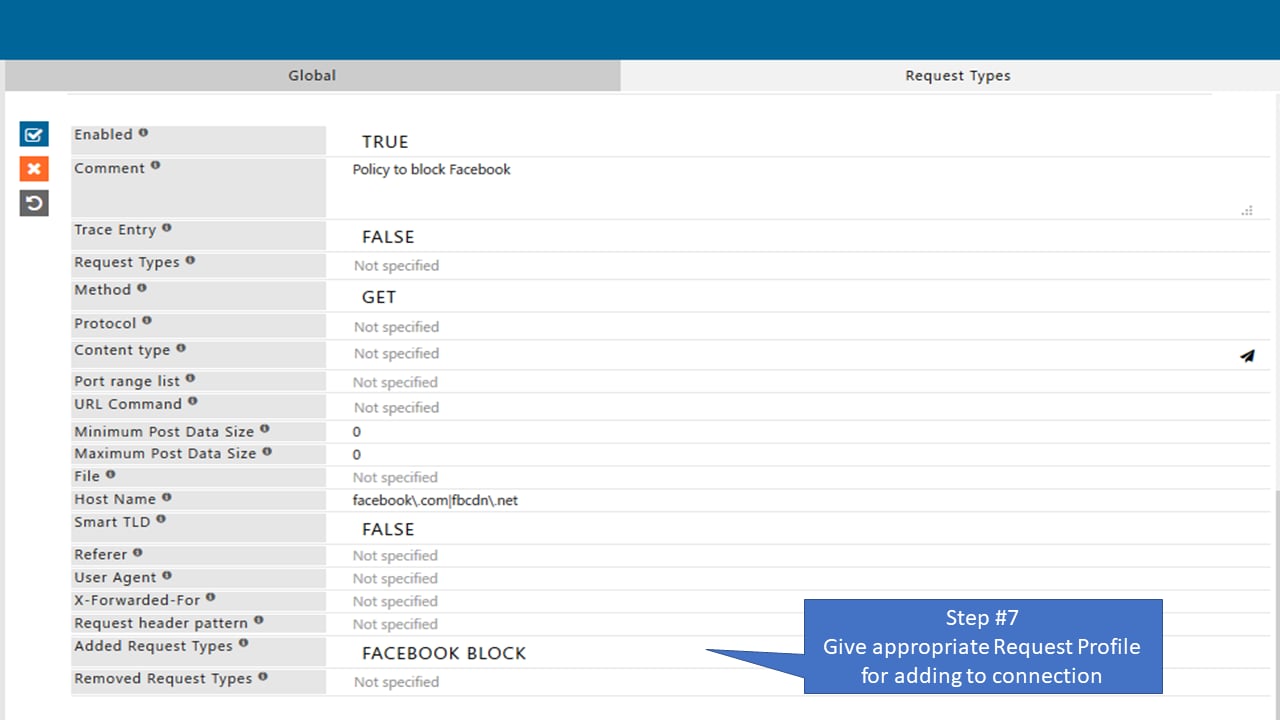
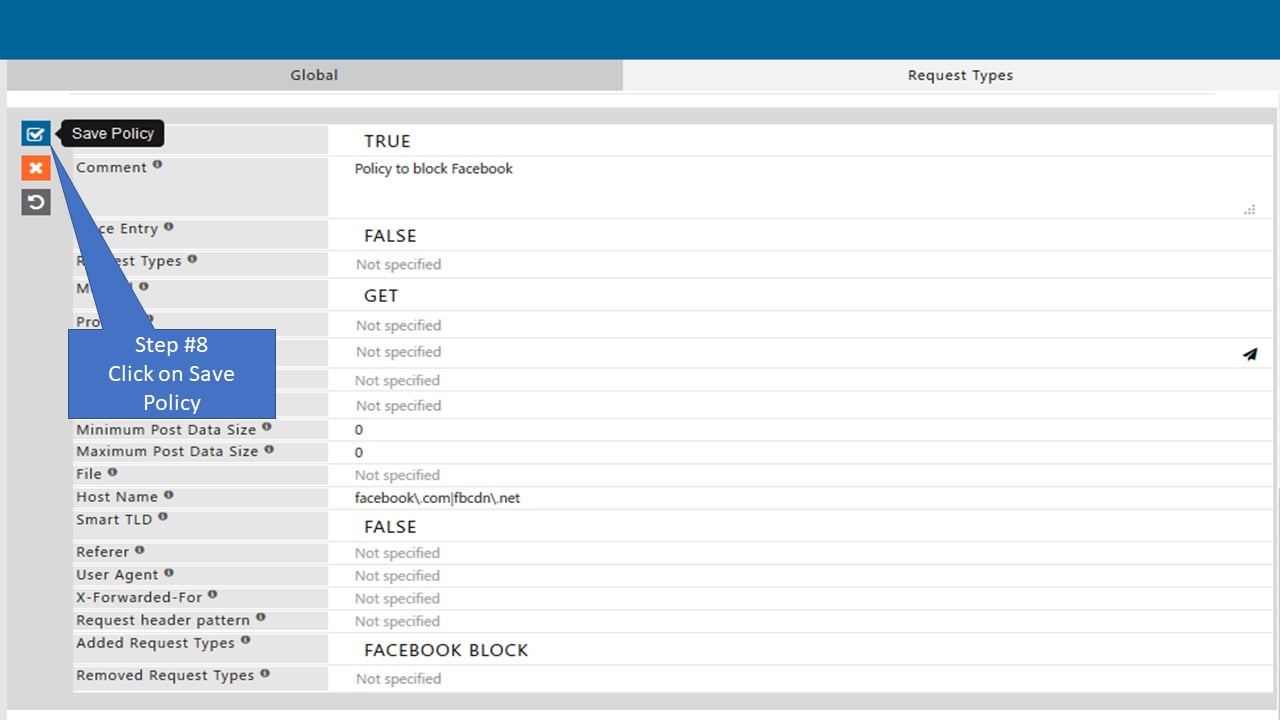
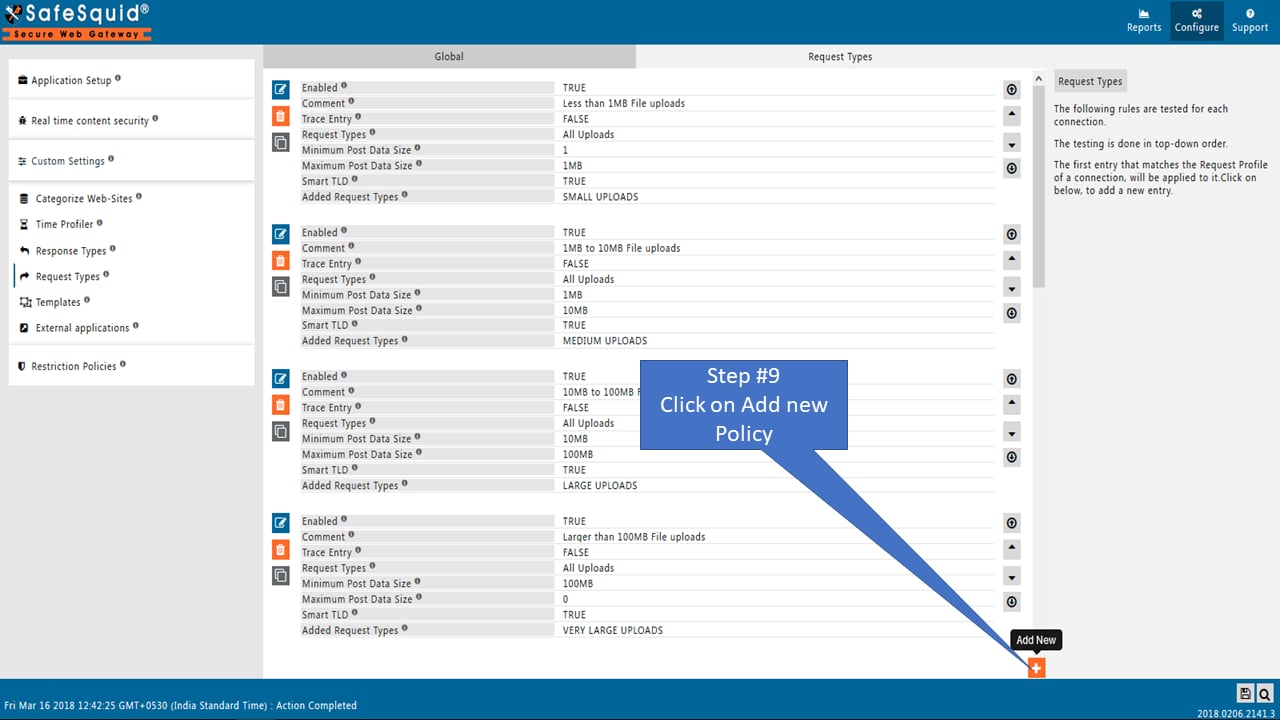
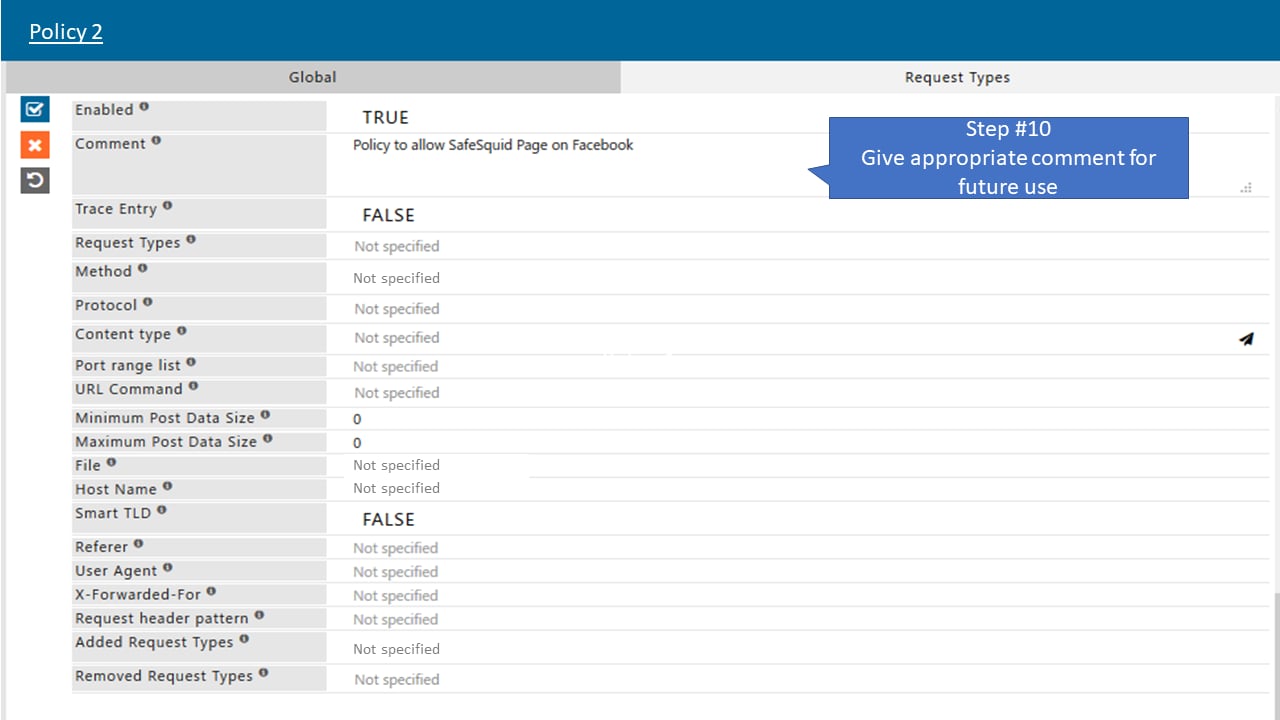
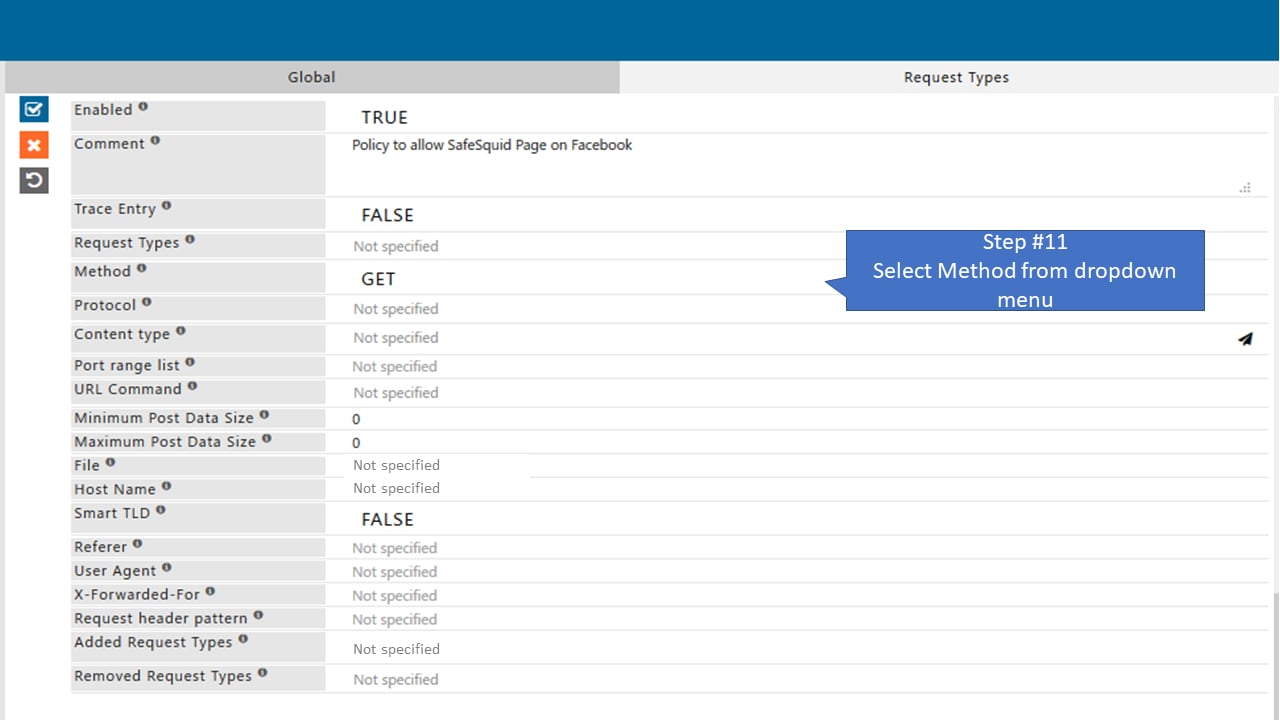
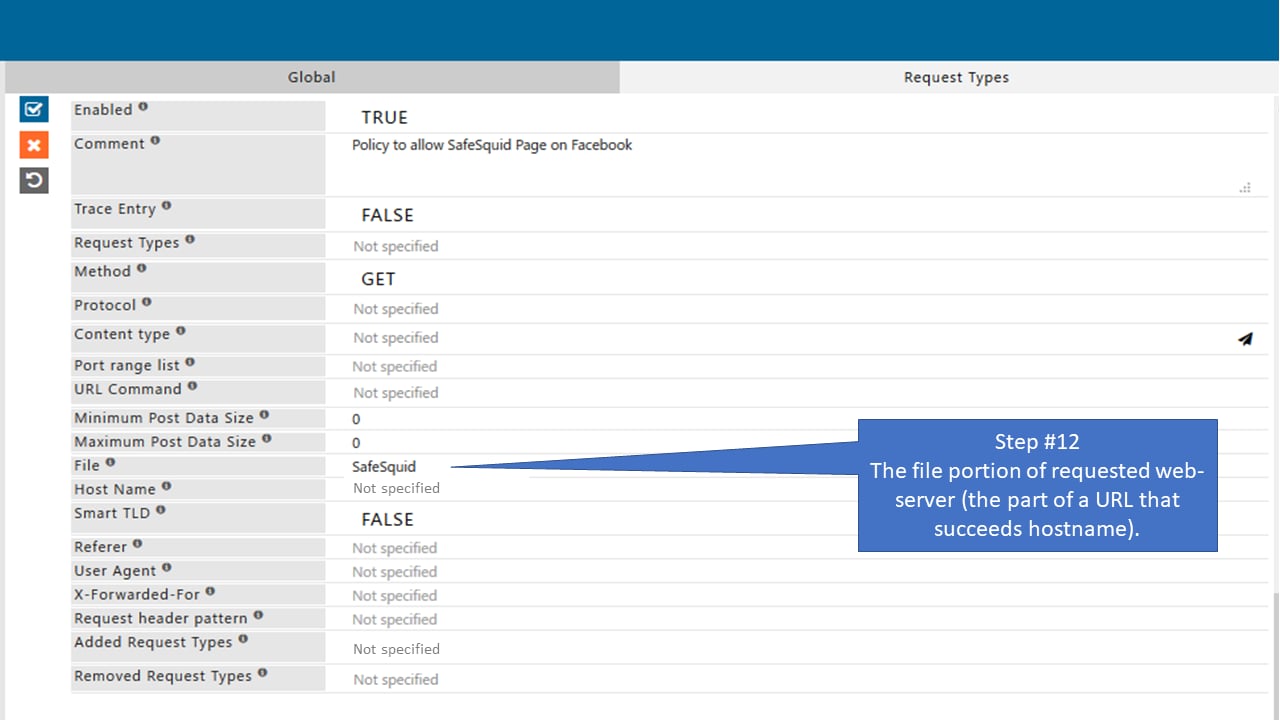
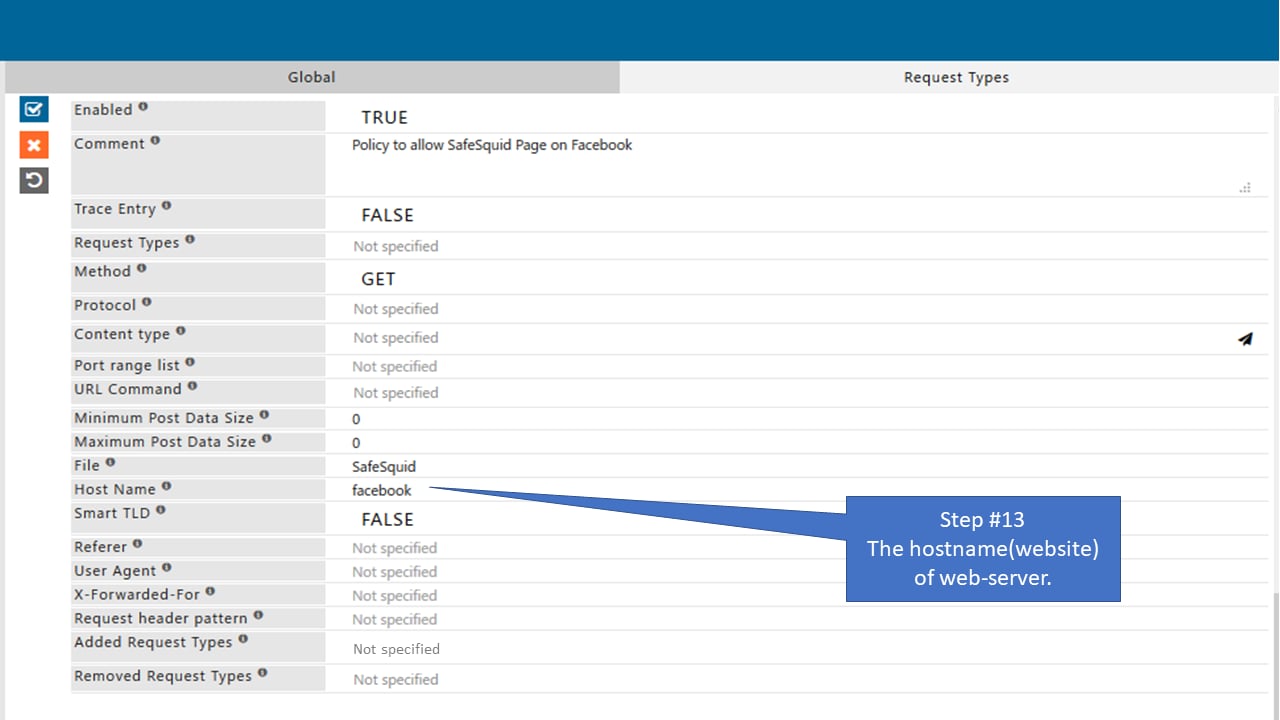
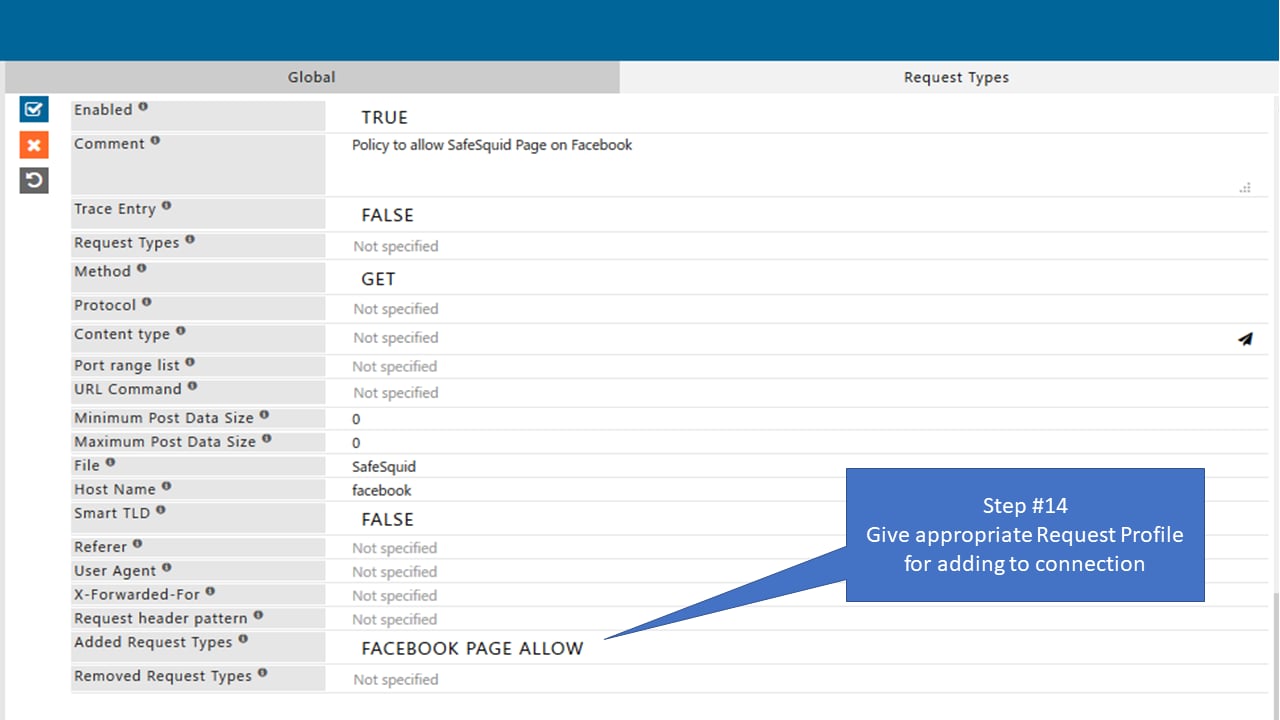
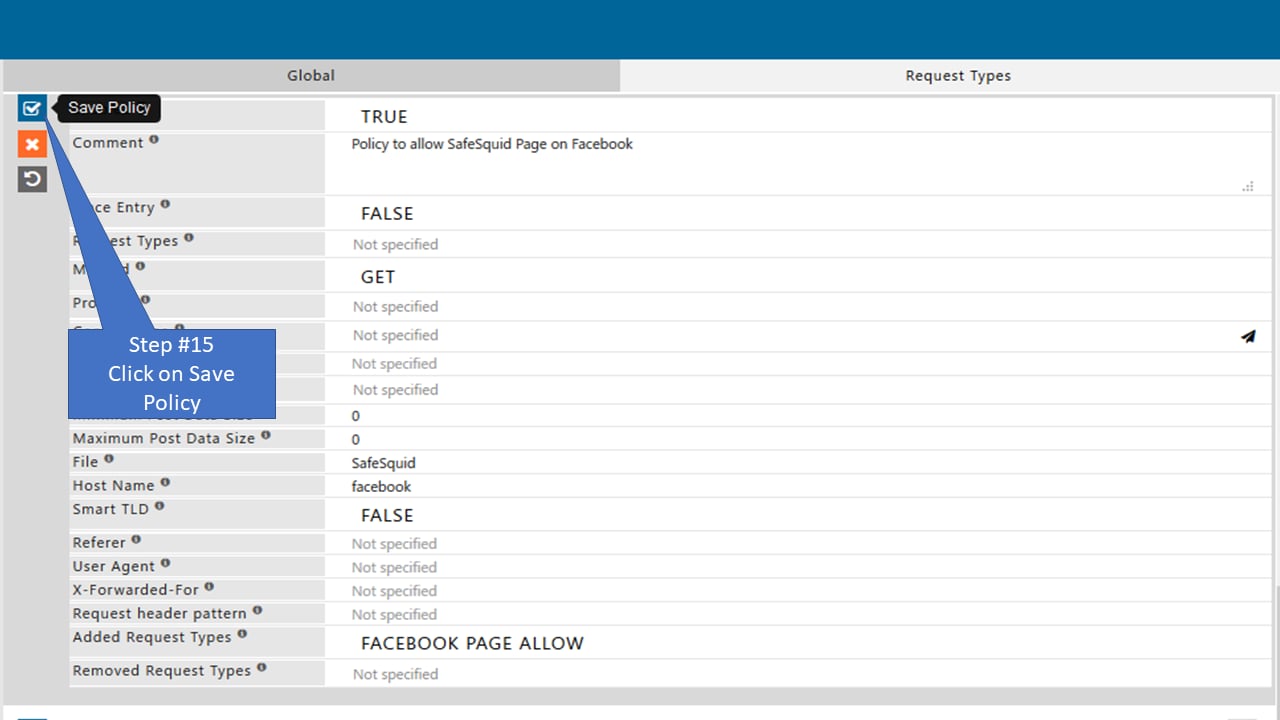
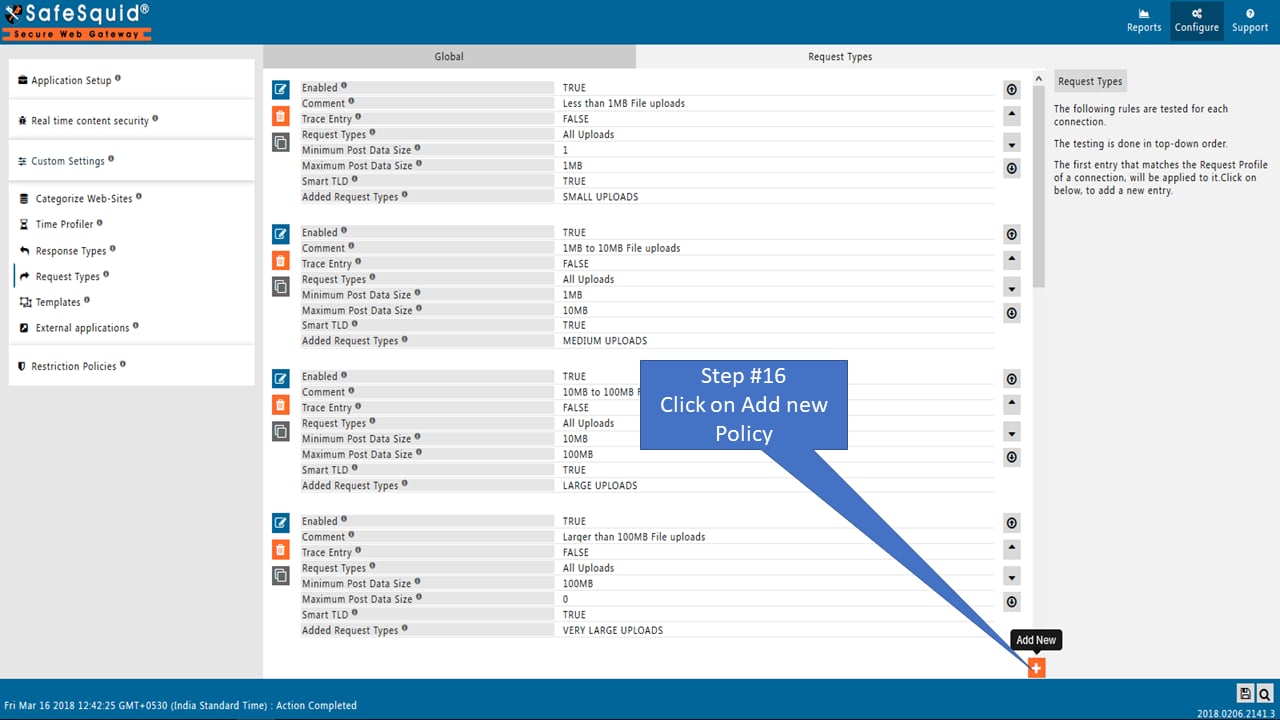
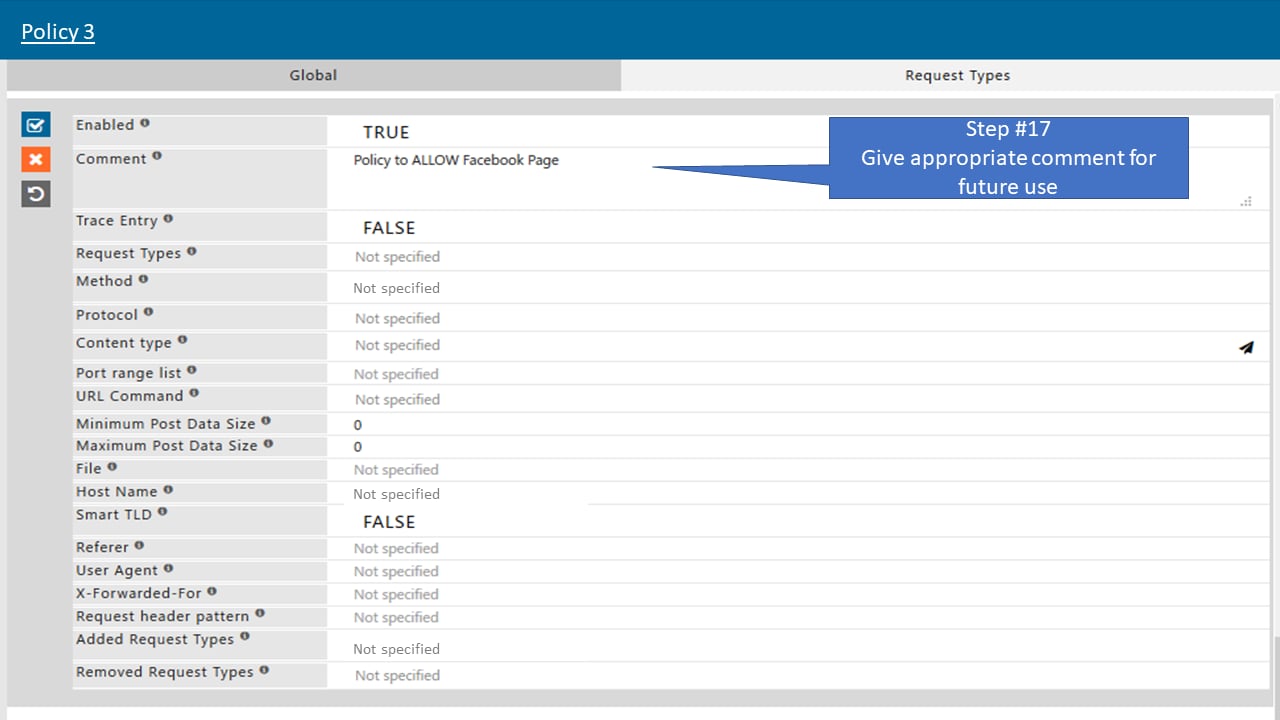
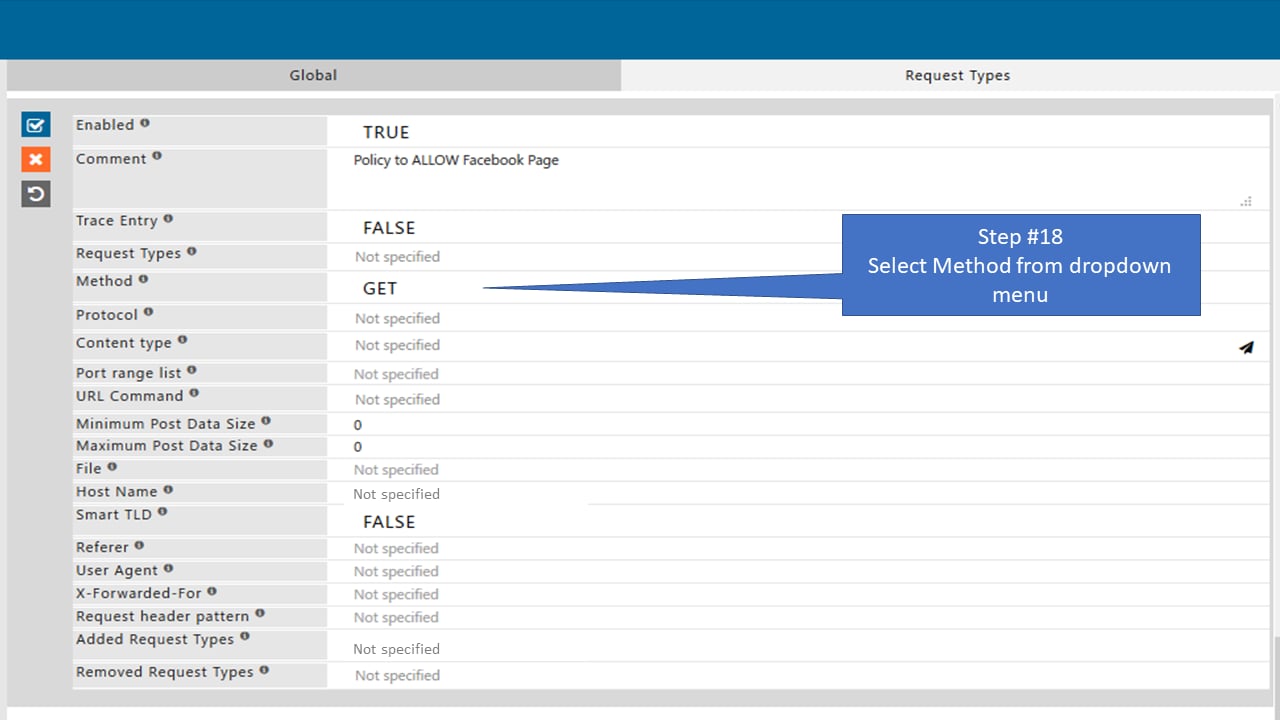
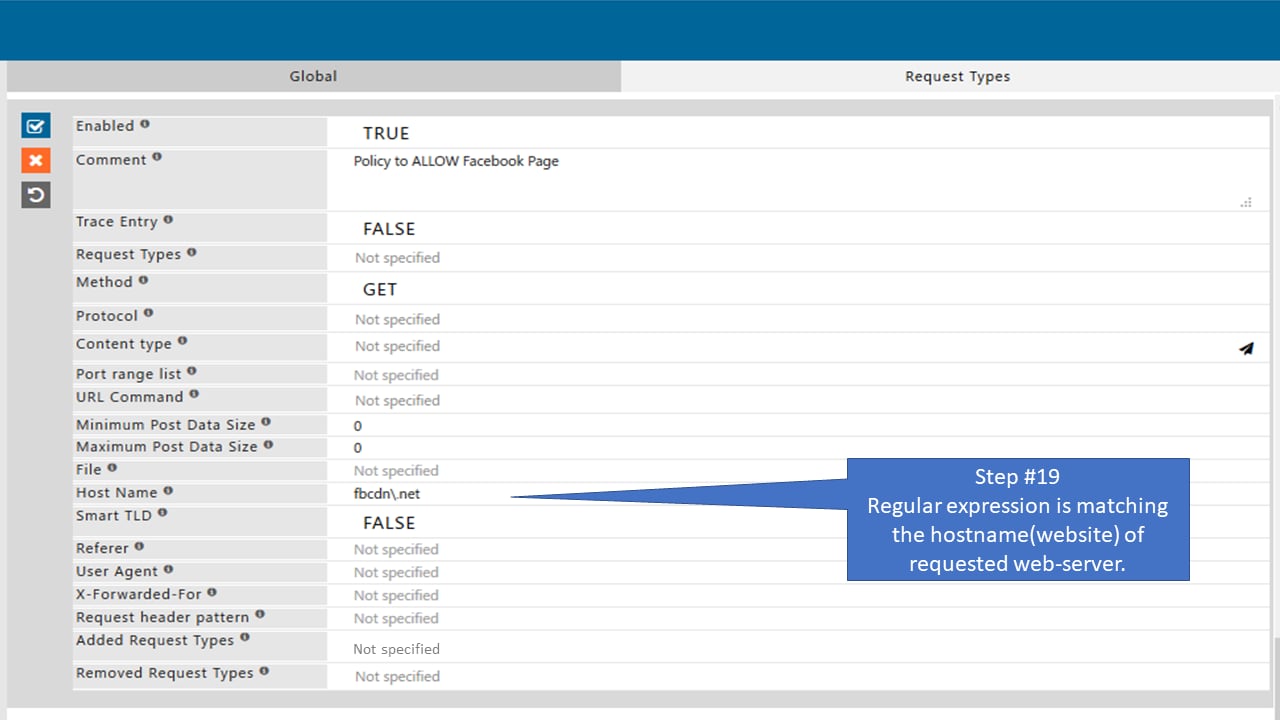
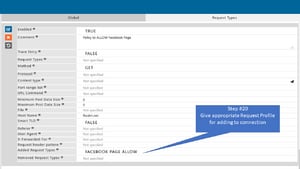
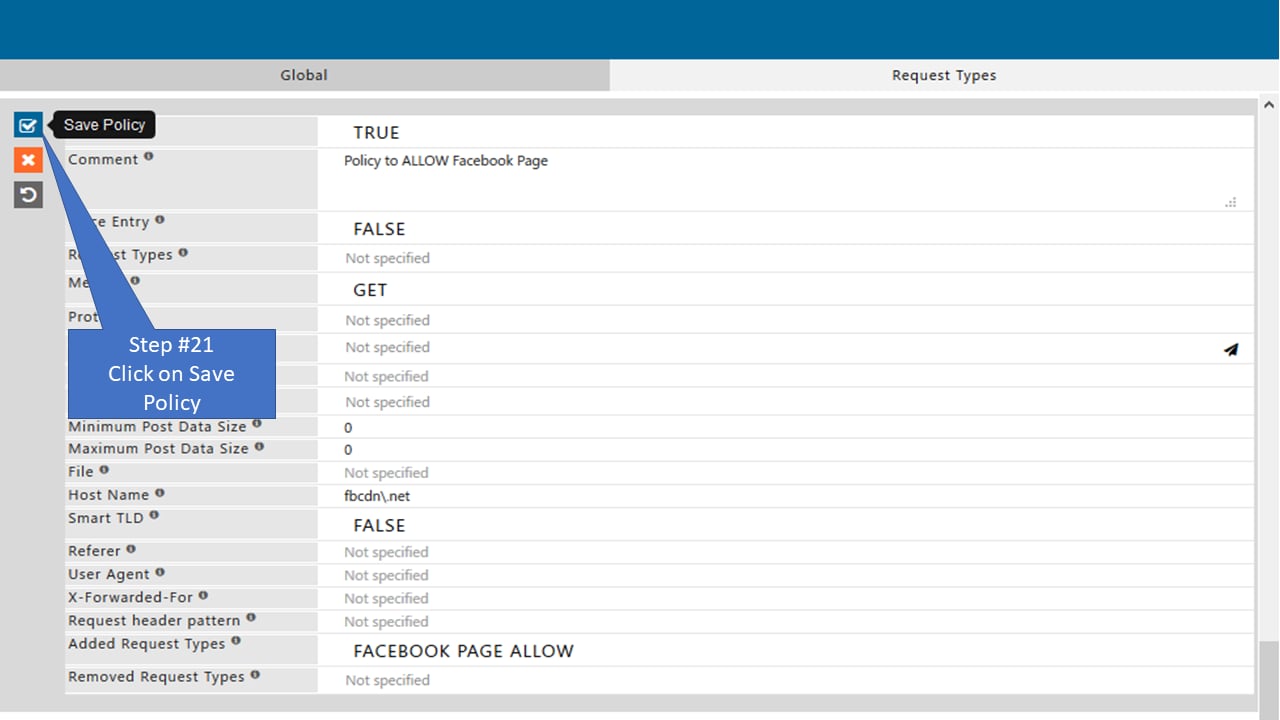
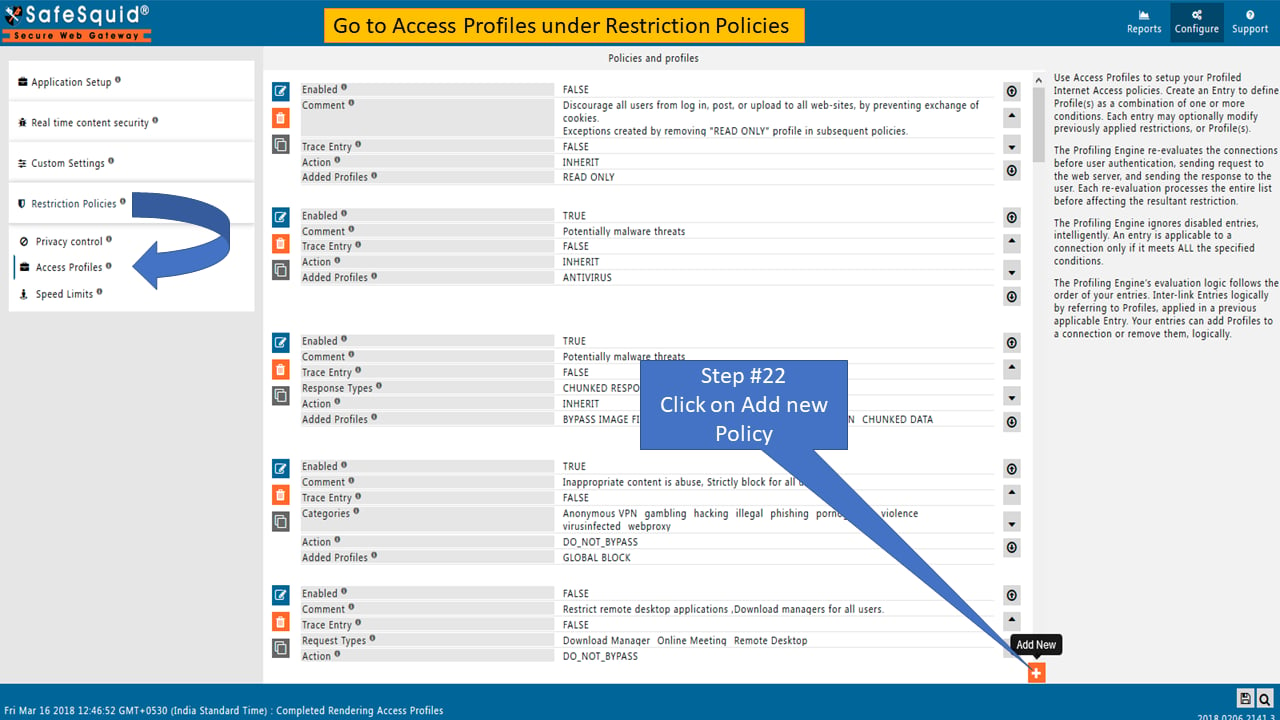
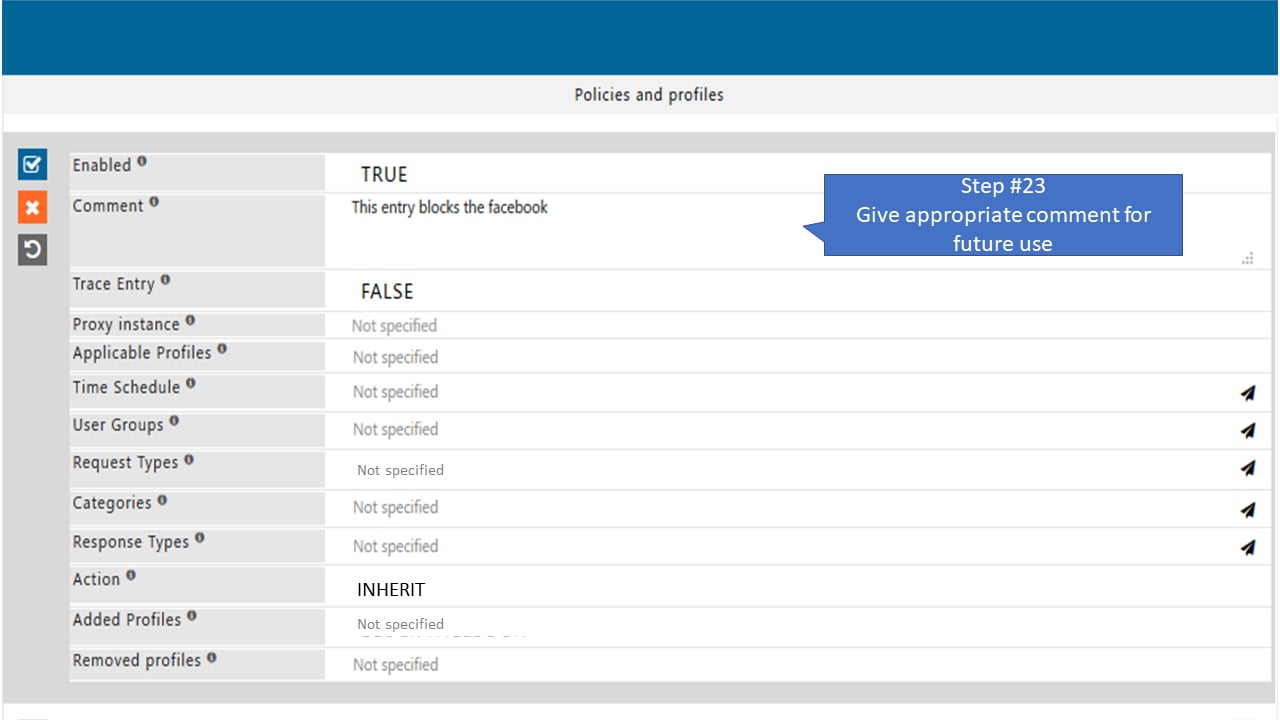
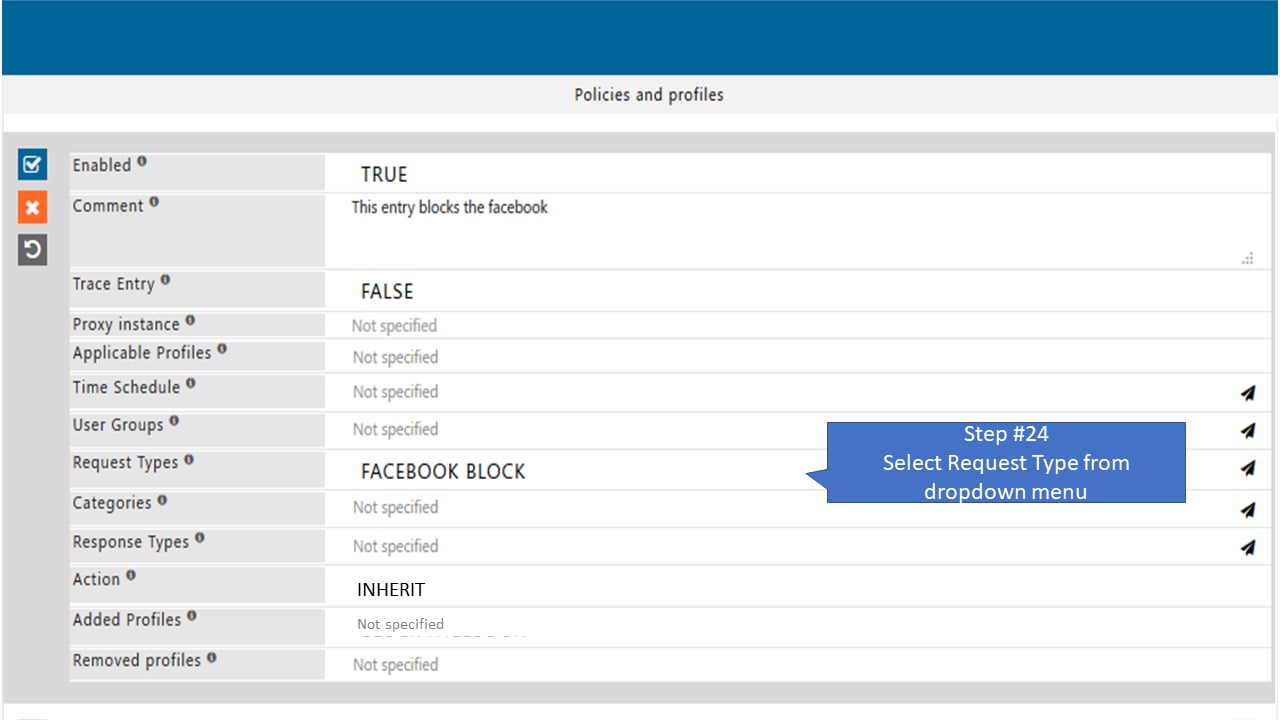
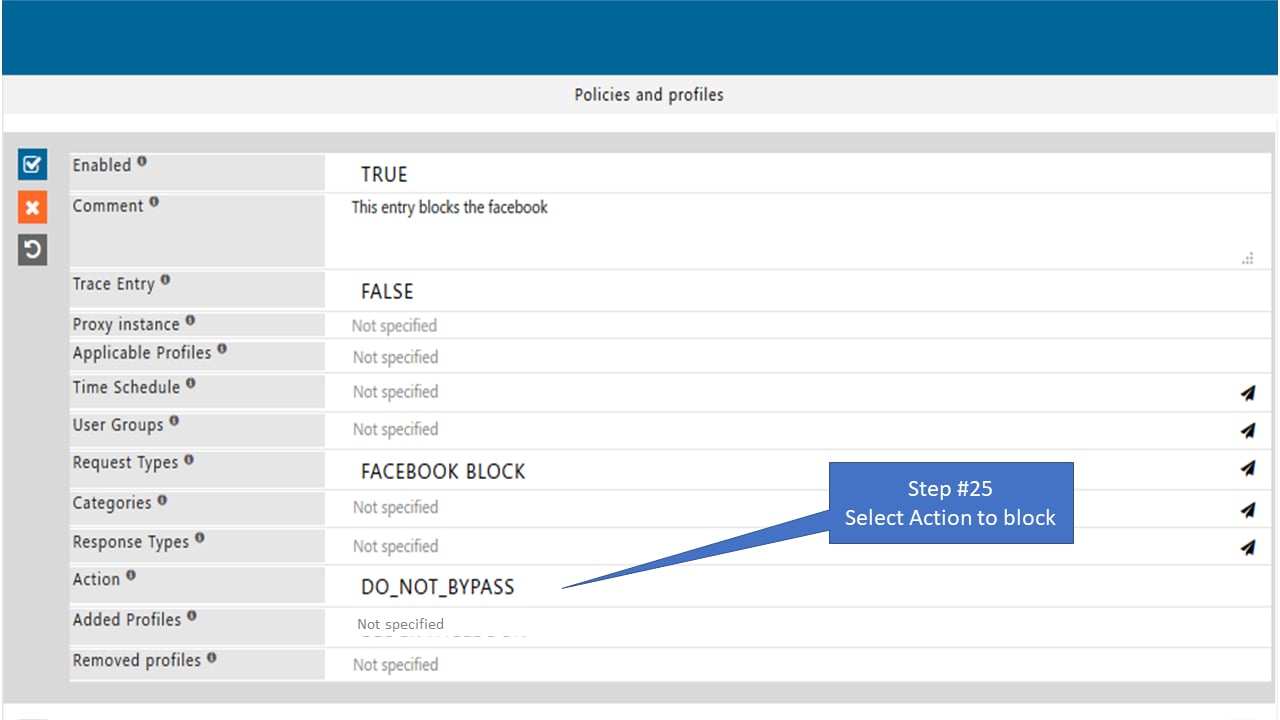
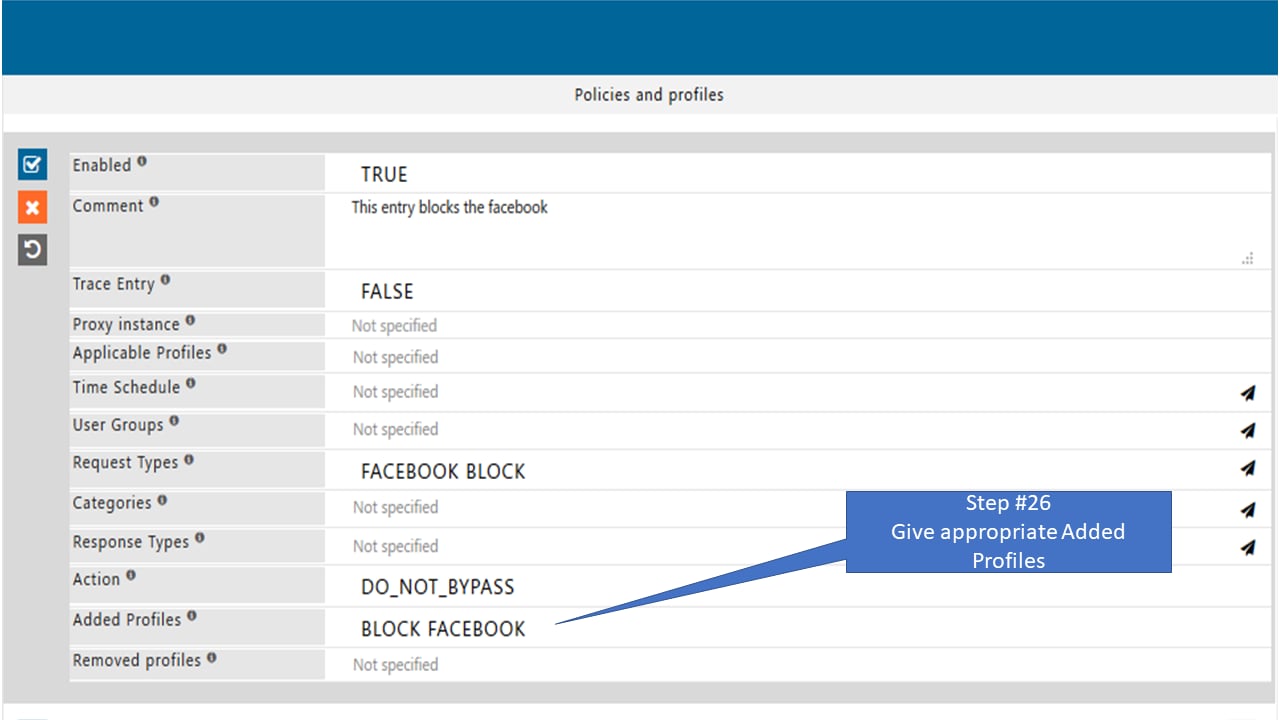
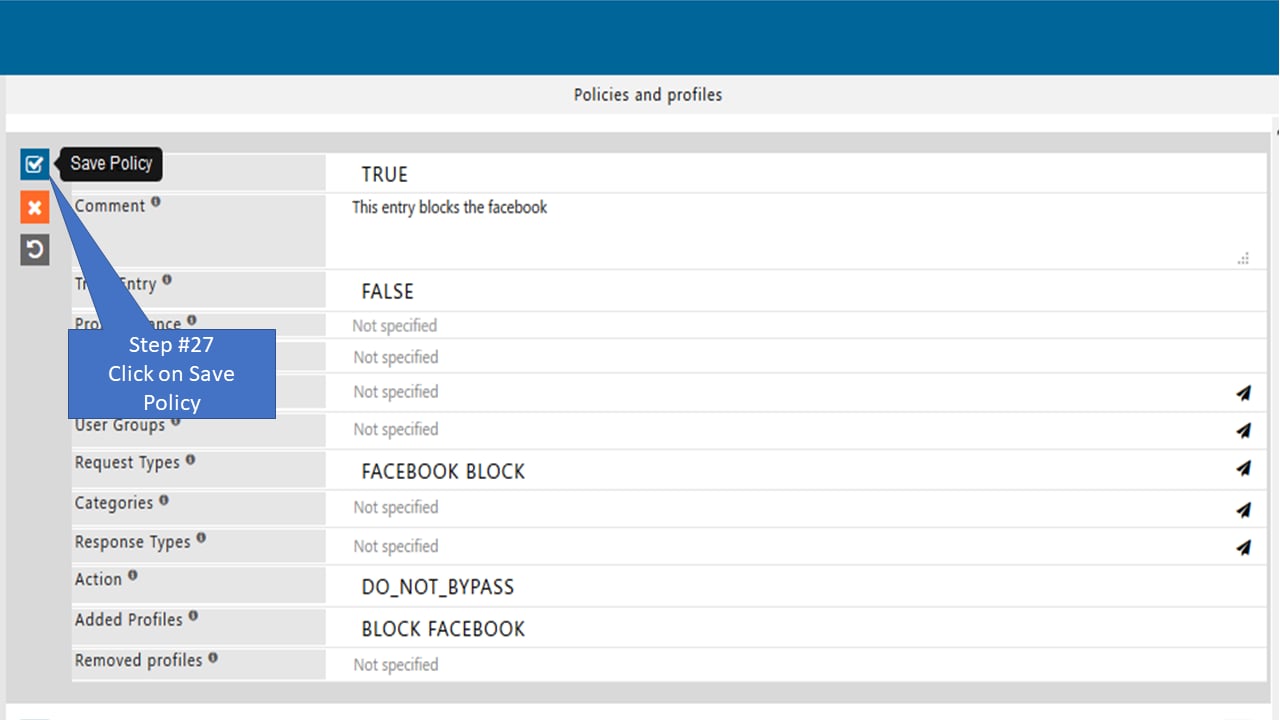
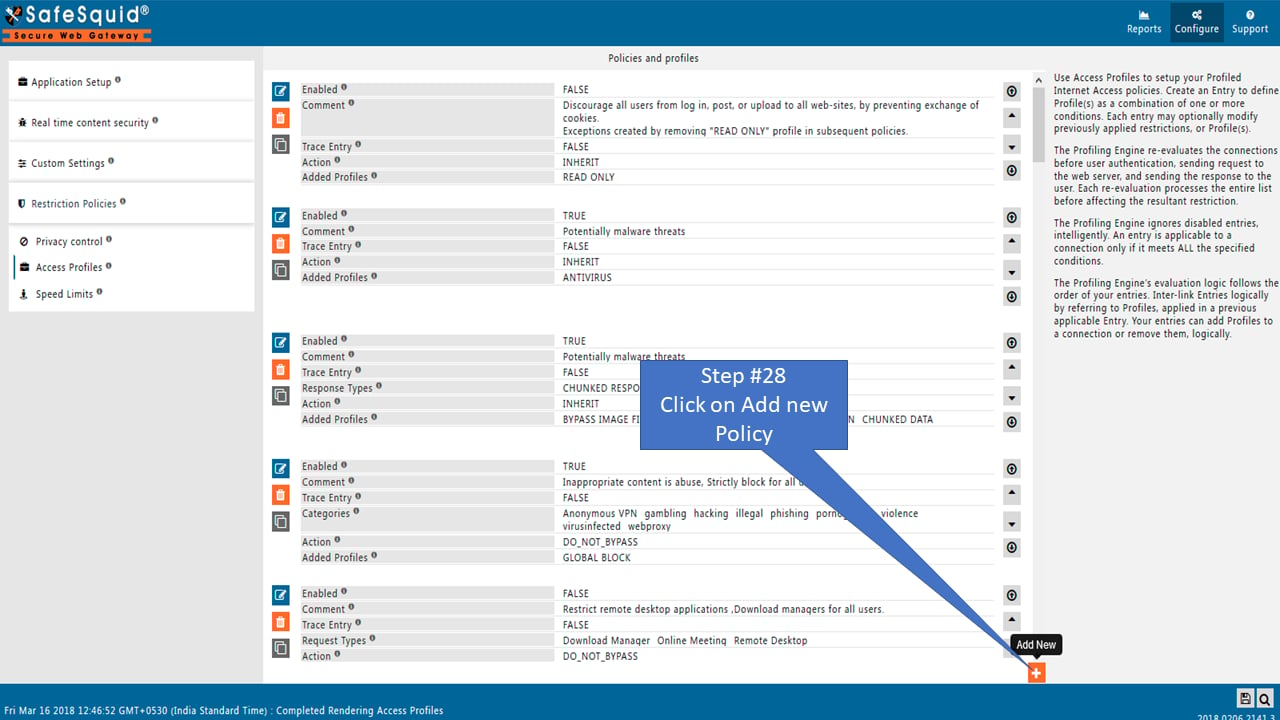
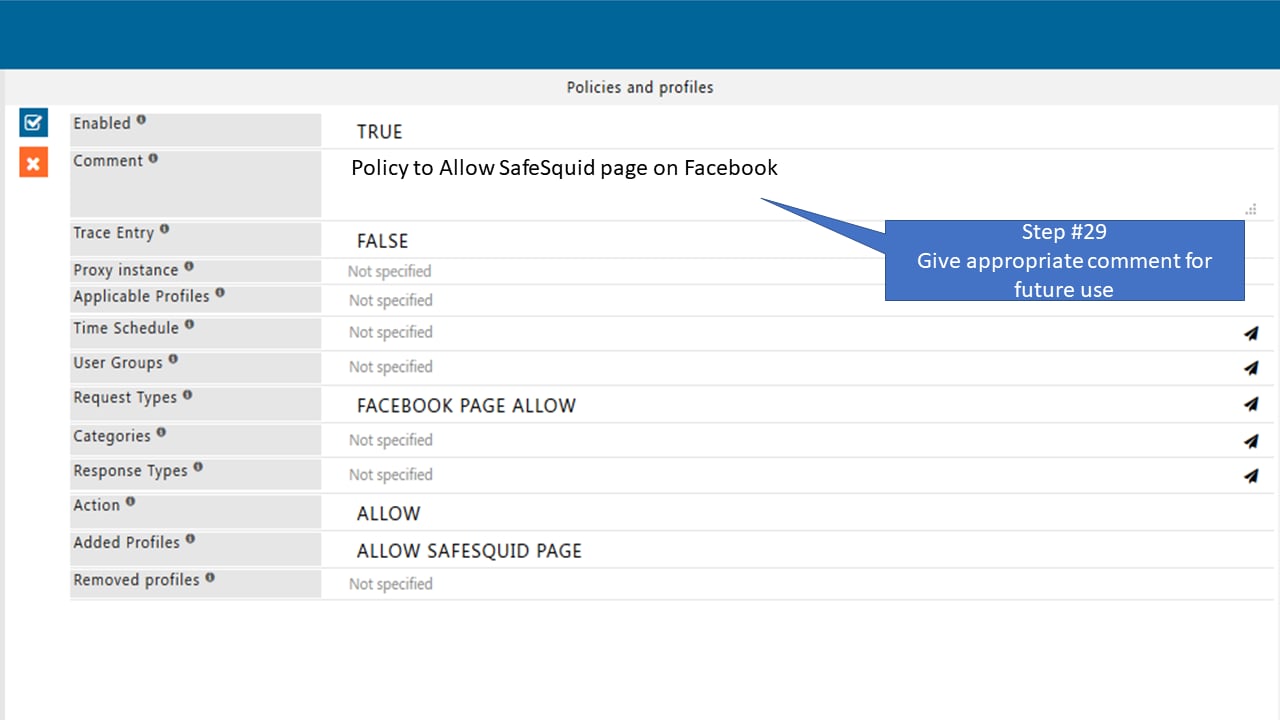
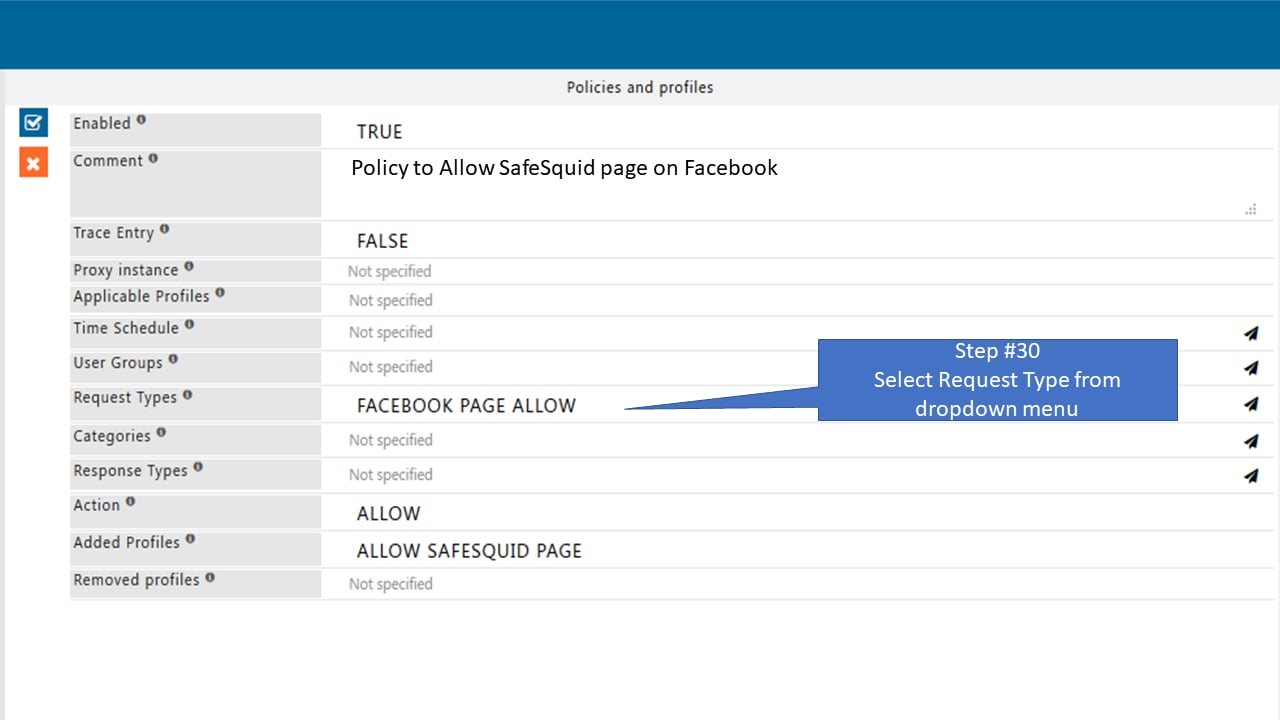
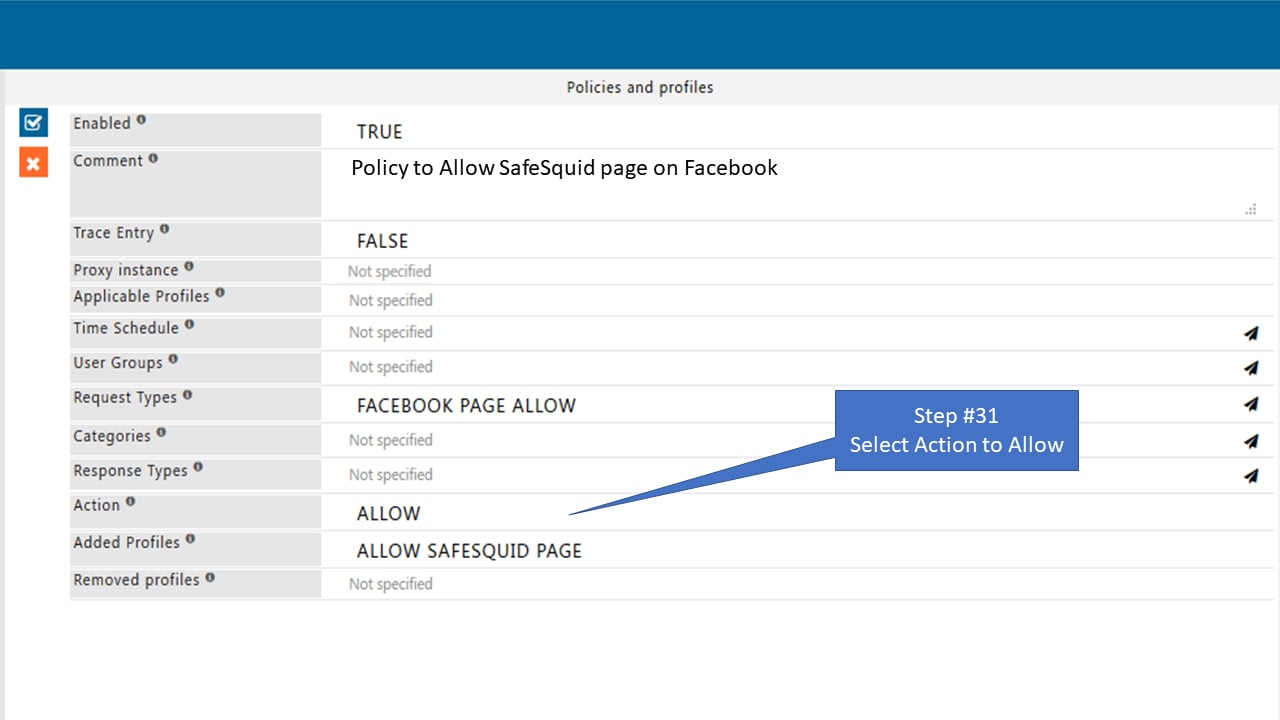
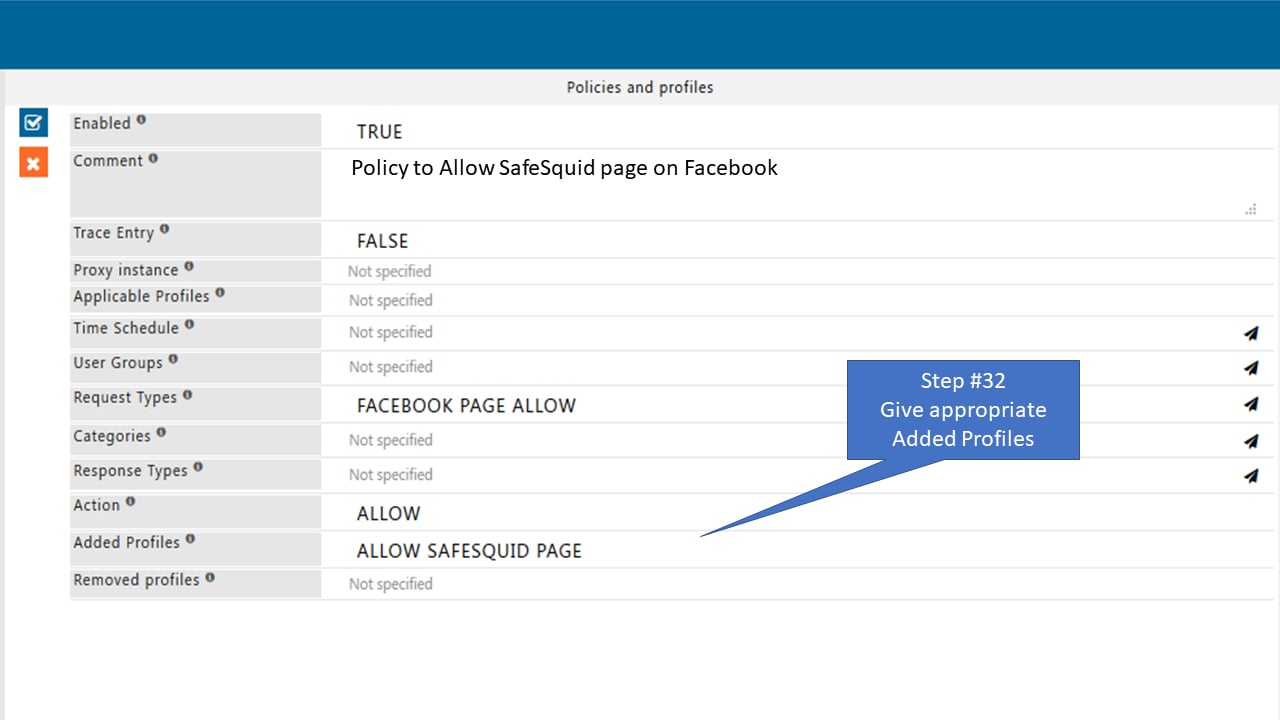
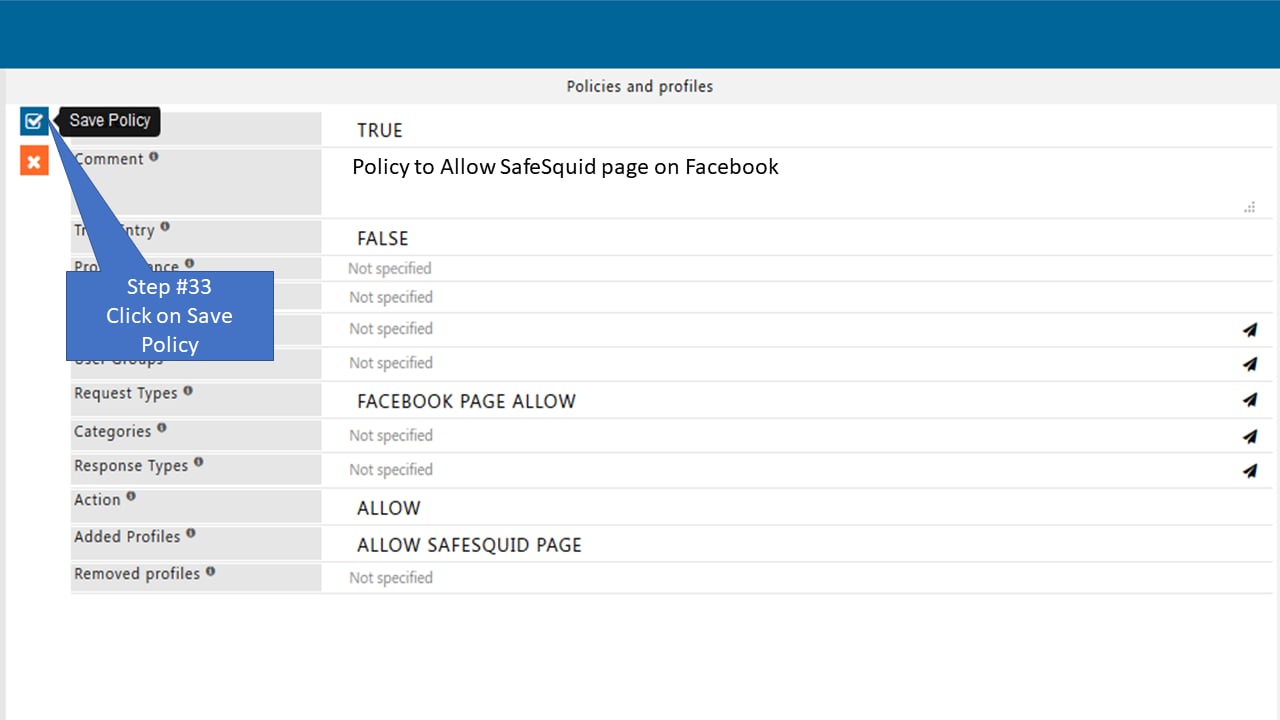
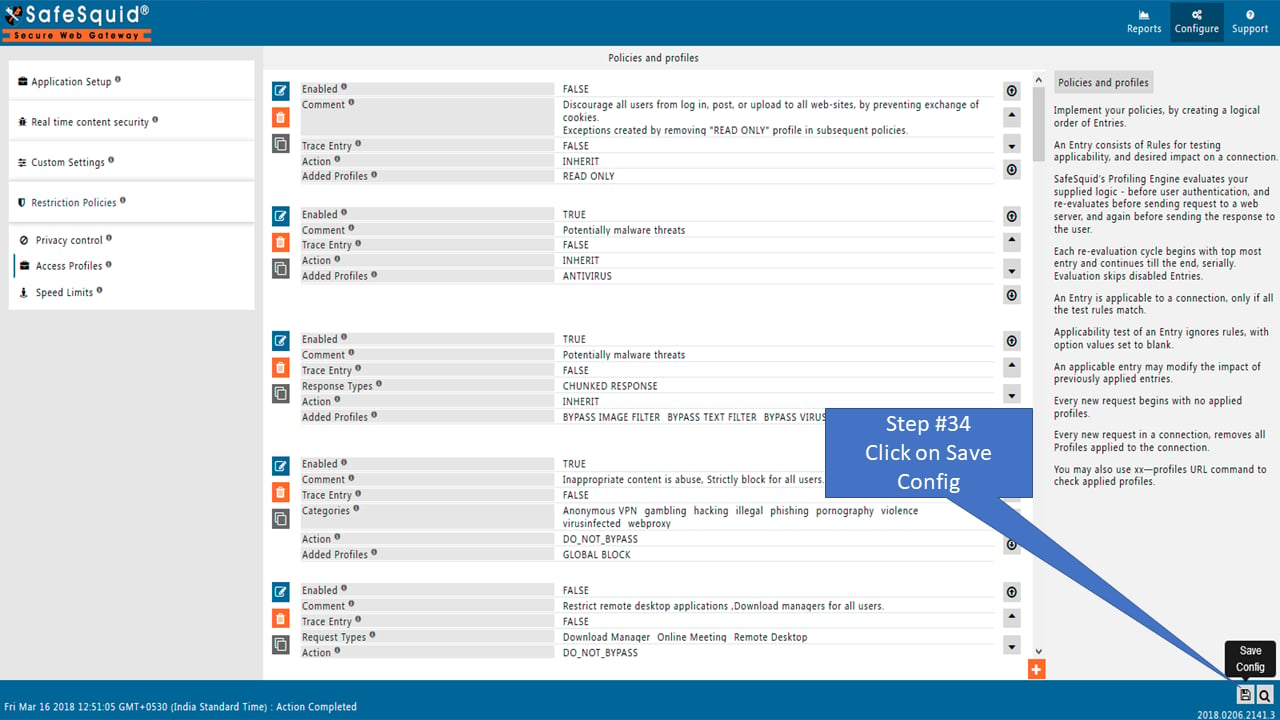
Access the SafeSquid User Interface Select Configure section from safesquid user interface to allow only specific page of Facebook Select Request typr to allow only specific page of Facebook Add new policy to allow only specific page of Facebook Give appropriate comment to the newly added policy that allow only specific page of Facebook Select method of the newly added policy that allow only specific page of Facebook Enter hostname in newly added policy that allow only specific page of Facebook Give appropriate Request profile for adding new connection in policy that allow only specific page of Facebook Save newly added policy that allow only specific page of Facebook Add new policy that allow only specific page of Facebook Give appropriate comment for future use in policy that allow only specific page of Facebook Select method of policy that allow only specific page of Facebook Enter file portion in policy that allow only specific page of Facebook Enter hostname of webserver in policy that allow only specific page of Facebook Enter appropriate Request profile in policy that allow only specific page of Facebook Save policy that allow only specific page of Facebook Save policy that allow only specific page of Facebook Add new policy that allow only specific page of Facebook Give appropriate comment for future use in policy that allow only specific page of Facebook Select method of policy that allow only specific page of Facebook Enter hostname of requested webserver in policy that allow only specific page of Facebook Enter appropriate Request profile in policy that allow only specific page of Facebook Save policy that allow only specific page of Facebook Add new policy that allow only specific page of Facebook Give appropriate comment for future use in policy that allow only specific page of Facebook Select Request type in the policy that allow only specific page of Facebook Select Action block in the policy that allow only specific page of Facebook Give appropriate Added profiles to the policy that allow only specific page of Facebook Save configuration that allow only that allow only specific page of Facebook Click and add policy that allow only specific page of Facebook Comment out in the policy that allow only specific page of Facebook Select request type in the policy that allow only specific page of Facebook Select Action allow in the policy that allow only specific page of Facebook Give appropriate Added profiles to the policy that allow only specific page of Facebook Save policy that allow only that allow only specific page of Facebook Save configuration that allow only that allow only specific page of Facebook